Location sharing and record the track

I am looking for several days now if there is an application in homeassistant that i can use to track a car’s position and record the track that the car has followed.

I want to use an old phone with gps. on the phone i can share it’s location to google maps, so in home assistant i need something that records the positions of google maps.

I have found only this: https://github.com/covrig/homeassistant-trackermap?tab=readme-ov-file
But it is 6 years old, i i don’t know i it stil works.
Maybe there is something more simple to install

Install the Home Assistant Companion App on the phone and use the Home Assistant Map card to track the phone.

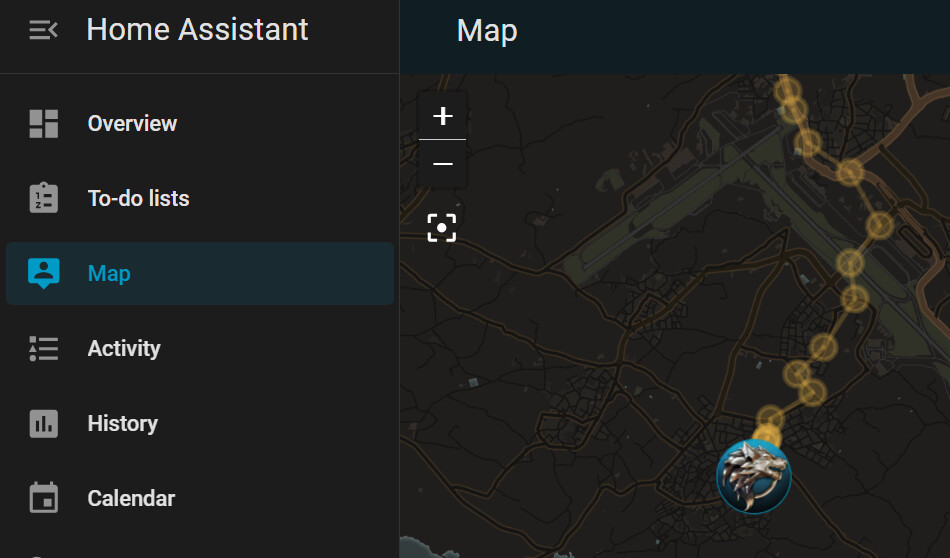
Yes i have, but it only shows the latest known position, but i like to see all positions to see the roads that are followed.

And it should be nice to save that track as a *.gpx file

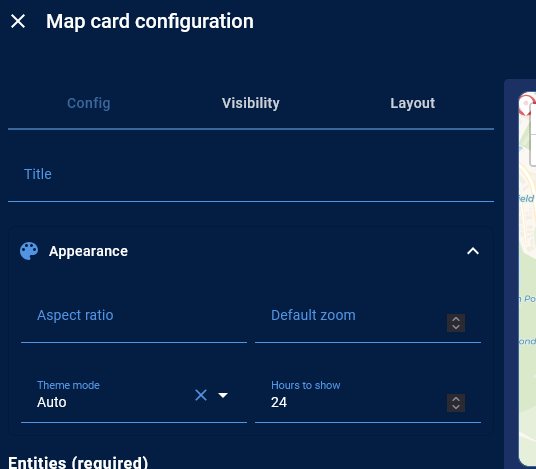
It shows a lot more than that. In the Appearance section of the Map card set the Hours to Show to 24 or more.

Screenshot 2024-07-09 at 16-18-21 Overview – Home Assistant

:+1: Thanks, I didn’t know that.

I there a way to manage the time between the recorded points?
I is now 4 minutes, can i make that 1 minute?

iOS or Android?

You can read about what triggers location updates here: Location | Home Assistant Companion Docs

Also this (for iOS): Notification Commands | Home Assistant Companion Docs

Android.

I don’t understand exactly what you mean, i am not a programmer.
But i will read the links, maybe it give me the right direction to search.

Doesn’t matter. It does not work for Android.

I cant find that Appearance section anywhere on the maps dashboard on my explorer, can u pls tell me where to find it? i have the laste HA version to date

It’s not the map dashboard. It’s the map card. It is an option for the card.

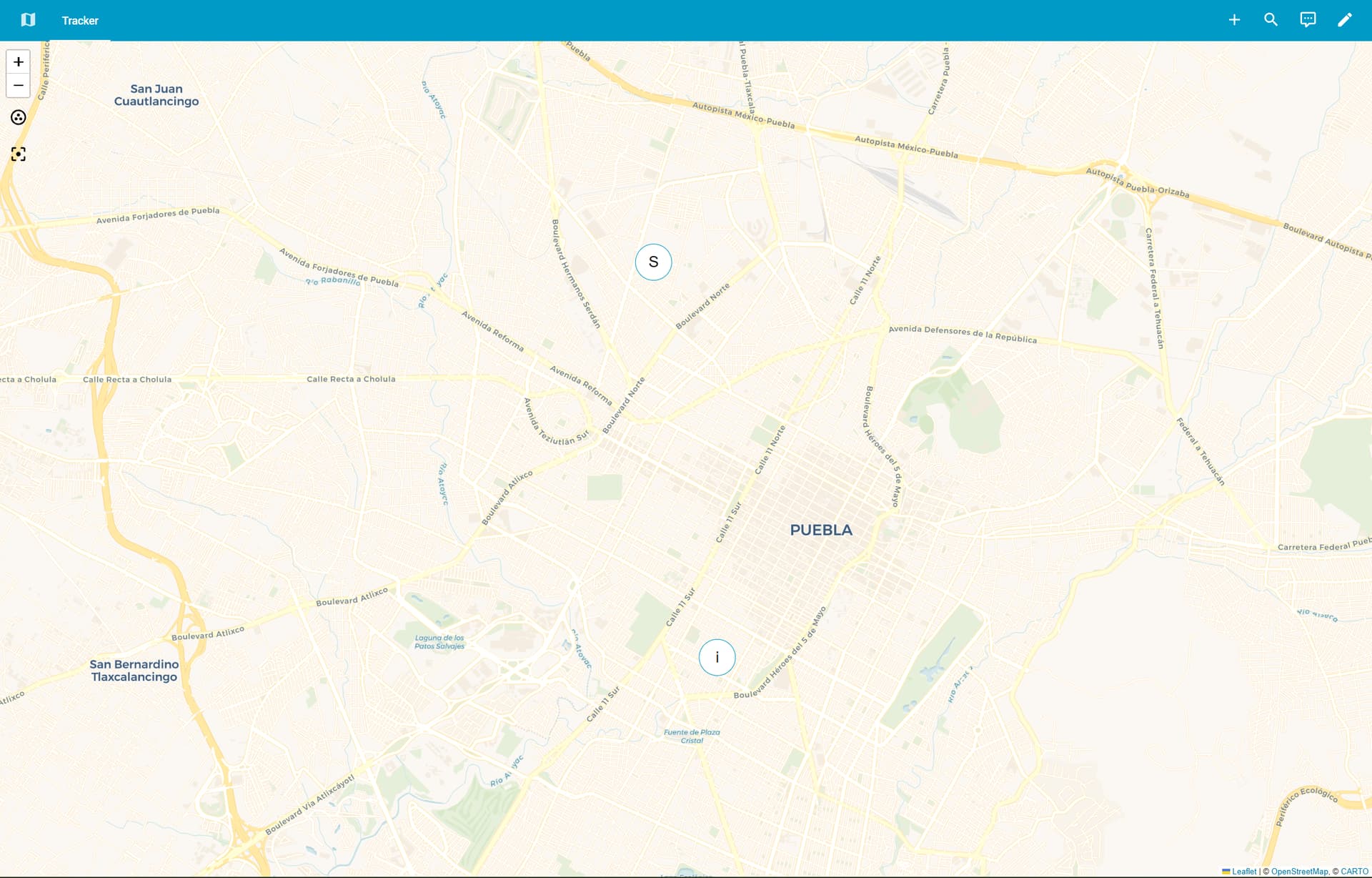
You can take control of the map dashboard and add a map card as a panel view. This will then allow you to show the history on the maps dashboard:

Stumbled upon it a couple of weeks ago while answering a question for another user & have no idea what I did to take control & set up panel view, but it works.

Thx for that guys @tom_l and @ShadowFist ,i have added the new panel and set it to show the last 24 hrs, but its not showing any tracking info, just the 2 devices at one place without history

Are you using the companion app to track devices? Also, note that I am using entities to track myself, not devices.
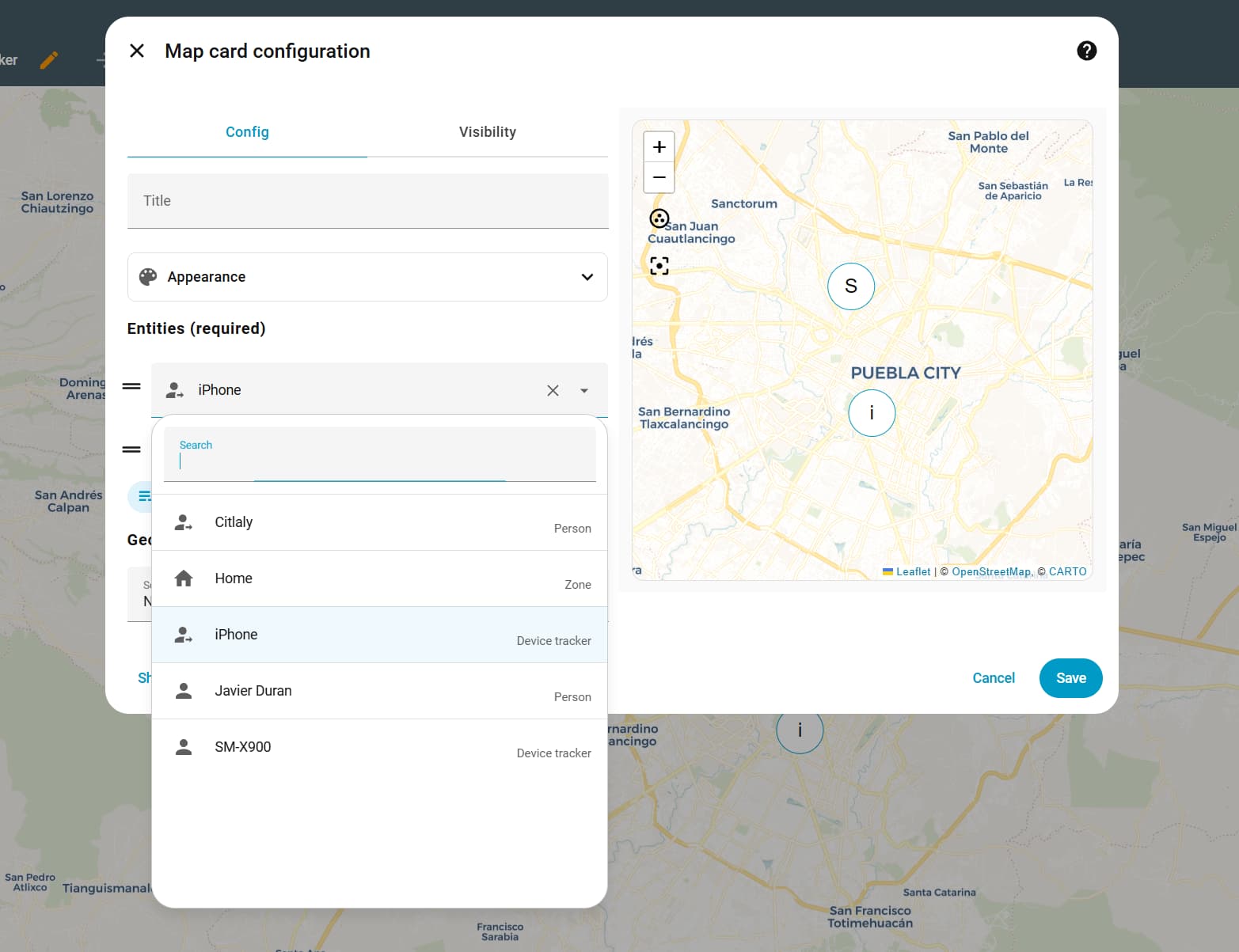
If you have a device tracker already attached to your User, then you can use the person entity (eg. person.javito) in the config.

Isnt the companion app the Home Assistant App? @ShadowFist

Yes, it is. Try selecting Javier Duran from that screen. Make sure that Hours to Show is still set to 24h after the change (and obviously that you have actually been out of home in the past 24h)

Yes i have been, in fact i was out about 12 hrs ago and is not showing any progress :frowning:

Go to Settings > People > Javier Duran and confirm that your iphone device tracker is indeed attached to your user:

If yes, now go to the History dashboard, set the date range to 24h & search for iphone to find 2 entities named something like: device_tracker_iphone & sensor.iphone_xxx_geocoded_location

If you don’t see any geolocation updates, then it’s an apple issue, which I’m not familiar with, sorry.

Do you have history enabled for these devices recorder?

how do i check that?

my device is android and the other is apple, both decives have their tracker assisgned to the respective user