Hi, is possible add?
Is it possible to add a sensor value? I would like the number to appear next to the name.
Also, how do I color the action where I am, i.e., the “li”?
This doesn’t work.
.sidebarMenu li.active {
color: red !important;
background-color: #000000 !important;
}
- action: more-info
  entity: sensor.count_switch
  name: Switch accesi
  state: sensor.count_switch
  icon: mdi:toggle-switch
Did anybody find the new features in the docu yet or could give me a hint, where they can be found.
Add optional “conditional” parameter to the sidebar menu items
Add service-js action
Hi all,
First, I would like to thanks the developpers to create this.
Here is a quick look of how I adapted the sidebar-card with my HA.
I agree, it is very simple, but I wanted something small and clean to my wall tablet and fit to the theme.
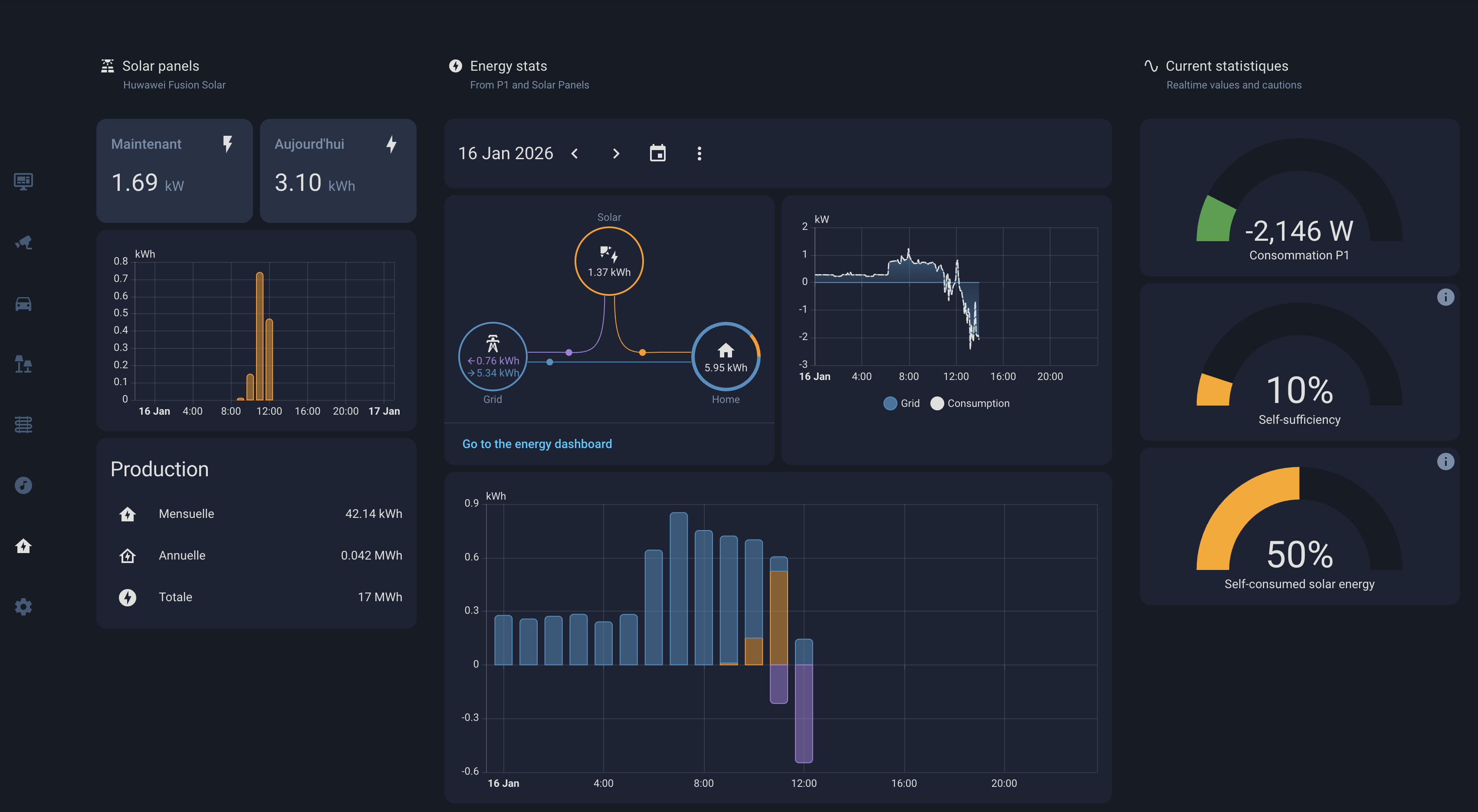
I also customized it with some targeted CSS and use browser_mod to open a popup with Music Assistant browser.
- action: call-service
   service: browser_mod.popup
   icon: mdi:music-circle
Cheers
1 Like
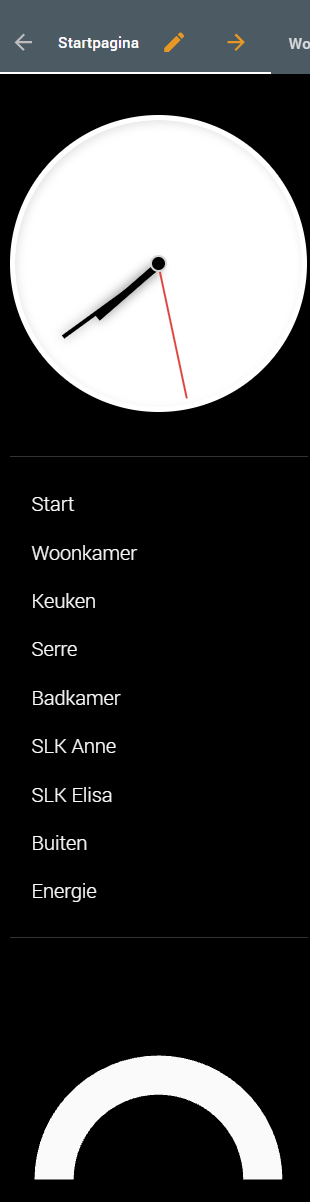
no Gauge Card Pro in bottom-card.
I want to add an energy meter to the sidebar with the button card, but it doesn’t work, who can see what’s wrong?
 bottomCard:
    type: custom:gauge-card-pro
    entity: sensor.elektra_vermogen_fase_1
    min: 0
    max: 4000
    segments:
      - pos: 4000
        color: red
      - pos: 2000
        color: '#FFA500'
      - pos: 1000
        color: rgb(255, 255, 0)
      - pos: 0
        color: var(--green-color)
    needle: true
    gradient: true
    cardStyle: |
      ha-card {
        background: transparent;
        box-shadow: none;
        --border-style: none;
      }
      :host {
        width: 100%;
        background-color:#000;
      }
Can you share your code for the sidebar please
here:
sidebar:
  width:
    mobile: 0
    tablet: 5
    desktop: 5
  title: ''
  digitalClock: false
  hideTopMenu: false
  sidebarMenu:
    - action: navigate
      navigation_path: /dashboard-home/0
      active: true
      icon: mdi:monitor-dashboard
      name: ''
    - action: navigate
      navigation_path: /dashboard-home/security
      icon: mdi:cctv
      name: ''
    - action: navigate
      navigation_path: /dashboard-home/cars
      icon: mdi:car
      name: ''
    - action: navigate
      navigation_path: /dashboard-home/lights
      icon: mdi:lamps
      name: ''
    - action: navigate
      navigation_path: /dashboard-home/heating
      icon: mdi:home-thermometer
      name: ''
    - action: navigate
      navigation_path: /dashboard-home/music
      icon: mdi:music-circle
      name: ''
    - action: navigate
      navigation_path: /dashboard-home/energy
      icon: mdi:home-lightning-bolt
      name: ''
    - action: navigate
      navigation_path: /dashboard-home/systeme
      icon: mdi:cog
      name: ''
  style: |
    :host {
        --sidebar-background: #151B25;
        --sidebar-text-color: #415A77;
        --sidebar-icon-color: #415A77;
        --sidebar-selected-text-color: #E0E1DD;
        --sidebar-selected-icon-color: #E0E1DD;
        --electric-blue: var(--color-active-blue-electric);
    }
    .sidebar-inner {
        display: flex;
        flex-direction: column;
        justify-content: center;
        background: var(--primary-background-color);
    }
    .sidebarMenu {
        border: none !important;
        background: var(--primary-background-color);
    }
    .sidebarMenu li {
        height: 50px;
        background: transparent !important;
        -webkit-tap-highlight-color: transparent;
        outline: none !important;
        position: relative;
    }

    .sidebarMenu li ha-icon,
    .sidebarMenu li span {
        transition: color 200ms ease-in-out !important;
    }

    .sidebarMenu li:active ha-icon,
    .sidebarMenu li:active span {
        color: var(--electric-blue) !important;
        transition: color 0s !important;
    }

    .sidebarMenu li::before,
    .sidebarMenu li.active::before {
        content: none !important;
        display: none !important;
    }
is it possible to add a superscript number in dependency of a entity to the name of the menu point?
I’ve the menu point “Wetter” and would like to add the qty of weather warnings to the name.