Not exactly sure what went wrong but the icons on my lovelace dashboard used to be white and the background was light blue. Recently in the last couple weeks, that switched where the icons are not back and the background is white. Maybe a recent update changed this. Not a huge deal, but I am not used to that look. I dont use any special themes, I am just using light.

Yes, and one way to get it back, is to make a theme with only that “old” color, as the header background
1 Like
Yes, it was probably mentioned in the change log for this month’s release, maybe even in the breaking changes.
Does that apply to your situation, or have you discovered a bug that hasn’t been reported yet?
1 Like
Well, my menu background is definitely different, I upgraded core about a week ago to 2026.2.2, I see there is another update for 2026.2.3. Would this functionally of Lovelace menus be in the core? Here is a screenshot from old to new. I have always had a blue background and now it is white. I would imagine others would be complaining about this if it was part of core, no? Both my iphone app and chrome browser behave the same.

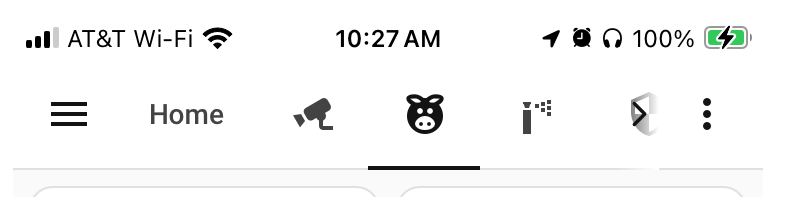
I just found the release notes for 2026.2 they retired the blue background.
UX and visual upgrades
Modern look in the default theme: We’ve retired the old blue top bar in favor of a clean, consistent theme that matches our Settings page. This distraction-free design lets your cards and data take center stage.
Plenty of words with zero meaning.
Same as 95% of rebrandings of corporate logos.
1 Like
The only thing that is constant in HomeAssistant is the rapid pace of changes. You will learn to hesitate and read the release notes before hitting the update button. Read the release notes for 2026.3 to see what I mean - wow!
2 Likes
Yes you are correct. Not only that, the comment about " consistent theme that matches our Settings page " is NOT accurate. If you look at other pages, like settings, the menu at the top reverses the icon to the color blue that you are on, just like all of the menu items on the left. If you look at the new menu icons on the top, if you are on an icon, it still shows the color black. Anyway, I did fix this using someone changes to a new theme that I found from some other post.
classic-header-color:
  #app-header-background-color: "#009AC7"
  app-header-background-color: var(--primary-color)
  app-header-text-color: "#FFFFFF"
Unfortunately, it is not possible to fix a header color in Dev tools after it was moved to Settings … at least with themes. Not talking about card-mod-themes and js extensions though.
what are you talking? Your post makes no sense. When i post this in my template it does NOT work.
Generally, the design decisions go worse from version to version. FIRE YOU DESIGNER HOME ASSISTANT! Adhd with no vision. So black and white is the new design thing now!?
Edit:
Found it:
Put
app-header-background-color: “#00382d”
app-header-text-color: “#FFFFFF”
in your custom theme and reload themes under actions in dev tools or just restart ha