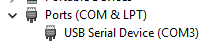
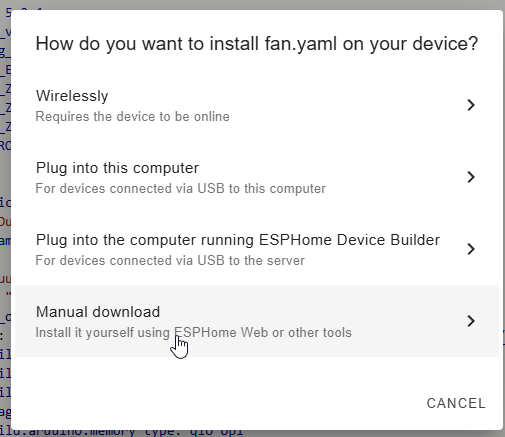
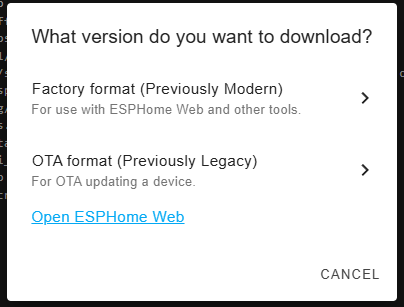
Hi, I may have done something stupid but I’ve just received my first M5NanoC6 and trying to get ESPhome connected and installed for it but I cannot seem to get it prepared. I have it connected OK via USB, and connected through the ESPhome Web but when I try to “Prepare for first use” I get an error that the platform is not supported.

Is this that I’ve bought a new board which is not supported?
I have posted the log below if it helps (does show this is an ESP32C6 so I expected it to be supported).
Logfile
[15:12:13]ESP-ROM:esp32c6-20220919
[15:12:13]Build:Sep 19 2022
[15:12:13]rst:0x15 (USB_UART_HPSYS),boot:0xc (SPI_FAST_FLASH_BOOT)
[15:12:13]Saved PC:0x40806a58
[15:12:13]SPIWP:0xee
[15:12:13]mode:DIO, clock div:2
[15:12:13]load:0x40875720,len:0x1804
[15:12:13]load:0x4086c410,len:0xde0
[15:12:14]load:0x4086e610,len:0x2e04
[15:12:14]entry 0x4086c41a
[15:12:14]I (23) boot: ESP-IDF v5.2-166-ge0944287f3-dirty 2nd stage bootloader
[15:12:14]I (23) boot: compile time Mar  5 2024 17:01:28
[15:12:14]I (24) boot: chip revision: v0.1
[15:12:14]I (27) boot.esp32c6: SPI Speed      : 80MHz
[15:12:14]I (32) boot.esp32c6: SPI Mode       : DIO
[15:12:14]I (37) boot.esp32c6: SPI Flash Size : 2MB
[15:12:14]I (42) boot: Enabling RNG early entropy source...
[15:12:14]I (47) boot: Partition Table:
[15:12:14]I (51) boot: ## Label            Usage          Type ST Offset   Length
[15:12:14]I (58) boot:  0 nvs              WiFi data        01 02 00009000 00006000
[15:12:14]I (65) boot:  1 phy_init         RF data          01 01 0000f000 00001000
[15:12:14]I (73) boot:  2 factory          factory app      00 00 00010000 00100000
[15:12:14]I (80) boot: End of partition table
[15:12:14]I (84) esp_image: segment 0: paddr=00010020 vaddr=42098020 size=25080h (151680) map
[15:12:14]I (124) esp_image: segment 1: paddr=000350a8 vaddr=40800000 size=02f70h ( 12144) load
[15:12:14]I (128) esp_image: segment 2: paddr=00038020 vaddr=42000020 size=92750h (599888) map
[15:12:14]I (251) esp_image: segment 3: paddr=000ca778 vaddr=40802f70 size=14934h ( 84276) load
[15:12:14]I (272) esp_image: segment 4: paddr=000df0b4 vaddr=408178b0 size=039d0h ( 14800) load
[15:12:14]I (282) boot: Loaded app from partition at offset 0x10000
[15:12:14]I (282) boot: Disabling RNG early entropy source...
[15:12:14]I (293) cpu_start: Unicore app
[15:12:14]W (303) clk: esp_perip_clk_init() has not been implemented yet
[15:12:14]I (310) cpu_start: Pro cpu start user code
[15:12:14]I (310) cpu_start: cpu freq: 160000000 Hz
[15:12:14]I (310) cpu_start: Application information:
[15:12:14]I (313) cpu_start: Project name:     nanoc6_factorytest
[15:12:14]I (319) cpu_start: App version:      aa0ba2b-dirty
[15:12:14]I (324) cpu_start: Compile time:     Mar  5 2024 17:47:28
[15:12:14]I (330) cpu_start: ELF file SHA256:  32f0329fb...
[15:12:14]I (335) cpu_start: ESP-IDF:          v5.2-166-ge0944287f3-dirty
[15:12:14]I (342) cpu_start: Min chip rev:     v0.0
[15:12:14]I (347) cpu_start: Max chip rev:     v0.99
[15:12:14]I (352) cpu_start: Chip rev:         v0.1
[15:12:14]I (356) heap_init: Initializing. RAM available for dynamic allocation:
[15:12:14]I (364) heap_init: At 40820310 len 0005C300 (368 KiB): RAM
[15:12:14]I (370) heap_init: At 4087C610 len 00002F54 (11 KiB): RAM
[15:12:14]I (376) heap_init: At 50000000 len 00003FE8 (15 KiB): RTCRAM
[15:12:14]I (383) spi_flash: detected chip: generic
[15:12:14]I (387) spi_flash: flash io: dio
[15:12:14]W (391) spi_flash: Detected size(4096k) larger than the size in the binary image header(2048k). Using the size in the binary image header.
[15:12:14]W (404) i2c: This driver is an old driver, please migrate your application code to adapt `driver/i2c_master.h`
[15:12:14]I (415) sleep: Configure to isolate all GPIO pins in sleep state
[15:12:14]I (421) sleep: Enable automatic switching of GPIO sleep configuration
[15:12:14]I (428) coexist: coex firmware version: 77cd7f8
[15:12:14]I (434) coexist: coexist rom version 5b8dcfa
[15:12:14]I (439) main_task: Started on CPU0
[15:12:14]I (439) main_task: Calling app_main()
[15:12:14]I (449) gpio: GPIO[3]| InputEn: 0| OutputEn: 0| OpenDrain: 0| Pullup: 1| Pulldown: 0| Intr:0
[15:12:14]I (449) example: create RMT TX channel
[15:12:14]I (459) gpio: GPIO[3]| InputEn: 0| OutputEn: 1| OpenDrain: 0| Pullup: 1| Pulldown: 0| Intr:0
[15:12:14]I (469) example: modulate carrier to TX channel
[15:12:14]I (469) example: install IR NEC encoder
[15:12:14]I (479) example: enable RMT TX  channels
[15:12:14]I (479) gpio: GPIO[19]| InputEn: 0| OutputEn: 0| OpenDrain: 0| Pullup: 1| Pulldown: 0| Intr:0
[15:12:14]I (489) gpio: GPIO[7]| InputEn: 0| OutputEn: 0| OpenDrain: 0| Pullup: 1| Pulldown: 0| Intr:0
[15:12:14]I (499) gpio: GPIO[20]| InputEn: 0| OutputEn: 1| OpenDrain: 0| Pullup: 1| Pulldown: 0| Intr:0
[15:12:14]use esp timer !!!
[15:12:14]E (509) esp_timer: Task is already initialized
[15:12:14]I (509) gpio: GPIO[9]| InputEn: 1| OutputEn: 0| OpenDrain: 0| Pullup: 1| Pulldown: 0| Intr:3
[15:12:14]E (519) SH1107: OLED configuration failed. code: 0xFFFFFFFF
[15:12:14]I (539) example: Base MAC Address read from EFUSE BLK0
[15:12:14]I (539) example: Using "0x54, 0x32, 0x4, 0x1f, 0xb9, 0x4" as base MAC address
[15:12:14]I (549) example_connect: Start example_connect.
[15:12:14]I (549) pp: pp rom version: 5b8dcfa
[15:12:14]I (549) net80211: net80211 rom version: 5b8dcfa
[15:12:14]I (569) wifi:wifi driver task: 4082a7f4, prio:23, stack:6656, core=0
[15:12:14]I (569) wifi:wifi firmware version: cc1dd81
[15:12:14]I (569) wifi:wifi certification version: v7.0
[15:12:14]I (569) wifi:config NVS flash: enabled
[15:12:14]I (579) wifi:config nano formating: disabled
[15:12:14]I (579) wifi:mac_version:HAL_MAC_ESP32AX_761,ut_version:N
[15:12:14]I (589) wifi:Init data frame dynamic rx buffer num: 32
[15:12:14]I (589) wifi:Init static rx mgmt buffer num: 5
[15:12:14]I (589) wifi:Init management short buffer num: 32
[15:12:14]I (599) wifi:Init dynamic tx buffer num: 32
[15:12:14]I (599) wifi:Init static tx FG buffer num: 2
[15:12:14]I (609) wifi:Init static rx buffer size: 1700
[15:12:14]I (609) wifi:Init static rx buffer num: 10
[15:12:14]I (609) wifi:Init dynamic rx buffer num: 32
[15:12:14]I (619) wifi_init: rx ba win: 6
[15:12:14]I (619) wifi_init: tcpip mbox: 32
[15:12:14]I (629) wifi_init: udp mbox: 6
[15:12:14]I (629) wifi_init: tcp mbox: 6
[15:12:14]I (629) wifi_init: tcp tx win: 5760
[15:12:14]I (639) wifi_init: tcp rx win: 5760
[15:12:14]I (639) wifi_init: tcp mss: 1440
[15:12:14]I (649) wifi_init: WiFi IRAM OP enabled
[15:12:14]I (649) wifi_init: WiFi RX IRAM OP enabled
[15:12:14]I (659) phy_init: phy_version 230,c773401,Oct 30 2023,15:07:16
[15:12:14]W (719) wifi:(bf)761:0x600a7cac:0x01b4b4b0
[15:12:14]W (719) wifi:(agc)0x600a7128:0xd20ce9d6, min.avgNF:0xce->0xd2(dB), RCalCount:0xce, min.RRssi:0x9d6(-98.62)
[15:12:14]W (719) wifi:(TB)WDEV_PWR_TB_MCS0:19
[15:12:14]W (719) wifi:(TB)WDEV_PWR_TB_MCS1:19
[15:12:14]W (729) wifi:(TB)WDEV_PWR_TB_MCS2:19
[15:12:14]W (729) wifi:(TB)WDEV_PWR_TB_MCS3:19
[15:12:14]W (729) wifi:(TB)WDEV_PWR_TB_MCS4:19
[15:12:14]W (739) wifi:(TB)WDEV_PWR_TB_MCS5:19
[15:12:14]W (739) wifi:(TB)WDEV_PWR_TB_MCS6:18
[15:12:14]W (739) wifi:(TB)WDEV_PWR_TB_MCS7:18
[15:12:14]W (749) wifi:(TB)WDEV_PWR_TB_MCS8:17
[15:12:14]W (749) wifi:(TB)WDEV_PWR_TB_MCS9:15
[15:12:14]W (749) wifi:(TB)WDEV_PWR_TB_MCS10:15
[15:12:14]W (759) wifi:(TB)WDEV_PWR_TB_MCS11:15
[15:12:14]I (759) wifi:11ax coex: WDEVAX_PTI0(0x55777555), WDEVAX_PTI1(0x00003377).
[15:12:14]
[15:12:14]I (769) wifi:mode : sta (54:32:04:1f:b9:04)
[15:12:14]I (769) wifi:enable tsf
[15:12:14]I (769) example_connect: Connecting to M5-FA-Test-01...
[15:12:14]I (779) example_connect: Waiting for IP(s)
[15:12:17]I (3179) example_connect: Wi-Fi disconnected, trying to reconnect...
[15:12:19]I (5589) example_connect: Wi-Fi disconnected, trying to reconnect...
[15:12:21]I (7989) example_connect: Wi-Fi disconnected, trying to reconnect...
[15:12:24]I (10399) example_connect: Wi-Fi disconnected, trying to reconnect...
[15:12:26]I (12799) example_connect: Wi-Fi disconnected, trying to reconnect...