was getting frustrated trying to find a screensaver or configure a screen saver with clock and weather so i made one. simple enough and made menu(gear icon in upper right corner) so anyone could add the url as screen saver! is this something people would want?
Fully updated with “Create Your Screensaver Page” ui! pick your page name and password protected for editing later. many options like digital or analog clock and much more. This way you can just point to your url from FKB or wallpanel and have your screensaver display. open to more options like a flipclock i already have working but not option yet.
here is url to configure your screensaver: » user
and here is a couple screen shots:


1 Like
I would definitely be interested in giving this a try assuming it works on the companion app.
https://homeassistant.randrcomputers.com/user
Give it a try.
This is what I currently use for this very purpose…
agreed! i’ve used that for last year but changing out my devices last week(5 wall tablets) was a hug task having to redo all Wallpanel settings for each devices screensaver timer, browsermod ID’s for motion detection…anyways was just a lot of work so came up with a simple solution that works well with fully kiosk. for me anyways
1 Like
I created a simple script to pull the 50 most recent photos from my Immich, which is mounted in my HA and it created a html slideshow. I can load the html slideshow with the direct link, but when wallpanel goes idle to start the slideshow, it says it failed to update media.
my config is:
wallpanel:
enabled: true
hide_toolbar: false
hide_sidebar: true
fullscreen: false
idle_time: 10
image_url: http://{server IP}:8123/local/Immich-slideshow.html
any idea why it isn’t working?
Been using this for a while now and no issues. Wondering if anyone else is finding it useful?
Thank you very much for doing this, finally a great idea that works!!! Best screensaver
1 Like
Thanks for the feedback. I agree it just works. I can add more options or add ons if you can think of any to add.
1 Like
Can’t the images change more subtly? And so that the clock can be turned off?
I could easily add transition options for wallpaper and option to not display clock. Give me a couple days and you will see these new options.
Added your ideas maybe you can test if they work for you? wasnt sure what transitions you wanted so added a few and a random option. “show clock” option is at top. @EosReborn
the page doesn’t load
Works here it should load no problem. Try different browser or incognito mode?
It works, but I don’t understand why it changes the image nicely and dims on the phone but not on the tablet (lenovo tab m9)
depends on what you are running on tablet for “webview” make sure you have java enabled if using fully kiosk browser.
- Open the Fully Kiosk Browser app on your Android device.
- Swipe from the left edge of the screen to reveal the settings menu.
- Tap on Settings.
- Navigate to Advanced Web Settings (or simply Web Content in some versions).
- Ensure the Enable JavaScript option is turned ON (it is usually on by default).
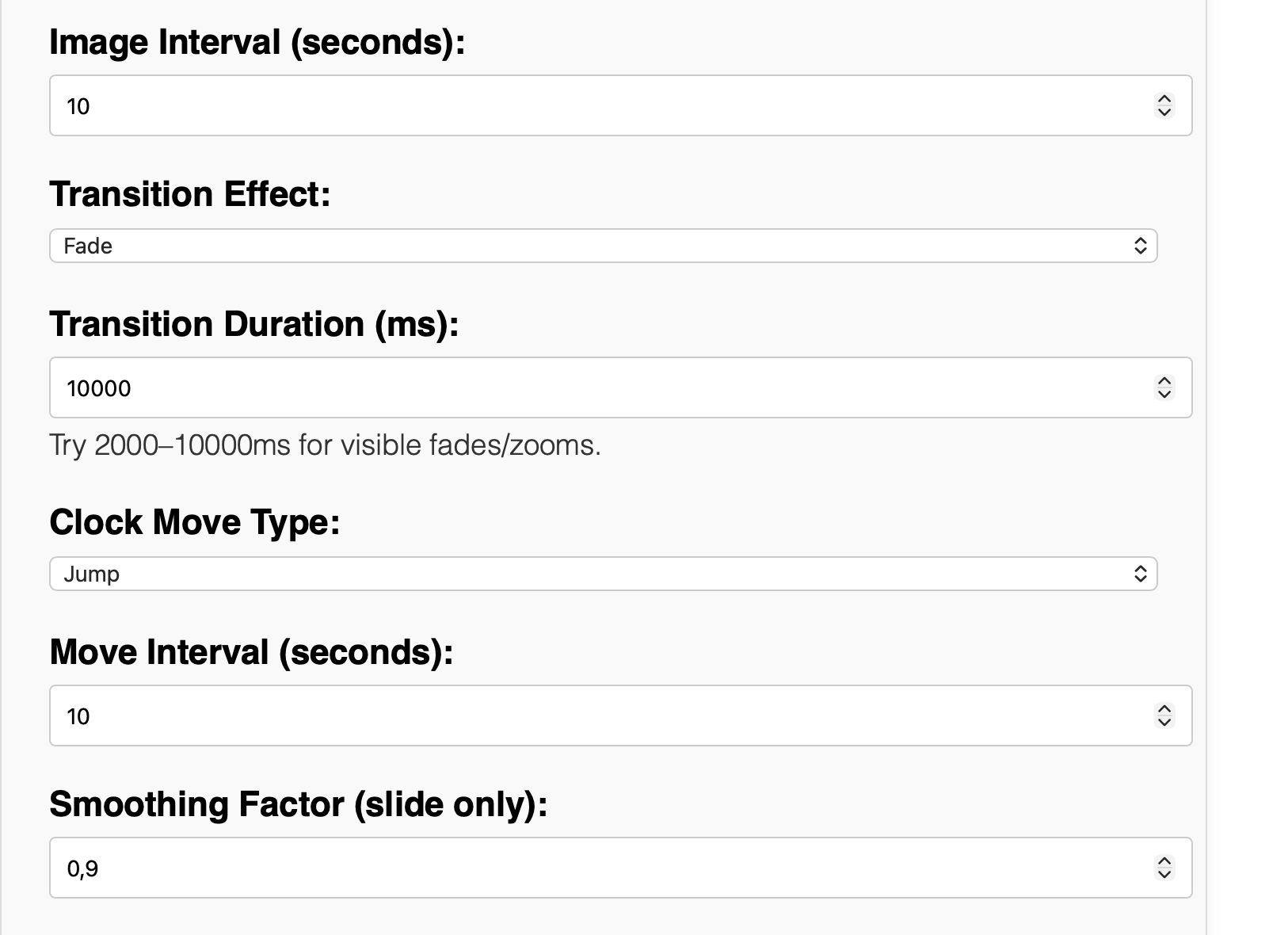
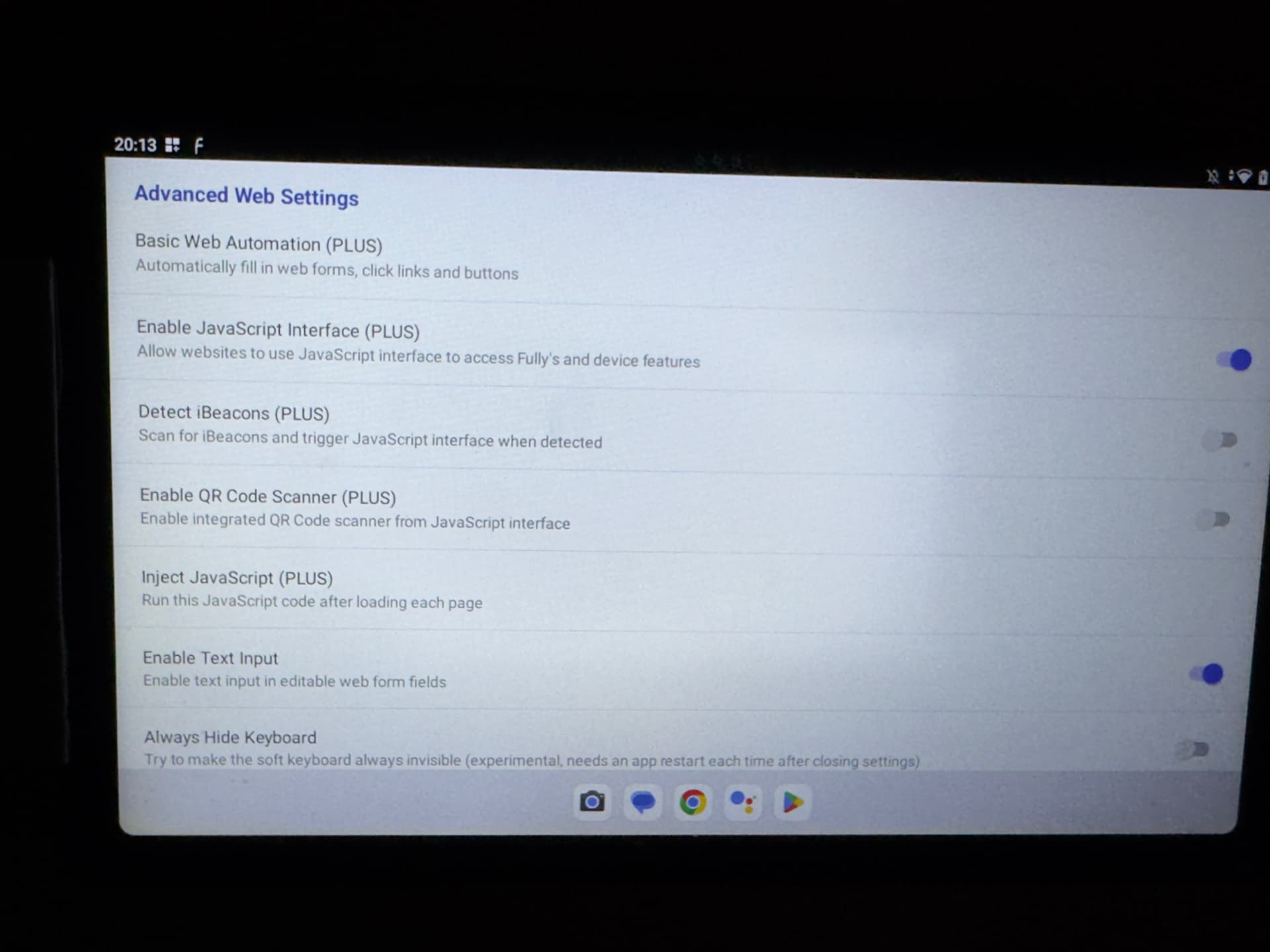
fully looks correct assuming you have plus. and setting on your screensaver admin page looks correct @ 10000 (thats very slow) so transition will be very noticable. you may need to restart fully after changing java
Great screensaver. Awesome job! Any way to set the clock position statically? Like either 4 corners or centered?
I can add those options.