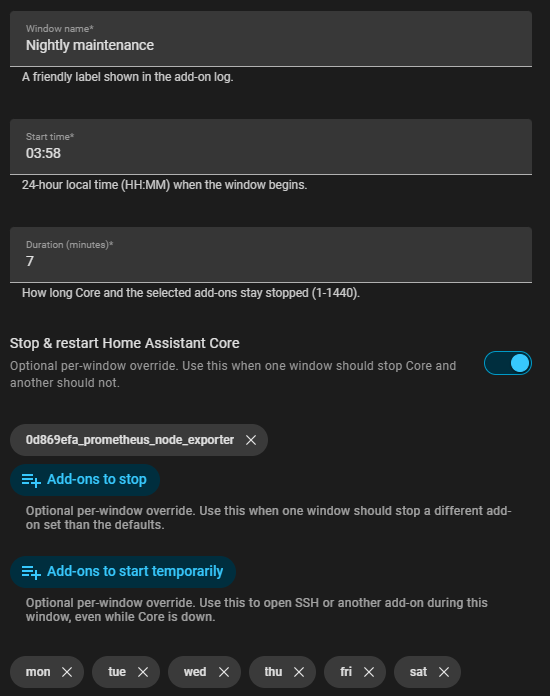
I built a Home Assistant OS app for scheduled maintenance windows.
It can stop Home Assistant Core and selected Supervisor apps, optionally start temporary applications such as SSH, wait for the configured window, then restore everything automatically.
Use cases include host/NAS backups, router or internet maintenance, hardware/sensor work, controlled Core restarts, and short SSH break-glass windows while Core is down.
Install
Add this repository to the Home Assistant apps store:
https://github.com/sergey-goncharenko/ha-maintenance-window-addon
Release:
Safety
This app can intentionally stop Home Assistant Core, so it is conservative by default:
dry_run: trueby default- Core stop disabled by default
- Core stop requires
core_stop_confirmation: STOP_CORE - Startup grace period and max Core stop duration guards
- Recovery state before stopping Core
- Optional Core watchdog pause/restore during the window
Start with dry_run: true and a short test window a few minutes ahead.
Notes
HA apps slugs are shown in the Maintenance Window startup log when list_addons_on_startup: true is enabled.
This project was developed with AI assistance, with human review and iterative testing throughout. It has been personally tested on a real HAOS setup, including real Core stop/start windows and apps restore behavior.
Feedback, bug reports, and config questions are welcome.