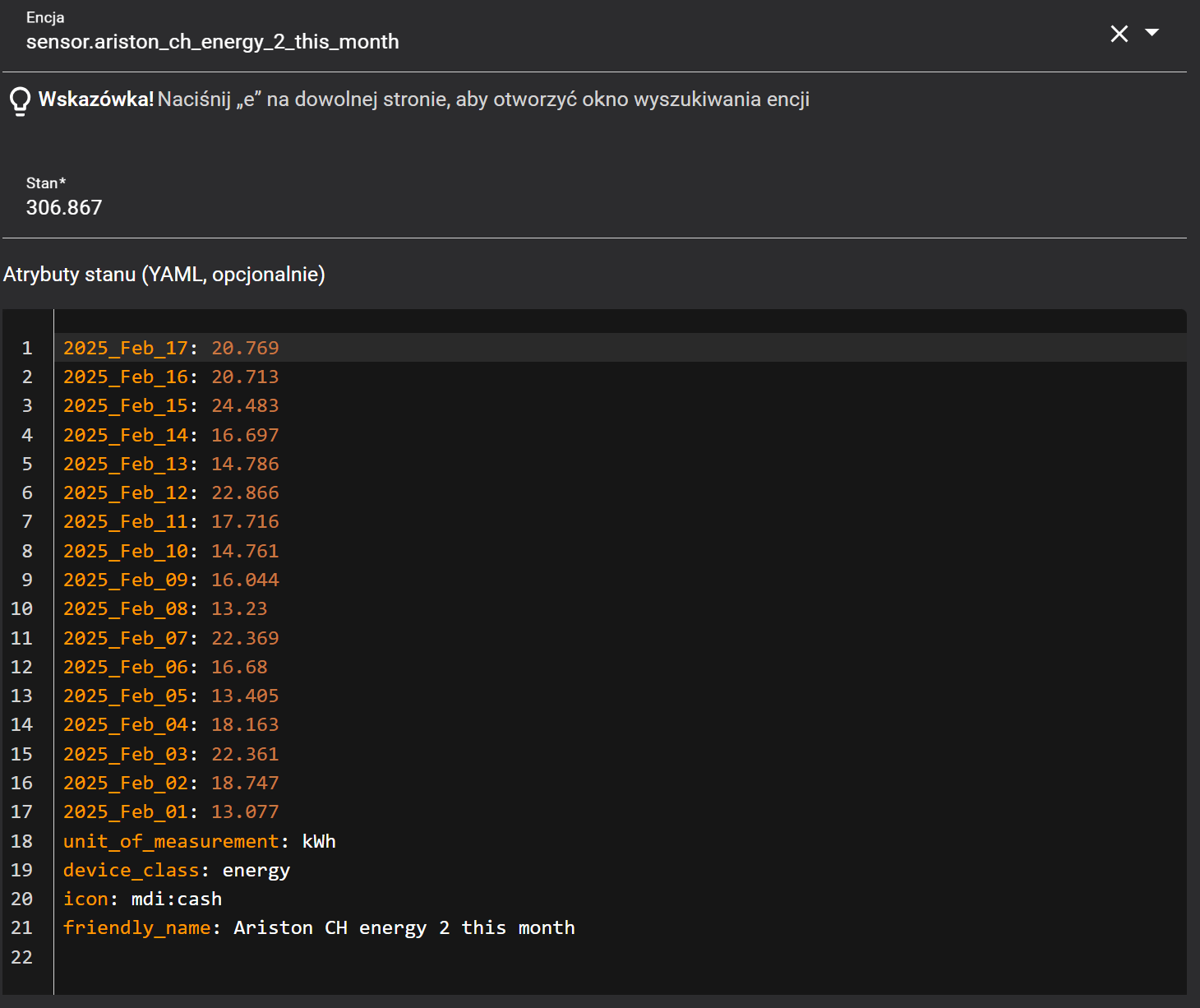
Hi guys, how get out this daily energy consumption from monthly sensor too another sensor?
ChatGPT 
{% set sensor = state_attr('sensor.ariston_ch_energy_2_this_month', now().strftime('%Y_%b_%d')) %}
{{ sensor if sensor is not none else 'unavailable' }}
or
sensor:
  - platform: template
    sensors:
      ariston_daily_energy:
        friendly_name: "Dzienne zużycie prądu"
        unit_of_measurement: "kWh"
        value_template: >-
          {% set sensor = state_attr('sensor.ariston_ch_energy_2_this_month', today().strftime('%Y_%b_%d')) %}
          {{ sensor if sensor is not none else 'unavailable' }}
ChatGPT gave you an example of a Template Sensor using what is now known as “legacy format”.
This format style was deprecated over two years ago and is no longer recommended. It was replaced with a new way of defining Template Sensors.
In addition, ChatGPT’s suggested template isn’t the most concise way of extracting the value.
Here’s the modern way of defining a Template Sensor and with a simplified template.
template:
  - sensor:
      - name: "Ariston Daily Energy"
        unit_of_measurement: "kWh"
        state: >
          {{ state_attr('sensor.ariston_ch_energy_2_this_month', now().strftime('%Y_%b_%d')) | default('unavailable', true) }}
Be advised that neither is the ideal way of reporting a Template Sensor’s unavailability. It is best handled by the Template Sensor’s availability option.
template:
  - sensor:
      - name: "Ariston Daily Energy"
        unit_of_measurement: "kWh"
        state: >
          {{ state_attr('sensor.ariston_ch_energy_2_this_month', now().strftime('%Y_%b_%d')) }}
        availability: >
          {{ state_attr('sensor.ariston_ch_energy_2_this_month', now().strftime('%Y_%b_%d')) is not none }}
It may seem like a subtle distinction but it becomes important if you intend on adding other options like state_class and device_class to record long-term statistics (or when displaying the sensor’s history in a graph).
__
EDIT
If you want to be able to modify certain aspects of the Template Sensor via the UI then you should add the unique_id option.
The alternative is to avoid defining the Template Sensor in YAML and create it entirely via the UI as a Template Sensor helper.