FAQ - How do I create a time helper?
-
Go to Settings / Devices & Services / click on the “Helpers” tab / click “+ CREATE HELPER” and select “Timer”.
-
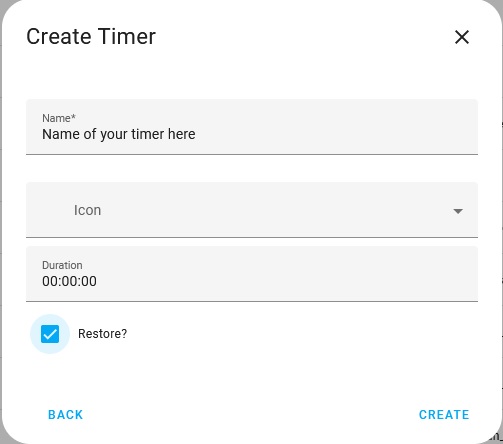
Enter in the name you would like to call your time helper. Select an icon if you like. Leave the duration set on 00:00:00 as the automation will apply your setting to this. Click “restore?”, this will restore / keep the time helper going if you restart Home Assistant.
-
Your done. Now just add the time helper into your automation.

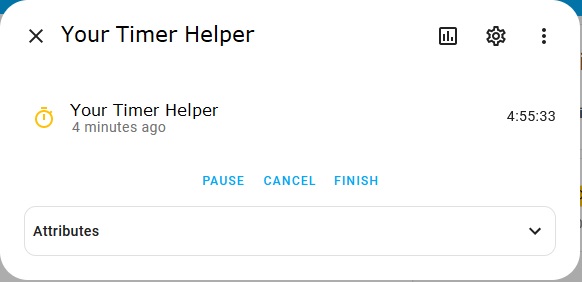
TIP: If you add your time helper into a dashboard and you click on it you will be able to pause, cancel or finish it.
Enjoy
Blacky 
Back to FAQ: Click Here