Hi there, I’m using an addon (Bifrost) that wants to listen for connections on port 80 and 443. But I also want Home Assistant to listen on those ports. Ideally I’d have two different IPs, and connections to ports 80 and 443 on one host would go to Home Assistant, while connections to those ports on the other IP would go to the addon.
Is it possible to configure Home Assistant OS to use two interfaces with different IPs, and map addon ports to a particular interface/IP? (I know this would be possible with Docker containers but HAOS is awesome!)
I am using Home Assistant 2025.10.1 (core) on operating system version 16.2, and it is running as a kvm virtual machine on a Ubuntu hypervisor host. So it wolud be easy to create a second virtual network interface, and the server_host config option should let me bind Home Assistant to its specific interface, but what I haven’t figured out is how to map ports inside addon containers to specific interfaces.
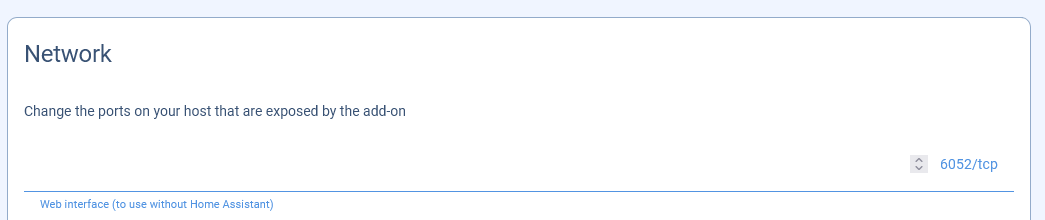
No. Add-ons always have the same IP address as Home Assistant. The only way to differentiate them is via ports. I don’t know anything about the Bifrost add-on but most add-ons allow you to specify the port they use at the bottom of the add-on configuration page:
Hi Tom, thank you so much for taking the the time to answer.
More context: Bifrost is an addon that allows you to control Home Assistant devices with the official Philips Hue app (by mapping Philips Hue API calls to and from MQTT messages). This is great if you want to switch to Home Assistant but some people want or need to continue using the Hue app they’re familiar with. It also means that you can control non-Hue devices from the Hue app, and control multiple Zigbee controllers worth of devices in the app as if they were one. However, it must use ports 80 and 443 because the Hue app doesn’t support different ports.
On the Home Assistant side, I am using the Let’s Encrypt addon to auto-renew TLS certificates and that must run on port 80 because that’s how Let’s Encrypt validates domain ownership. And for us it’s desirable to serve the Home Assistant dashboard on port 443 so that nontechnical users can be given a short, memorable URL to access it (without a port number) - but even if we gave up on that we’d still have the port 80 issue.
Home Assistant OS already supports multiple network interfaces (and thus multiple IPs), and already supports binding the dashboard to a particular interface with server_host. What I was hoping for was a way to do something similar with addons, so I could bind addons to specific network interfaces (and thus IPs) similar to server_host for the dashboard (or, similar to what you can you do if you run the Docker container directly rather than via HAOS.)
Totally understand if this isn’t a thing that anyone else cares about, and as an alternative I can run some of this stuff manually outside of HAOS as separate Docker containers with their own routing rules, but thought it was worth asking if I was missing something! Thanks again.
Is it possible for addon developers to support this? If so I’d be willing to contribute a patch for Bifrost (if they would take it), since although I have a hypervisor set up anyway, the benefits of using HAOS to manage all the containers (autoupdate, supervision, viewing the logs in one place along other components of the system) seem substantial!