Hi all, I have three Mi Flora sensors integrated into HA using Bluetooth LE.
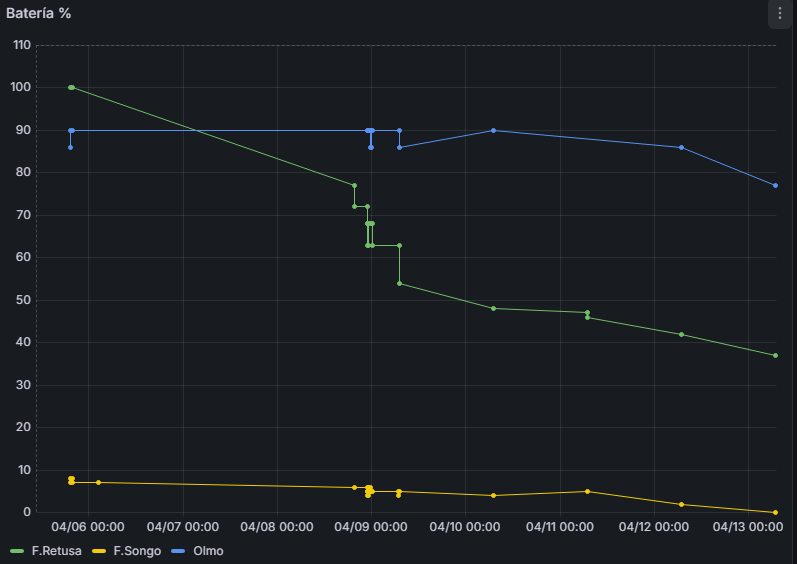
All of them work fine, but the battery is draining faster.
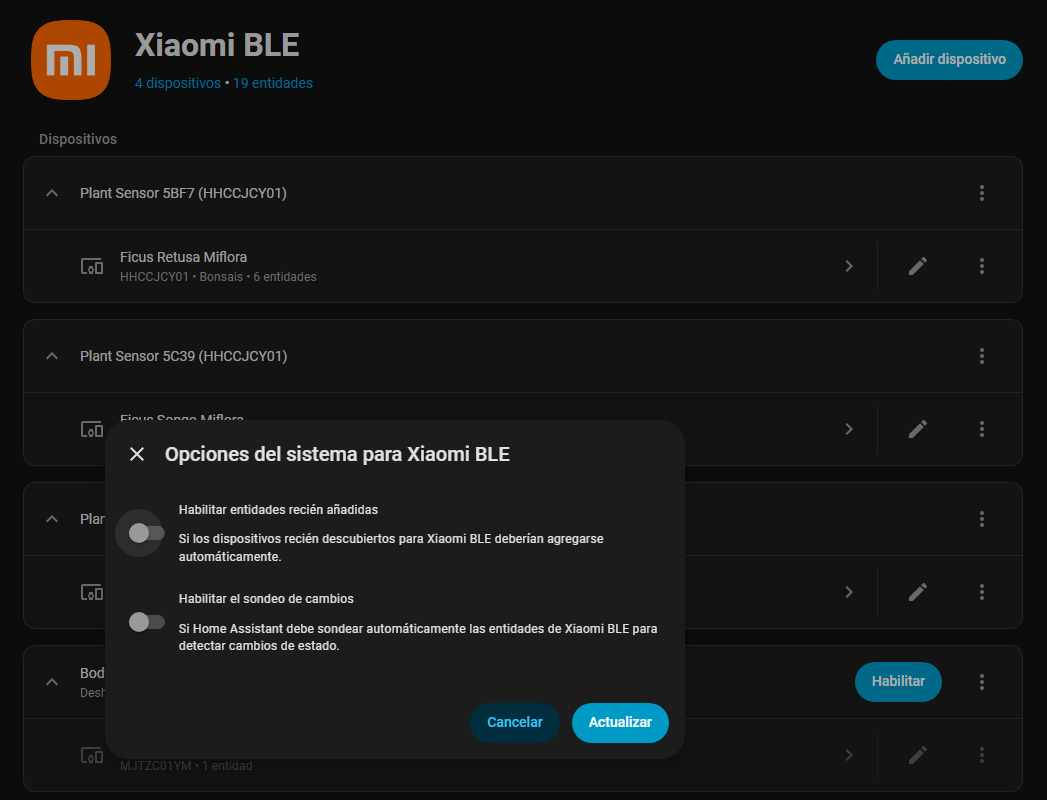
My problem and question is: how can I increase the time between polls to extend battery life? I checked the settings.
In the past, before using HA, I connected an RPi 4 to the sensors using miflora-mqtt-daemon, and the batteries lasted longer than now.
I checked the options in Bluetooth LE, and I didn’t see any way to change the polling time. I’m wondering whether I should forget about Bluetooth LE and try using Node-RED in HA so I can change the time between polls.
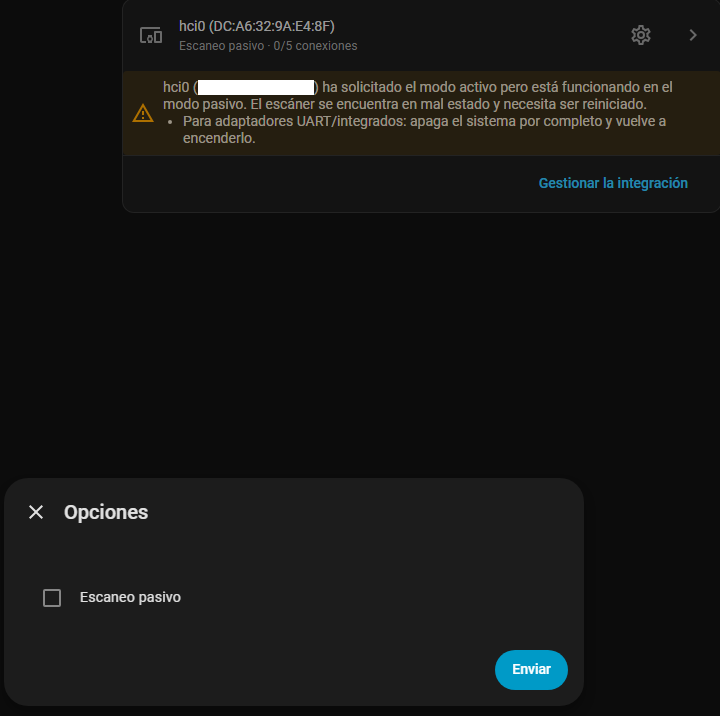
Are you using Bluetooth Proxies? If you have them set to passive, then it should not impact battery life. The sensors will advertise every few minutes, and the proxies will pick it up.
I believe that unless you are actively paired then there’s no request being sent to the sensors.
I have like 10 of them in the house and my proxies are all set to passive connections. Haven’t really had any issues with the batteries.
For comparison, I have quite a few of these connected through proxies, I track the battery changes through Grocy. Last time I changed batteries was 7 months ago.
Have they actually died or are you basing this on the battery percentage?
I have a ton of these, all on proxies set to active scanning and don’t have any issues with battery life. I ignore the battery percentage (for these and really all battery sensors) because I’ve found it to be completely meaningless/useless. I just wait until they die (get notified) and then replace.
Agree.
Especially if they are outside, the percentage can go up/down 30% during s day due to temperature.
We also have a temperature sensor indoors that has been reporting low battery on the screen for almost a year now.
Before changing bluetooth to passive scan the battery consume…
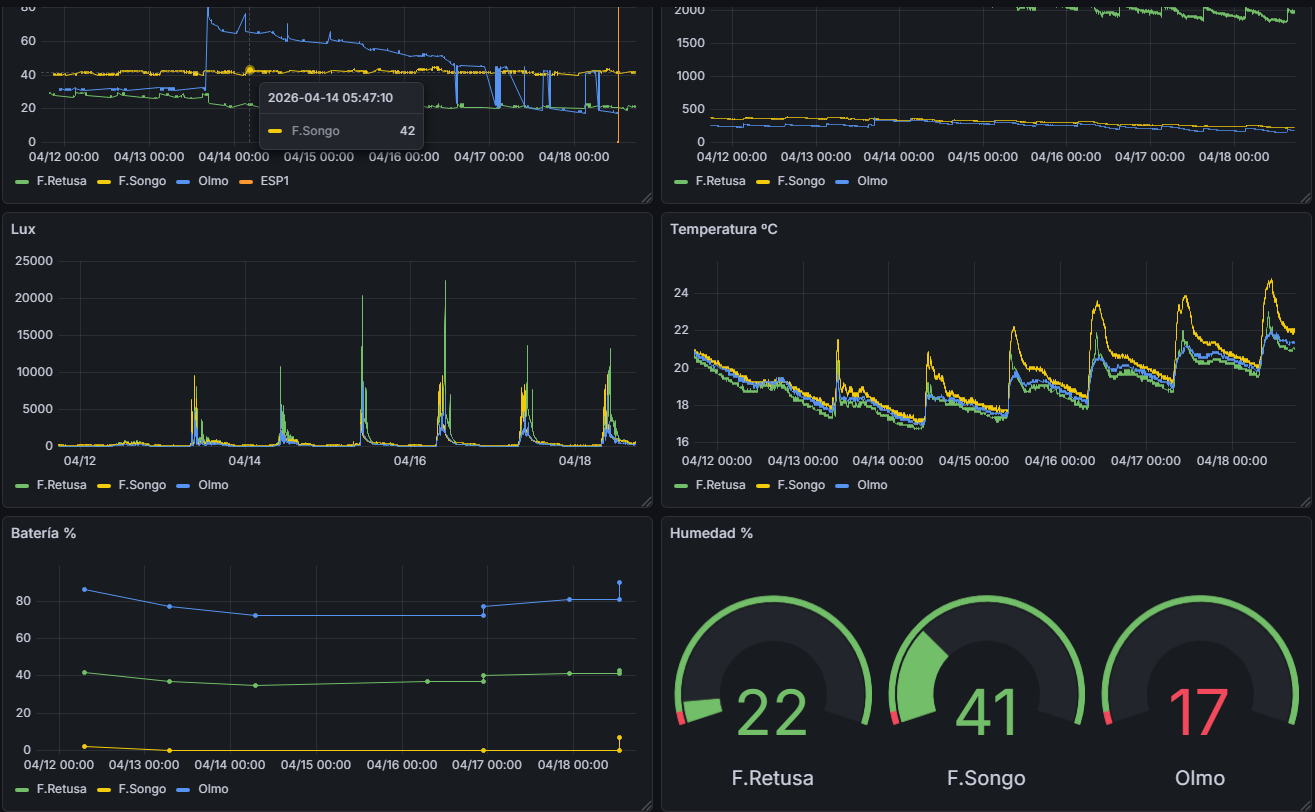
I agree with @brooksben11 and @Hellis81 , because with battery 0% the sensor continued giving info. You can see in the following picture, where F.Songo sensor had various days 0% batterybut giving info about moisture, humidity temp and illuminance: