I’d like to share MNML, a card set for Home Assistant that started as my own dashboard.
Video: Watch MNML | Streamable
What it is
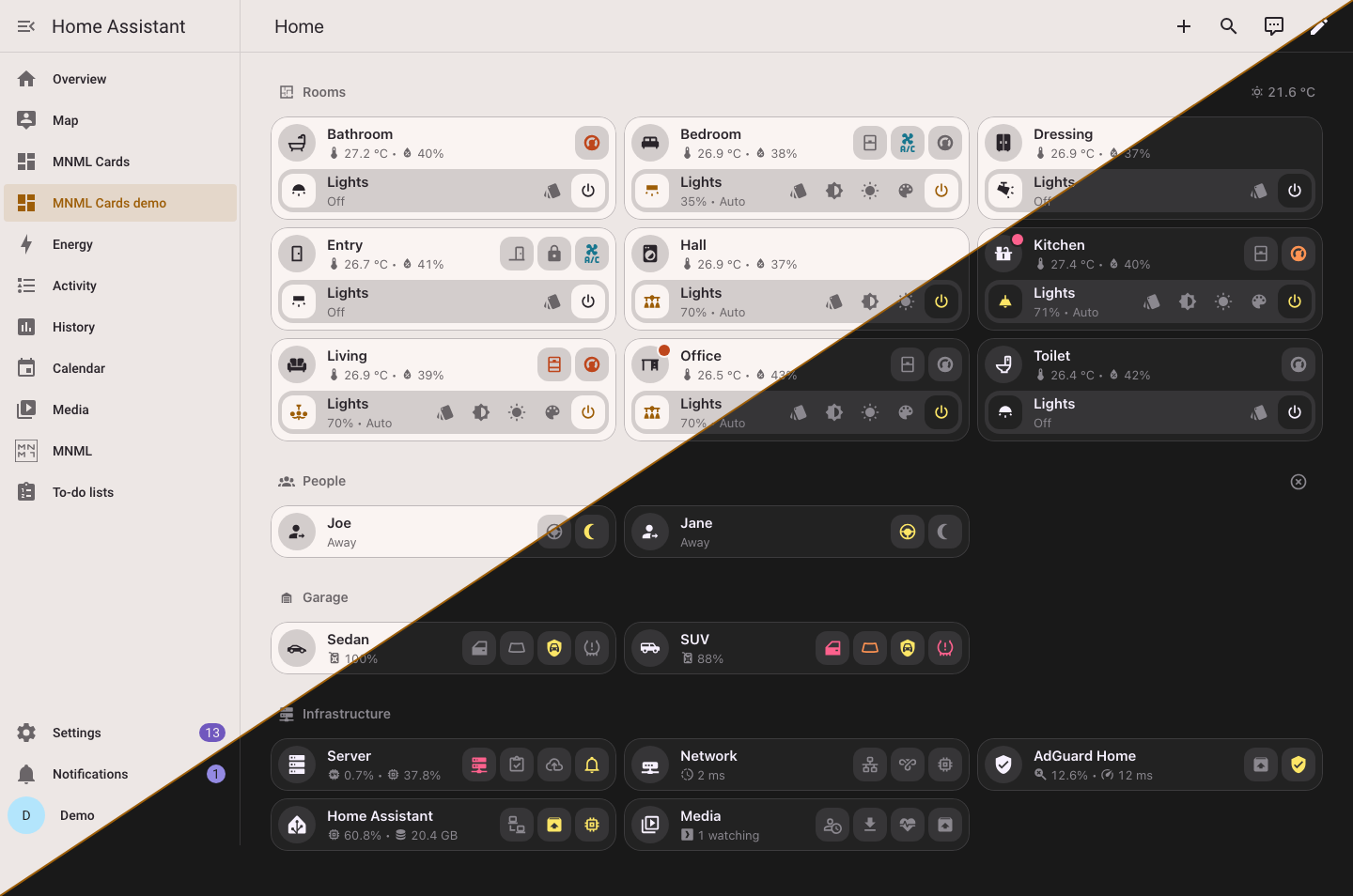
MNML is one integration that brings the cards, their editors, a set of templates and a light and dark theme. The cards are flat, they use colour only where something needs your attention, and their pop-ups open by the URL hash, so the back button and a shared link both work.
What you get
- Cards for what a home is made of: a room tile with its chips, items with their controls, lists and tables, section headings, a media card, a car seen from above, an agenda, a messages feed and a client list. Every card is plain YAML (
type: custom:mnml--card) and is in the card picker, almost all with a form editor. - Pop-ups for everything a tile opens. On a desktop they open as dialogs or unfold in the tile’s place; on a phone they open as sheets.
- Templates for whole tiles and their pop-ups: a room, a person, a car, a Proxmox server, a UniFi network, AdGuard Home, Home Assistant and a media server. Place one by area and it finds its own entities, or fill its slots by hand.
- A dashboard builder in the MNML panel. Quick start makes a whole dashboard from your home in one click: a tile for each room it finds something in, one for each person, and the system cards it finds the entities of. You can then reorder its sections and rows, change any card, and rebuild it when the home changes.
- Template editing without YAML. A template’s Simple tab has a switch for each part, and its colour, icon and name, with a live preview on any of your areas. Your changes sit on top of the shipped template, so updates still reach the parts you left alone.
- Dashboard templates. Share a dashboard’s layout as a file without your areas, people or entities, and anyone can make a dashboard from it, filled with their own home.
- A theme, light and dark, that the cards are designed for. The cards also work under any other theme.
Install
It needs Home Assistant 2026.10 or newer.
- In HACS, add
https://github.com/bfmatei/ha-mnmlas a custom repository of type Integration. - Install MNML and restart Home Assistant.
- Add MNML in Settings, Devices & services.
- Open MNML in the sidebar and pick Quick start.
To use the theme, pick MNML in your profile, or turn on Use MNML as the default theme in the integration’s options.
Links
- Repository and docs: GitHub - bfmatei/ha-mnml: MNML for Home Assistant: cards, their editors, templates and a theme, in one integration · GitHub
- Releases: Releases · bfmatei/ha-mnml · GitHub
MNML is MIT licensed and at version 0.6.0, so expect some rough edges. I’d love to hear what works for you and what doesn’t, here or as a GitHub issue.