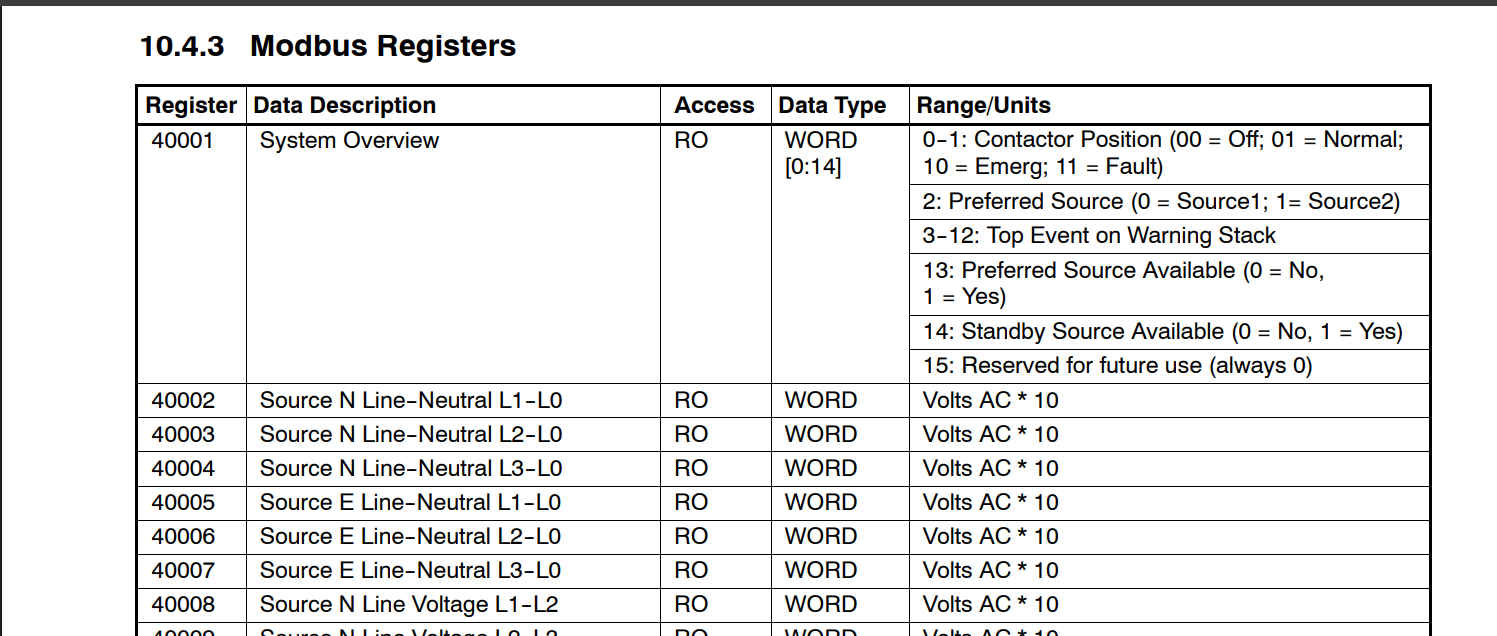
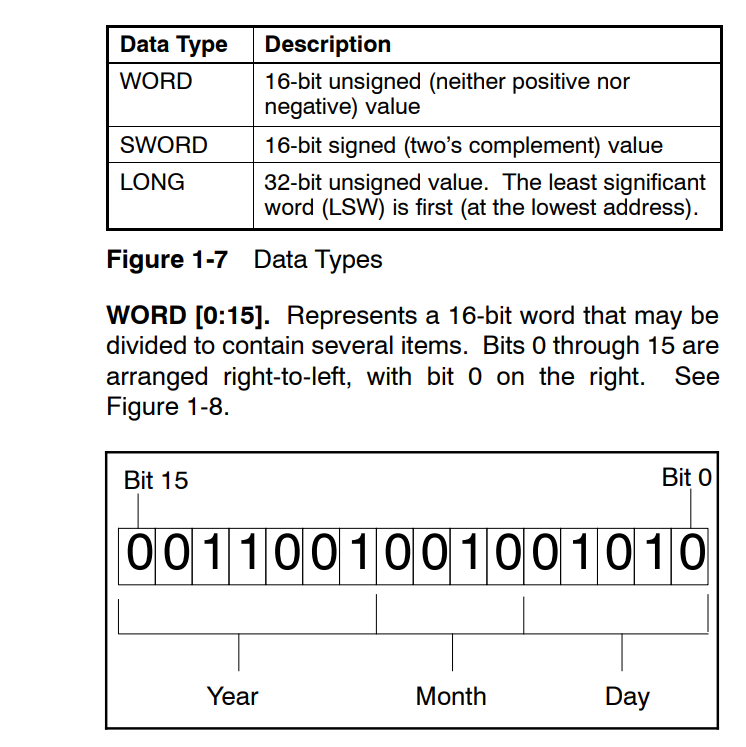
I need help trying to figure out how to make this work, I am trying to connect to my transfer switch to get power readings in homeassistant. here is my YAML
modbus:
  - name: modbus_hub
    type: tcp
    host: 192.168.1.10
    port: 502

    delay: 0
    message_wait_milliseconds: 30
    timeout: 15
    sensors:
      - name: Source N Line--Neutral L1--L0
        unit_of_measurement: V
        slave: 1
        address: 40002
        input_type: input
        data_type: uint16
        device_class: voltage
        unique_id: voltage_n1
        state_class: measurement

logger:
  default: warning
  logs:
    homeassistant.components.modbus: debug
    pymodbus: debug
My logs=
2026-04-18 14:40:11.248 ERROR (MainThread) [homeassistant.components.modbus] Pymodbus: modbus_hub: Error: device: 1 address: 40002 -> Modbus Error: [Input/Output] No response received after 3 retries, continue with next request
2026-04-18 14:40:26.281 DEBUG (MainThread) [pymodbus.logging] send: 0x0 0x2 0x0 0x0 0x0 0x6 0x1 0x4 0x9c 0x42 0x0 0x1
2026-04-18 14:40:41.282 DEBUG (MainThread) [pymodbus.logging] Repeating....
2026-04-18 14:40:56.283 DEBUG (MainThread) [pymodbus.logging] send: 0x0 0x2 0x0 0x0 0x0 0x6 0x1 0x4 0x9c 0x42 0x0 0x1
2026-04-18 14:41:11.286 DEBUG (MainThread) [pymodbus.logging] send: 0x0 0x2 0x0 0x0 0x0 0x6 0x1 0x4 0x9c 0x42 0x0 0x1
2026-04-18 14:41:26.287 ERROR (MainThread) [pymodbus.logging] No response received after 3 retries, continue with next request
I am able to connect to the transfer switch and receive data using the ModbusTools program on my computer
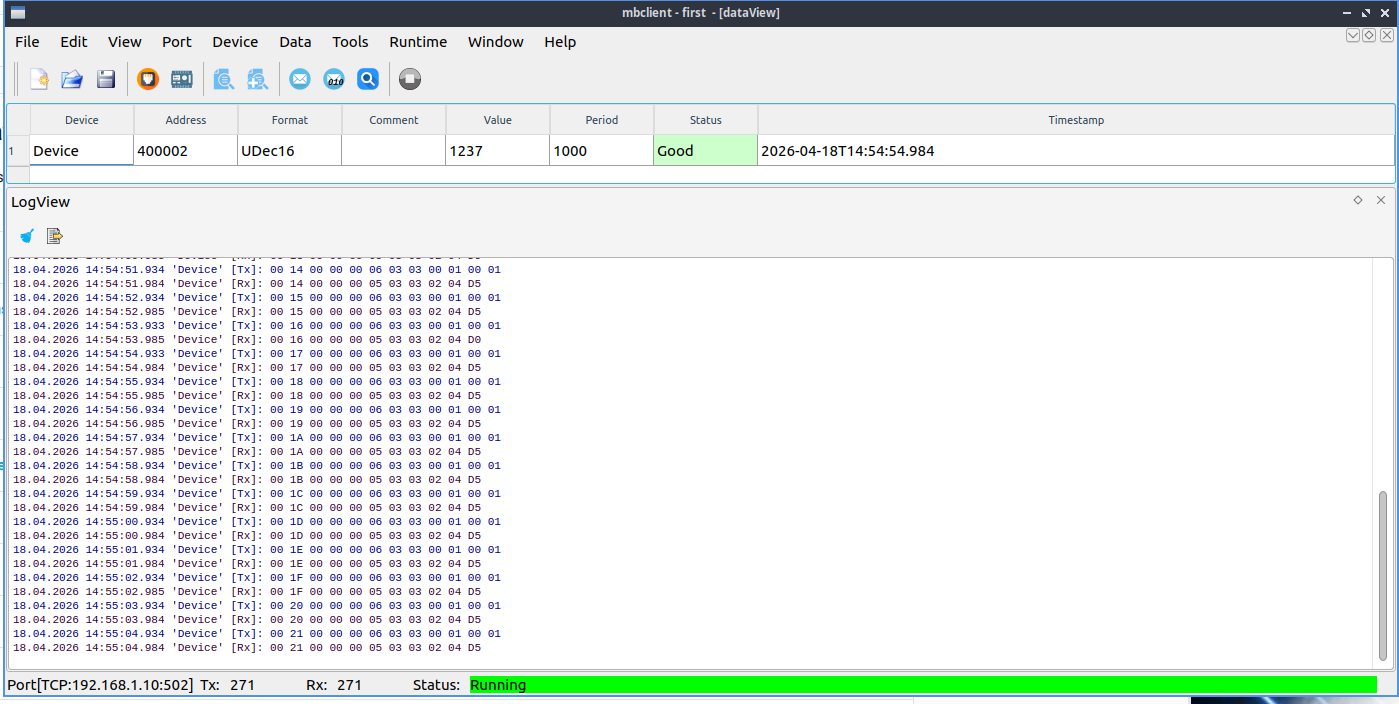
I had trouble getting connected with this as well until I edited the device and selected “3” for unit
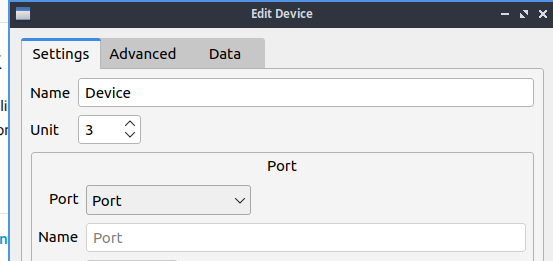
my actual transfer switch shows this
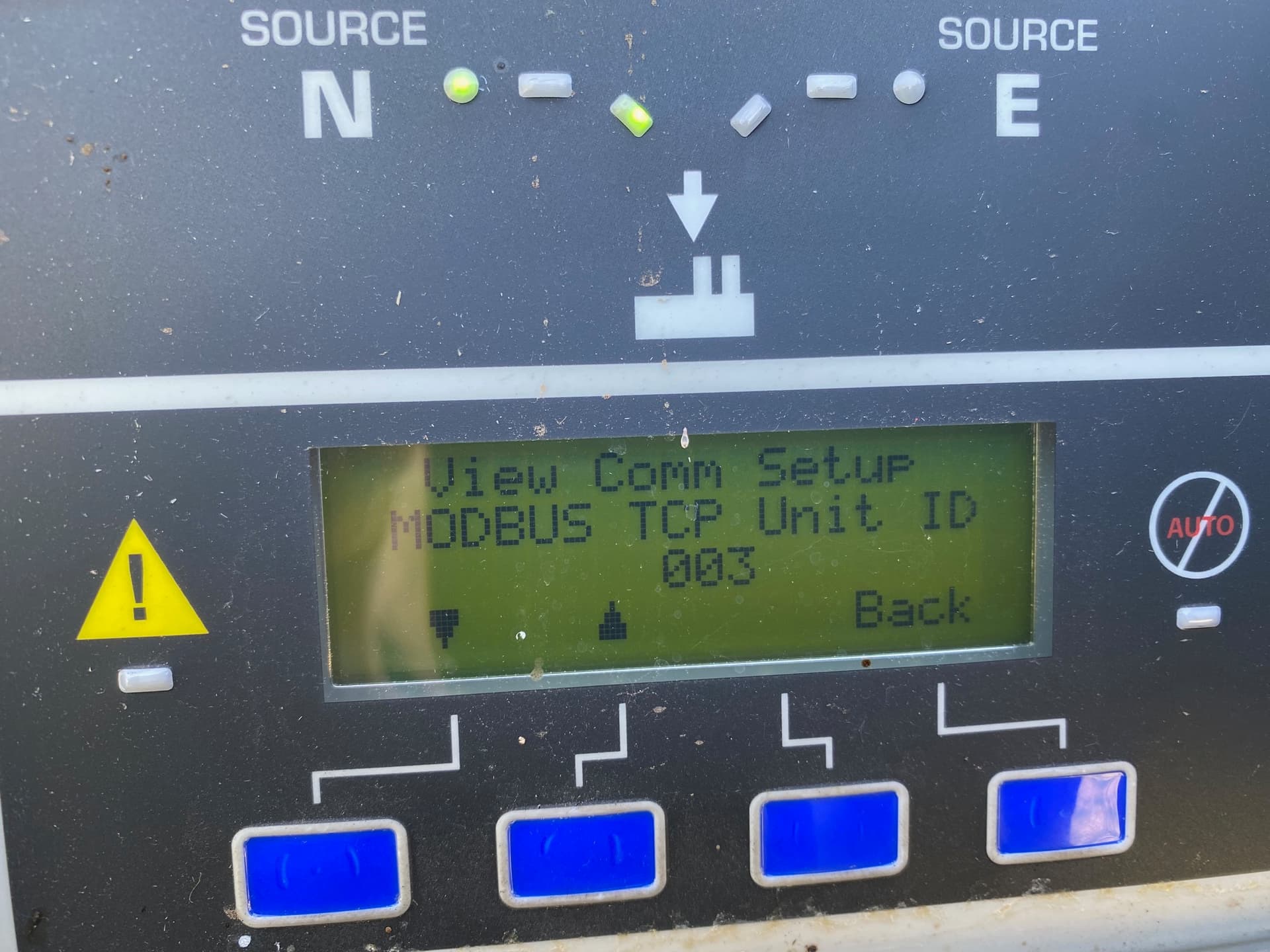
I see no settings for this in homeassistant but then I have no idea if it is an issue. I see that what is being sent by modbustools is differrent than what is being sent by the homeassistant integration. I have no idea what I am doing so any help would be very much appreciated