I am attempting to set up a rp 5 tomreplace a running rp4. I also want to move to an NVMe drive and boot from it. I read a number of posts that suggested building an image to generate a general boot for the RP5. Then download and image the NVMe with HAOS.
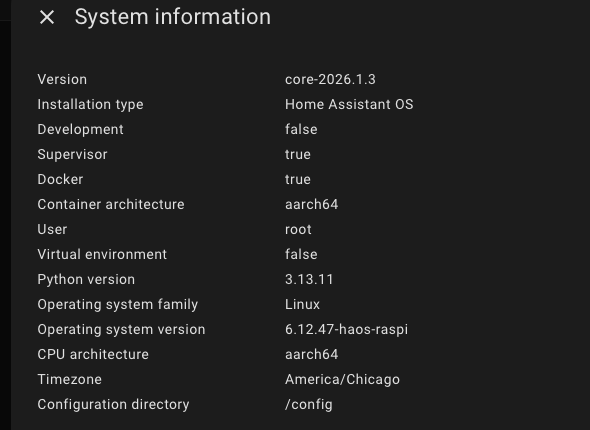
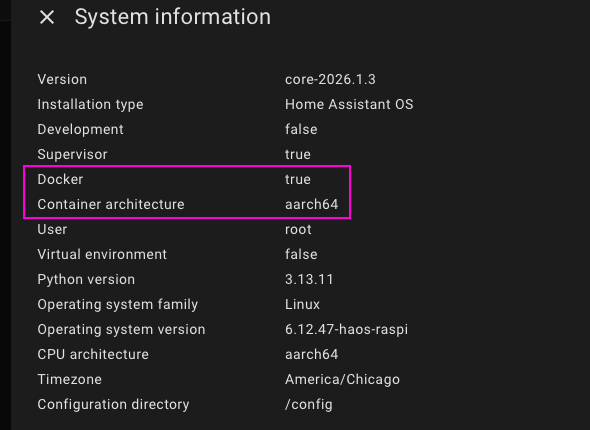
I did this and the wine I boot from the NVMe I can see that it appears to have loaded ha into a docker instance. I was hoping to get the HAOS and Core and not a containerized version. Any idea how to get a different version, the Pi imager only gave 2 options, the HAOS I selected and the Yellow hardware configuration.
Once I get the working config I was going to restore from the backup sitting at Nasu.
Just checking if you used the correct version when you downloaded the new image, suitable for a Raspberry Pi 5? Are you using the latest software and up to date documentation (not deprecated ones)? A straightforward install of a Pi5 onto SDCard should be easy.
Install a fresh install on your new Pi, restore data backup from old Pi, and then migrate it to the NVM would be the distinct steps I would follow. Lots of reboots and checking between each step.
Let us know how you go.
Thanks, I was using the current documentation from the ha web site. I went back to scratch and loaded everything from scratch. Process I followed was:
-Built a rasperian image for the raspberry pi 5 on ssd
-booted this image
-downloaded the raspberry pi imager
-Used imager to install hoas on the NVMe drive
-pulled ssd card and system booted up off name drive
-when new instance booted I got the ip address and mac address from the command line
-I logged into the new HA instance and had it restore from a backup kept at Nabu Casa.
-Unplugged my old instance from the network
-I went back to my router to change the IP address reservation in dhcp to new mac address.
-Rebooted the new PI.
-It failed to pickup the IP address from DHCP
-logged into instance at wrong ip address
-went in Settings → System → Network → Configure network interfaces → IPv4
-I verified that it was set to automatic
selected Static and loaded old ip address which is also reserved for this mac address in router
Rebooted everything and new instance showed up with correct IP in router and my devices, iphone, iPad etc came up
drove away from house network and verified Nasa Casa was functioning.
Things I still am scratching my head over is why device didn’t pick up dhcp reservation. but having the reservation in router will prevent an Ip conflict as I’m only one that could load a static address.
My initial observation is the response time for new board is incredible. I only have 110 devices and about 20 automations so far but response is pretty much immediate. Going from a RP4 with 4GB ram on an ssd, to a RP5 with an NVMe drive appears worth the effort.