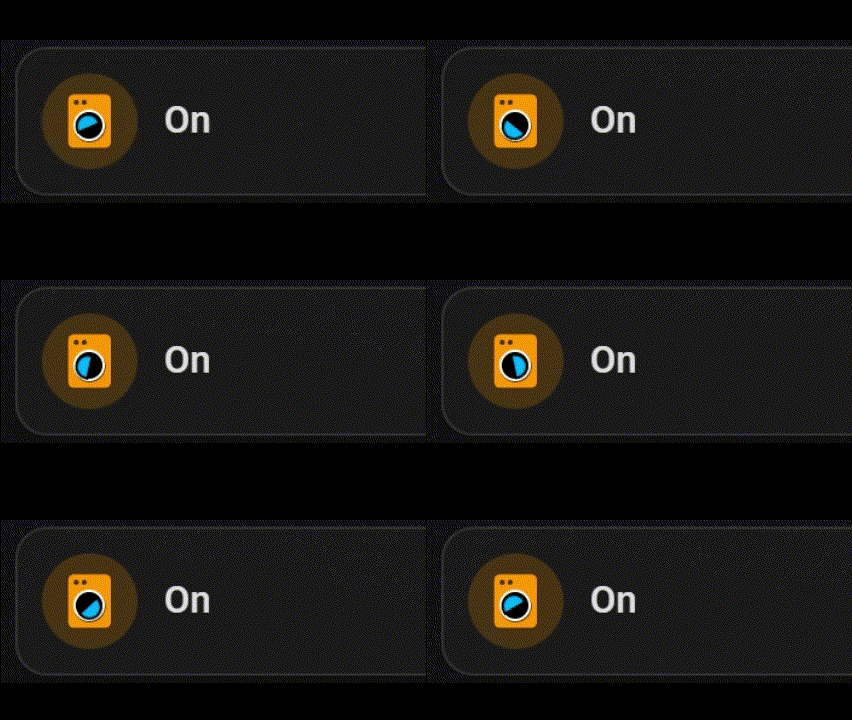
dllfpp
April 20, 2023, 10:19am
1
Hello,
  - type: custom:mushroom-chips-card
    chips:
      - type: entity
        entity: sensor.tabingresso_battery_level
        double_tap_action:
          action: none
        use_entity_picture: false
        hold_action:
          action: none
        icon_color: >-
          {% set level = state('sensor.tabingresso_battery_level') %}
          {% if level >= 7 %}
            green
          {% else %}
            red
          {% endif %}
…but con is always white:
This below code works if used for a custom:mushroom-template-card (still not works for chips card), but only if I tell the script to look for a specific value (29):
{% if is_state('sensor.tabingresso_battery_level', '29') %}
  yellow
{% endif %}
Any idea??
The function is states() not state()… but there are other changes you need to make as well.
Optionally, Mushroom allows use of a variable entity so you don’t need to use the whole entity_id
  - type: custom:mushroom-chips-card
    chips:
      - type: template
        entity: sensor.tabingresso_battery_level
        double_tap_action:
          action: none
        use_entity_picture: false
        hold_action:
          action: none
        icon: mdi:battery
        icon_color: >-
          {% set level = states(entity) | int(0) %}
          {% if level >= 7 %}
            green
          {% else %}
            red
          {% endif %}
dllfpp
April 20, 2023, 9:48pm
3
Thank you very much for the explanation, but it is still not working.
I want an icon color based on energy consumption. I tried some things out of a few topics but I can not het it to work:
type: custom:mushroom-chips-card
chips:
  - type: entity
    entity: sensor.electricity_meter_power_consumption
 icon_color: >
     {% if state(entity) | float > 1500 and states(entity) | float < 2500 }
       orange
     {% elif states(entity) | float > 2500 %}
       red
     {% else %}
       green
     {%- endif %}
also tried this (also with state instead of states. Not sure which one is right)
 {% if is_states(entity, > 1500) and is_states(entity, < 2500) | float < 2500 %
  }
    orange
  {% elif is_states(entity) | float > 2500 %}
    red
  {% else %}
    green
  {% endif %}
I got it
type: template
icon_color: >-
  {% if states('sensor.electricity_meter_power_consumption') | float > 1500 and
  states('sensor.electricity_meter_power_consumption') | float < 2500 %} orange

  {% elif states('sensor.electricity_meter_power_consumption') | float > 2500 %}
  red

  {% else %} green

  {% endif %}
1 Like
awwbaker
June 20, 2025, 4:04pm
6
type: custom:mushroom-chips-card
chips:
entity: sensor.home_assistant_core_cpu_percent
type:
icon_color: >-
  {% if states(entity) | float > 1 and
  states(entity) | float < 2 %}
  orange
  {% elif states(entity) | float > 2500 %}
  red
  {% else %}
  green
  {% endif %}

Configuration error
Error in parsing YAML: duplicated mapping key (line: 4, column: 1)

I was hoping you might offer a fix? Thank you, Anthony
The duplicate mapping error is from type: added twice
A example to understand the formatting
type: custom:mushroom-chips-card
chips:
  - type: template
    entity: sensor.xxxxxxx
    icon: mdi:thermometer
    content: |
      {{ states('sensor.xxxxxxx') | int(0)}}
    icon_color: |
      {% set state = states('sensor.xxxxxx') | int(0) %}
      {% if state >= 50 %} red
      {% elif state >= 30 %} orange
      {% else %}
      blue
      {% endif %}
Just so my response is a little clearer. You can use states(entity). I just provided an example with two different entity data points.
content: is also not a necessity
type: custom:mushroom-chips-card
chips:
  - type: template
    entity: input_number.number
    icon: mdi:mushroom
    content: |
      {{ states(entity) | int(0)}}
    icon_color: |
      {% set state = states(entity) | int(0) %}
      {% if state >= 50 %} red
      {% elif state >= 30 %} orange
      {% else %}
      blue
      {% endif %}
1 Like
awwbaker
June 20, 2025, 6:44pm
10
Thank you again, thanks to you I now have the ceiling fan chips working along with garage door status. Your taking time is greatly appreciated!
wgumaa
June 21, 2025, 8:50pm
11
@LiQuid_cOOled Hey, A long time ago you created an animated washing machine icon where the drum rotated and the machine was shaking.
type: custom:mushroom-template-card
icon: mdi:washing-machine
icon_color: amber
primary: Washing Machine
card_mod:
  style:
    mushroom-shape-icon$: |
      ha-icon {
        --icon-animation: shake 400ms ease-in-out infinite, drum 2s ease infinite;
        transform-origin: 50% 110%;
      }
      @keyframes shake {
        0%, 100% { transform: translate(0, 0) rotate(0); }
        20%  { transform: translate(0.4px, -0.4px) rotate(-4deg); }
        40%  { transform: translate(-0.4px, 0.4px) rotate(4deg); }
        60%  { transform: translate(0.4px, 0.4px) rotate(-4deg); }
        80%  { transform: translate(-0.4px, -0.4px) rotate(4deg); }
      }
      @keyframes drum {
        50%  { clip-path: polygon(0 0, 0 100%, 35% 100%, 34% 68%, 60% 41%, 71% 56%, 65% 74%, 47% 79%, 32% 69%, 35% 100%, 100% 100%, 100% 0); }
      }
But that was before they made changes that broke the animations.
Would love to get it working again.
I’ll take a look this evening. It should be fixable!
ha-icon: changed to ha-state-icon:
The —icon-animation: format changed as well to animation:
1 Like
wgumaa
June 22, 2025, 8:48pm
13
do let me know how you get on because i replaced the old syntax with what you posted but nothing happened.
type: custom:mushroom-template-card
icon: mdi:washing-machine
icon_color: amber
primary: Washing Machine
card_mod:
  style:
    mushroom-shape-icon$: |
      ha-state-icon: {
        --animation: shake 400ms ease-in-out infinite, drum 2s ease infinite;
        transform-origin: 50% 110%;
      }
      @keyframes shake {
        0%, 100% { transform: translate(0, 0) rotate(0); }
        20%  { transform: translate(0.4px, -0.4px) rotate(-4deg); }
        40%  { transform: translate(-0.4px, 0.4px) rotate(4deg); }
        60%  { transform: translate(0.4px, 0.4px) rotate(-4deg); }
        80%  { transform: translate(-0.4px, -0.4px) rotate(4deg); }
      }
      @keyframes drum {
        50%  { clip-path: polygon(0 0, 0 100%, 35% 100%, 34% 68%, 60% 41%, 71% 56%, 65% 74%, 47% 79%, 32% 69%, 35% 100%, 100% 100%, 100% 0); }
      }
Here you go
type: custom:mushroom-template-card
icon: mdi:washing-machine
icon_color: amber
primary: Washing Machine
card_mod:
  style: |
    ha-state-icon {
      animation: shake 400ms ease-in-out infinite, drum 2s ease infinite;
      transform-origin: 50% 110%;
    }
    @keyframes shake {
      0%, 100% { transform: translate(0, 0) rotate(0); }
      20%  { transform: translate(0.4px, -0.4px) rotate(-4deg); }
      40%  { transform: translate(-0.4px, 0.4px) rotate(4deg); }
      60%  { transform: translate(0.4px, 0.4px) rotate(-4deg); }
      80%  { transform: translate(-0.4px, -0.4px) rotate(4deg); }
    }
    @keyframes drum {
      50%  { clip-path: polygon(0 0, 0 100%, 35% 100%, 34% 68%, 60% 41%, 71% 56%, 65% 74%, 47% 79%, 32% 69%, 35% 100%, 100% 100%, 100% 0); }
    }
Here is another slightly fancier version I put together.
type: custom:mushroom-template-card
entity: input_boolean.test
primary: |-
  {% if is_state(config.entity, 'off') %}
   Idle
  {% elif is_state(config.entity, 'on') %}
   On
  {% else %}
   Full
  {% endif %}
icon: mdi:washing-machine
icon_color: |-
  {% if is_state(config.entity, 'on') -%}
    orange
  {%- else -%}
    blue
  {%- endif %}
card_mod:
  style:
    mushroom-shape-icon$: |
      .shape:before {
       content: '';
       z-index: 1;
       position: absolute;
       justify-content: center;
       align-items: center;
       width: 22%;
       height: 11.5%;
       border: 1px solid black;
       border-radius: 1rem 1rem 0 0;
       background: {{ 'deepskyblue' if
        is_state(config.entity, 'on') else
        'black' }};
       animation: {{ 'spin 2s linear infinite alternate'if
        is_state(config.entity, 'on') else
        'animation: none;' }};
       transform-origin: 50% 85%;
           }
       @keyframes spin {
       0% {transform: rotate(0deg);}
       100% {transform:rotate(360deg);}
        }
      .shape:after {
       content: '';
       position: absolute;
       width: 27%;
       height: 27%;
       border-radius: 100%;
       border: 1px solid white !important;
       background:black;
       top: 14px;
       justify-content: center;
       align-items: center;
        }
1 Like
wgumaa
June 24, 2025, 2:20pm
15
Amazing! Thanks @LiQuid_cOOled


 Had to use template (mushroom chip btw)… Duh…