Recently, I’ve started to use Music Assistant more and more, and I love it because it’s playing much more reliably with my Chromecast Audios around the house.
But there’s one thing I can’t wrap my head around:
How can I see which playlist is playing?
Looks like I can’t see it in MA directly and there’s also no attribute that exposes it for the media_player.
Any suggestions on how to retrieve it without installing MA in a separate container (to expose the backend API) rather than running it as an HA Add-on?
I don’t think you currently can… MA doesn’t seem to see it as the player playing the playlist, instead the player is just playing the songs that have been passed into its queue.
This is where I am right now, the trick is to find the token, player_id and queue_id, the latter two are fixed in my case as I only play to one device. If you have multiple then you can use the API to get these too in other template sensors and then re-use in the command_line below.
Yeah, true and a demo on how one can make ones life miserable by not using the MASS integration.
@chairstacker I missed the part that you donot want MA in a separate container, which is my case. I have no clue if the same approach would work if run as add-on as I donot run HAOS setup
Sorry, seems like my wording wasn’t clear enough:
I can see the songs that are in the queue which is based on the playlist I selected, but I’m looking for the name of said playlist.
OK, still not sure but one can activate the webserver 8095 for MA and then try (???) to get to the API via http://homeassistant.local:8095/api-docs, I also remember somewhere that one could fix the IP of HAOS but not sure if that is the case or even not recommended. With changing ip, I am not sure of the underlying yaml recognise mDNS entries in HAOS.
What you could do is ask in the MA forum on discord? Discord
Yeah…not a surpise but worth a try.
As a side note, regardless of the choice for HAOS and add-ons: having MA as a container has proven quite handy for me, it is easy to create backups, go back and forth in beta-releases and I run it on my NAS containing a 4Tb local set of music files…which seems to have helped in reducing disk noise. On top, MA runs fully independent of HA, not being hindered by HA issues/perf./reboots/ etc.
Now, I am very well aware that all of this may not apply to you but…my 2 cents.
to resolve your specific topic of having the playlist visible, that is not a major FR but one that may not see the light soon (just my guesswork) due to loads of interest in other topics…discord will give more transparency in MA which is (I cannot else but repeat this a lot) a really great (!) application
Not sure if I’m misunderstanding but the MA API can be accessed from HA when running as an App (formerly Add-on) using the RESTful Command integration. This is working well for me…
Had a great chat on Discord and was told that it should be straightforward to pull the info from the ‘Recently Played’ area - where it doesn’t just show the latest playlists, but also if you played an album or an artist. But it’s not available in the add-on right now.
Should be in one of the next add-on betas and I can “use a REST sensor in HA to request the info until HA integration also gets support for it later.”
I’ll post an update here when I’ve made some progress.
Until then:
Thanks to everybody for your suggestions!
I’m curious how you converted the response into a template sensor. I’m hoping to create a viewable list on my ESP32 Display, but text helpers aren’t an option due to the character limit.
Not sure what your skill level is and I don’t want to highjack this thread so… in short, entity/sensor attributes can hold a metric shit ton more than 255 characters.
I wanted to verify this and it is (!) possible to use the API from HAOS. I installed HAOS via HyperV and then the MA latest beta. Start it, do not (!) open the webui form HAOS but open it via the ip of MA (log). Create user/pwd and then you have access, the IP is fixed in the addon so you can use that for any rest/curl. via the ip…/api-docs you can get to the details and run an example, which will give you the token too.
I cannot say this was easy, I prefer my container setup as more straightforward to get access to the music-folders/mass-db/auth/etc.
Thanks for that - I can log in at ws://192.168.7.11:8095/ws and get responses through the websocket interface fine.
Not sure yet, how that will help me to retrieve the name of the currently active playlist, though.
Seems like I’ll have to wait for it to be made available in one of the next betas.
I do read that it was not made available (yet) … and not even sure if the API is the most friendly / efficient way to retrieve that info if-and-when available. My comment was more to make clear that the API also works in HAOS. Net-net, it works for my requirements but I do need to jump through multiple hoops to get to data that may be a lot easier to find though the MA integration
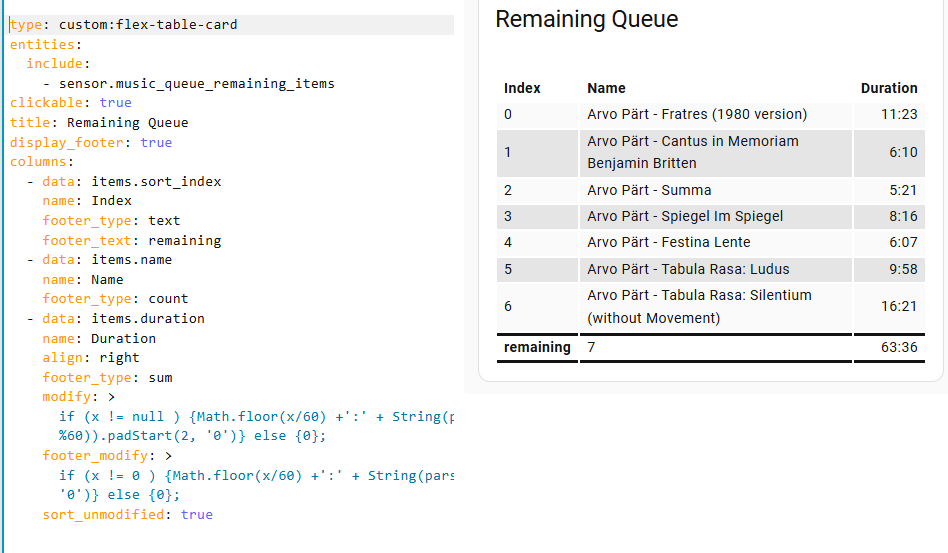
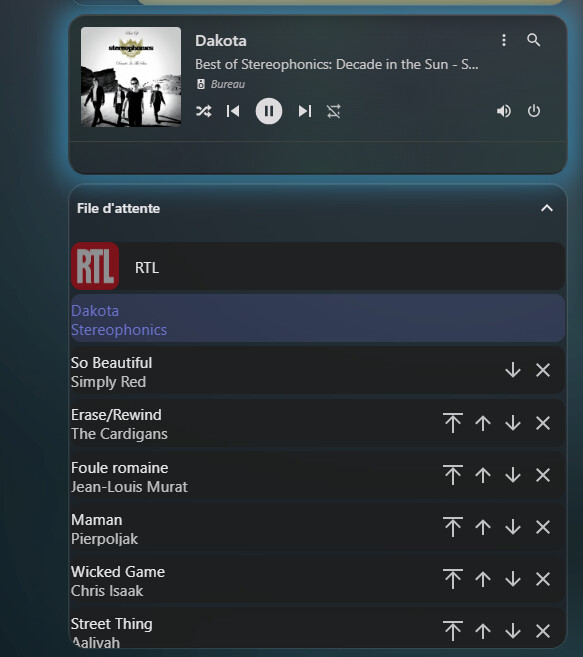
 and a demo on how one can make ones life miserable by not using the MASS integration.
