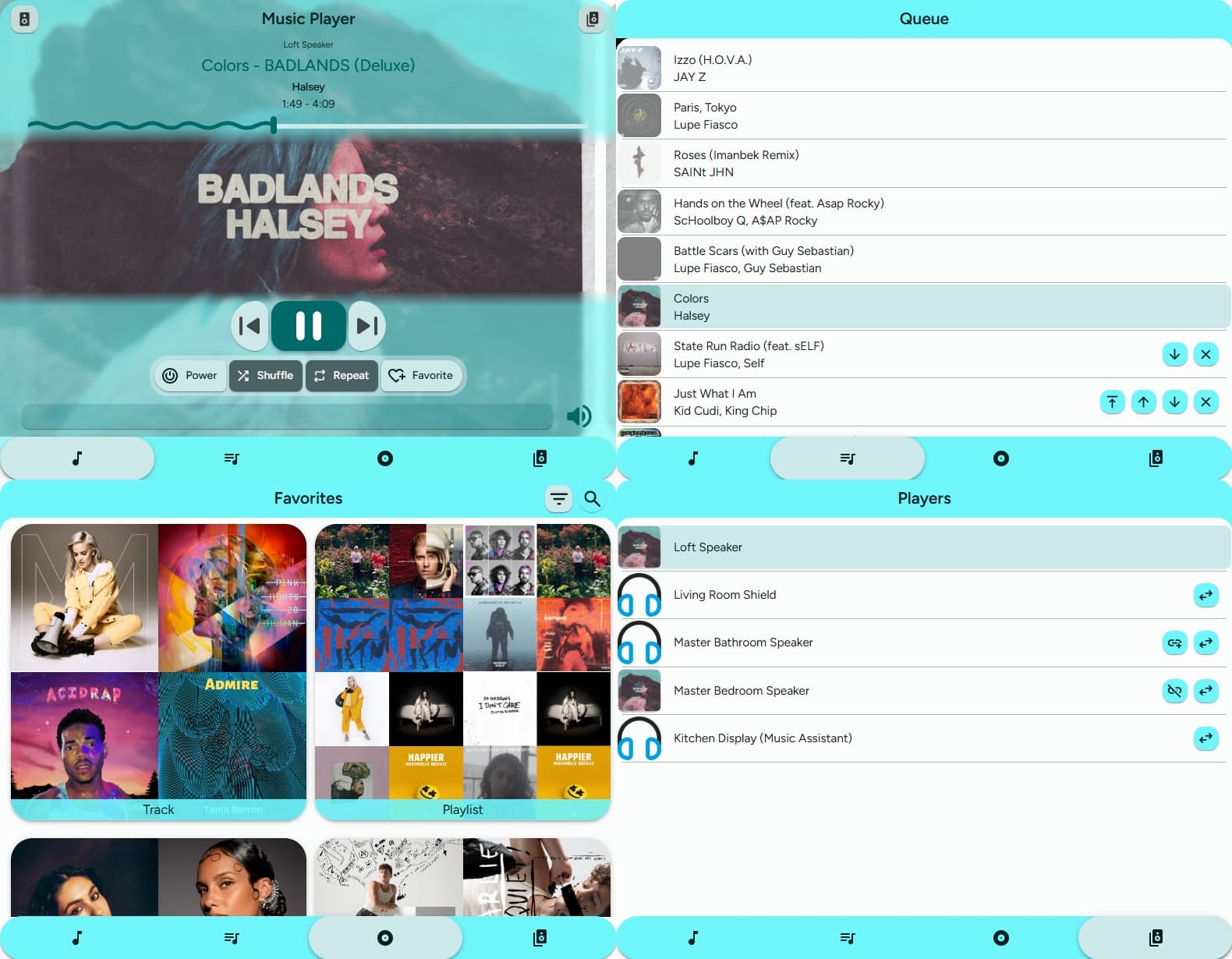
Updates - 10/18/25: v2.0.0 was just released! This brings about a lot of improvements - both big and small! It’s taken quite a bit of time to get here and I appreciate your support!
Material Expressive Theme! Plus some nice animations for a smoother experience. (New in v2.0.0!)
Want to see images for your local media? Too bad, that’s impossible. Sorry, the opposite of impossible. With the last update to Music Assistant Queue Actions, local images can now be downloaded and encoded by Home Assistant before being sent back! (New in v2.0.0!)
Different tabs for different purposes:
Music Player Tab
Play/pause, skip forward or back tracks
Adjust volume - even use a different media player to control the volume
Join/unjoin players in your queue (New in v2.0.0!)
Switch between players without switching tabs
Set the shuffle/repeat or mark songs as favorite
Player Queues Tab
Skip around to different tracks in the queue
Remove items or move them up, down, or next
Media Browser Tab
View any of your favorited items
See your recently played tracks and provider recommendations! (New in v2.0.0!)
Search for anything from your providers
Add your own custom items - provide the media_content_id and media_content_type
Is that not enough? Well, you can also have the custom item call any service (or script!)
Players Tab
Select from any of your players
Join players together or transfer queues
Installation and configuration instructions are in the Readme file. I’ll be happy to answer any other questions that you have.
I am rather new at JS coding. I am more than happy to accept contributions!
thanks a lot for this awesome card, this really was missing for me in my setup and i really like how you solved this. You really saved me a lot of work-arounds with this
That said i would like to recomment a feature, that i experience as missing - but perhaps just have overlooked it - is a power button for the single media_players, such that i not only can pause but turn off the devices.
Additionally, it would be awesome to have the possibility to search directly our of the card - i saw on github that something comparable is on your to-do with “non-favorites” which i would highly second here
so im really looking forwards what will happen with this card and am happily reporting myself as a happy user !
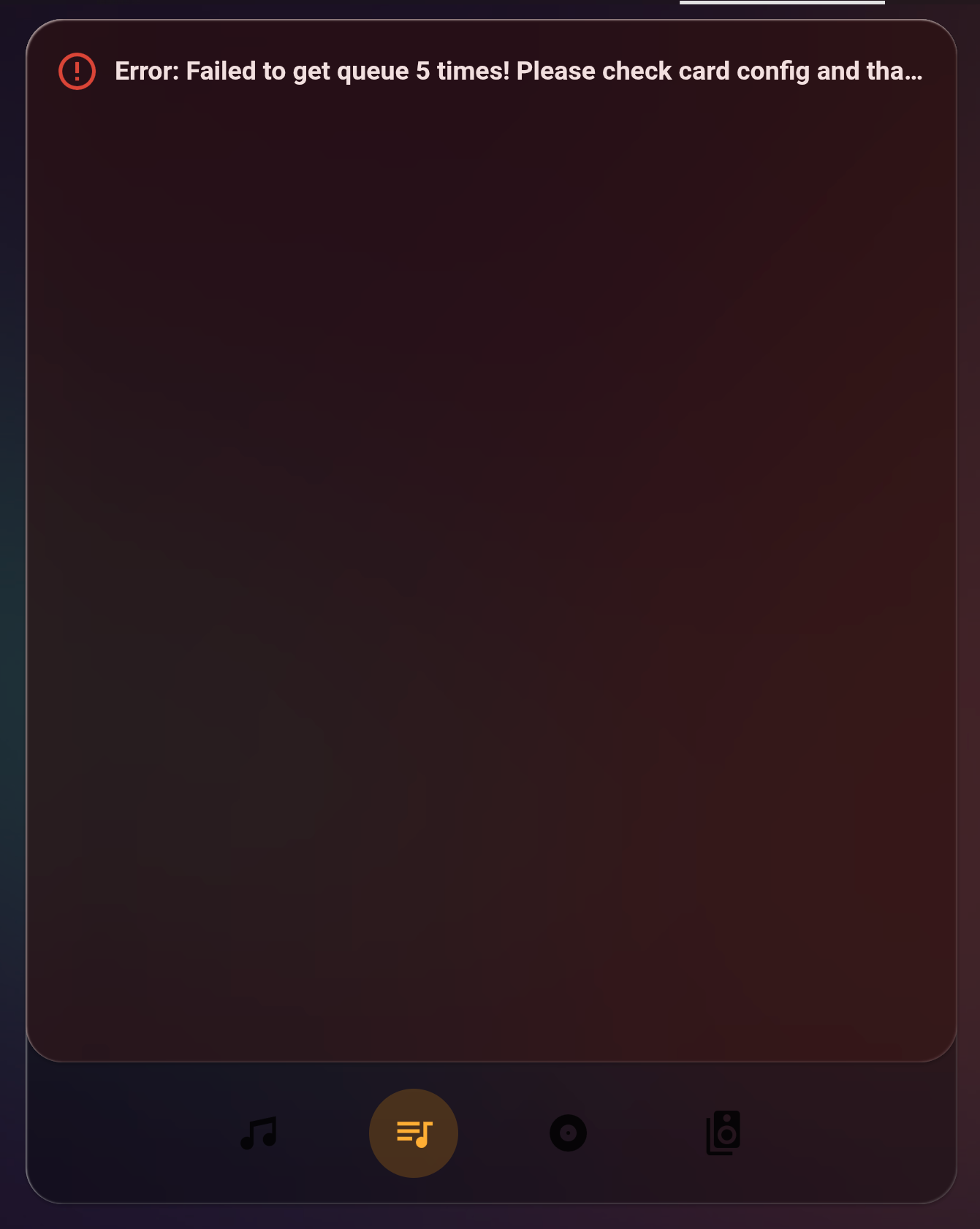
Not having any luck here. Posted on the queue card topic but I cant get it to work for either. Queue card blank and player queue error / blank. See pic.
MA is playing on the entity in the player card and not working in Dev tools.
Get an error. Failed to perform the action mass_queue.get_queue_items. Unknown error.
Only one entity in the player, no list. Not much to configure.
MA latest beta (tried release build as well)
Latest queue actions
Latest mass card player
Uncaught error from Chrome 140.0.0.0 on macOS 10.15.7 Error: Failed to get queue 7 times! Please check card config and that the services are working properly. Jt.createError (/hacsfiles/mass-player-card/mass-player-card.js:1627:60) Jt.getQueue (/hacsfiles/mass-player-card/mass-player-card.js:1604:3158) Jt.eventListener [as callback] (/hacsfiles/mass-player-card/mass-player-card.js:1604:793) callback (node_modules/home-assistant-js-websocket/dist/connection.js:23:33) forEach (node_modules/home-assistant-js-websocket/dist/connection.js:15:25)
And this error:
Logger: homeassistant.components.websocket_api.http.connection
Source: components/websocket_api/commands.py:264
integration: Home Assistant WebSocket API (documentation, issues)
First occurred: 5:33:21 PM (36 occurrences)
Last logged: 5:34:15 PM
[281472096074016] Unexpected exception
[281472540203488] Unexpected exception
Traceback (most recent call last):
File “/usr/src/homeassistant/homeassistant/components/websocket_api/commands.py”, line 264, in handle_call_service
response = await hass.services.async_call(
^^^^^^^^^^^^^^^^^^^^^^^^^^^^^^^
…<7 lines>…
)
^
File “/usr/src/homeassistant/homeassistant/core.py”, line 2835, in async_call
response_data = await coro
^^^^^^^^^^
File “/usr/src/homeassistant/homeassistant/core.py”, line 2878, in _execute_service
return await target(service_call)
^^^^^^^^^^^^^^^^^^^^^^^^^^
File “/config/custom_components/mass_queue/services.py”, line 156, in get_queue_items
actions = get_entity_actions_controller(hass, entity_id)
File “/config/custom_components/mass_queue/services.py”, line 148, in get_entity_actions_controller
mass_queue_entry = find_mass_queue_entry(hass, mass)
File “/config/custom_components/mass_queue/services.py”, line 137, in find_mass_queue_entry
entry_url = entry.runtime_data.mass.connection.ws_server_url
^^^^^^^^^^^^^^^^^^
AttributeError: ‘ConfigEntry’ object has no attribute ‘runtime_data’
These were also grouped with the error but I don’t think they are related.
Uncaught error from Chrome 140.0.0.0 on macOS 10.15.7 Error: Failed to execute ‘define’ on ‘CustomElementRegistry’: the name “config-template-card” has already been used with this registry C.define (src/scoped-custom-element-registry.ts:180:12) /hacsfiles/config-template-card/config-template-card.js:279:69 /hacsfiles/config-template-card/config-template-card.js:279:84 __decorate (/hacsfiles/config-template-card/config-template-card.js:58:95) /hacsfiles/config-template-card/config-template-card.js:924:22
Uncaught error from Chrome 140.0.0.0 on macOS 10.15.7 Error: Failed to execute ‘define’ on ‘CustomElementRegistry’: the name “mushroom-select” has already been used with this registry C.define (src/scoped-custom-element-registry.ts:180:12) e.CustomElementRegistry.define (/hacsfiles/material-you-utilities/material-you-utilities.min.js:1647:106042) /hacsfiles/lovelace-mushroom/mushroom.js:24:126 ga (/hacsfiles/lovelace-mushroom/mushroom.js:1:11051) /hacsfiles/lovelace-mushroom/mushroom.js:287:46360
It seems that the Music Assistant Queue Actions integration isn’t actually set up properly. The most likely reason is that you disabled the integration or it failed set up. If the latter, there will be other logs that you can find.
For the other errors, it sounds like you have some resources which you have loaded twice. Those aren’t related to this card.
How would I have two config entries or check for it? Installed QA in HACS and Queue actions popped up to add in settings and devices. Added it and that’s it. I know that I’ve removes it and reinstall it a couple times to try to troubleshoot it, but I’m not sure how to tell if there are multiple entries.
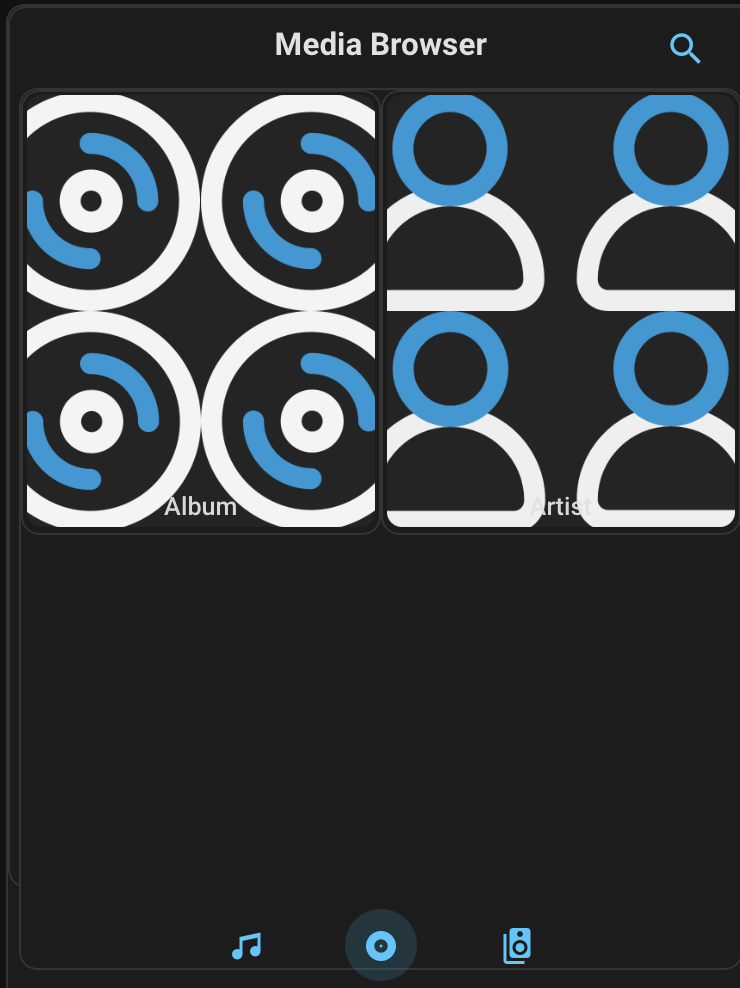
In my opinion, the BROWSER folder should contain all the MusicAssistant albums and a separate section for Favorites.
I also think a list view would be better to display more albums… (the card is also small)
If you’re serving from a locally hosted provider, there isn’t a good way. The repos have a stickied issue describing what the problem is.
In my opinion, the BROWSER folder should contain all the MusicAssistant albums and a separate section for Favorites.
The readme describes how to do this. It also describes why it’s a bad idea.
I also think a list view would be better to display more albums… (the card is also small)
I intentionally moved away from a list format and chose cards. The individual cards will always be set up so they take half the width. If you want to fit more items on the screen, make the card narrower.
The card is also rather large - in fact, it’s too tall to use with the Sections view. There are plenty of cards out there which will pack as much data into a single card. I wanted to create one which looked nice while providing complete functionality.
This is a nice addition to the media player cards options!
i can finally create a seperate media browser card just for searching/browsing my library.
im just strugling with the looks of the card.
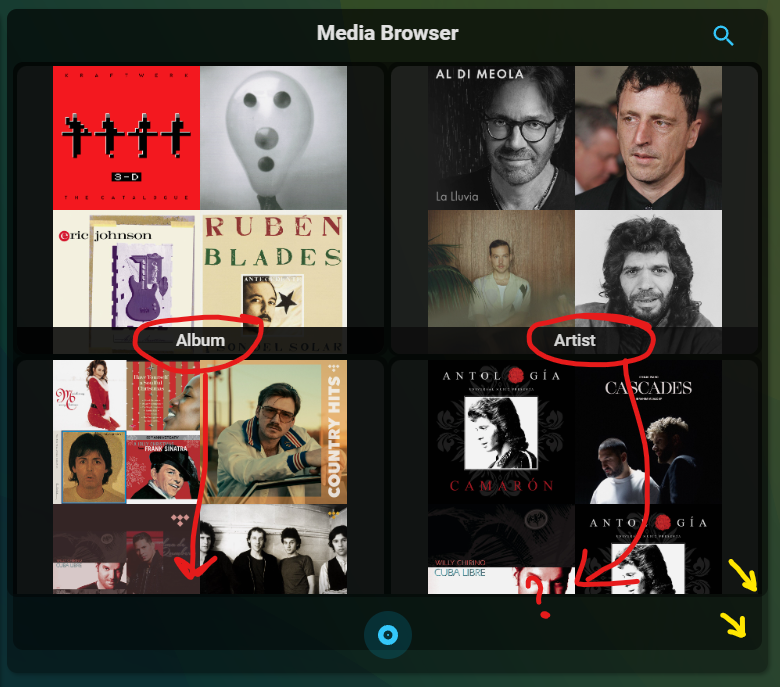
As you can see in the screenshot, the bottom two cards have their “name” cut off, you need to scroll down to see it.
further, i’m using a semi-transparent theme for my dashboard, and it is now visible that this player/browser card is built up of 3 cards on top of eachother? you can clearly see the three shapes in the screenshot.
i’ve been trying to resize the containers and change the backgrounds with card-mod, but i’ve been unsuccesful till now…(mostly because the syntax of selectors and DOM navigation is sort of rocketscience to me)
I really love this card. However, one thing could certainly be improved. After searching for a song and you add it to the queue, you’re always returned to the player. But usually one would search a song, add it to the queue, search another song, add it to the queue, and so on. So would it be possible to not always jump to the player when a song is added to the queue?
Great card, however please can you make it so we can actually adjust the button border colours,buttons, highlightes etc or adjust them so they adopt people themes (custom, light, dark etc). At the moment they’re hard coded to be blue I believe - it makes it really difficult to integrate nicely into dashboards which is a pity because it’s a truely excellent card! Thank you for taking the time to create and maintain it
As you can see in the screenshot, the bottom two cards have their “name” cut off, you need to scroll down to see it.
That’s expected for some configurations.
The card is designed to adapt to your device. Each row is set to have two cards (although this can be reconfigured on the beta). Each card is then designed around the artwork being a square.
Further, i’m using a semi-transparent theme for my dashboard, and it is now visible that this player/browser card is built up of 3 cards on top of eachother? you can clearly see the three shapes in the screenshot.
This is being changed in the latest beta. This should also help with theming, too.
After searching for a song and you add it to the queue, you’re always returned to the player
The next beta will address this to a degree. If you select an item, it will still take you back. However, if you use the enqueue menu, it will remain on the browser tab.