Hello lovely people,
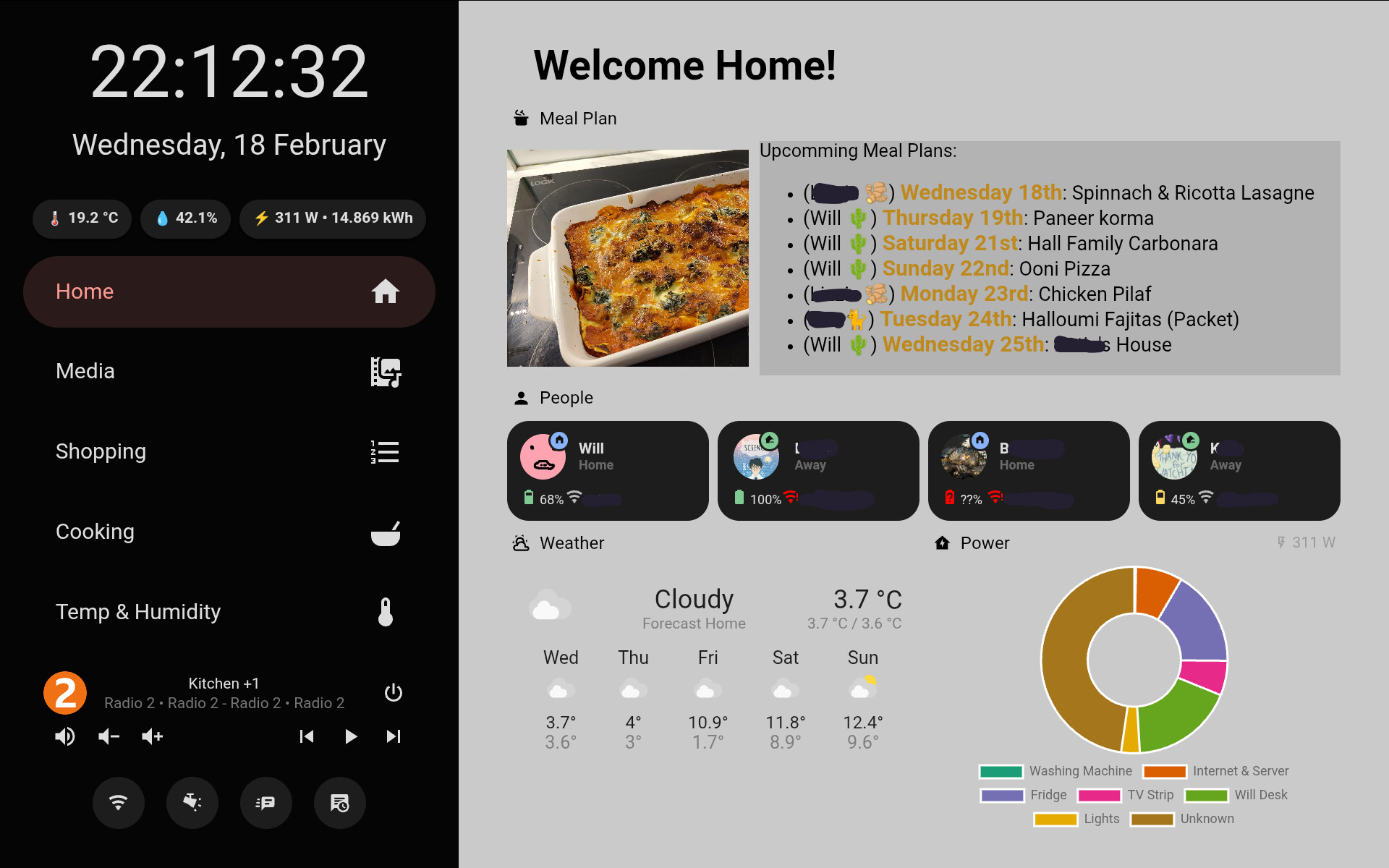
I’ve kept this to myself for a well over a year now and have been tweaking it occasionally but I’m super happy with the information it gives us and how it looks so I thought I’d share my kitchen tablet dashboard in case it inspires anyone.
I have a Lenovo P10 tablet (with docking station) which lives permanently in the kitchen. The main things I wanted on display were:
- A quick reference to glance at while I’m going about my business (hence weather, temperatures, power, etc.)
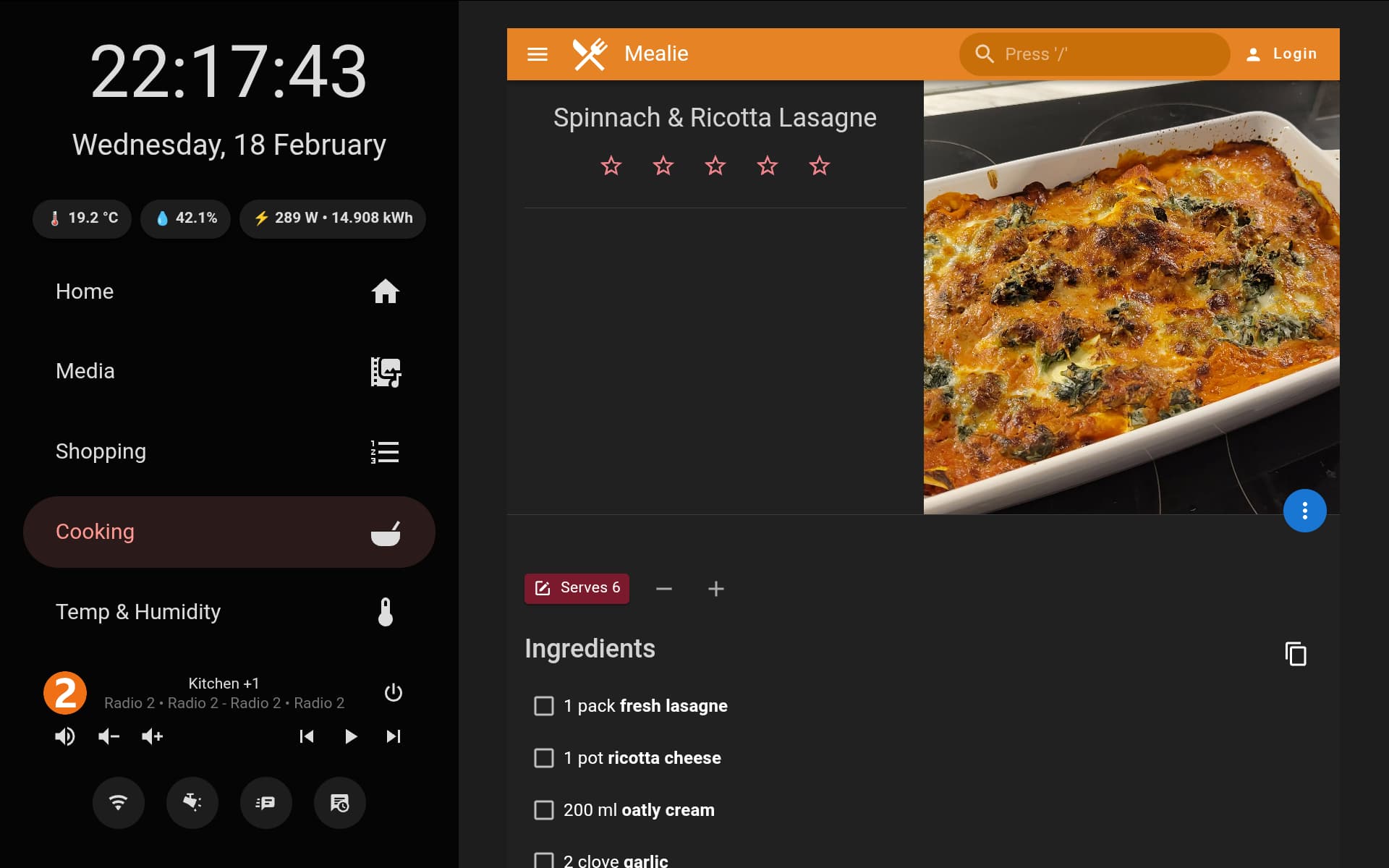
- A one stop shop for when I’m cooking (hence shopping list, recipes, media controller)
- A meal plan to remind me and my house-mates what is coming up
I recently switched to using Mealie rather than Grocy; the latter, while more fully featured just doesn’t have a particularly slick interface and despite my best efforts, the stock-tracking functionality just wasn’t valuable enough to be worthwhile.
All of the UI is made using Minimalist, lots of button card and a little bit of card-mod. The part that displays the meal plan is a custom card though (sorry I haven’t published it yet but I will do if people are interested). In order to make the custom card work, it uses a template sensor to compile the meal-plan by date and put the names on etc. (there might be a better way but I couldn’t find it  ). The design is not particularly responsive but I designed it to perfectly use all the screen space on my specific tablet so not too surprising.
Here are the Home and Cooking tabs on the sidebar (the others are kind of just uninspiring with a single graph or media controller). Names of my friends and WiFi networks are blocked out because WiGLE exists.