Into:
Nothing is as beautiful in the eyes of a suffering Brazilian as a ‘less than $20 bucks xing-ling onvif IP camera’.
- Andre Myszko, February 7, 2025
I dicided to open this topic to get help and help people that are trying to use ICsee cameras with onvif in home assistant (HAOS mode)
last discover:
OW thanks God… I received this error in HAOS > System > Logs:
TRYING OVER TCP:

** TRYING OVER HTTP:

I looks like a ‘HTTP_UNAUTHORIZED, Server returned 401 Unauthorized’ type of error, is there some one that can help me with that?
Overview:
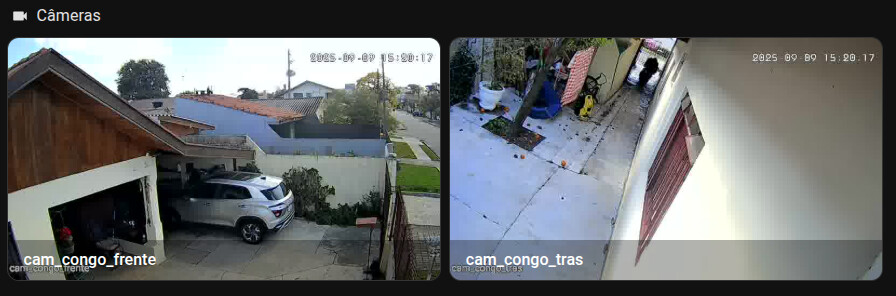
Everything is working fine, the only problem is that the HAOS frontend display the camera image mainstream freezed just like a snapshot. Also the PTZ is already working (PAN and TILT only but that is ok… when I move the axis the camera moves in ICsee mobile app and no erros are shown in home assistant web browser console/network)

- Checking the network on the page I find this:

- looks like ‘ha-hls-player.ts:140’ can not fetch the request or something…
- no sure about what this ‘undefined’ register is… :,c
Here is the component YAML:
camera_view: live
type: picture-glance
title: lugandcam
image: camera.lugandcam_mainstream
camera_image: camera.lugandcam_mainstream
grid_options:
  columns: 16
  rows: 4
entities:
  - entity: camera.lugandcam_mainstream
    tap_action:
      action: call-service
      service: onvif.ptz
      service_data:
        entity_id: camera.lugandcam_mainstream
        zoom: ZOOM_IN
        speed: 1
        distance: 0.3
        move_mode: ContinuousMove
    name: Zoom In
    icon: mdi:magnify-plus
  - entity: camera.lugandcam_mainstream
    tap_action:
      action: call-service
      service: onvif.ptz
      service_data:
        entity_id: camera.lugandcam_mainstream
        zoom: ZOOM_OUT
        speed: 1
        distance: 0.3
        move_mode: ContinuousMove
    name: Zoom Out
    icon: mdi:magnify-minus
  - entity: camera.lugandcam_mainstream
    tap_action:
      action: call-service
      service: onvif.ptz
      service_data:
        entity_id: camera.lugandcam_mainstream
        pan: LEFT
        speed: 1
        distance: 0.3
        move_mode: ContinuousMove
    name: Pan Left
    icon: mdi:arrow-left
  - entity: camera.lugandcam_mainstream
    tap_action:
      action: call-service
      service: onvif.ptz
      service_data:
        entity_id: camera.lugandcam_mainstream
        tilt: UP
        speed: 1
        distance: 0.3
        move_mode: ContinuousMove
    name: Tilt Up
    icon: mdi:arrow-up
  - entity: camera.lugandcam_mainstream
    tap_action:
      action: call-service
      service: onvif.ptz
      service_data:
        entity_id: camera.lugandcam_mainstream
        tilt: DOWN
        speed: 1
        distance: 0.3
        move_mode: ContinuousMove
    name: Tilt Down
    icon: mdi:arrow-down
  - entity: camera.lugandcam_mainstream
    tap_action:
      action: call-service
      service: onvif.ptz
      service_data:
        entity_id: camera.lugandcam_mainstream
        pan: RIGHT
        speed: 1
        distance: 0.3
        move_mode: ContinuousMove
    name: Pan Right
    icon: mdi:arrow-right
Environament:
- Raspberry Pi 5 4GB
- SSD card 128GB SanDisk
- HAOS (Ethernet cable direct to local network)
- Wifi Signal Repeater 2.4g (no router, same gateway provided by main network where my de pc and camera are connected)
- Icsee camera (wifi connection)
Used IPs: (used nmap and ‘ip route’ to find the info, ipconfig for win vm)
- IP gateway: 192.168.X.A
- IP repeater: 192.168.X.B
- IP haos: 192.168.X.C
- IP my linux notebook: 192.168.X.D
- IP icsee camera: 192.168.X.E
- IP kvm windows: 192.168.Y.A
- IP mask: 255.255.255.0
Icsee camera config and steps:
-
step 1:
Connected via Wifi using the mobile app (ip provided inside my subnet range: IP: 192.168.X.E) and updated the camera name and password for login -
step 2:
Creation of a kvm windows and downloaded the camera desktop app ‘VideoPlayTool’ so I can manage ‘Remote settings’. -
step 3:
Using the ‘Video Play Tool’ I:- Activated the option ‘System > Network > Onvif Check’
- Disabled ‘Network > DHCP’ connection and provided the static values for:
IP Addres(Icsee Camera IP)
Subnet Mask(255.255.255.0)
Internet GateWay (Home Network Gateway).
PS.: I’v tried with DHCP enable with same results…
-
step 4:
I enabled the IP ‘white list’ and added my:- network gateway IP
- my notebook IP
- my haos IP
Ps.: Tried without enableing IP filter with same results…
-
Other infos NetService/Network:
-
Network ports:
media port: 34567
http port: 80
Onvif port: 8899 -
RTSP: enabled on port 554
-
Wifi: Enabled (with DHCP disabled static values provided just like the network)
-
NTP enabled (default)
-
UPNP disabled (default)
-
FTP disabled (default)
-
-
System > Camera params:

Here is the Onvif integration camera diagnouse:
home_assistant
installation_type	"Home Assistant OS"
version	"2025.2.0"
dev	false
hassio	true
virtualenv	false
python_version	"3.13.1"
docker	true
arch	"aarch64"
timezone	"America/Sao_Paulo"
os_name	"Linux"
os_version	"6.6.62-haos-raspi"
supervisor	"2025.02.0"
host_os	"Home Assistant OS 14.2"
docker_version	"27.2.0"
chassis	"embedded"
run_as_root	true
custom_components
icsee_ptz
documentation	"https://github.com/dbuezas/icsee-ptz"
version	"4.0.2"
requirements
0	"python-dvr"
1	"getmac==0.8.2"
hacs
documentation	"https://hacs.xyz/docs/use/"
version	"2.0.5"
requirements
0	"aiogithubapi>=22.10.1"
integration_manifest
domain	"onvif"
name	"ONVIF"
codeowners
0	"hunterjm"
1	"jterrace"
config_flow	true
dependencies
0	"ffmpeg"
dhcp
0
registered_devices	true
documentation	"https://www.home-assistant.io/integrations/onvif"
iot_class	"local_push"
loggers
0	"onvif"
1	"wsdiscovery"
2	"zeep"
requirements
0	"onvif-zeep-async==3.2.5"
1	"WSDiscovery==2.1.2"
is_built_in	true
overwrites_built_in	false
setup_times
null
setup	0.00002959195990115404
01JKF70NW91D75FFMD9PGMNER0
wait_import_platforms	-1.875660082034301
wait_base_component	-0.0006038150168024004
config_entry_setup	4.25429453101242
data
config
created_at	"2025-02-07T03:24:51.977671+00:00"
data
host	"**REDACTED**"
name	"lugandcam"
password	"**REDACTED**"
port	8899
snapshot_auth	"digest"
username	"**REDACTED**"
discovery_keys	{}
disabled_by	null
domain	"onvif"
entry_id	"I removed from diagnouse cus i do not know wtf this ID is capable of"
minor_version	1
modified_at	"2025-02-07T03:24:53.282341+00:00"
options
enable_webhooks	true
extra_arguments	"-pred 1"
rtsp_transport	"tcp"
pref_disable_new_entities	false
pref_disable_polling	false
source	"user"
title	"lugandcam - 00:13:00:46:19:42"
unique_id	"00:13:00:46:19:42"
version	1
device
info
manufacturer	"H264"
model	"XM533_X3-WQ-B_8M"
fw_version	"V5.01.R02.000847FB.10010.346924.S.ONVIF 21.06"
serial_number	"removed from diagnouse"
mac	"removed from diagnouse"
capabilities
snapshot	true
events	true
ptz	true
imaging	true
profiles
0
index	0
token	"000"
name	"mainStream"
video
encoding	"H264"
resolution
width	2304
height	1296
ptz
continuous	true
relative	true
absolute	true
presets
0	"1"
video_source_token	"V_SRC_000"
1
index	1
token	"001"
name	"subStream"
video
encoding	"H264"
resolution
width	704
height	576
ptz
continuous	true
relative	true
absolute	true
presets
0	"1"
video_source_token	"V_SRC_000"
services
('devicemgmt', None)	"/usr/local/lib/python3.13/site-packages/onvif/wsdl/devicemgmt.wsdl"
('media', None)	"/usr/local/lib/python3.13/site-packages/onvif/wsdl/media.wsdl"
('imaging', None)	"/usr/local/lib/python3.13/site-packages/onvif/wsdl/imaging.wsdl"
('ptz', None)	"/usr/local/lib/python3.13/site-packages/onvif/wsdl/ptz.wsdl"
('events', None)	"/usr/local/lib/python3.13/site-packages/onvif/wsdl/events.wsdl"
('notification', None)	"/usr/local/lib/python3.13/site-packages/onvif/wsdl/events.wsdl"
('subscription', 'PullPointSubscription')	"/usr/local/lib/python3.13/site-packages/onvif/wsdl/events.wsdl"
('pullpoint', 'PullPointSubscription')	"/usr/local/lib/python3.13/site-packages/onvif/wsdl/events.wsdl"
('pullpoint', 'NotificationConsumer')	"/usr/local/lib/python3.13/site-packages/onvif/wsdl/events.wsdl"
('subscription', 'NotificationConsumer')	"/usr/local/lib/python3.13/site-packages/onvif/wsdl/events.wsdl"
xaddrs
http://www.onvif.org/ver20/analytics/wsdl	"http://192.168.X.X:8899/onvif/analytics_service"
http://www.onvif.org/ver10/events/wsdl	"http://192.168.X.X:8899/onvif/event_service"
http://www.onvif.org/ver20/imaging/wsdl	"http://192.168.X.X:8899/onvif/image_service"
http://www.onvif.org/ver10/media/wsdl	"http://192.168.X.X:8899/onvif/media_service"
http://www.onvif.org/ver20/ptz/wsdl	"http://192.168.X.X:8899/onvif/ptz_service"
http://www.onvif.org/ver10/events/wsdl/PullPointSubscription	"http://192.168.X.X:8899/event_service/0"
http://www.onvif.org/ver10/events/wsdl/NotificationConsumer	"http://192.168.X.X:8899/event_service/0"
events
webhook_manager_state
__type	"<enum 'WebHookManagerState'>"
repr	"<WebHookManagerState.STARTED: 1>"
pullpoint_manager_state
__type	"<enum 'PullPointManagerState'>"
repr	"<PullPointManagerState.STARTED: 1>"
Ps.:
-
I installed a HAC for Icsee but it is not in use, I am using the Onvif only:
-
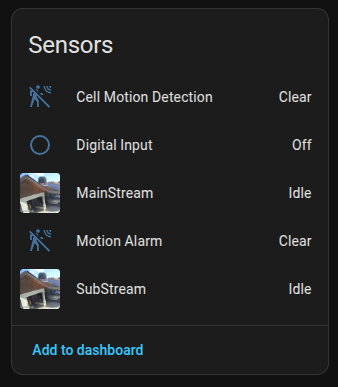
Here we have a lot of entitys nice and clean, but here the mainstream is already freezed:


Please can anybody relate a solution for this issue, any informations?
Thanks people!