Hi everyone,
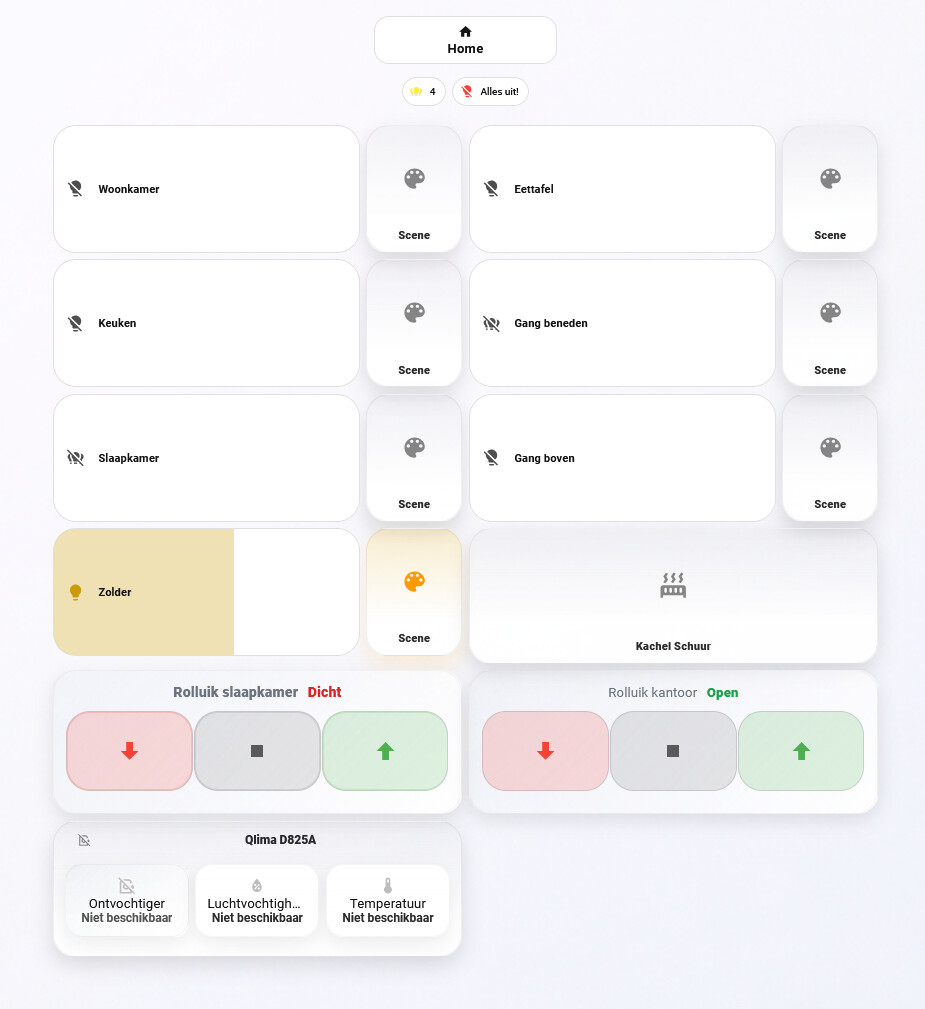
After quite a bit of experimenting, this has become the main Home Assistant dashboard we use every day. My goal was to keep it calm and easy to scan, while still making the most important controls available without opening extra pop-ups.
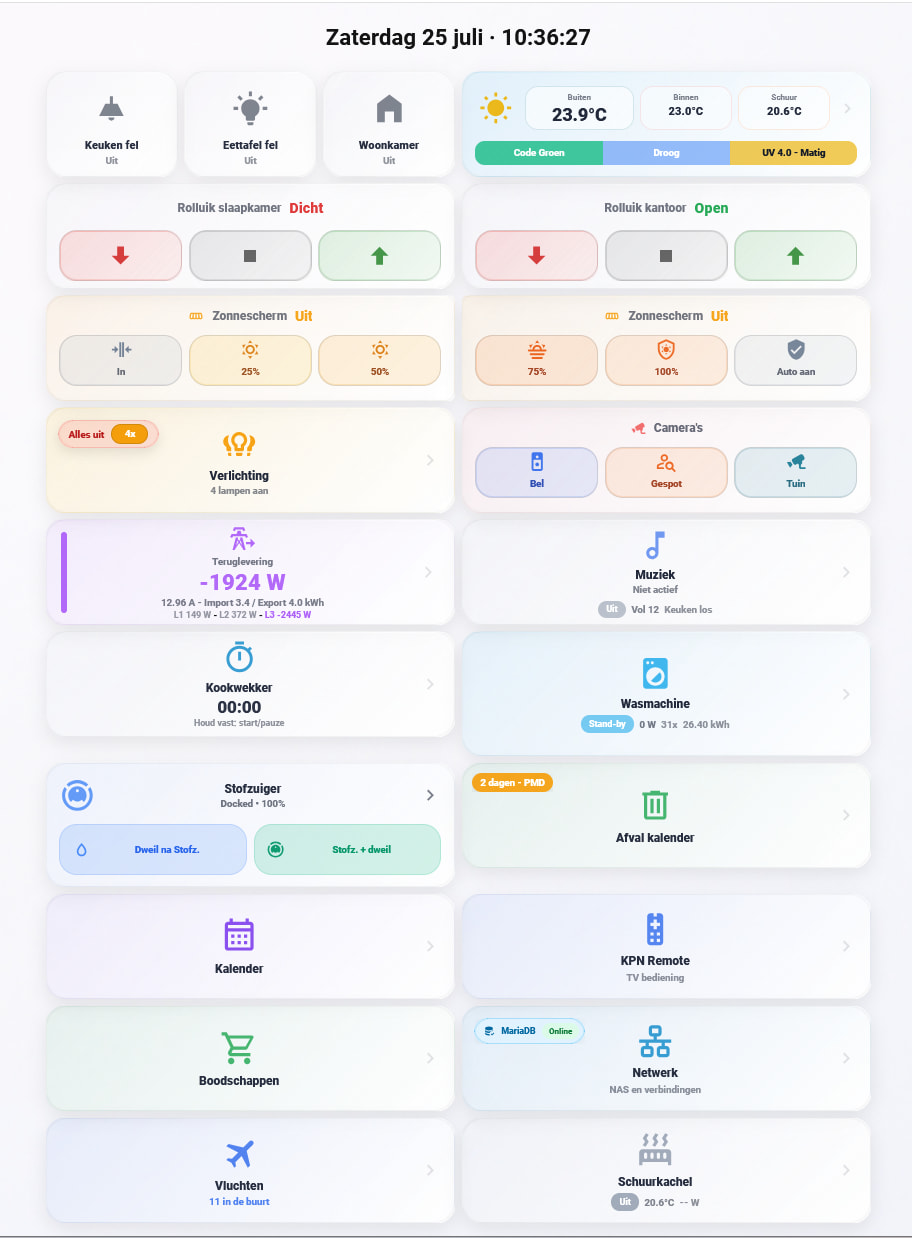
The dashboard uses a two-column layout with large, touch-friendly cards and soft state-based colours. It brings together:
- lighting and scene shortcuts;
- roller-shutter controls;
- awning positions and automatic mode;
- weather, UV and temperature;
- cameras;
- live energy import/export;
- music, cooking timer and appliances;
- robot vacuum, waste collection, calendar and TV remote.
Most cards use custom:button-card, with styling and state logic kept close to the card itself. For example, light buttons show whether a room is off, in ambient mode or at full brightness, while the background and icon colour change with the current state. I also use a “lights on” counter so the dashboard can offer one clear all-off action.
A few of my favourite automations
1. Safety-first awning retraction
The awning has one central retraction controller instead of several automations competing with each other. It can retract for confirmed rain, unsafe wind or gusts, the calculated sun/shadow position, or missing safety data.
After a Home Assistant restart, movement remains blocked until all required weather and cover data is valid. The automation records one primary reason, sends the close command itself, and only increments the relevant counter after the cover is confirmed closed. Manual control still remains possible.
2. Shed heater with graceful sensor fallback
The shed heater checks the temperature every five minutes. It normally uses a local temperature sensor, but falls back through three weather sources if that sensor is unavailable.
It switches on below 8.5 °C and off above 9.0 °C, with a minimum 15-minute runtime to prevent rapid cycling. Fallbacks and missing-data events are counted, while repeated warnings are rate-limited.
3. Camera behaviour based on solar elevation
At dusk, based on the actual solar elevation rather than a fixed time, automatic camera tracking is enabled. A temporary pause returns the camera to its normal monitoring position.
The camera light follows person, animal and vehicle detection after dark, stays on briefly after the last detection, and still allows a timed manual override with adjustable brightness.
4. Appliance completion without false notifications
The washing machine is monitored through power consumption. A helper remembers whether a real cycle was detected, so a low-power state only sends a completion notification after an actual start. It also counts completed cycles for a monthly overview and includes a safe reset if the smart plug is switched off.
The dryer uses both task and machine state, with delays and a fallback path if its reported task state disappears unexpectedly.
5. Plex cinema lighting
When Plex starts playing after dark, Home Assistant stores the current living-room light state and activates a cinema scene. Pausing or stopping switches to a comfortable ambient scene. The time condition is based around sunset and sunrise, so it does not interfere during daytime viewing.
I have deliberately left out raw entity IDs, network details, URLs and device identifiers from this post. I am happy to share anonymised examples of individual cards or automations if anyone is interested.
Feedback and ideas are very welcome!