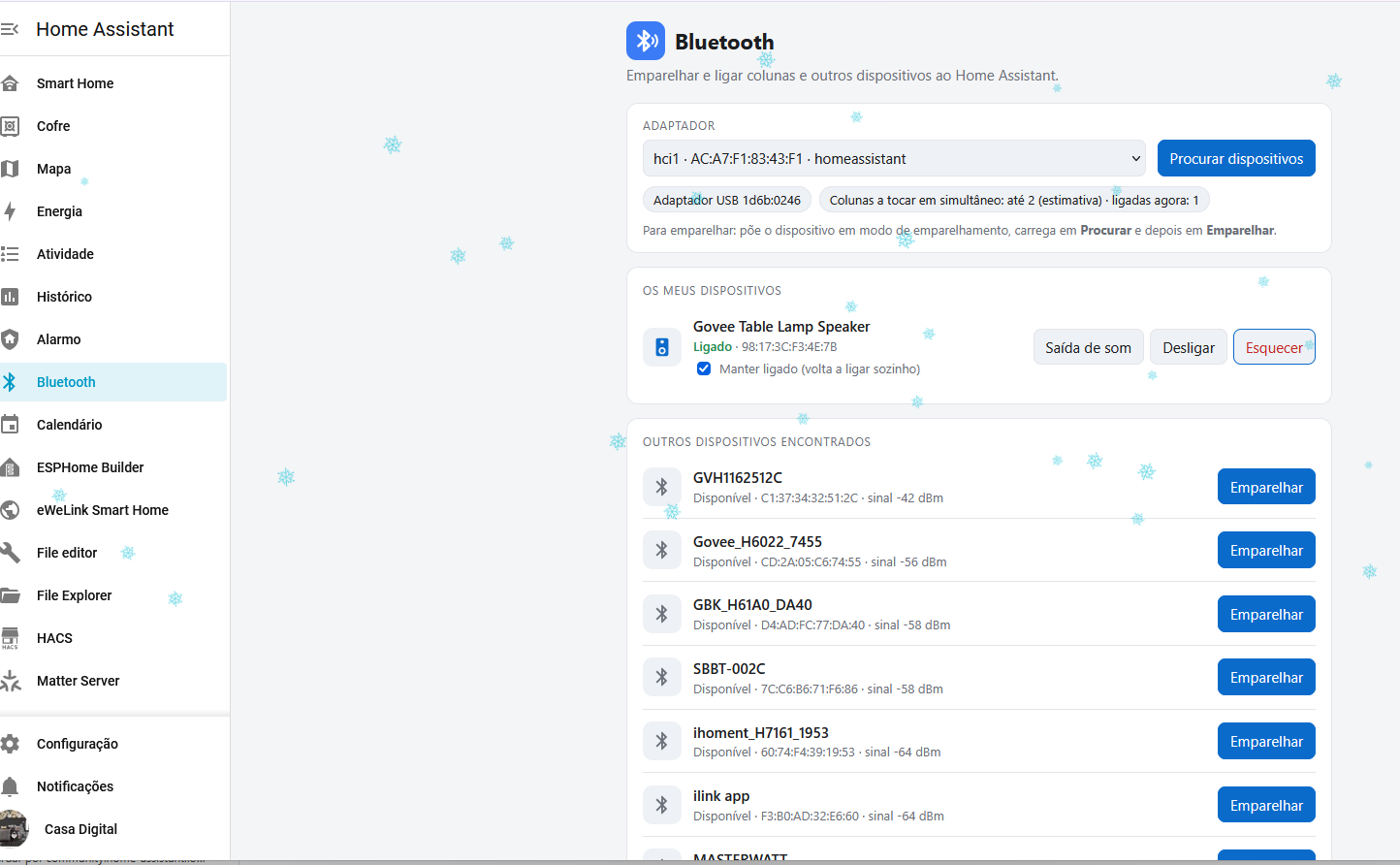
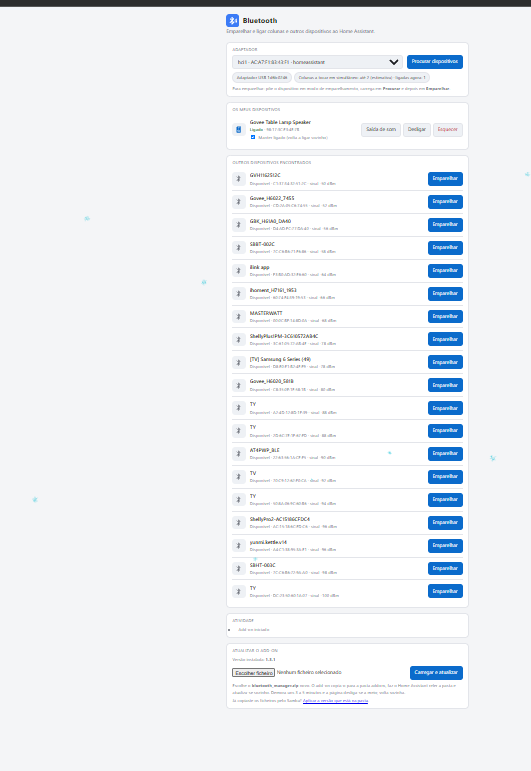
Today Home Assistant handles Bluetooth sensors (BLE) very well, but there is no way to pair a Bluetooth audio device (speaker, soundbar, headphones, an Echo used as a speaker) from the UI. Users have to open the terminal and run bluetoothctl (scan on, pair, trust, connect), find the right MAC address and pick the right adapter by hand. When the speaker drops, it has to be reconnected by hand too.
What I’m asking for: a page under Settings → Bluetooth, like the one in Windows or Android, that lets you:
- choose the adapter (for example, a USB dongle instead of the onboard one that gives noise);
- scan for devices and pair, trust and connect them with one button;
- connect, disconnect or forget each device;
- keep a device connected, reconnecting it automatically when it drops;
- set a connected speaker as the Home Assistant audio output, so media players (VLC, Music Assistant) play on it right away;
- play on several Bluetooth speakers at the same time, with a warning about how many the adapter can handle;
- only accept pairing requests started from the UI (reject unknown devices nearby).
Proof of concept: I built a local add-on that does all of this using BlueZ over D-Bus and the Supervisor audio API. With it I paired my Govee speaker, made it the default output and played through Music Assistant without ever opening the terminal again. Screenshots attached.
This would make Home Assistant much friendlier for anyone who wants to use a Bluetooth speaker for music, announcements or the voice assistant.