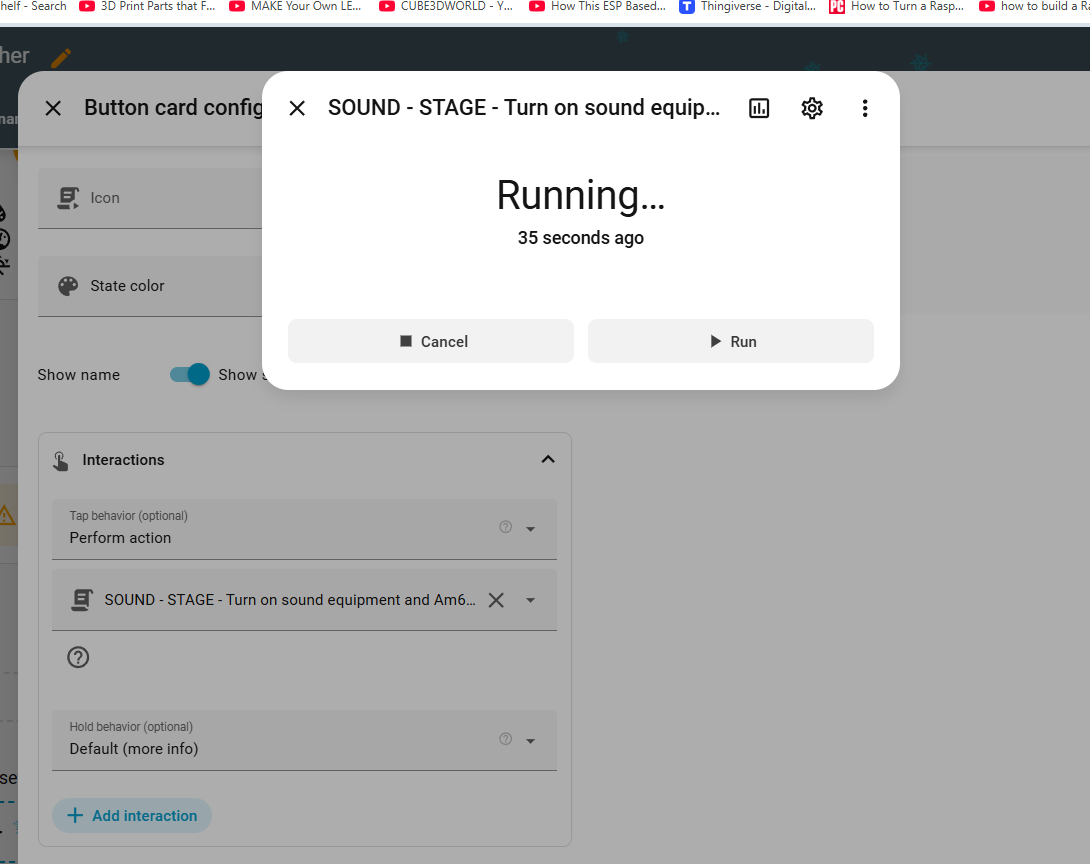
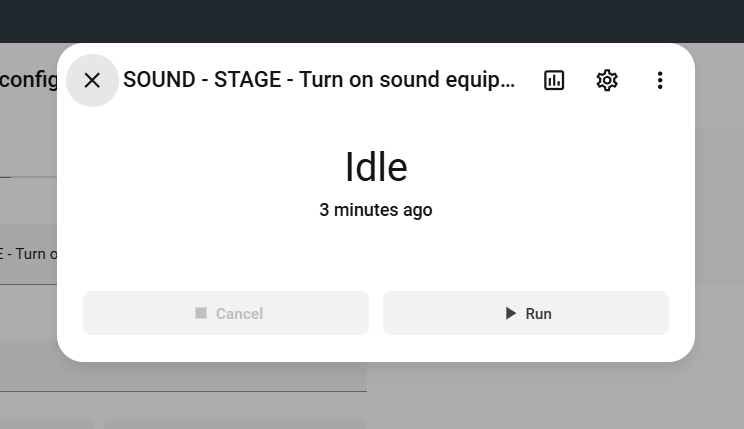
so i use browser mod… and havent touched things in several years
i just added a script but the button doesnt work… if i did entity or service… one entiy glitchs the pop up card… and service… you can keep clicking it but it doesnt execute… but regular toggles work fine… so how do you make scripts work
What’s in this template? I tested your general code for checking any Browser Mod issues and all looks fine. So perhaps something in yout button-card template is preventing the tap_action.
like it used to work before home assistant latest updates… that i remember… as even the pop up card is no longer white… its gray
so when i press a button on a switch i have … works fine
but when i press the button on the script… it makes the the popup shift or so id have to take a small video if it helps then figure how to upload it
this code was all done from someone elsses template years ago when it was browswer mod 1… and then i had to convert it to work in broswer mod 2
Best to try a minimal example, unpacking templates and styling to see where the issues may be.
I am not quite following what the issue actually is. You mention script buttons but they are on the popup. So is the popup showing but you then have issues?
doesnt work orginally i i use - entity: but cuz it causes the window to pop up to shift and not execute the script… and then none of the buttons work
so i went to look up the browswer mod on github and i found service… now its not exactly like what they have as this using different mods dont seem to always pop up right…
ill make a video to show whats going on be a bit and ill have to link it to my One Drive account
so that didnt work
i had to add script. in front of the turn_on_sound and what it does it just leaves the light button yellow… for script
now i found the script only works once and a while now… it looks like i guess one of the updates modified things… you cant turn switch on by entity anymore??
and i currently updating the next home assistant so ill test it after
but the code for the script that worked in the past
i tried the script i find that volumio play media is crashing the script… if i run it and turn off the 3 switchs manually… and re run the script it cant
if i remove the volumio part and run it… i can manually shut off the switchs… and run the script again…
so i guess its glitching or hanging with media_player for volumio
EDIT: Posted before you last reponse. So yes, that will be your issue with your script.
Check the script. Perhaps that is where the change is.
Anyhow, not seeing any Browser Mod issues. While I might be able to help you further I expect it will be difficult given this seems tied up in your environment and not any issues with Browser Mod.
i not sure ya and the browser mod github doesnt really break down things right shows 1 tap thing and since i been running this like 5 years now i guess and havent changed anything except to go from 1 to 2 browswer mod i not an expert… i not even sure what the browswer mod id is for i guess means for a different browser so it will show landscape for 1 and portart for another … as i never played with that
here is the videos 2 of them i made of the current setup i had… ill make those script tweaks… i dont know know how volumio locks up a script now… but ill make the changes after ha updates and reboots as i dont wanna make a change and boom something messed up been there…
and ill let u know if anything is fixed once i repair the script… i guess i need to read the release notes everytime there is a HA update… as i just update and as long as spook doesnt find a problem i figure everything is running fine lol
OK, looking at your videos, your main issue is how button-card has changed. When you set a script entity for the button-card, it will not allow to action again until the script is finished. From what you described earlier, you are expecting your script to be quick, but it is not, hence the issues you are seeing. I also expect that button-card’s blocking scrim is affecticting using all the other buttons. As for this, it may change once you use Browser Mod 2.8.0 with Home Assistant 2026.3. So do those updates and then see.
So if anything, there may be something Browser Mod can do to work with button-card issues, but it would be working around that, not fixing any Browser Mod issue.
ok i got it working…
with your updated code i modified it… also the new update of HA just fixed that gray popup window its now restored to white… guess there was a glitch with that they fixed
i also figured what also changed since i created the scripts when you turn on the script stays running it says… it doesnt run the stop… now the scripts stay running and dont exit… since i never changed the code in years i never knew there was an issue…
i had to add that that also seemed to bugger things up cuz it was running…
dont know but it all seems to be running again… like it used to… ill have to check all my scripts and automations for broken grayed out stuff
i appreciate your help your code fixed things and no more shifting etc…
the old code i had ya still didnt work but yours worked… gets confusing when things change or a different card uses the code slightly different then from the button card etc… glad you know what your doing as i didnt lol
so maybe cuz i do the perform action where the button stays ON its Saying its running doesnt mean the Script is running but the Button is running… is my guess how that means… so i miss interepting whats running… its not the script that is running… its the button is running in on pos is what i guess thats really what it means there
it should just play media on volumio and exit right away… seems to hang in an endless loop… wonder why
but if i remove it… and i did the More Info it went to idle right away… so i guess ill have to see why the volumio is hanging it… guess thats a tommorow look at lol