Getting into the micro controller space. I was recently was gifted a electronics set and it was a blast wiring up projects on the breadboard. I have since heard about ESP32s and am interesting in building devices I can use with ESP Home and Home Assistant.
Purchased a ESP32‑WROOM‑32 & 4 x EPS32-C3 Super minis (v1601) from Aliexpress.
I can see the ESP32‑WROOM‑32 with Thonny (my micropython ide of choice) and get it to Print Hello World and Flash the onboard Led. Great. But I am having a hard time getting ESP Home / HA to work.
Here is what I have been trying so far:
Open HA and ESP Home Addon
click on add new device
click continue and choose new device setup, give name, choose ESP32 from list
It says config created. I choose skip and edit the yaml to add my ssid and password
save and install
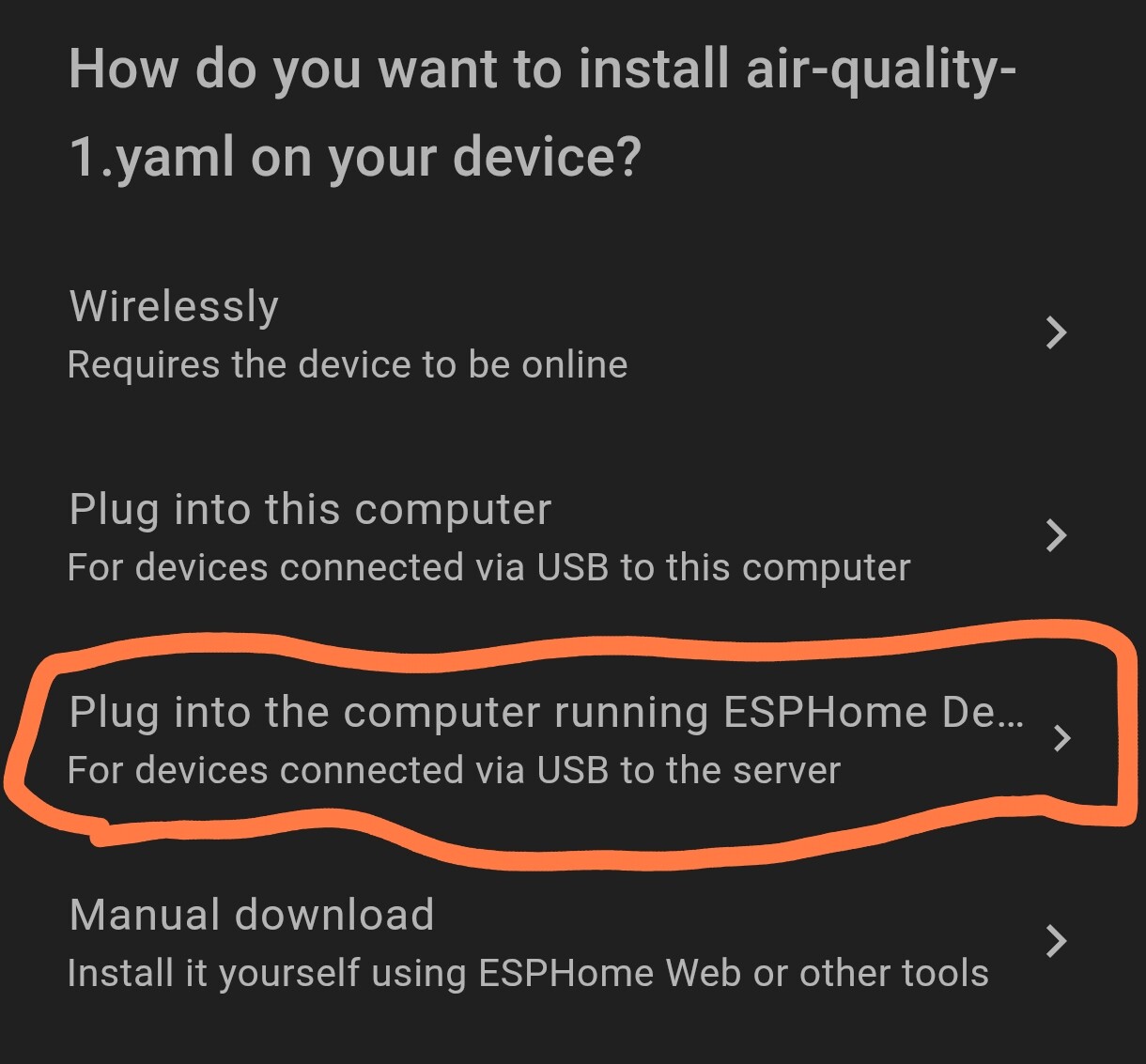
here is where I run into an issue. If I choose wirelessly it fails (see below)
toolchain-xtensa-esp-elf @ 14.2.0+20251107
Reading CMake configuration…
Dependency Graph
|-- noise-c @ 0.1.10
Archiving .pioenvs/test/esp-idf/app_trace/libapp_trace.a
sh: 1: xtensa-esp32-elf-gcc-ar: not found
Archiving .pioenvs/test/esp-idf/app_update/libapp_update.a
*** [.pioenvs/test/esp-idf/app_trace/libapp_trace.a] Error 127
sh: 1: xtensa-esp32-elf-gcc-ar: not found
*** [.pioenvs/test/esp-idf/app_update/libapp_update.a] Error 127
========================== [FAILED] Took 4.06 seconds ==========================
If I choose ‘Plug into this computer’, it asks me to open ESPHome Web.
In ESPHome Web. I click connect, i choose my device from the serial port list and click Prepare for First Use. It spins for a while and then says “Failed to initialize. Try resetting your device or holding the BOOT button while selecting your serial port until it starts preparing the installation.”
I close ESPHome Web and hold the BOOT while selecting the port until its starts installing. The progress bar spins and looks good, then i get ‘An error occurred. Improv Wi-Fi Serial not detected’
Im a bit lost on how to continue. Every video tutorial i watch just speeds on through this part with no issues.
The first time you flash esphome to a device needs to be done via a USB cable. The easiest way is using the esphome builder addon. Create a new device, and pick connected to this computer. Let esphome guide you through it. This is assuming you are using Windows. Don’t skip the flashing to add your WiFi stuff esphome will add them as part of the setup.
“May I suggest to install esphome standalone to your pc/laptop.”
What issue does this fix? Maybe try clean build files, use chrome browser and have a look at your basic config first?
Just pointing out that it’s not likely a solution. I only have a couple dozen esphome devices and I usually still flash through the addon.
Its like suggesting If your zigbee mesh is unstable you should switch to Z2M
It looks like you are having more problems than many people have getting started. It is also likely you are frustrated because things don’t make sense at this point. Since the easy path didn’t just work for you, you need to decide how committed to this you are. You will (and have already) gotten conflicting information based on different people’s understanding of what you have done and are seeing.
In your logs, I see two things. First you are getting an error building firmware
This usually means that platformio is not installed correctly. esphome is responsible for installing it, but getting it to do it over can be challenging. I usually just delete the platformio folder, but I know how it works and have been using it since it was new.
I am with @Karosm on using esphome on the command line on a local PC. It won’t necessarily solve your problem, but it will install platformio which might solve the compilation problem.
I am with @aceindy on the ch340. I used to love the ch340 because it always worked, but they seem to have gone the way of FTDI and intentionally broken the driver to make clones not work. The older 3.5.2019.1 driver does work with some esp8266 D1 minis which were no name Amazon purchases, so maybe not genuine chips. Most AliExpress devices are unlikely to be genuine.
esphome and some of the “easy” tools are great when they work. When they don’t you have to be extremely methodical to figure out what is wrong.
I did too, and you are correct that first installs can’t be done wirelessly. However, there are multiple problems and the first install must be wired was covered by your first response (so didn’t repeat it).