I’m excited to share a project I’ve been working on: DaikinAlthermaX10AConnect v1.0 — a native ESPHome component to connect your Daikin Altherma heat pump to Home Assistant over wired Ethernet (PoE). It’s fully tested and ready to use!
Read a large number of heat pump parameters (temperatures, flow rates, operational states, and more) directly in Home Assistant
Control operation mode: Off / Heat / Cool
Control the Smart Grid feature
Built entirely on native ESPHome — easy to set up, easy to update via OTA
Why PoE and why M5Stack? I deliberately chose the M5Stack PoE device because a wired connection is simply more reliable than Wi-Fi for something as critical as your heating system. The M5Stack 4-channel relay was chosen because it’s standardized, well-supported hardware with state restore — exactly what you want for a relay controlling your heat pump.
Hardware used:
M5Stack PoE (ESP32-based)
M5Stack 4-channel relay unit
Connected via the X10A port on the Daikin Altherma
Who is this for? If you own a Daikin Altherma 3 R F (or similar) and want local, reliable control through Home Assistant — without Daikin’s cloud or third-party middleware — this is for you.
Want to give it a try? I’d love to hear from anyone who sets it up — whether everything works smoothly or you run into questions. Feel free to open an issue on GitHub or drop a reply here. All feedback is welcome and helps make the project even better!
Price wise it doesn’t really matter a lot, it’s nice to see the status on the relay, and the Unit seems to fit better on a POE device. The Unit 4 relay also works fine with lower amp signals.
Thanks for sharing this project and putting together the installation guide! I’m using an M5Stack PoESP32 with my Daikin Altherma 3 M EBLA16D3W17, connected through the UART/Grove port for read-only monitoring.
Your “a cable is stable” reasoning was exactly why I chose this setup. With 32 cm thick concrete walls between the network and the heat pump, getting a reliable Wi-Fi signal there simply wasn’t practical. PoE solves both connectivity and power in one cable, and it has been rock solid—I haven’t observed a single lost packet. During a recent diagnostic run, all 72 requests received valid replies, with zero timeouts or CRC errors.
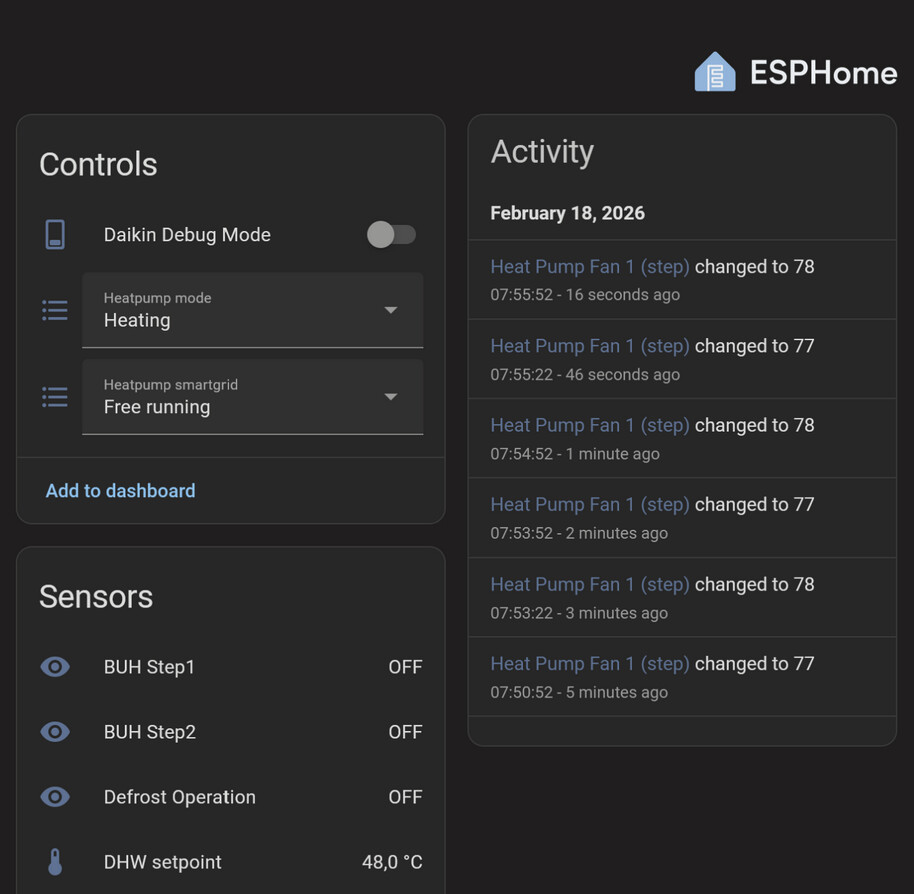
One addition that helped with my Home Assistant setup was per-register age tracking: recording the time since the last valid response for each relevant register and exposing it as diagnostic sensors. An unchanged temperature or fan step can otherwise look stale if the dashboard relies on the entity’s last-change timestamp. The register-age sensors let me distinguish “still the same value” from “no fresh response.”
I’m also recording fan steps alongside temperatures, compressor frequency and electrical consumption to compare operating conditions and COP. Having these readings available locally through ESPHome has been incredibly useful.
Thanks again for making this available—it’s become a valuable part of my heating monitoring!
I added a separate timestamp for each register I want to monitor. Whenever the ESP32 receives and validates a response for that register, it updates the timestamp—even if the value itself hasn’t changed. An ESPHome template sensor then reports the elapsed time since that response in seconds.
So if the fan step stays at 6 for an hour but its register age remains around the polling interval, I know I’m still getting fresh replies. If the age keeps rising, the readings for that register have stopped arriving. I added this in my local ESPHome/X10A code; it isn’t a built-in Home Assistant last_changed feature. I can share the relevant code if you’d like.
On my EBLA16D3W17, I also compared the reported fan step with changes I made at the Daikin controller. The mapping has been consistent so far:
Fan step
Quiet level
5
Most Quiet
6
More Quiet
7
Quiet
I use that mapping to tag my recorded operating data with the likely quiet level. It helps me compare COP under similar conditions and look at defrost frequency below 0 °C by quiet level. It’s an observation from my unit, though, rather than a quiet-level value directly reported by the adapter, so I wouldn’t assume the same mapping applies to every Daikin model.
 GitHub: GitHub - Dennis3321/DaikinAlthermaX10AConnect: Connect your Daikin heat pump with Home Assistant using POE
 Full installation guide: Daikin Altherma X10A Connect
