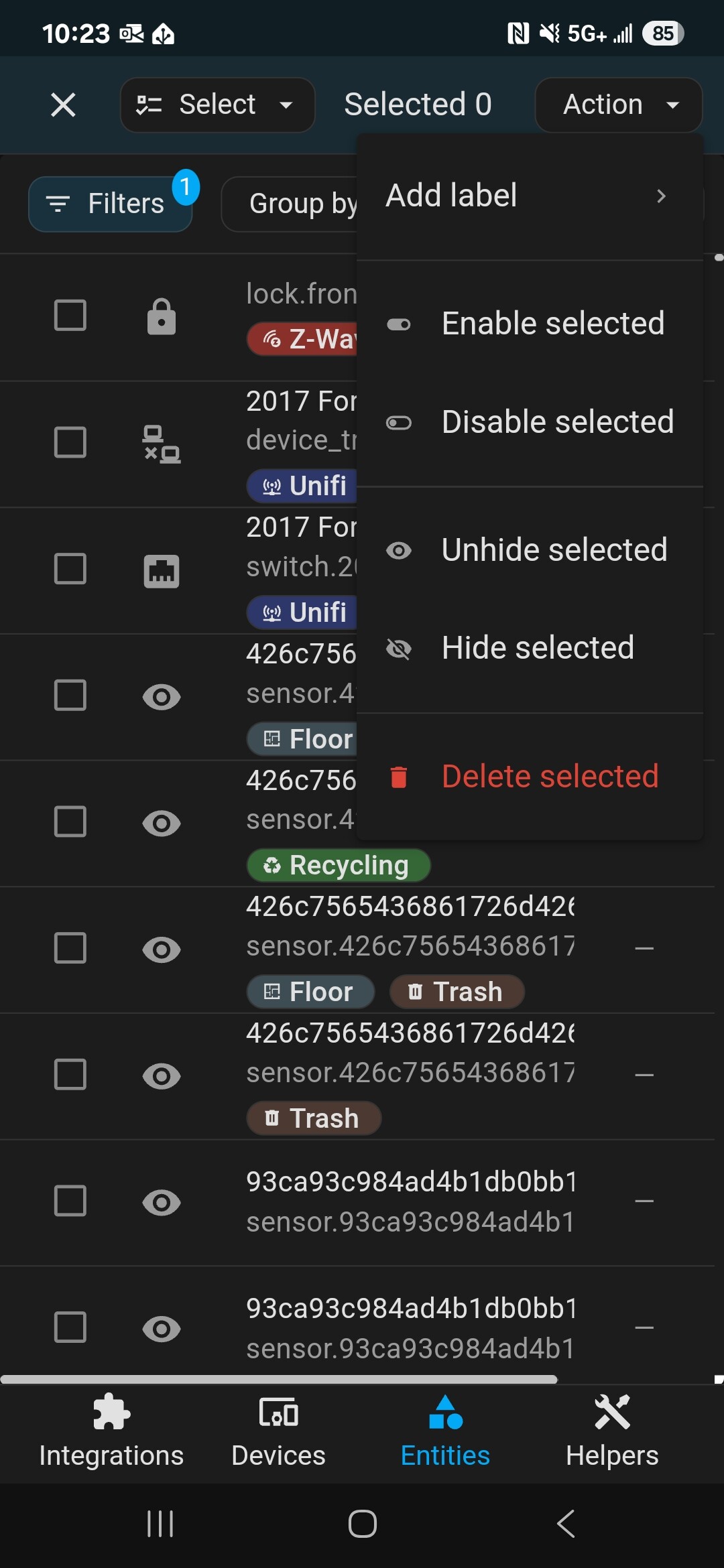
Very commonly when I add a device or integration, lots of the entites show as “Disabled”.
I can click on them individually and enable them normally.
- Why does this happen?
- Is there a way to “enable all”?
Thank you.
Very commonly when I add a device or integration, lots of the entites show as “Disabled”.
I can click on them individually and enable them normally.
Thank you.
Diagnosic type entities are disabled by default unless the integration owner chose to mark them as enabled.
State entities are usually enabled by default.
Change was made a few years ago when they started pushing create entities for device options not attributes. Some devices have TONS of entities and you wouldn’t want them all enabled by default.
Always a good option to check what’s disabled on your new devices.
Entities that are less popular or require e.g. additional device/service polling are marked as disabled by default.
No
You can sort on disabled and locate the device in the entities list and you can mass enable them all at once.
But… I wouldn’t. you should be picky.
Ah so it saves system resources?
In most cases it’s more about preserving the user’s sanity… there are integrations that can create several hundred entities. It’s better to mark some of them as disabled and give the user a choice of what to have enabled and what not.
Makes sense, thanks for answering 
Thank you!
Hope this improves in the future, at least with a way to select multiple entities and enable them all at once instead of having to click on each of them, then the setting wheel, then change the disabled to enabled setting… This is very unintuitive an inefficient way to do this.
I would say yes, on some level. Mainly I am thinking about the Recorder (and wear and tear, especially on flash storage).
Most recently I have been going around disabling every entity that I am not using, in fact.