building and polishing for the community: Nexus MCP.
Why Nexus MCP?
Most LLM conversational agents for Home Assistant either require paid OpenAI subscriptions, bulky local server setups, or are restricted to answering basic questions without real automation tools.
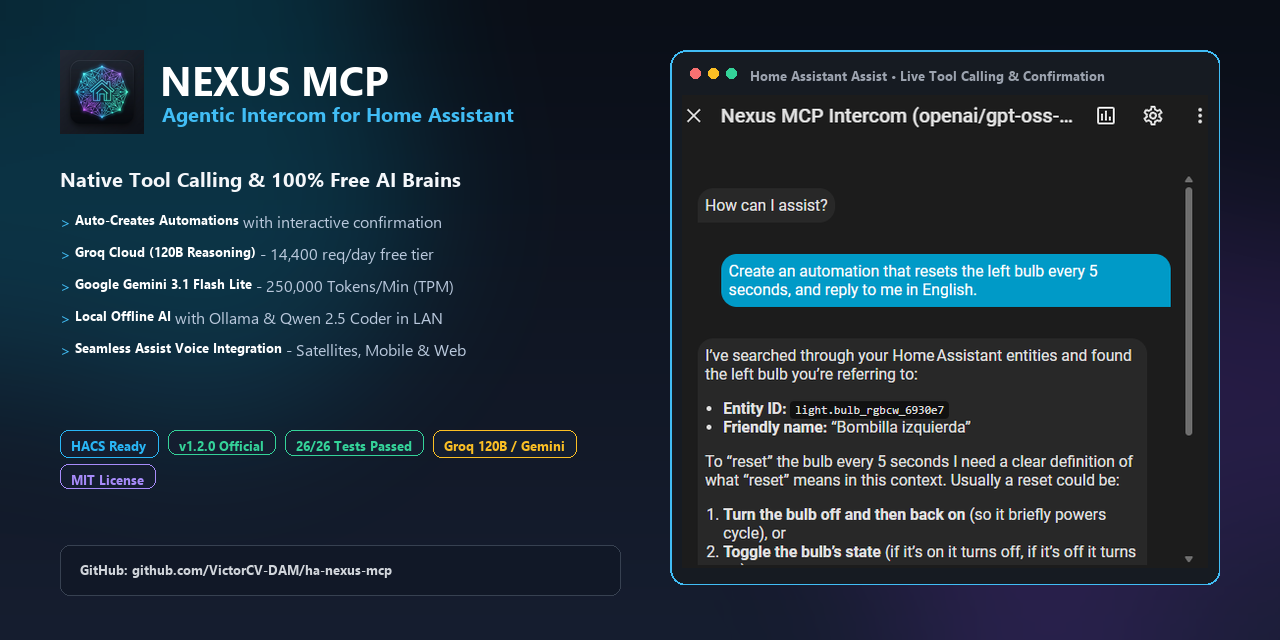
Nexus MCP is an ultra-lightweight, 1-click install integration that turns cutting-edge open-weight AI models into autonomous smart-home agents with native tool calling and 100% free cloud tiers.
Key Features
Free & High-Power Inference Engines:
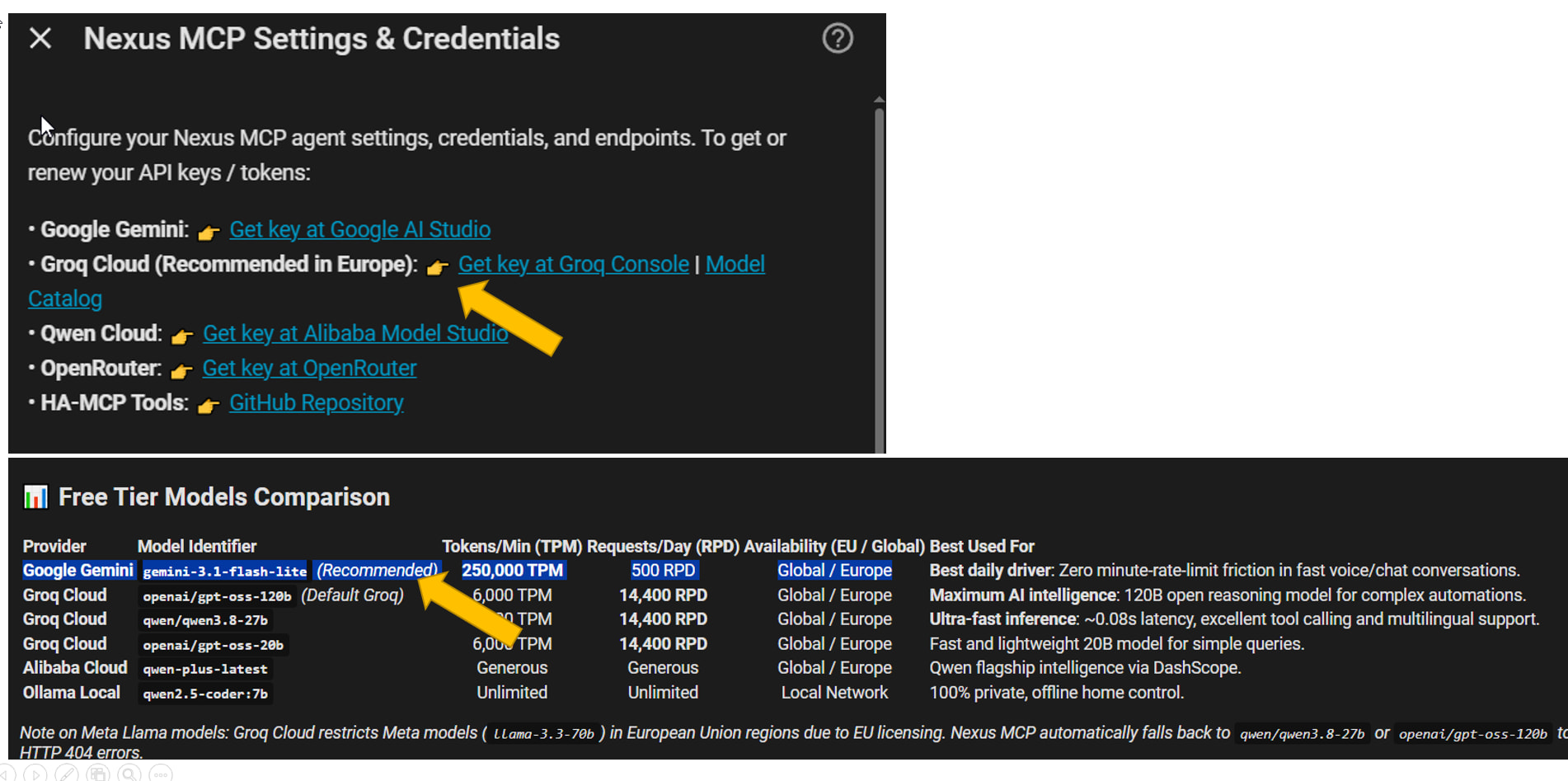
Groq Cloud (Preconfigured Default): Powered by openai/gpt-oss-120b (120-Billion parameter open reasoning model) and qwen/qwen3.8-27b with up to 14,400 free requests per day and ultra-low latency (~0.08s).
Google Gemini:gemini-3.1-flash-lite (500 free requests/day with zero billing required).
Qwen Cloud (Alibaba DashScope): Millions of free tokens and multilingual support.
Ollama Local & OpenRouter / BYOK: 100% private local execution or custom endpoint.
Native MCP Tool Calling & Automation Creation:
ha_search_entities: Semantic discovery of entity IDs and areas.
ha_get_entity_state: Real-time state and attribute inspection.
ha_call_service: Direct execution of any HA service (light.turn_on, climate.set_temperature, etc.).
ha_create_automation: Creates live, production-ready automations written directly to automations.yaml with schema validation and automatic hot-reload.
When Autonomous Mode is unchecked (default), the assistant explains in plain language what it understood, details the triggers, conditions, actions, and entities, and asks for your confirmation before writing anything.
Toggle Autonomous Mode on/off anytime from Settings ➔ Integrations ➔ Nexus MCP ➔ Configure without restarting HA.
Full Assist Pipeline Integration:
Registers natively as a ConversationEntity. Talk to it from the web UI, Home Assistant mobile app, or Wyoming/ESPHome voice satellites with local Whisper STT and Piper/Edge TTS.
Showcase in Action
Chat Planning & Confirmation
Live Automation in UI
Assist Pipeline
Explains plan & asks before creating
Immediately visible & editable
Native Assist voice agent
(Check out all 17 screenshots and setup guides in the GitHub README!)
Quick Installation
Open HACS ➔ Integrations ➔ Three dots (top right) ➔ Custom repositories.
Add: https://github.com/VictorCV-DAM/ha-nexus-mcp with category Integration.
Download and restart Home Assistant.
Go to Settings ➔ Devices & Services ➔ Add Integration ➔ Search for Nexus MCP.
Select your engine (Groq, Gemini, Qwen, Ollama) and you’re ready to go!
(Note: The official PR#11965to include Nexus MCP in the default HACS store is already pending merge).
That frustration with setup friction and token anxiety with Claude is actually one of the main reasons I built Nexus MCP.
A few things that should make your life much easier:
Zero or low token friction: You can plug in Groq (super fast and very generous free tier), Gemini (massive context window on free tier), or go 100% local with Ollama so you never have to worry about token limits or bills again.
Streamlined setup: It’s designed to be straightforward right from the UI config flow, without needing complex middleware or external bridge setups.
Native tool calling: Automations and entity controls work directly out of the box.
Give it a run and let me know how the setup goes! If you run into any hiccups or have ideas/feedback, don’t hesitate to drop a message here or open an issue on GitHub. Enjoy testing it out!
Thats good to hear. If ok with you ill post my hiccups here as i move forward in the setup process.
(pls be aware - i can screw up the most well made guide - so…)
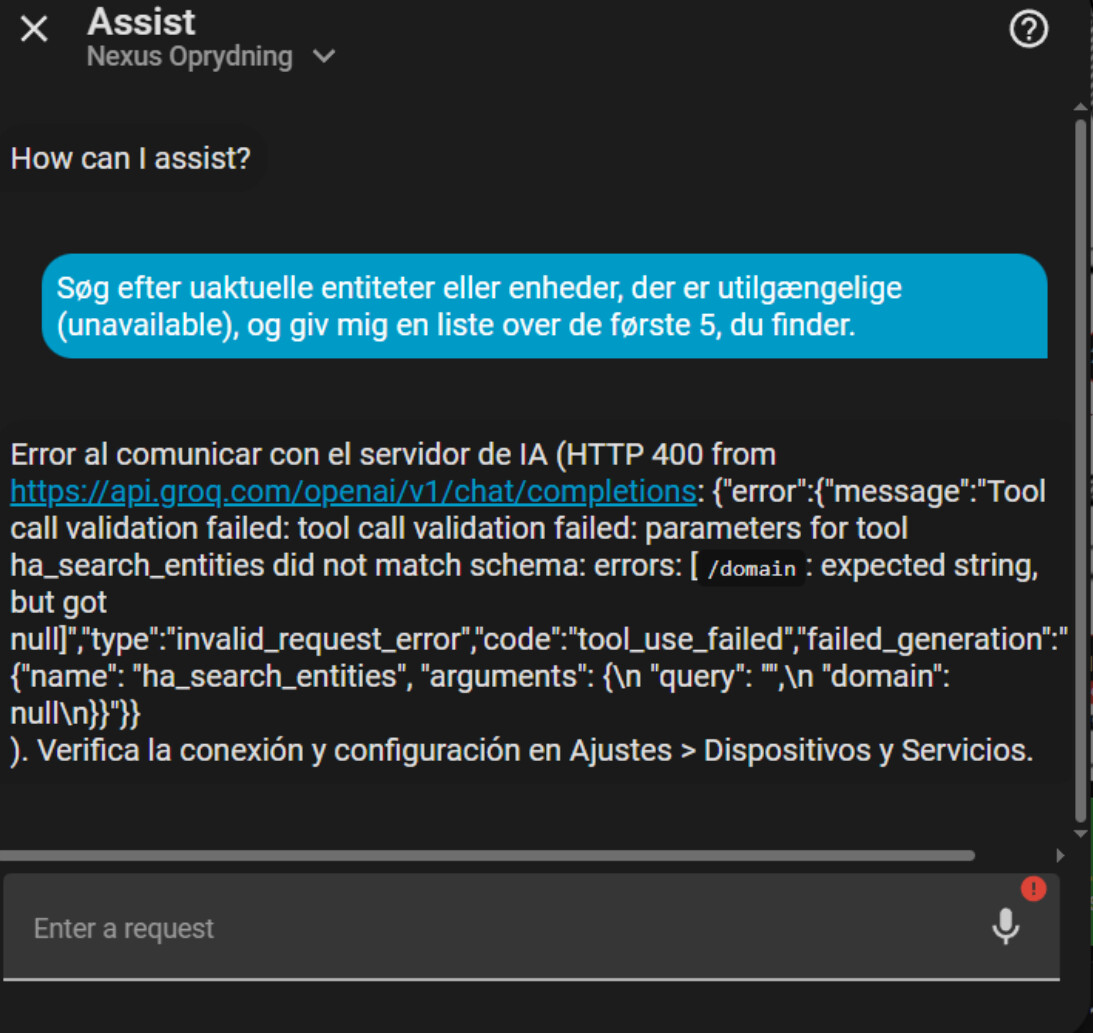
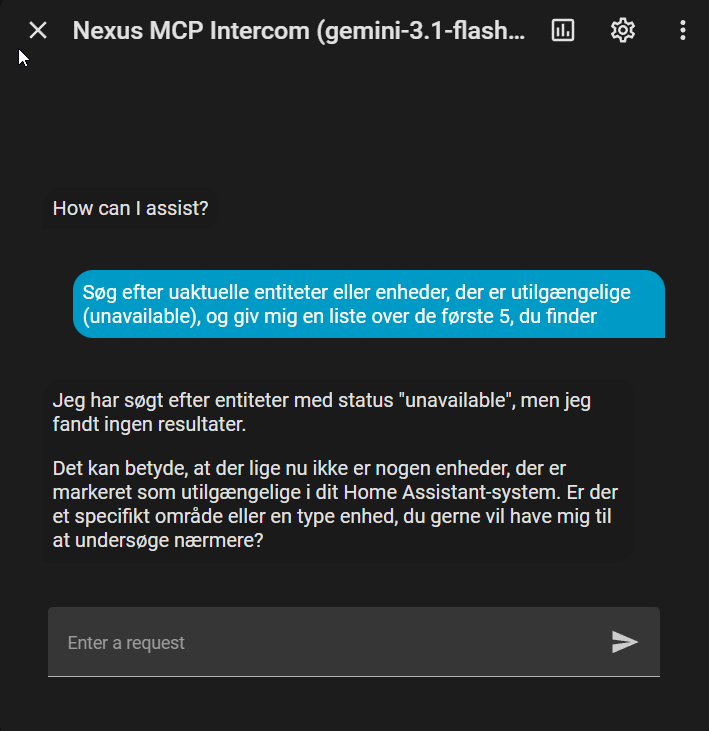
i started with groq and was almost there - then i got this (my first message - just something to see if there was ‘a connection’) (message is something lik: Search for outdated entities or devices that are unavailable, and give me a list of the first 5 you find.)
(i dont even know what i should expect)
i tried a few other questions and it would just say ‘OK’
Then i asked my ai and it said - groq is this and that - bla bla - a load of rubbish. Anyway i looked at the doc again and found both qroq and gemini as recomended. (now i am in the process of setting up gemini )
edit:
just got another spanish response .
“Parece que no hay ninguna entidad configurada en tu Home Assistant. ¿Podrías confirmarlo o intentar buscar algo específico?”
Looking closely at your screenshot, your system actually replied in fluent Danish (“Jeg har søgt efter entiteter…”) because you asked in Danish! You likely saw Spanish either through browser auto-translate or because the initial prototype had a couple of Spanish internal template cues. That’s now completely resolved: the AI dynamically detects and strictly sticks to whatever language you write in (Danish, English, Spanish, etc.), with English as the clean baseline.
The biggest highlight in v1.3.1 is the brand-new Plug & Play Lovelace Dashboard Card (nexus-mcp-card):
Interactive Dashboard UI: You no longer need to rely only on the Assist popup. Just add a custom card (type: custom:nexus-mcp-card) or pick “Nexus MCP Chat & History” directly from the visual card picker in any Lovelace dashboard.
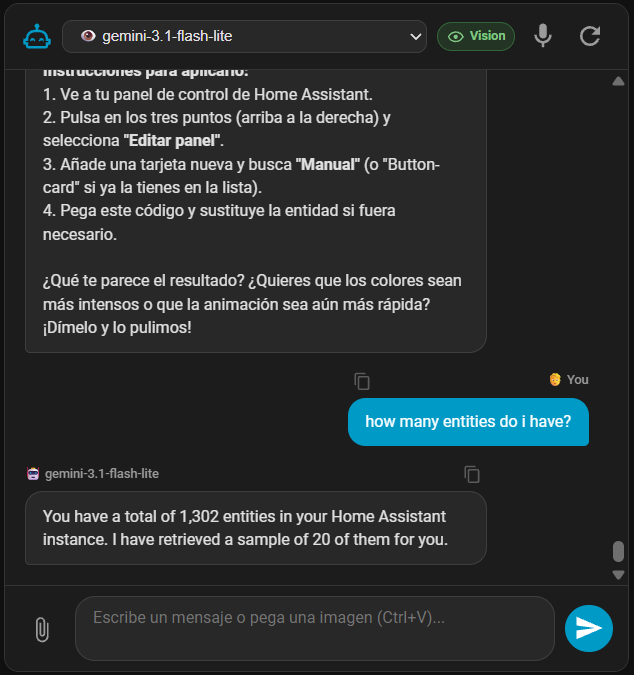
Live Model Switcher: Switch between your configured models (Groq 120B, Gemini, Qwen, Ollama) on the fly via a clean dropdown right inside the card.
Multimodal Vision: You can now paste images from your clipboard directly with Ctrl+V (or click the paperclip) so the AI can analyze photos, blueprints, or sensor charts.
Persistent History per Model: Keeps recent conversation history intact across page reloads, with 1-click text copying and conversation reset buttons.
On top of the card, your feedback prompted two important engine fixes:
No more malformed JSON: Enforced strict low temperature for tool calling, completely eliminating syntax errors.
Smarter Entity Search: Now supports plurals (“lights”, “switches”) and broad queries (“all”, “devices”), so the AI won’t mistakenly assume your home has no entities.
If you update/redownload via HACS and restart Home Assistant, you can start testing the new dashboard card right away. Let me know what you think of it!
By the way, Peter — if you’re enjoying the integration and the quick turnaround, dropping a on the GitHub repo would be super appreciated! It really helps the project get visibility within the Home Assistant community.
Wonderfull, ur fast! - i thoutht it was something like that!
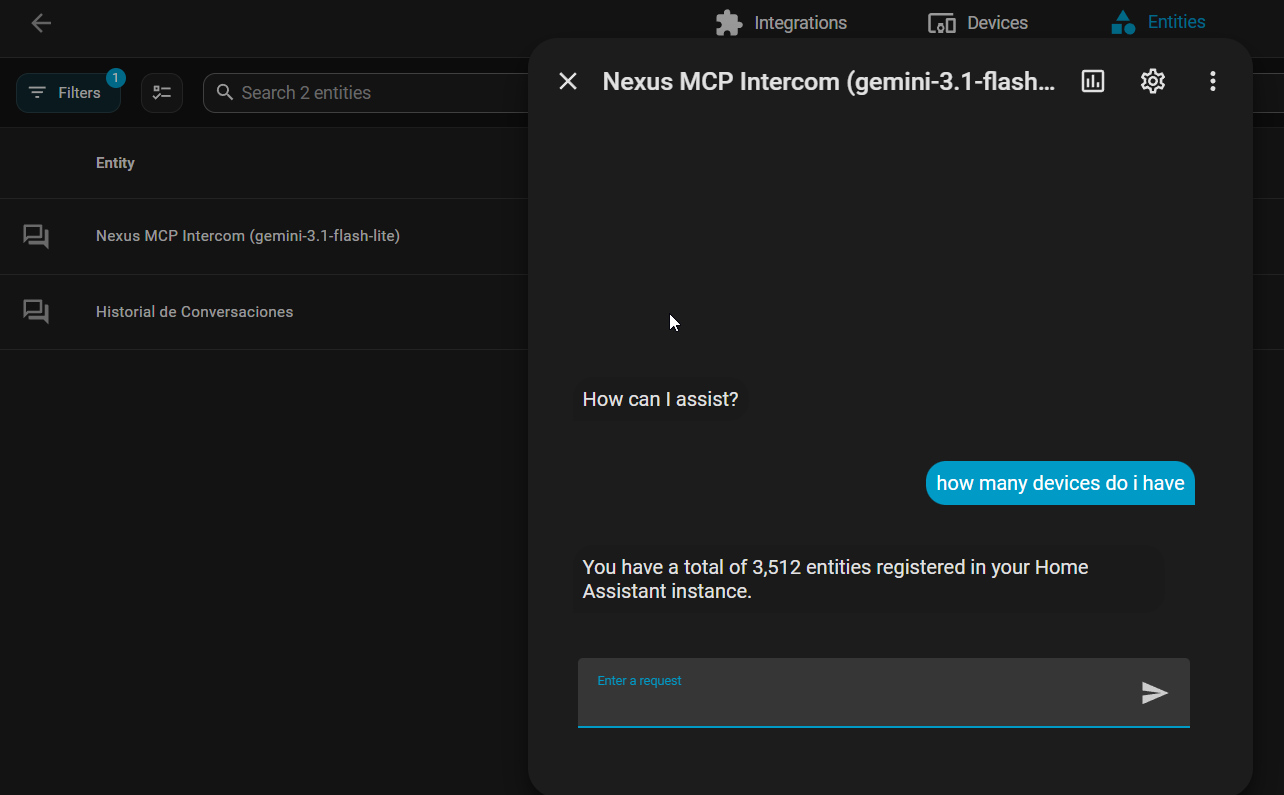
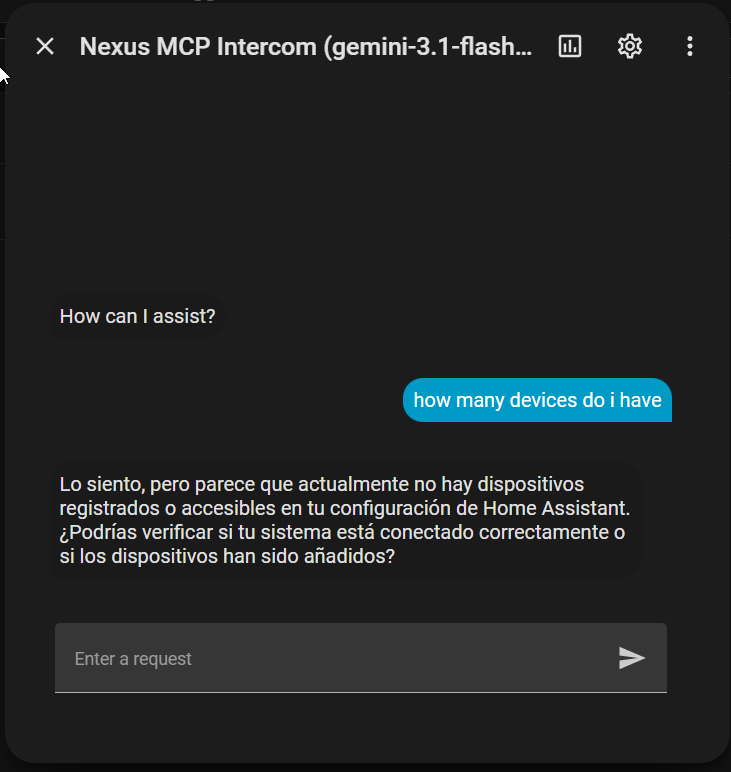
I tested and the language part and it seems super now. Next little hiccup - counting. (templates in developer tools reports 3511 entities (ya, its a lot ) (im still on gemini)
…then i found out that i was still on the old nexus version (via hacs). re-downloaded integraton and got the fresh stuff (1.3.2). And now its much better - both language and counting.
(pls note the new fancy new entity i got (Historial de Conversaciones)
note: Just to let u know - im quite impressed with the whole setup procedure - one click (ish) groq connected. One more click changed to gemini . all n all, pretty flawless (apart from the spanish hiccups )
Hi Peter! Really glad to hear you’re enjoying how seamless switching between Groq and Gemini is! And seeing it fluently answer both in English and Danish side-by-side in your screenshot is awesome to see!
Regarding that red Cannot read properties of undefined (reading 'title') message in the editor:
When Home Assistant opens the card configuration modal, it initializes the visual editor component and assigns the Home Assistant object before passing the card’s config. The previous version of the editor tried to read title before the config was handed over, which triggered that harmless UI warning (even though the card was functioning properly on the right).
I’ve just patched this in the latest release so the visual editor guards against that initialization race condition.
If you update to the latest release in HACS and do a hard refresh of your browser cache (Ctrl + F5 or Cmd + Shift + R), that error will be completely gone.
(Small tip: you can also remove the entity: sensor... line from the card YAML — the card is fully autonomous and manages everything internally!)
this is strange - i updated to 1.3.4 + restart + reload, but i still cant get the intercom card to function
(i copied the text from the hacs/nexus page so it should be right.

 Why Nexus MCP?
 Key Features
 Free & High-Power Inference Engines:
 Native MCP Tool Calling & Automation Creation:
 Interactive Confirmation (Human-in-the-Loop Safety):
 Full Assist Pipeline Integration:
 Showcase in Action
 Quick Installation
 Links & Feedback
 ).
).

 )
)


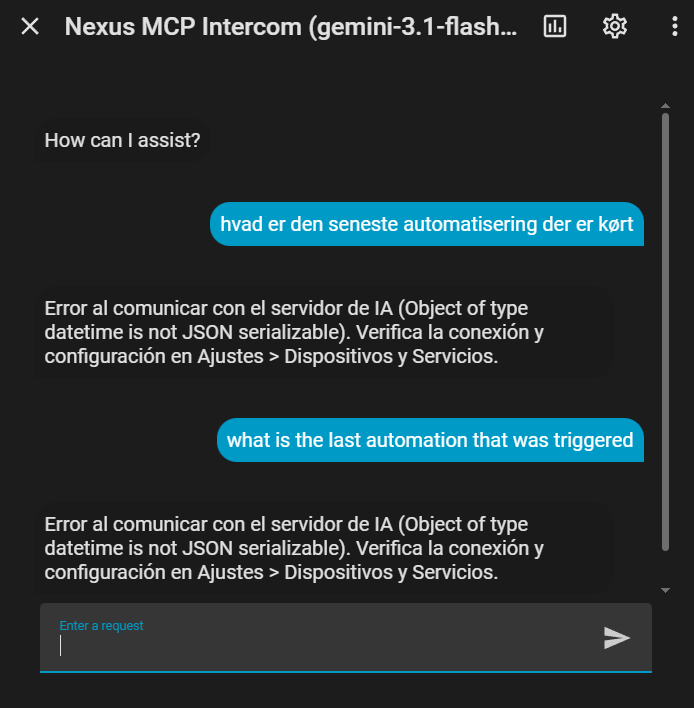


 Interactive Dashboard UI: You no longer need to rely only on the Assist popup. Just add a custom card (
 Live Model Switcher: Switch between your configured models (Groq 120B, Gemini, Qwen, Ollama) on the fly via a clean dropdown right inside the card.
 Persistent History per Model: Keeps recent conversation history intact across page reloads, with 1-click text copying and conversation reset buttons.
 Smarter Entity Search: Now supports plurals (“lights”, “switches”) and broad queries (“all”, “devices”), so the AI won’t mistakenly assume your home has no entities.
 on the
 (Historial de Conversaciones)