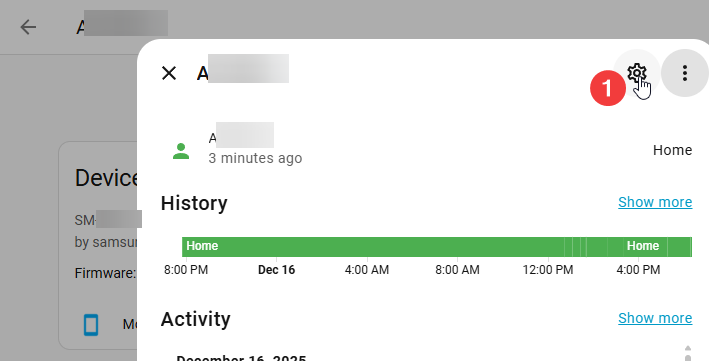
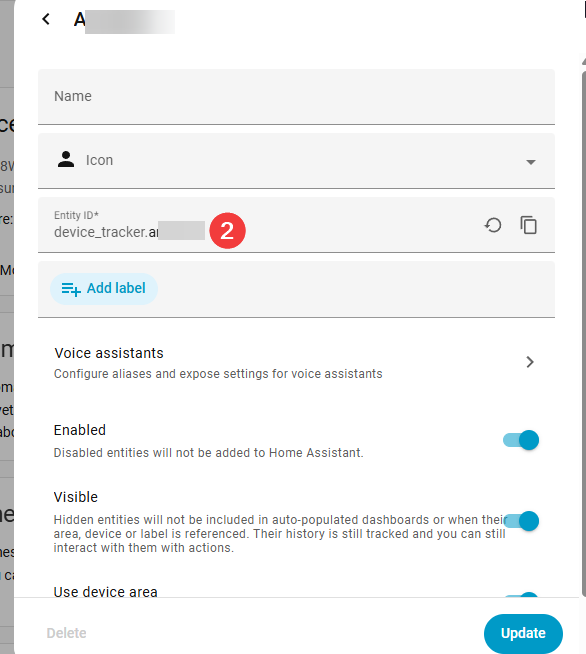
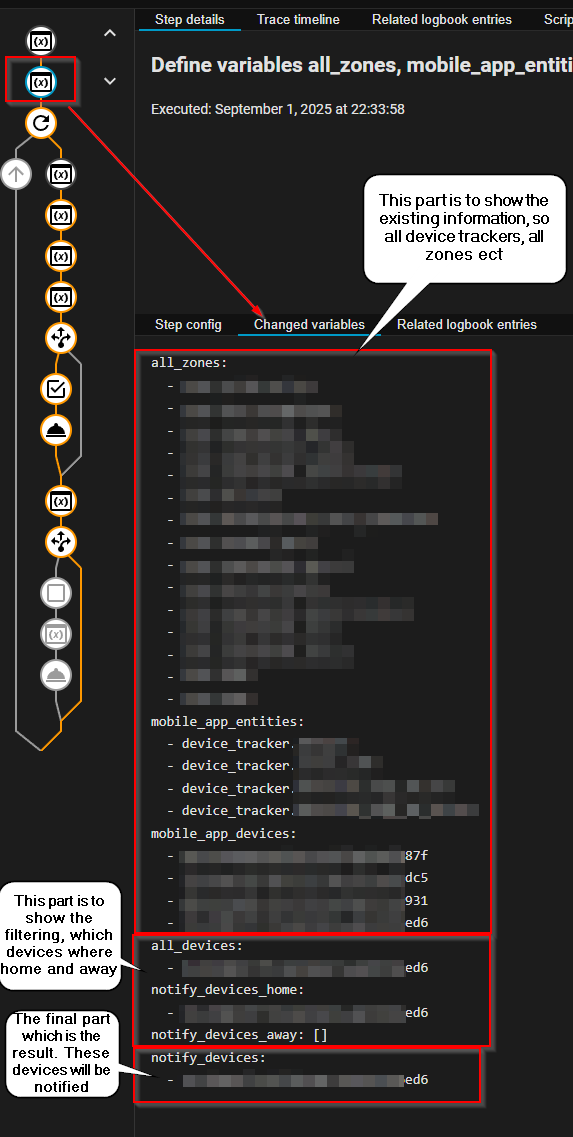
This change will make sure that only correct devices, registered via the Mobile_App, will be notified. When passing any device, then in the previous version it would have tried to send a notification to it, but when the device is not part of the Mobile_App integration then it would fail. This fix fixes that issue, so only correct device_trackers can be used.
Be aware, that this script still has to rely on the find-and-replace to convert it from a device_tracker.<device_abc> into notify.mobile_app_<device_abc> , so make sure that you follow the Troubleshooting | Home Assistant Companion Docs
Thanks for this blueprint - it's been quite useful.
Feature request - Device Ring (Optional)
Let me choose that setting based on if devices are home or away.
In my testing with headphones and my device on silent with a TTS notification:
If I don't pick anything, it'll play on headphones.
If I pick "On" the TTS plays on the phone, but not on headphones.
If I pick "Max" TTS plays on both phone + headphones.
I'd like to be able to choose this setting based on home/away - TTS outloud at home, but only on headphones (ie the null setting) if I'm away.
ps - any idea what determines the volume TTS is played at if you use max?
This is by far the most used blueprint in my Homeassistant setup. Thanks for making it!
I do have a small request though. Someone notified me that it is possible to give certain notifications a timeout, so they will dissapear from the target device if not acted upon within a certain amount of time.
I didn’t try that data_timeout option as it is marked ‘Android Only’ in your screenshot and I’m only sending notifications to iPhones.
But I think it is also possible on iPhone, with three steps :
first send the notification, be sure to give it a unique notification-tag.
delay for a certain amount of time
send another notification with the same settings, but instead of providing a message, tick the box for “Remove notifications”.
Reading back my original request I see that the data_timeout I mentioned is Android Specific. I didn’t realize that, and so I also didn’t realize it wouldn’t work in my situation. Apologies!
No idea, but have a look at the history of this topic as this has been answered in previous messages. But mainly is that you have to follow the FAQ of Home Assistant Companion App where they guide you through the process of making sure that they are all in line.