If you’re running Home Assistant on a Raspberry Pi tucked away somewhere, you’ve probably experienced the annoyance of not knowing its IP address when you need it, or having to SSH in just to reboot it safely.
This add-on connects a small $3 SSD1306 OLED display to your Pi’s GPIO and shows:
Hostname and IP address
CPU usage
Memory usage
There’s also a physical button that wakes the display, and if you hold it long enough, lets you trigger a safe reboot or shutdown — no SSH or web interface needed.
What you need:
A Raspberry Pi (Zero through 5, all supported)
A 128x32 SSD1306 I2C OLED display
A push button + a couple resistors
About 15 minutes of wiring
It’s great for headless setups, or if you just want your Home Assistant box to feel a bit more “finished” with a status display. The add-on integrates with the Supervisor API, so reboot/shutdown commands work properly through HA.
Based on the original project by leelooauto, packaged as a proper Home Assistant add-on with one-click install.
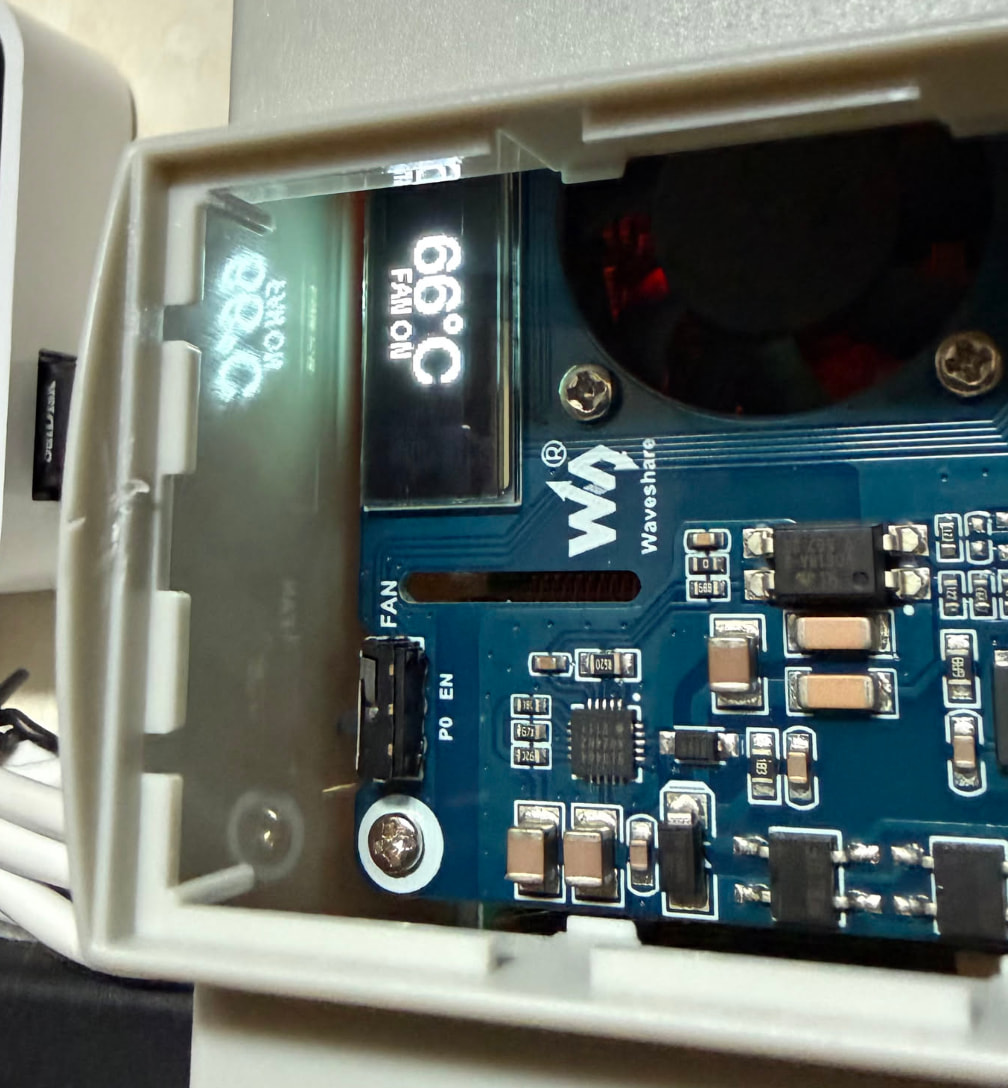
WOW that’s great! Personally for me only the CPU Temp is important. So a big temp might be good to see it clearly.
Actually i also just see that on the OLED. Did i something wrong? I guess i dont have the button you have noted in your add on. It might be always high on the HAT.
I’ll look into making it possible to have a switch to get your config (always on, CPU temp) or something more configurable tomorrow! Thanks for using and your input!
Alright, pushed an update that should cover everything from this thread!
CPU Temp: added it two ways — a compact reading on the normal info screen (CPU:25% MEM:45% 24C), and since you said only the temp really matters to you, a dedicated big centered temperature screen too.
Button optional / always-on: found the actual bug in your log — with no button wired, GPIO20 was floating and getting misread as a held press, walking straight into the shutdown sequence. Set enable_button: false in the config and it’ll never touch that pin at all — display just runs always-on instead, cycling between the info screen and the big temp screen every few seconds. No more surprise shutdowns.
Fan control: also added, opt-in via enable_fan_control (off by default since not everyone has this HAT). Turns out the fan isn’t GPIO at all — it’s an I2C IO-expander at address 0x20 (you can actually see it in your own i2cdetect log next to the OLED’s 3c!). Thresholds are configurable (fan_temp_on/fan_temp_off, default 60°C/50°C) — credit to klamann/raspi-poe-mon and jackra1n/RustBerry-PoE-Monitor for the reference, that fan protocol wasn’t documented anywhere else I could find.
Threw in a couple bonus options too: flip_display for orientation, and show_hostname/show_ip/show_cpu/show_memory/show_temperature if you want to hide anything.
All defaults preserve existing behavior, so nothing changes unless you touch the config.
 Personally for me only the CPU Temp is important. So a big temp might be good to see it clearly.