Hit a bit of a wall and everything Google brings up, I’ve done.
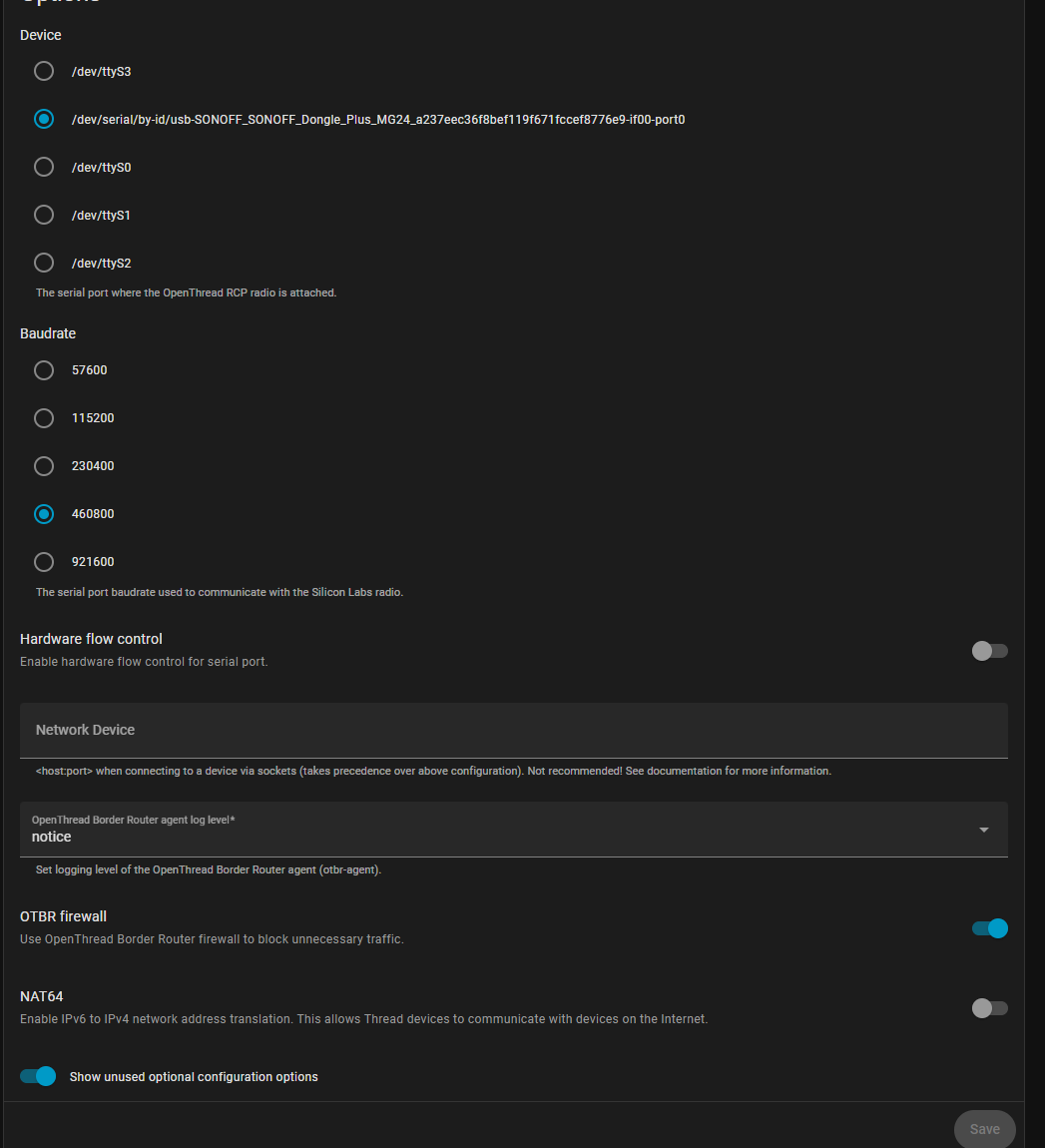
I am running Home Assistant OS on ProxMox. I added a Sonoff Dongle Plus M624. I flashed it to Open Thread using the Dongle Flasher add on. Then, I added OTBR and Matter and Thread in the add-ons and integrations. In Thread, it shows my OTBR as the primary network. The option to send info to android is grayed out.
I went into Home Assistant Companion App (Android) and in Settings - Troubleshooting - synced Thread
It said it was on the same network. I even tried clearing cache, deleting data, reinstalling 2x.
I get to the point in Alexa, where it wants the network key and I’ve tried every 12+ string I can find in OTBR and nothing works. I tried on my main SSID and on my IOT 2.4 enabled SSID. Thread network matches what it shows in HA Thread.
In HACA, it stops with setting up the device (after it is trying to connect to the Thread network it shows in HA Thread.
I pulled up the OTBR webui and there are 3 networks in Join, but I have no idea what they are and in Commission, it wants a PSKd. I found instructions for CLI adding the commision and join, but how do I get to the CLI in HA via Proxmox? The console in PM does not accept any commands I try.
Where are your devices located on those networks?
Matter devices, Matter servers, HA and HACS device?do you have IPv6 enabled on the networks that handle Matter parts?
Are Matter devices on multiple networks and do you have mDNS routing handled along with standard IPv6 routing?
I’m running PFSense and it wouldn’t let me set up an IPv6 DHCP server without having an IPv6 address on a network. So I didn’t do that.
PFSense is @ 10.69.0.1 and Proxmox is 10.69.0.2, HA is .23. I don’t have any other Matter devices. My cell I tried on 10.69.69.x and 10.69.107.x networks.
I do not have mDNS routing set up. I was reading briefly about it, but went to sleep soon after.
I was thinking about using my iPhone and Home Apple tonight to try that.
Matter requires IPv6.
If you do not define a way fornit to get an IPv6 address you control, then devices will make up their and those are likely IPv6 addresses that are not routable at all.
All the addresses you mention are IPv4 addresses and we need the address/networks of HA, Matter server, mobil device used to commissioning and the network the joining Matter device will attach to.
These should all be the same network or you will have to handle routing and mDNS forwarding between them.
I have this mostly fixed now. There does not seem to be any good documentation. This is what I did:
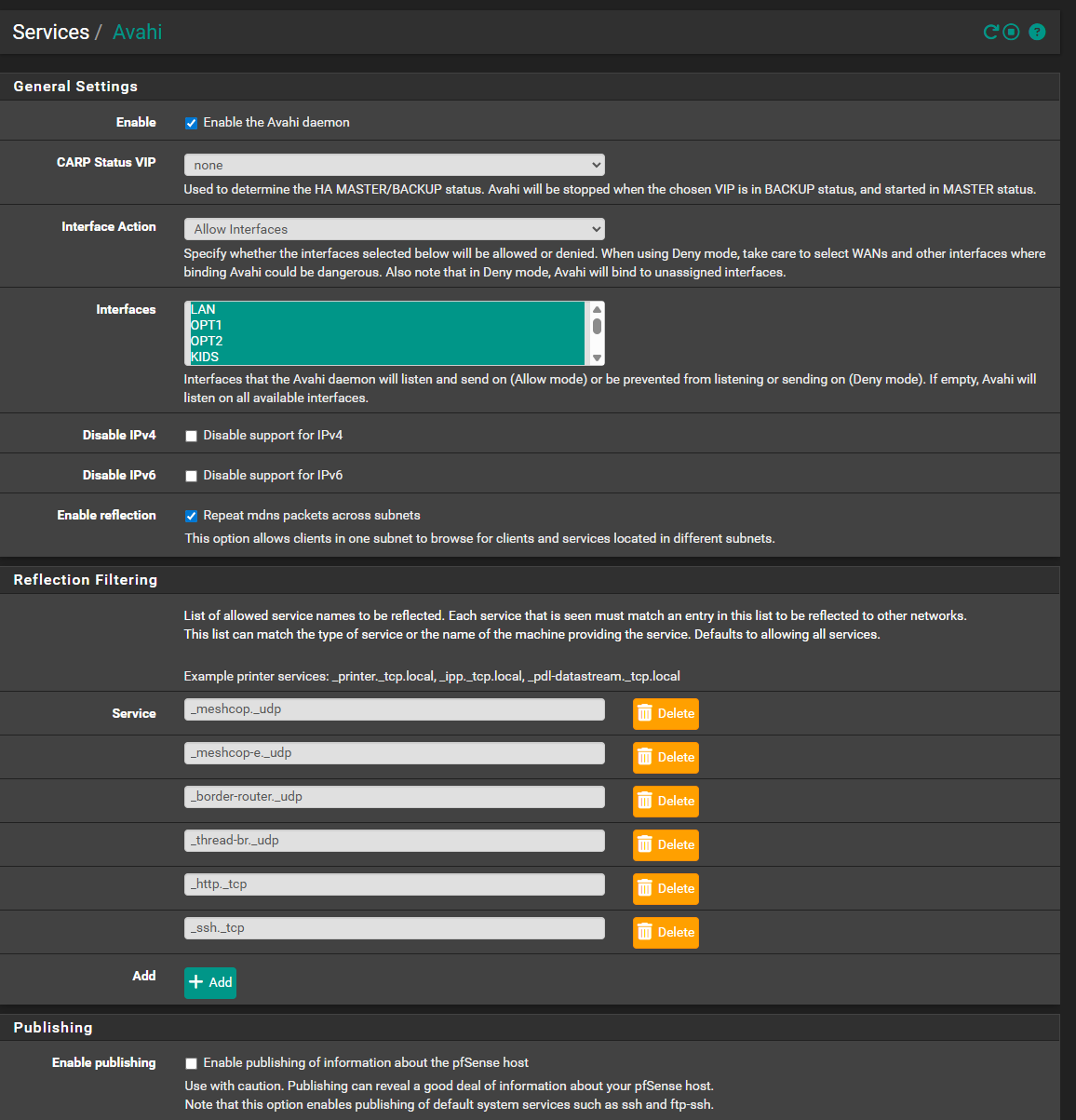
Install Avahi on PFSense. Set them to reflect the services OTBR needed in the pic above. Set it to repeat the mDNS.
Found the ipv6 addresses in HA’s open thread border router. In PFSense’s system - routing, added the border router IP address as a gateway. Then, in Static Routes, added the IP address and network as well as the link-level IP address and network, using that gateway.
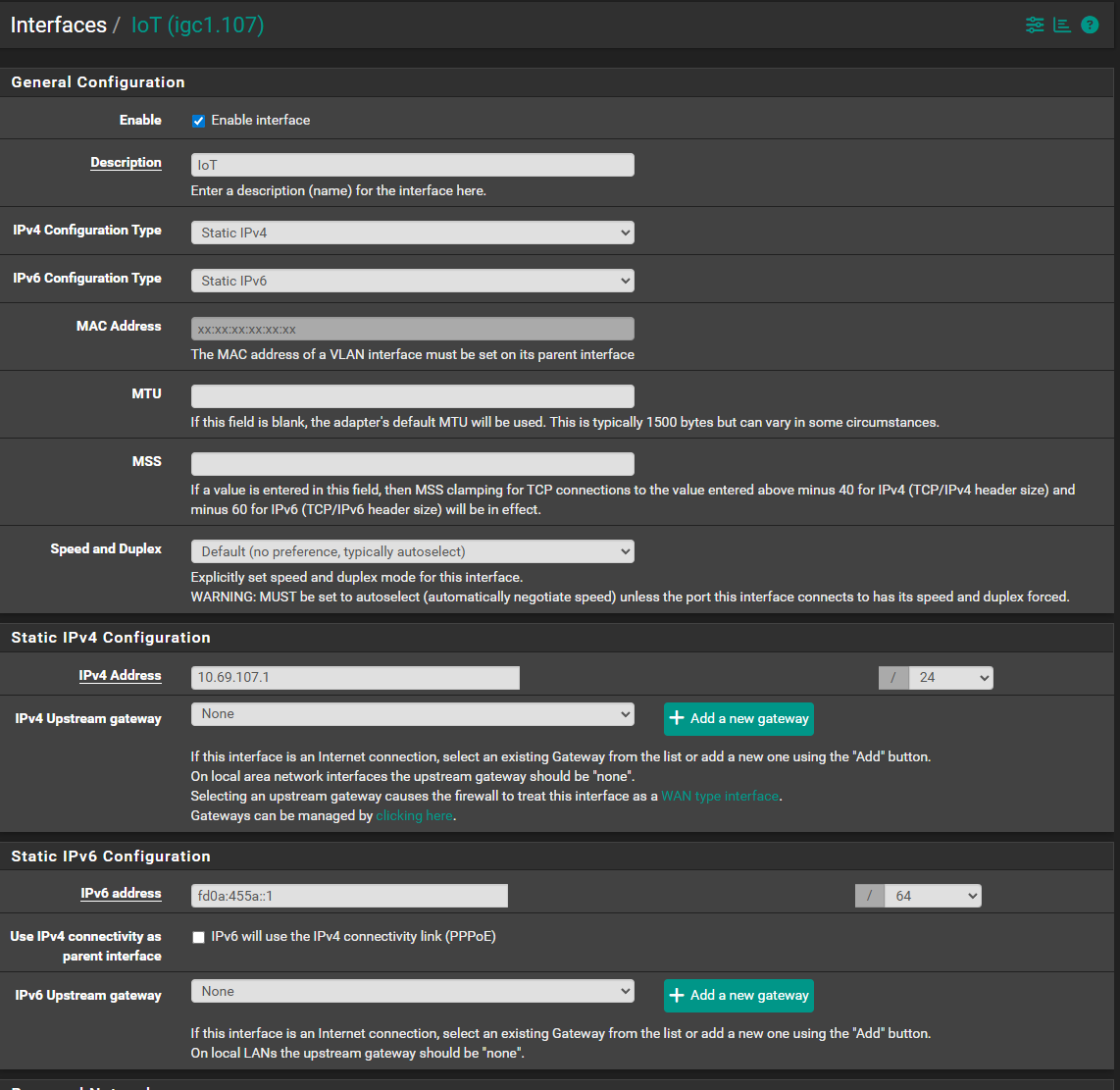
In Interfaces, assigned an IPv6 address to the LAN and VLAN interfaces being used.
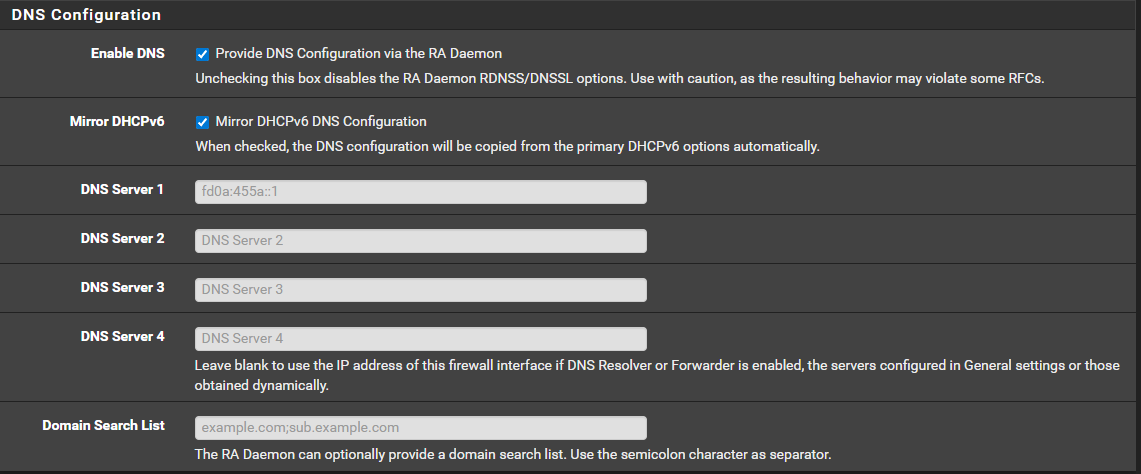
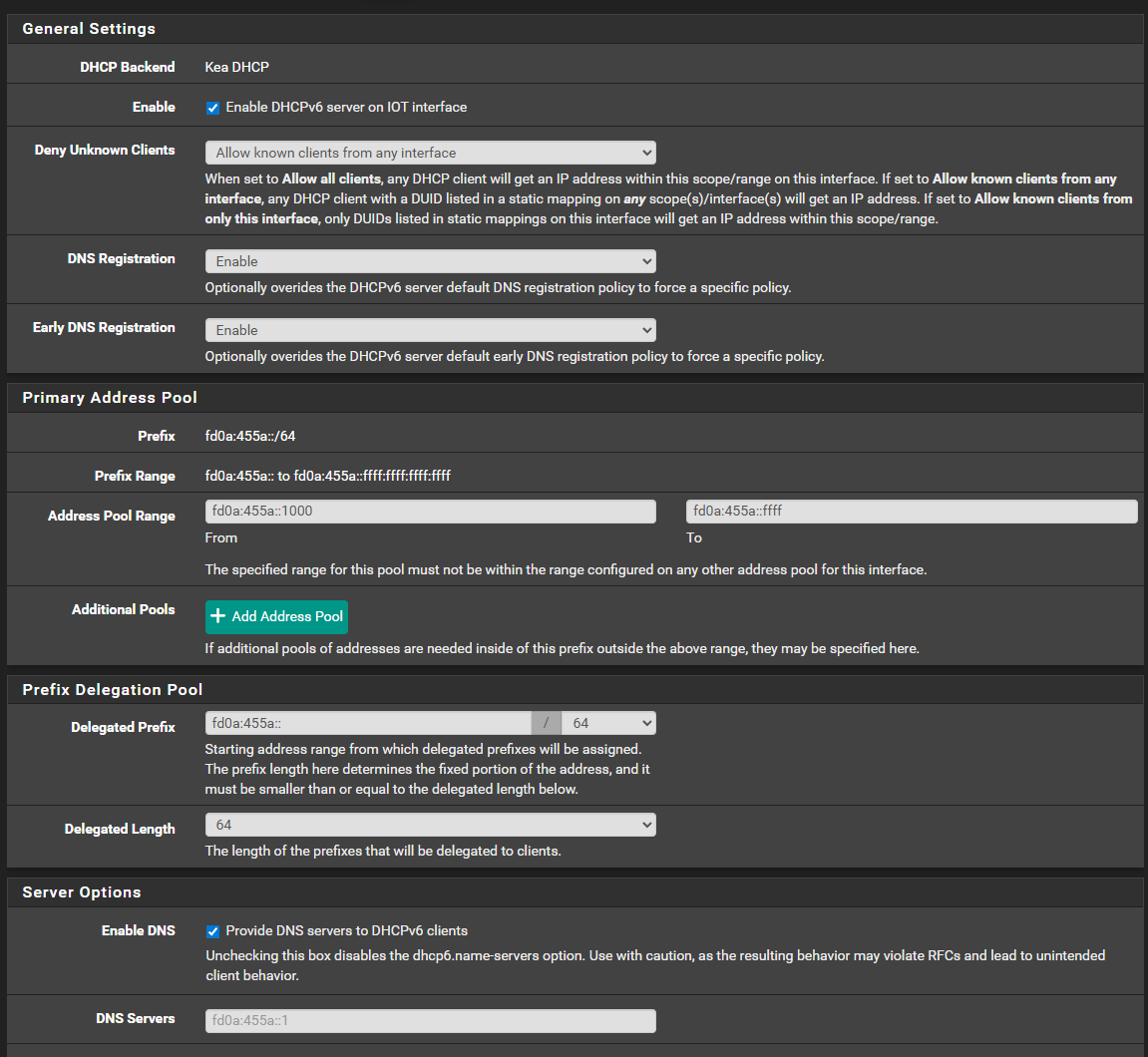
In Services, DHCP IPv6 Server, turned on IPv6 DHCP and set the ranges.
In Firewall - rules, allow access to and from the VLANs and the IPv6 network that the Border Router is on.
The problem I have now is, the Lafaer Presence Sensor is not sending back an ACK and cannot join the network. I added the HA ZBT-2 and am using the official raspberry pi power supply, to boost the signal and make sure the power is getting consistently sent to the USB port. I tried different ports. I am going to try connecting to my server and seeing if it is a USB issue on the Pi. Otherwise, it makes me wonder if the Lafaers are just having issues still. I cannot connect to their app to adjust any settings there.