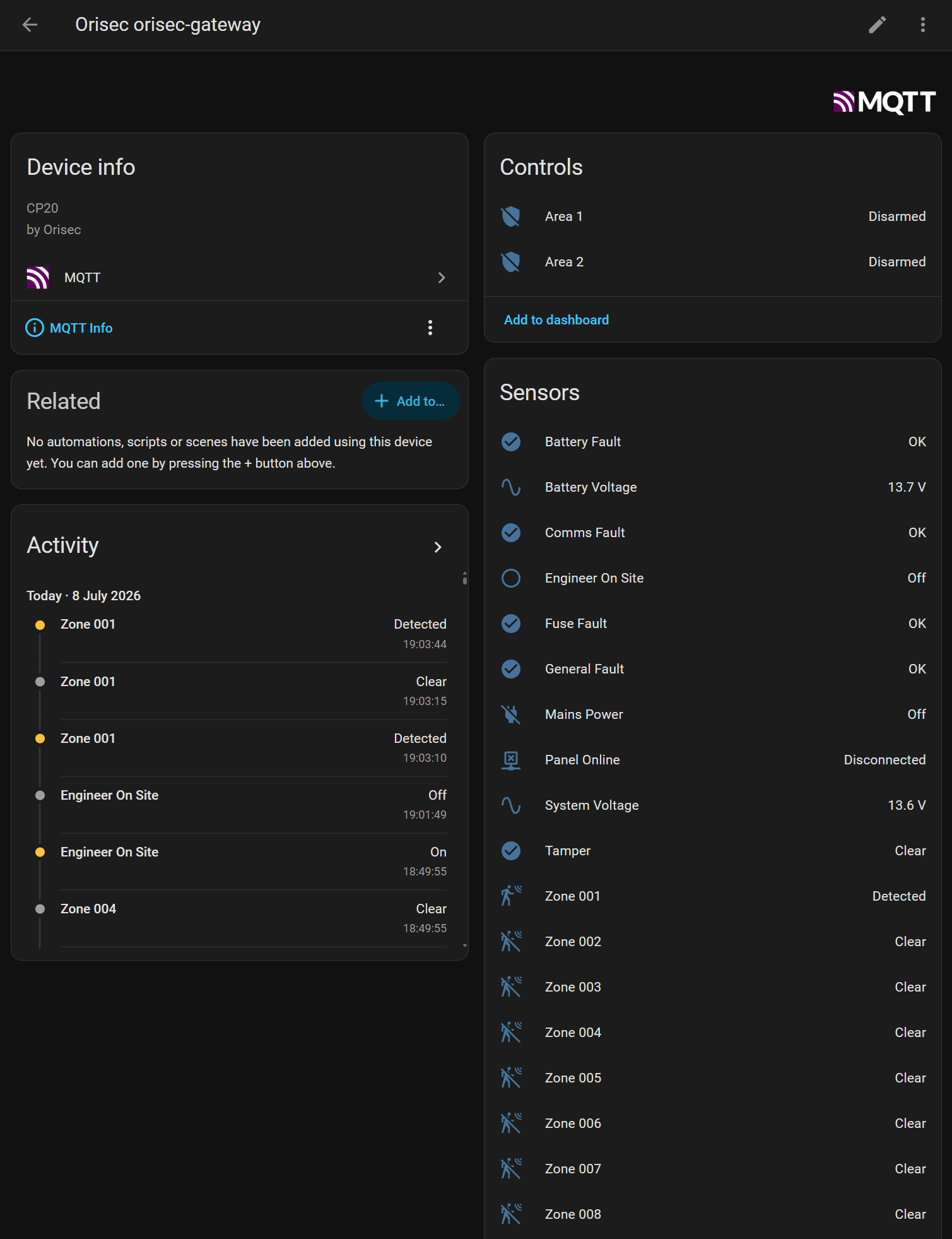
I’ve had a quick try. Previously I was looking at the cloud API, not the local API.
I have a CP20, but cannot seem to get a response from the panel. Port 20202 is configured. Do I need to do anything to enable the local API?
I’ve had a quick try. Previously I was looking at the cloud API, not the local API.
I have a CP20, but cannot seem to get a response from the panel. Port 20202 is configured. Do I need to do anything to enable the local API?
I got a response, it was defo working. The default port on HA was not the same as the default on the panel, but it updated it, and it was working. Something just froze up a while after.
It picked up all the zones, and looks promising work.
I can't get a response from my newly installed CP20 panel, 'no response from panel during login' on the test script
Hey guys,
Sorry, I hadn’t been keeping on top of the replies.
@biggaz , no worries on any payment, but thanks for the offer. Just happy to contribute back to the community, as there’s plenty of open source stuff that’s helped me out.
In terms of everyone who doesn’t seem to be getting a response from the local unit: the only thing I can think of, is are you using the PIN code you’d enter on the physical keypad in combination with the IP address & port as the panel password option?
Otherwise, if you use the official app and configure it in local mode with the same settings, does that work?
I’ve got a CP20 running firmware 4.74 and the local port stuff just worked out of the box, once I’d got the correct IP, port and password defined.
Hi my control panel CP20 firmware is 6.28.
With this i cannot get local mode use using the official control panel app.
My installer thinks local access was dropped in the newer firmware versions, as only control panel 2 will now work (cloud only).
Interesting to know, thanks @ColinRobbins !
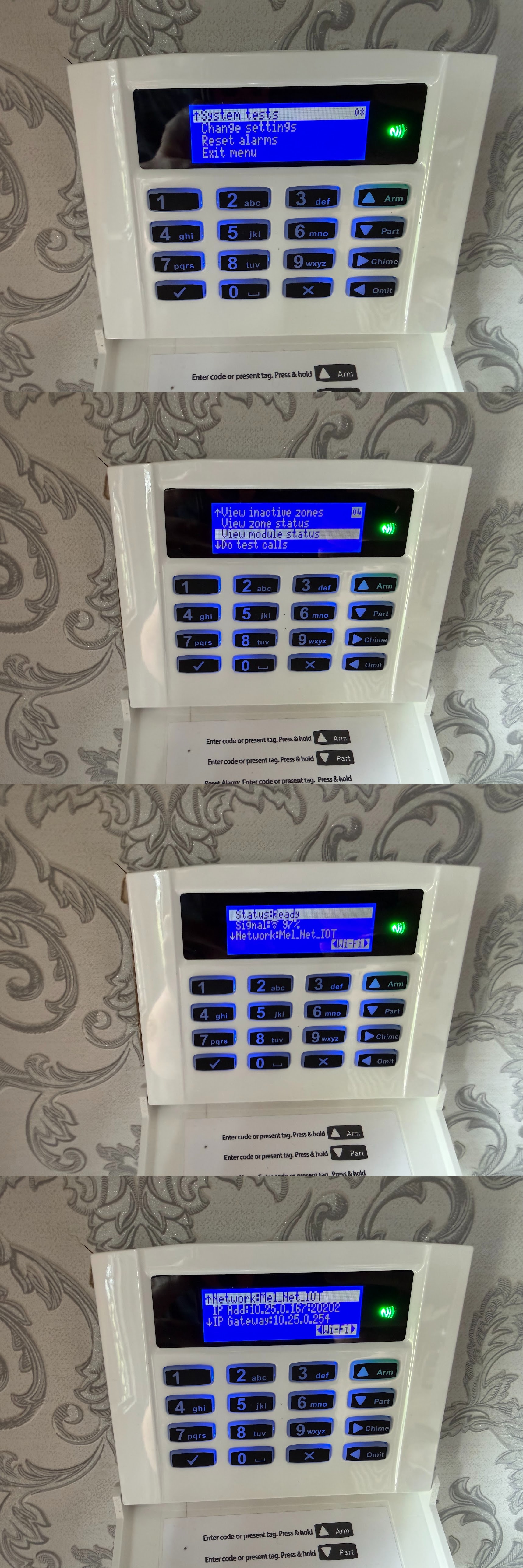
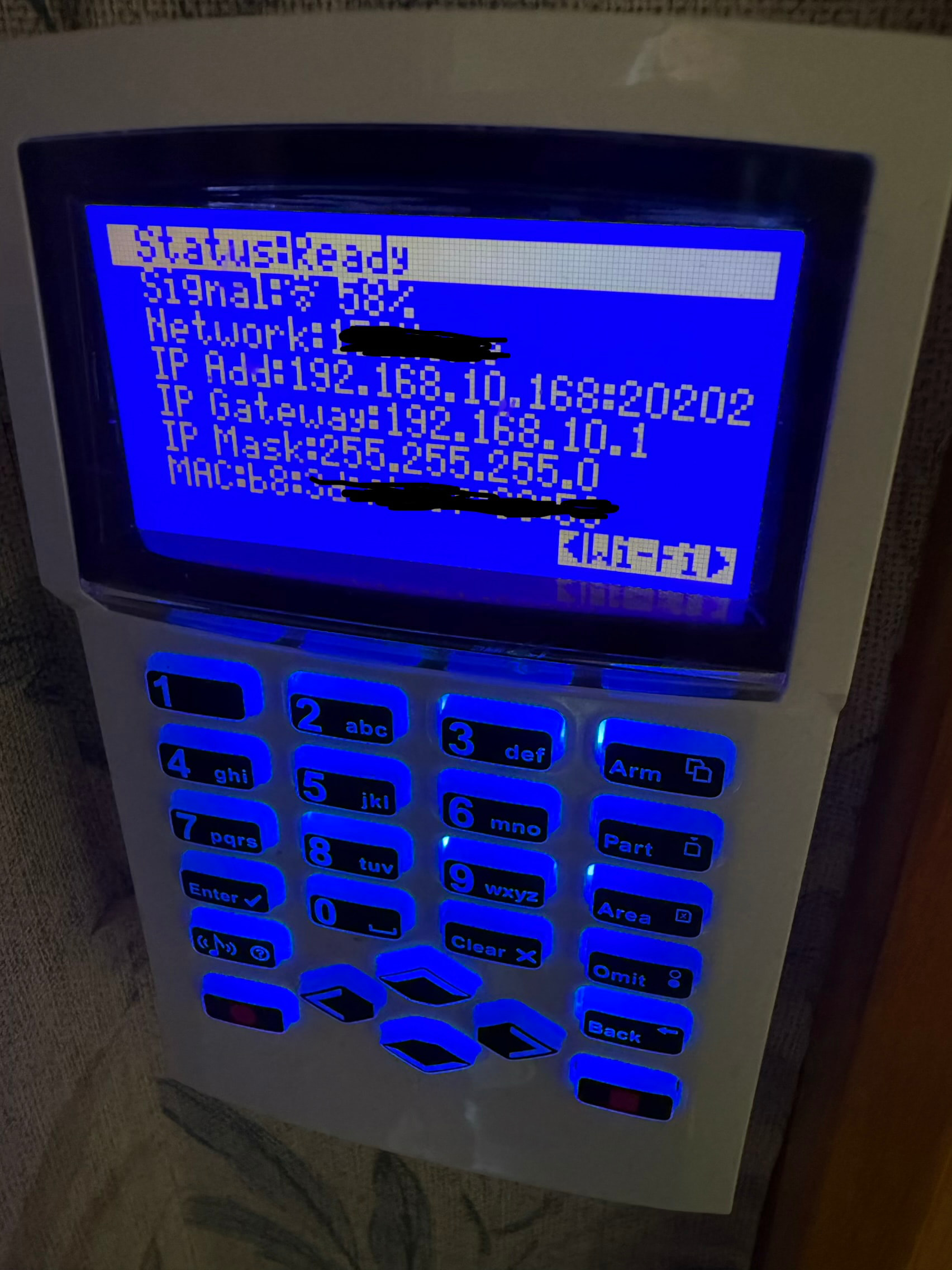
On the keypad itself, in status -> WiFi, where it shows the IP, does it still show a local port configured? Like this:
The protocol documentation I managed to generate does cover what is needed to go via the Cloud Relay with a little tweaking if that is necessary, however, I thought the local would be lower latency & more less likely to get us banned / in trouble 
Darn it, ok, well, that sucks then - although interesting they obviously aren't pushing remote firmware updates, as mine has been online via WiFi for years and presumably hasn't been updated since installed.
If you want to drop me a DM (email or Google Chat), you'll find me email address on my GitHub page - I'm happy to share how I managed to get the protocol information privately, if it'll help with your own endevour to make something a bit more universal.
Hi,
I’ve developed a full integration into Orisec panels and have the goodwill and permission of Orisec to release my integration albeit I cannot release any proprietary information relating to the protocol.
My application either runs inside HA and uses the CM2 ethernet module (new unreleased firmware required but available soon) or runs on an ESP32-P4 Nano from Waveshare and uses HA Discovery and MQTT.
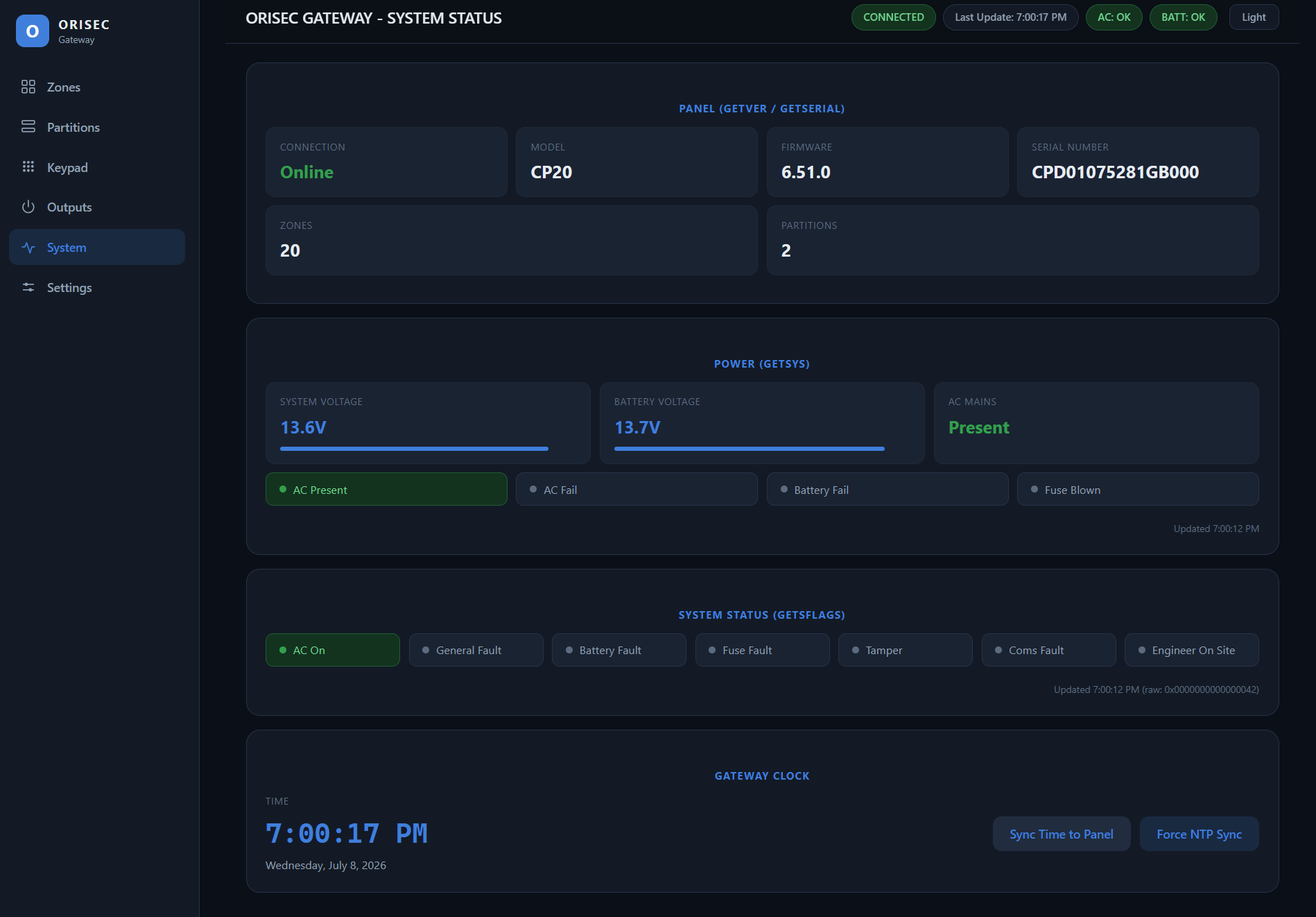
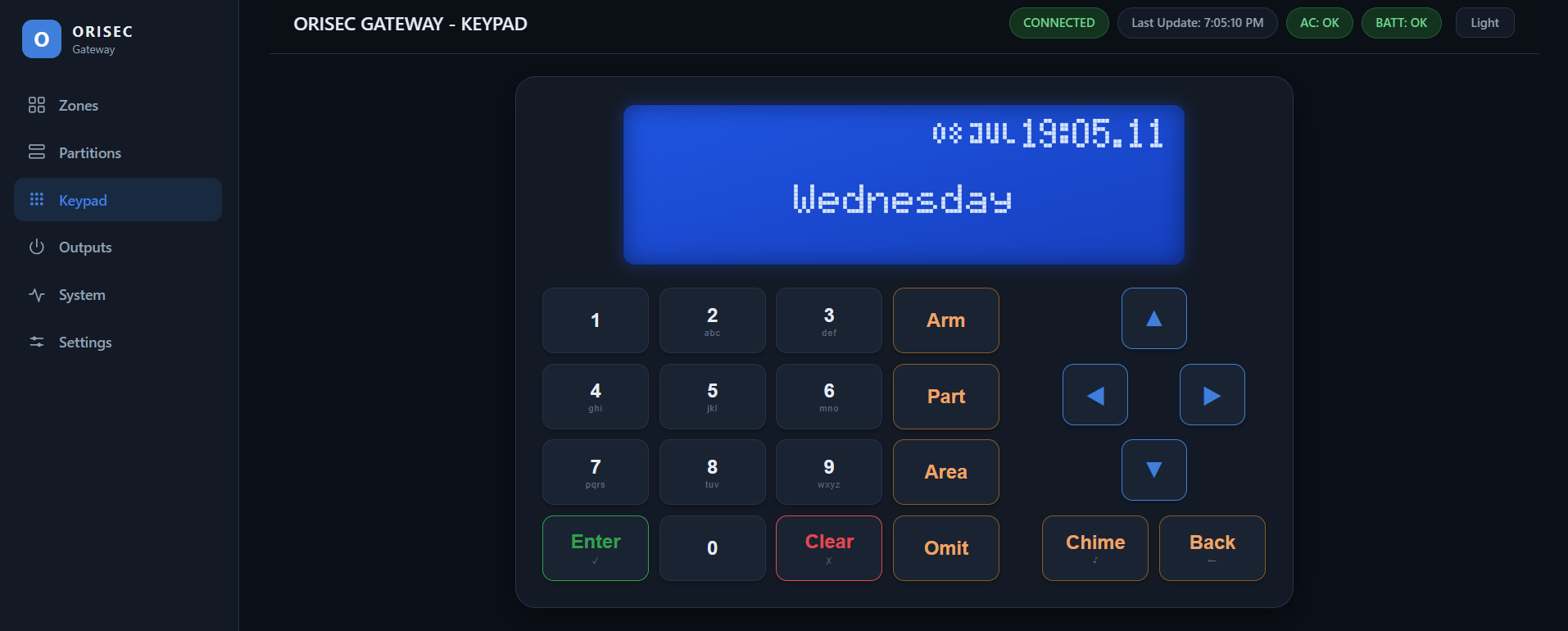
The ESP32-P4 version connects to the onboard COM port and runs completely standalone, it’s secure, features web pages for Zones, Partitions, Outputs, Keypad Emulation and System Status as well as HA Discovery via MQTT.
CM2 WiFi is not supported at this time…
I’m about 90% complete, just fine tuning the keypad emulation and then testing against different panel sizes. 
Here are a few screen shots from the ESSP32 version.
The same ESP32 version connected to HA