I had three indoor cams before I got this one and had them all working. So I figured getting the same brand of outdoor cam would also work and then it would not be a pain. But I had so much trouble getting the first one working that I switched models and switched to a different one.
I finally got it up and running and now there’s been a couple of HA reboots and that one doesn’t work again,even though the IP is reserved and the settings were all the same. All the entities have red exclamation points on them, but they worked before.
Of course it works fine through their own app. So obviously it’s on the Wi-Fi and that’s not a problem.
I guess my question is, at what point do I give up? Are they going to keep breaking every time I update unrelated things? Does anyone have these things working stably?
Got what?
Got what working. What reboots?
What. Model # would be useful.
WiFi cameras depend on WiFi. Without information there is no guessing what issue you are having or why. It could be model or it could be the network.
So. First tell what model and brand your indoor camera are.
Next tell model brand of outdoor unit you had and the current unit you changed it to.
Lastly explain your current/not past issue or goal. What are you trying to do or what issue are you currently experiencing.
Ipm-751B
Amcrest is in the subject line of the post.
Its fine on its own app. So clearly it’s on the Wi-Fi. Unless it’s coming and going and the integration doesn’t recover as fast as the app does, I suppose that’s possible.
“HA reboots” Home Assistant reboots. The cameras were all working, I had no reason to reboot anything else.
Goal? I would like to set them to stream and forget them like I can do with the indoor cams.
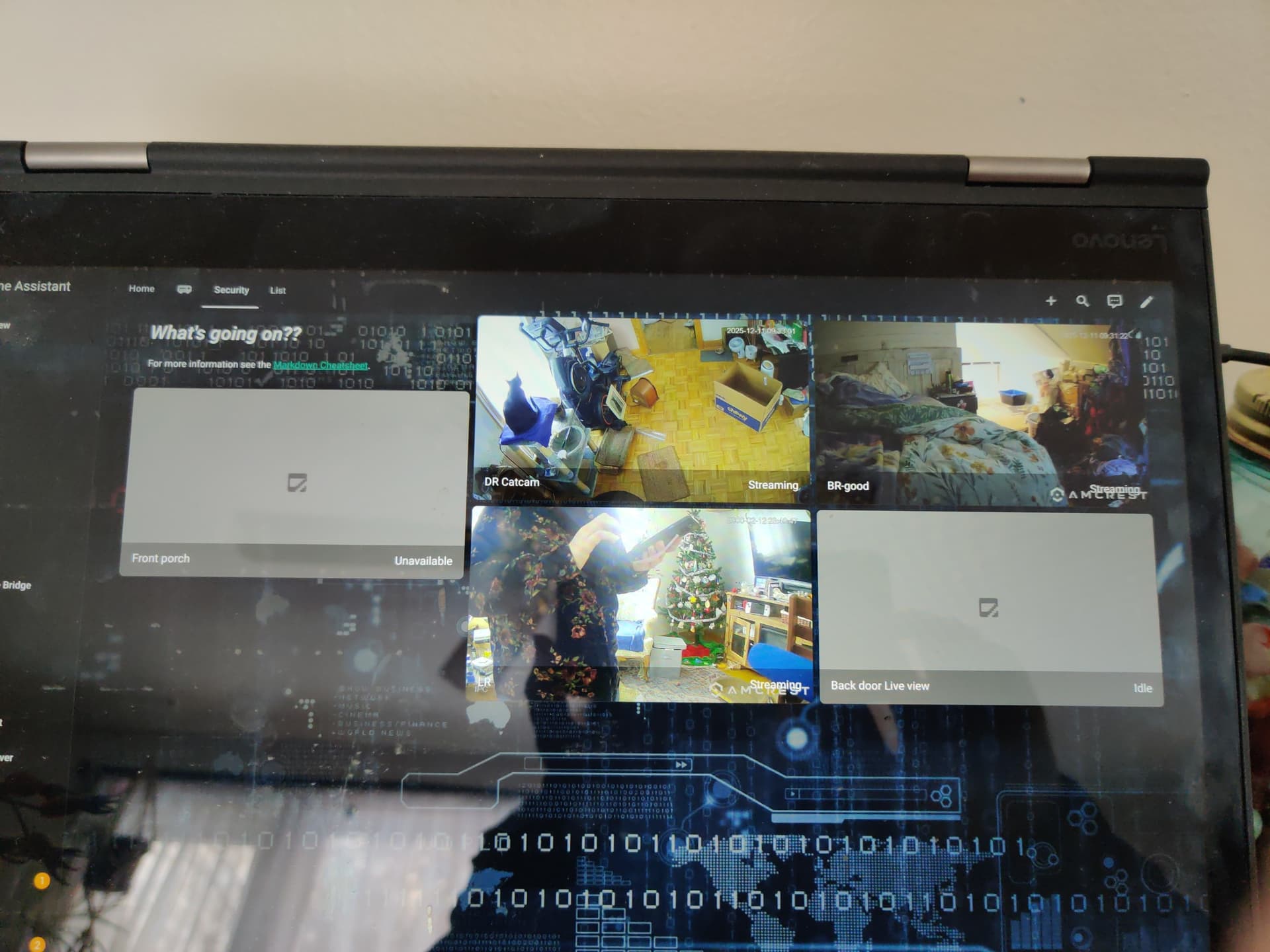
(Upper left should be showing outside. You can ignore that last one in the pic. That’s a ring cam and I don’t want that one streaming.)
Alternative goal: confirm with someone else that this was a bad choice and will never be stable, and maybe get a recommendation for a different brand.
Are you connecting camera with amcrest integration?
You using streaming or polled? Try changing from one to other and see result.
Is it only sensor that have issues or camera image as well?
Sensors rely on amcrest user permission I believe. Make sure the amcrest user has correct permissions on device.
Why do you think this is related?
Did it stop working after the first reboot? OR are you just saying its been a while since it was first setup and things changed and now it doesnt work?
I ask because there is no sense of time in the information. I am thinking maybe camera firmware update auto or manually?
If camera image is OK, I would not be concerned. For camera I place priority on image.
Reolink is brand you may look into. I stop using amcrest/reolink years ago because the models I tried require app setup. Your model is older so it is before the make app requirement for setup.
Am i connecting with Amcrest integration? Do I have other options? (I am not being snarky, I would LOVE to try another option if there is one!)
I was using streaming, I will try polled now.
it is a camera image problem. It is a camera and i have no image. HomeAssistant entities all show red exclamation marks. I am going to review the configuration.yaml but I cannot see the problem.
What are you using for video storage?
You only mentioned sensors so I was thinking this may be only issue.
For video, what happens if you view directly on camera?
H.264 or H.265 setting?
If you reduce video resolution does that help?
Yes and no.
I never liked the Amcrest integration so I stopped using. I don’t need sensors except motion but I always used NVR for motion/object detection. I haven’t looked in a while so I forget what integration does but pretty sure it is using api to get sensors and maybe just gets rtsp stream but maybe it’s doing something different
Depending what your doing go2rtc may be better. Each camera connection takes bandwidth. App connection is presumed to be one connection and each HA connection is new independent connection I believe. If WiFi connection is poor maybe this can cause issue. Go2rtc solves some of this. App may have priority connection or maybe lower resolution to solve issue. Guessing. Anyway. First step is lower resolution to test if it is bandwidth problem. Next is try h.264 to test that. Also try vlc to camera to see if just HA integration has issue with this camera.
Sensors are separate problem. Work on camera first as solving camera may solve sensors
Also someone has connection problem with this camera in 2017 but that was 2017 and both HA and integration change since then
okay, 2/3 of that reply was over my head.
don’t I NEED the Amcrest integrations?? isn’t that what takes the signal from the cam, and makes it so HA can understand, the API? Sensors would be NICE so it could just take a snapshot when someone comes up to my door, but if I can make the cam show me a picture, that’s more important, right now it’s just an expensive lump attached to the side of the house. 
But I chose these because once I figured out how to put the info into configuration.yaml, they were easy. (the inside ones were easy.) hardest part was figuring out the syntax. I don’t need yet another big project just to make them work, I JUST finished my new Jellyfin server project two days ago, I need a break.
can you tell me how to make a realtime picture stream?? in small, easy words?
wifi is FINE. I repeat, wifi is fine.
NVR - network video recorder. A computer on network that captures and stores the video from security cameras. Optional device since it is possible to not store recording at all or have camera store on internal
Sd card
RTSP - basically a website created by the camera that streams its live video. PC, server and apps connect to this web stream to capture or show the cameras video stream
VLC - software program for video playback of local video like DVD or video files or network video streams like RTSP. Since some programs have difficulty decoding RTSP streams VLC is commonly used to check stream since it is easy install and handy
H.264 / H.265 - basically how the video being streamed is structured and compressed. You can change this in the cameras menu options probably. Some programs have trouble with H.265.
Hope above helps slightly
To fix your current issue my first troubleshooting step would be to go into camera settings and change the camera resolution. If it is currently 2056x1580 change it to 720x480. Basically make it as low as possible. This will help clarify if it is WiFi or network issue. Need to verify this.
I presume you triple check camera IP is properly set in HA. Do not assume it is correct. You must check HA and login to camera using that IP directly.
Unfortunately “I have no video” has many possible cause and must check many things.
Sorry. Another question
What model # are you using for indoor?
ok, i looked and they give me an option of “SD” or “HD”, SD says “VGA”. I don’t remember what the official specs for VGA are, but it should be pretty low. I’ve checked the view through the Amcrest app (on my old iphone) and it has never been anything but solid and stable, I can see the birdfeeder swaying in the breeze.
I checked the IP, it does match, so do the credentials.
however, now I looked at my entities. there are duplicates now. I deleted all the ones I could but I don’t know why there are extras.
am I haunted by the ghosts of cameras of the past? maybe.
(no, seriously, I just plugged in an indoor camera i thought was dead, it’s not dead, it was just a bad cord. but i unplugged it so it didn’t confuse the situation!)
Indoor cam: IP2M 841 / 842
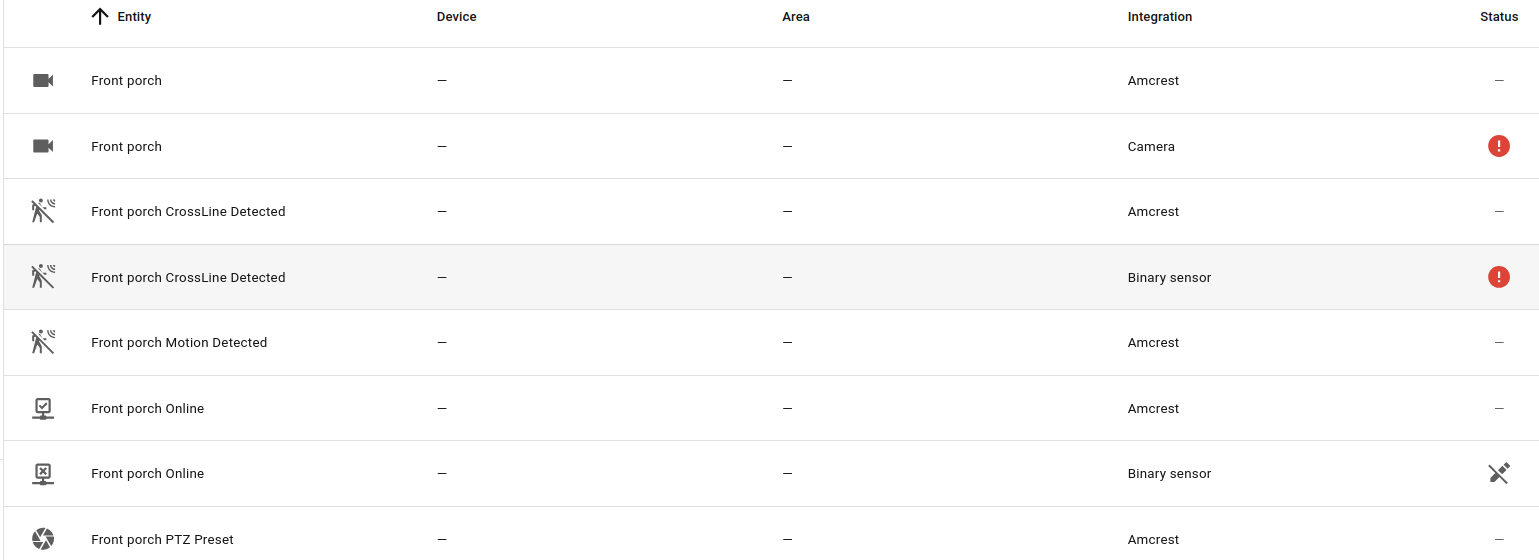
I discussed it with someone else who has spent time working on these cameras (but not HomeAssistant), he said the sensors could be the problem…I just took ALL sensors off the config. and …i have a picture. it’s even live! I’ve got my fingers crossed that at some point I can tweak it to show me a snapshot when someone walks up, but at the moment, i’m just happy I can see if we got surprise snow overnight. 

it’s working. however, i just missed a package.
can you tell me what sensor would take a snapshot when a person approaches? (or is that too complex …?)
You could try enabling the single sensor. OR
Later I will look. Maybe you can add a rest sensor to get that info directly without using the integration.
Otherwise you’ll need something external like Frigate NVR that basically uses AI to identify objects in video.
single sensor? there’s only one?