I am trying to install a new palette for telegram but it appears to fail because it can’t find python within the container. I’ve never run into this before. It looks like I can manually install it and specify the path but I’m not sure what the path is in this node-red home assistant add-on. Does anyone know?
-----------------------------------------------------------
2025-09-16T13:58:33.308Z Install : node-red-node-telegrambot 0.1.6

2025-09-16T13:58:34.236Z npm install --no-audit --no-update-notifier --no-fund --save --save-prefix=~ --omit=dev --engine-strict [email protected]
2025-09-16T13:58:34.684Z [err] npm warn Unknown builtin config "globalignorefile". This will stop working in the next major version of npm.
2025-09-16T13:58:34.686Z [err] npm warn Unknown builtin config "python". This will stop working in the next major version of npm.
2025-09-16T13:58:34.686Z [err] npm warn Unknown env config "globalignorefile". This will stop working in the next major version of npm.
2025-09-16T13:58:34.686Z [err] npm warn Unknown env config "python". This will stop working in the next major version of npm.
2025-09-16T13:58:40.604Z [err] npm warn deprecated [email protected]: Package no longer supported. Contact Support at https://www.npmjs.com/support for more info.
2025-09-16T13:58:42.389Z [err] npm error code 1
2025-09-16T13:58:42.389Z [err] npm error path /config/node_modules/utf-8-validate
2025-09-16T13:58:42.389Z [err] npm error command failed
2025-09-16T13:58:42.389Z [err] npm error command sh -c node-gyp-build
2025-09-16T13:58:42.390Z [err] npm error gyp info it worked if it ends with ok
2025-09-16T13:58:42.390Z [err] npm error gyp info using [email protected]
2025-09-16T13:58:42.390Z [err] npm error gyp info using [email protected] | linux | arm64
2025-09-16T13:58:42.390Z [err] npm error gyp ERR! find Python
2025-09-16T13:58:42.390Z [err] npm error gyp ERR! find Python checking Python explicitly set from command line or npm configuration
2025-09-16T13:58:42.390Z [err] npm error gyp ERR! find Python - "--python=" or "npm config get python" is "/usr/bin/python3"
2025-09-16T13:58:42.390Z [err] npm error gyp ERR! find Python - executable path is ""
2025-09-16T13:58:42.390Z [err] npm error gyp ERR! find Python - "" could not be run
2025-09-16T13:58:42.390Z [err] npm error gyp ERR! find Python Python is not set from environment variable PYTHON
2025-09-16T13:58:42.390Z [err] npm error gyp ERR! find Python checking if "python3" can be used
2025-09-16T13:58:42.390Z [err] npm error gyp ERR! find Python - executable path is ""
2025-09-16T13:58:42.390Z [err] npm error gyp ERR! find Python - "" could not be run
2025-09-16T13:58:42.390Z [err] npm error gyp ERR! find Python checking if "python" can be used
2025-09-16T13:58:42.390Z [err] npm error gyp ERR! find Python - executable path is ""
2025-09-16T13:58:42.390Z [err] npm error gyp ERR! find Python - "" could not be run
2025-09-16T13:58:42.390Z [err] npm error gyp ERR! find Python
2025-09-16T13:58:42.390Z [err] npm error gyp ERR! find Python **********************************************************
2025-09-16T13:58:42.390Z [err] npm error gyp ERR! find Python You need to install the latest version of Python.
2025-09-16T13:58:42.390Z [err] npm error gyp ERR! find Python Node-gyp should be able to find and use Python. If not,
2025-09-16T13:58:42.390Z [err] npm error gyp ERR! find Python you can try one of the following options:
2025-09-16T13:58:42.390Z [err] npm error gyp ERR! find Python - Use the switch --python="/path/to/pythonexecutable"
2025-09-16T13:58:42.390Z [err] npm error gyp ERR! find Python (accepted by both node-gyp and npm)
2025-09-16T13:58:42.390Z [err] npm error gyp ERR! find Python - Set the environment variable PYTHON
2025-09-16T13:58:42.390Z [err] npm error gyp ERR! find Python - Set the npm configuration variable python:
2025-09-16T13:58:42.390Z [err] npm error gyp ERR! find Python npm config set python "/path/to/pythonexecutable"
2025-09-16T13:58:42.390Z [err] npm error gyp ERR! find Python For more information consult the documentation at:
2025-09-16T13:58:42.390Z [err] npm error gyp ERR! find Python https://github.com/nodejs/node-gyp#installation
2025-09-16T13:58:42.390Z [err] npm error gyp ERR! find Python **********************************************************
2025-09-16T13:58:42.390Z [err] npm error gyp ERR! find Python
2025-09-16T13:58:42.390Z [err] npm error gyp ERR! configure error
2025-09-16T13:58:42.390Z [err] npm error gyp ERR! stack Error: Could not find any Python installation to use
2025-09-16T13:58:42.390Z [err] npm error gyp ERR! stack at PythonFinder.fail (/usr/lib/node_modules/npm/node_modules/node-gyp/lib/find-python.js:306:11)
2025-09-16T13:58:42.390Z [err] npm error gyp ERR! stack at PythonFinder.findPython (/usr/lib/node_modules/npm/node_modules/node-gyp/lib/find-python.js:164:17)
2025-09-16T13:58:42.390Z [err] npm error gyp ERR! stack at process.processTicksAndRejections (node:internal/process/task_queues:105:5)
2025-09-16T13:58:42.390Z [err] npm error gyp ERR! stack at async configure (/usr/lib/node_modules/npm/node_modules/node-gyp/lib/configure.js:27:18)
2025-09-16T13:58:42.390Z [err] npm error gyp ERR! stack at async run (/usr/lib/node_modules/npm/node_modules/node-gyp/bin/node-gyp.js:81:18)
2025-09-16T13:58:42.390Z [err] npm error gyp ERR! System Linux 6.6.74-haos-raspi
2025-09-16T13:58:42.390Z [err] npm error gyp ERR! command "/usr/bin/node" "/usr/lib/node_modules/npm/node_modules/node-gyp/bin/node-gyp.js" "rebuild"
2025-09-16T13:58:42.390Z [err] npm error gyp ERR! cwd /config/node_modules/utf-8-validate
2025-09-16T13:58:42.390Z [err] npm error gyp ERR! node -v v22.16.0
2025-09-16T13:58:42.390Z [err] npm error gyp ERR! node-gyp -v v11.2.0
2025-09-16T13:58:42.390Z [err] npm error gyp ERR! not ok
2025-09-16T13:58:42.396Z [err] npm error A complete log of this run can be found in: /root/.npm/_logs/2025-09-16T13_58_34_523Z-debug-0.log
2025-09-16T13:58:42.428Z rc=1
The problem is that package you suggest is a different purpose (I actually tried it first). The one I reference interfaces with a user telegram account and the one you reference interfaces with a telegram bot account. Why does it matter? Because telegram bots cannot receive messages from other telegram bots and my workflow requires that.
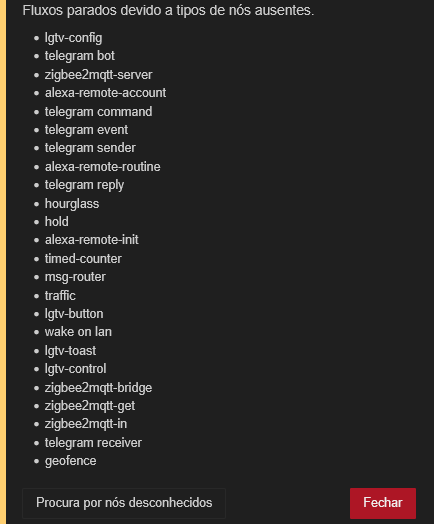
Hi guys, I recently reinstalled Home assistant (HAOS) and recovered from a backup and I had some trouble with zigbee2mqtt that I could solve, but the problem with Node-Red has been hard.
Core 2025.11.3
Supervisor 2025.11.5
Operating System 16.3
Front-end 20251105.1
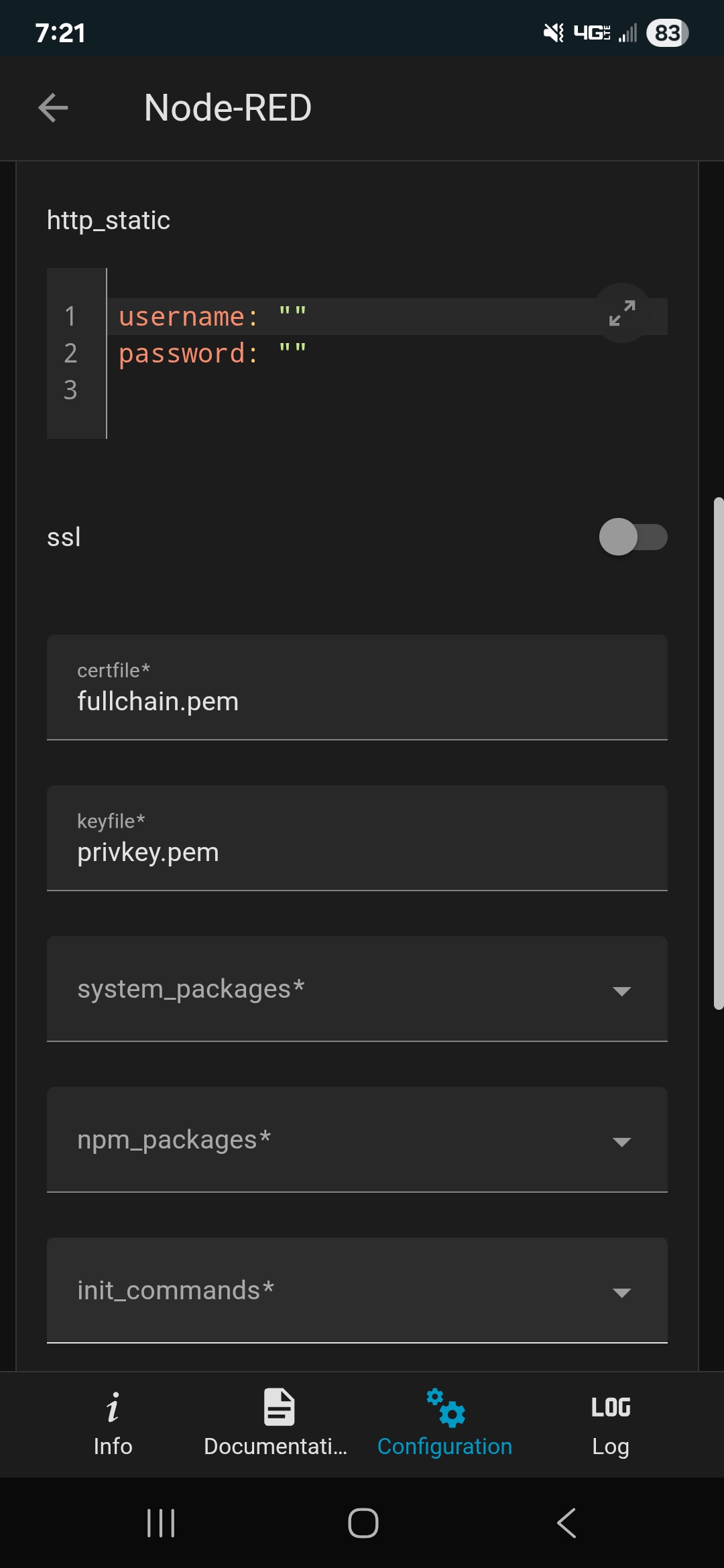
Many palette modules has not been installed, and when I try to install them, a lot of errors appear. Trying do find a solution, I found this thread that is similar, but populating the “system_packages:” in node-red configuration changed the errors, but did not solve the problem, so let’s start from the beggining.
As an example, trying to install “node-red-contrib-telegrambot (17.0.3)” I got the following:
-----------------------------------------------------------
2025-11-27T01:30:07.425Z Instalar : node-red-contrib-telegrambot 17.0.3

2025-11-27T01:30:07.845Z npm install --no-audit --no-update-notifier --no-fund --save --save-prefix=~ --omit=dev --engine-strict [email protected]
2025-11-27T01:30:11.737Z [err] npm warn deprecated [email protected]: The querystring API is considered Legacy. new code should use the URLSearchParams API instead.
2025-11-27T01:30:12.410Z [err] npm warn deprecated [email protected]: no longer supported
2025-11-27T01:30:12.673Z [err] npm warn deprecated [email protected]: No longer maintained - please look at alternatives such as @flowfuse/node-red-dashboard or node-red-contrib-uibuilder
2025-11-27T01:30:13.809Z [err] npm error code 1
2025-11-27T01:30:13.809Z [err] npm error path /config/node_modules/websocket
2025-11-27T01:30:13.809Z [err] npm error command failed
2025-11-27T01:30:13.809Z [err] npm error command sh -c node-gyp rebuild
2025-11-27T01:30:13.809Z [err] npm error gyp info it worked if it ends with ok
2025-11-27T01:30:13.809Z [err] npm error gyp info using [email protected]
2025-11-27T01:30:13.809Z [err] npm error gyp info using [email protected] | linux | x64
2025-11-27T01:30:13.809Z [err] npm error gyp ERR! find Python
2025-11-27T01:30:13.809Z [err] npm error gyp ERR! find Python Python is not set from command line or npm configuration
2025-11-27T01:30:13.809Z [err] npm error gyp ERR! find Python Python is not set from environment variable PYTHON
2025-11-27T01:30:13.809Z [err] npm error gyp ERR! find Python checking if "python3" can be used
2025-11-27T01:30:13.809Z [err] npm error gyp ERR! find Python - executable path is ""
2025-11-27T01:30:13.809Z [err] npm error gyp ERR! find Python - "" could not be run
2025-11-27T01:30:13.809Z [err] npm error gyp ERR! find Python checking if "python" can be used
2025-11-27T01:30:13.809Z [err] npm error gyp ERR! find Python - executable path is ""
2025-11-27T01:30:13.809Z [err] npm error gyp ERR! find Python - "" could not be run
2025-11-27T01:30:13.809Z [err] npm error gyp ERR! find Python
2025-11-27T01:30:13.809Z [err] npm error gyp ERR! find Python **********************************************************
2025-11-27T01:30:13.809Z [err] npm error gyp ERR! find Python You need to install the latest version of Python.
2025-11-27T01:30:13.809Z [err] npm error gyp ERR! find Python Node-gyp should be able to find and use Python. If not,
2025-11-27T01:30:13.809Z [err] npm error gyp ERR! find Python you can try one of the following options:
2025-11-27T01:30:13.809Z [err] npm error gyp ERR! find Python - Use the switch --python="/path/to/pythonexecutable"
2025-11-27T01:30:13.809Z [err] npm error gyp ERR! find Python (accepted by both node-gyp and npm)
2025-11-27T01:30:13.809Z [err] npm error gyp ERR! find Python - Set the environment variable PYTHON
2025-11-27T01:30:13.809Z [err] npm error gyp ERR! find Python - Set the npm configuration variable python:
2025-11-27T01:30:13.809Z [err] npm error gyp ERR! find Python npm config set python "/path/to/pythonexecutable"
2025-11-27T01:30:13.809Z [err] npm error gyp ERR! find Python For more information consult the documentation at:
2025-11-27T01:30:13.809Z [err] npm error gyp ERR! find Python https://github.com/nodejs/node-gyp#installation
2025-11-27T01:30:13.809Z [err] npm error gyp ERR! find Python **********************************************************
2025-11-27T01:30:13.809Z [err] npm error gyp ERR! find Python
2025-11-27T01:30:13.809Z [err] npm error gyp ERR! configure error
2025-11-27T01:30:13.809Z [err] npm error gyp ERR! stack Error: Could not find any Python installation to use
2025-11-27T01:30:13.809Z [err] npm error gyp ERR! stack at PythonFinder.fail (/usr/lib/node_modules/npm/node_modules/node-gyp/lib/find-python.js:306:11)
2025-11-27T01:30:13.809Z [err] npm error gyp ERR! stack at PythonFinder.findPython (/usr/lib/node_modules/npm/node_modules/node-gyp/lib/find-python.js:164:17)
2025-11-27T01:30:13.809Z [err] npm error gyp ERR! stack at process.processTicksAndRejections (node:internal/process/task_queues:105:5)
2025-11-27T01:30:13.809Z [err] npm error gyp ERR! stack at async configure (/usr/lib/node_modules/npm/node_modules/node-gyp/lib/configure.js:27:18)
2025-11-27T01:30:13.809Z [err] npm error gyp ERR! stack at async run (/usr/lib/node_modules/npm/node_modules/node-gyp/bin/node-gyp.js:81:18)
2025-11-27T01:30:13.809Z [err] npm error gyp ERR! System Linux 6.12.51-haos
2025-11-27T01:30:13.809Z [err] npm error gyp ERR! command "/usr/bin/node" "/usr/lib/node_modules/npm/node_modules/node-gyp/bin/node-gyp.js" "rebuild"
2025-11-27T01:30:13.809Z [err] npm error gyp ERR! cwd /config/node_modules/websocket
2025-11-27T01:30:13.809Z [err] npm error gyp ERR! node -v v22.16.0
2025-11-27T01:30:13.809Z [err] npm error gyp ERR! node-gyp -v v11.2.0
2025-11-27T01:30:13.809Z [err] npm error gyp ERR! not ok
2025-11-27T01:30:13.811Z [err] npm error A complete log of this run can be found in: /root/.npm/_logs/2025-11-27T01_30_07_937Z-debug-0.log
2025-11-27T01:30:13.830Z rc=1
Node-red-dashboard is told to be deprecated, but trying to install “@flowfuse/node-red-dashboard” I get very similar errors either.
This has been very annoying since the majority of my automations are under node-red and it is not working at the moment.
Hope someone could point me to the right direction. Thanks!
I don´t know if it is de only or the best way, but I edited the NR configuration like below and Voila. Now it works. It may be helpful foro someone else.