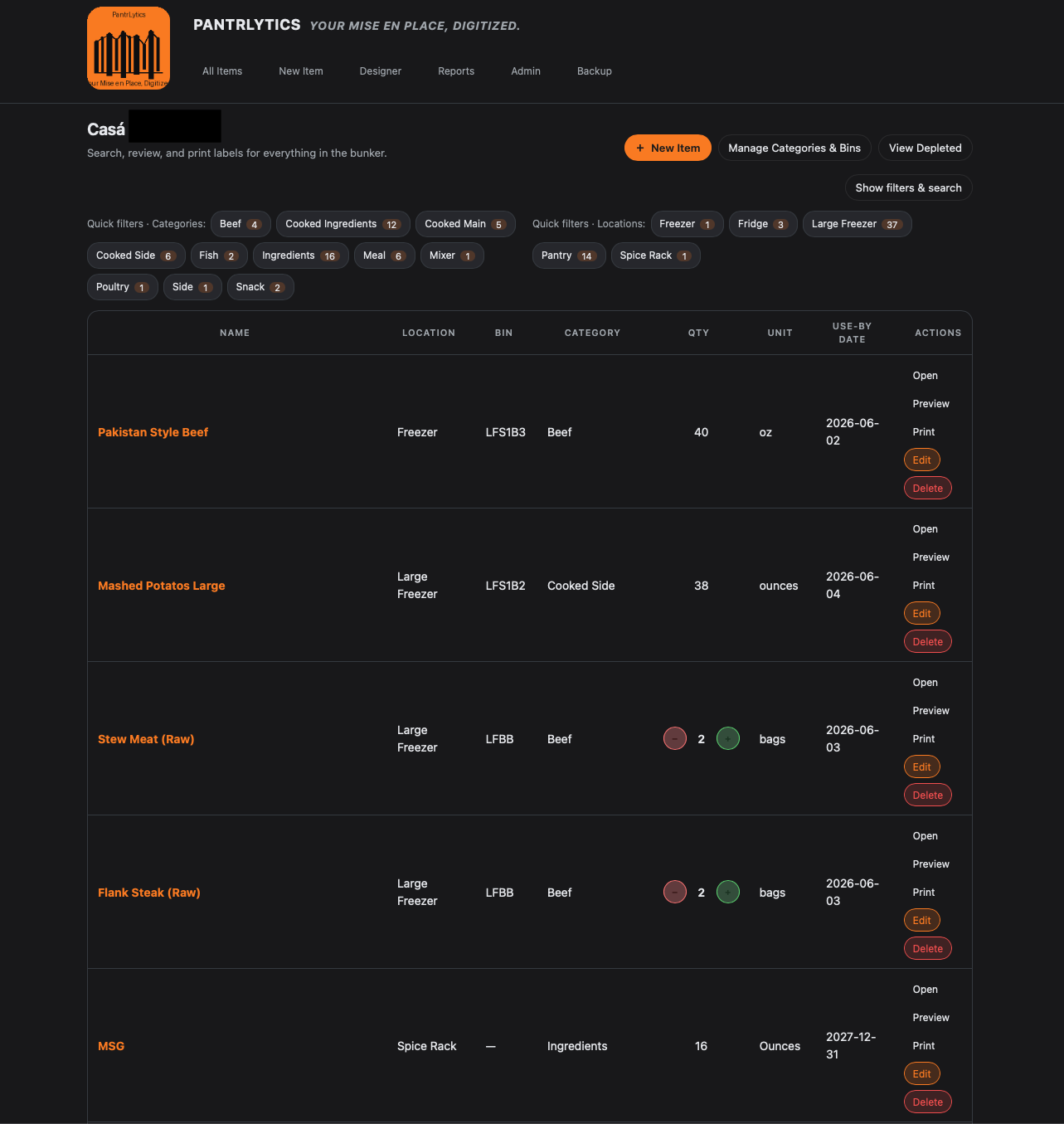
Pantry, Freezer, and Meal Prep Inventory Tracking in Home Assistant?

I wanted to share something I’ve been building and actively using in my own Home Assistant setup: PantrLytics.

This is my first time building an app, and it’s available to install right now. I’m continuously improving it, fixing bugs, and refining the experience as I go. PantrLytics is designed for almost anyone running Home Assistant, but it’s especially aimed at home cooks, meal preppers, and those of us who like to track (maybe obsess over) what we have, where it lives, and how it gets used.

The original motivation came from two places. First, while tools like Grocy are incredibly powerful, I found the UI dense and feature-heavy for what my household actually needed. Second, we kept wasting food, especially things buried deep in an auxiliary freezer simply because we didn’t know they were there. We also do a lot of bulk cooking and meal prep, and I wanted a system that made it easier to pull together complex meals quickly, confidently, and without guesswork. Knowing exactly what something is, when it was made, and where it lives turned out to be a game changer.

PantrLytics is intentionally household-focused, not store-focused. The goal is a cleaner, more approachable experience that still ties together powerful tools: inventory tracking, reports, and detailed labels that bridge the physical and digital worlds. Whether you’re a highly active home cook or someone who just wants to glance at Home Assistant and know what’s in the freezer, the pantry, or the fridge, the idea is to reduce friction and mental load.

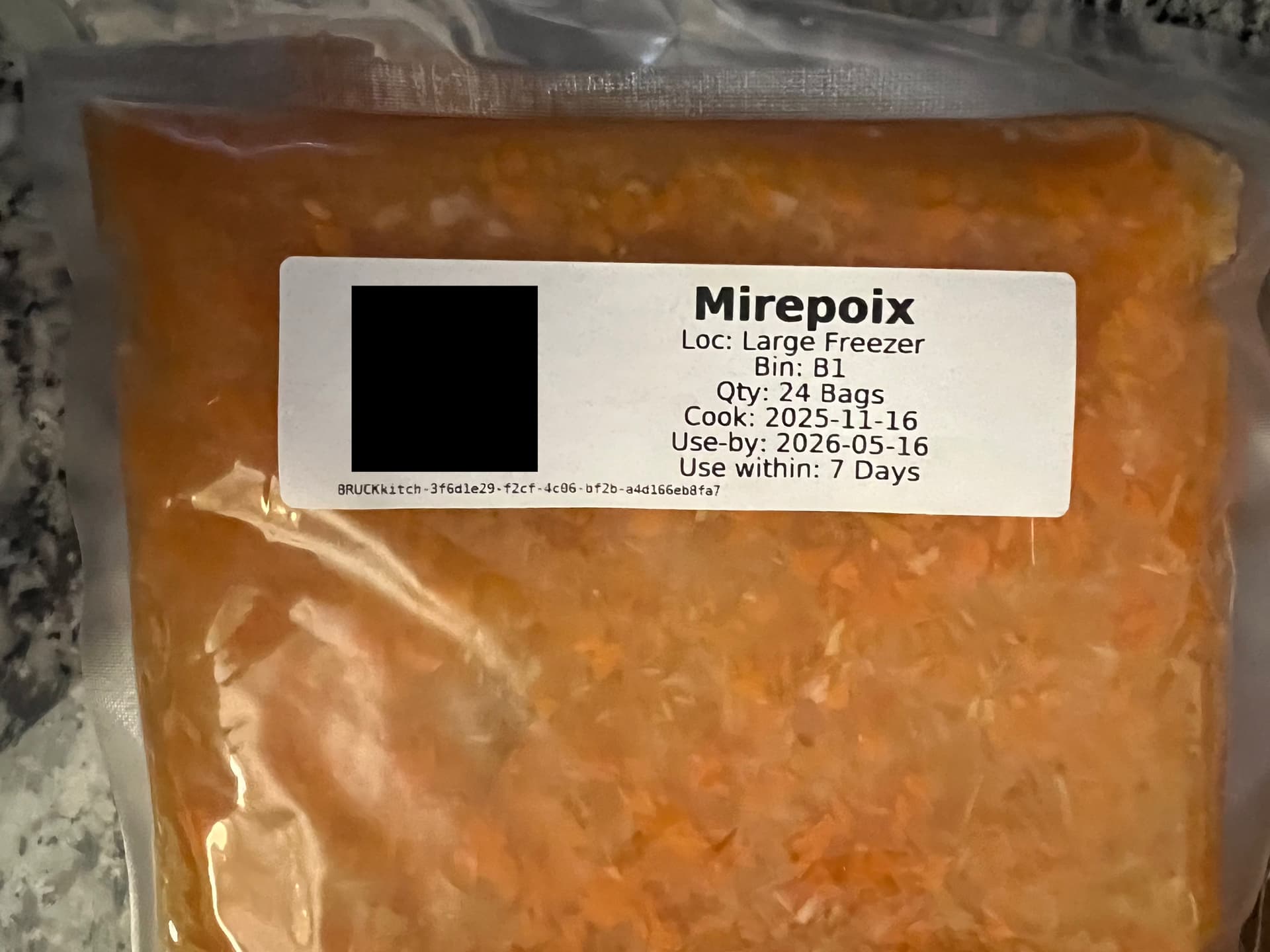
One of the biggest strengths (and fun parts) has been label printing. PantrLytics supports IPP/CUPS printing, making it easy to generate detailed labels via a label printer. Pair that with the App filters/search tools and reports, and you get a system where scanning, printing, and tracking all feel like one workflow and not a pile of disconnected tools. I’m also very responsive to bug reports and feedback, because I’m building this for real daily use in my own home.

As for the name: PantrLytics is exactly what it sounds like, pantry + analytics. The idea is turning the chaos of food storage into something understandable, searchable, and useful, without losing the “this is my home, not a warehouse” feeling.

If this sounds interesting, I’d love for folks to try it, poke at it, and see if it sparks ideas for your own setups. Feedback, feature ideas, and inspiration from how others manage their households are always welcome. I built this because I’m a little obsessive and I’m guessing some of you might be too.

Thanks for checking it out, and I’m excited to see where it goes with community input.
2 Likes

Here are some images:

Sounds interesting. I tried to get it up and running but ran into an error during startup. I’ve raised Doesn't startup · Issue #1 · Psychman52OS/PantrLytics · GitHub about it.

Roger that let me go and have a look.

@tykeal Just pushed a code change. Check for updates in the Add-ons store and push the update and let me know if that fixed the issue. If not send the log again and I will keep working on getting the error corrected.

Ok, it starts now :slight_smile:

First thing I noticed is that it forces the dark theme instead of following the theme browser theme. Thankfully you have a light theme option :wink: but you might want to consider that as a feature enhancement!

Fantastic point! I am bias towards dark mode. However, that should be an easy change to follow the browser preference. I will make that change here in a few moments.

This is my first time building and app/coding with the assistance of AI so any input or reccomendations are extremly helpful. I spent months getting it to this point. So should be fun once more folks start poking at it.

Thanks again for your comments and input!

I like your setup and I will try it out.
But I have one suggestion. Stop by now with using code produced by AI because it is based on HA code of a few years back and things has changed a lot in the meantime. Things that aren’t in the AI. This will prevent that you from getting error reports that are irrelevant to the present HA code base.
Thanks for sharing your work.

@AshaiRey I would stop using AI if I knew how to code, which I don’t. My hope is that at somepoint if more people use and like this that I can colloborate with someone who is far more knowledgeable and can as a human make this codebase better.

1 Like

Impressive work. I’ve tried to use Grocy in the past but it was just far too much faff for me to keep up with it unfortunately and I also didn’t need many of the features such as chore and battery tracking. This app looks like it may be a more reasonable balance of effort to reward for myself and my family.

One things thought, are there any recommendations on thermal printers that are suitable for printing labels to be added to frozen meals? I’m wondering about the Nimbot B1 or B4?

Good afternoon @Adec ,

I am currently using a DYMO label printer. Which I know is way more expensive than Nimbot. I just had a spare one not being used. Below is what Claude gave me. I am currently working on some other development for the app. But I will add this to the list of requested integrations. Not making promises, but I will see what I can add to the application layer.

Based on a quick Claude search:

Your options, ranked by feasibility

1. Use niimprint directly (most practical for B1) Install niimprint, generate label images (PNG) in whatever tool you use, and call the CLI directly. Not seamless, but it works reliably for B1.

bash

pip install niimprint
niimprint -m b1 -c usb -i label.png -d 5

2. Build a CUPS backend wrapper (DIY) You could wire niimprint into CUPS as a custom backend script. CUPS supports arbitrary backends — you’d write a shell/Python script that receives a PDF/image from CUPS, converts it to the right PNG dimensions (B1 max 384px wide, ~203 dpi), and calls niimprint. This requires writing a PPD file and a /usr/lib/cups/backend/niimbot script. It’s doable but not trivial.

3. B4 specifically The B4 is a wider-format label printer and is notably absent from niimprint’s supported model list. It likely uses the same underlying protocol but may need model-specific packet tweaks. The niimblue web project has broader model support and may be a better starting point for B4 specifically — worth checking their tested models list.


Bottom line

There’s no plug-and-play IPP/CUPS path for these printers right now. If your goal is to print to a B1 or B4 from a standard print dialog on Linux or macOS, you’d need to either adapt the macOS IPP bridge project for Linux or build a lightweight CUPS backend yourself. If you can share more about your target OS and use case (e.g. printing from a specific app vs. command-line), I can help you sketch out a workable approach.

1 Like

Thanks. I ended up not getting the niimbot printer. I’m waiting for a Brother QL-820NWB Wired/Wireless Network Label Printer to arrive that I’ve purchased on eBay. I figured that the Brother printer probably has better support generally and also works across the network rather than requiring USB or Bluetooth.

1 Like