Hi everyone!
I’d like to share Powertech Gate (EyeOpen), a custom Home Assistant integration I created for compatible Powertech / EyeOpen gate controllers.
It provides gate control and live status updates directly in Home Assistant.
Features
- Automatic setup using your Powertech / EyeOpen account
- Automatic discovery of compatible gate controllers
- Full gate open / close
- Pedestrian gate open / close
- Stop command
- Live gate state updates
- Device availability monitoring
- PIN verification during setup and reconfiguration
- Home Assistant diagnostics support
- HACS installation
- Manual certificate setup for advanced users
Tested hardware
Development and testing has primarily been done with:
Powertech PS20088D
Other Powertech / EyeOpen controllers using the same platform may also work, but I haven’t been able to test other models yet.
If you have another model, I’d be very interested in your results!
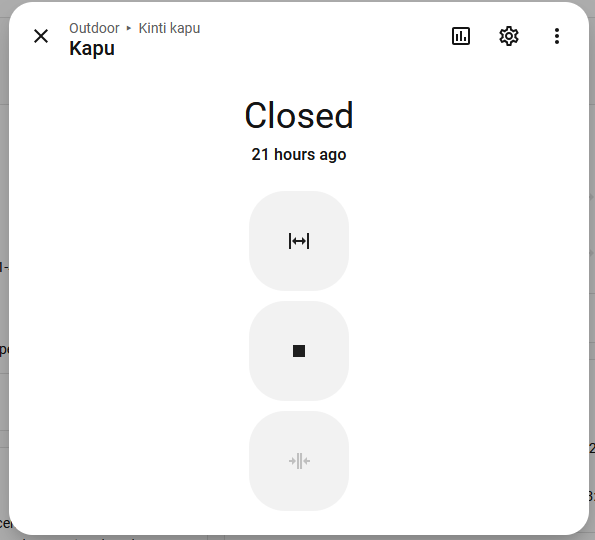
Screenshots


Installation
The integration can currently be installed through HACS as a custom repository.
GitHub:
In HACS:
- Go to HACS → Integrations
- Open Custom repositories
- Add:
https://github.com/miklosandras/powertech-gate-home-assistant - Select Integration
- Install Powertech Gate (EyeOpen)
- Restart Home Assistant
Then go to:
Settings → Devices & services → Add integration
Search for Powertech Gate (EyeOpen) and follow the setup process.
HACS default repository
I have also submitted the integration for inclusion in the default HACS repository.
Until it is accepted, it needs to be added as a custom repository using the instructions above.
Other controllers
One of the reasons I’m sharing the integration here is to find out which other Powertech / EyeOpen controllers are compatible.
If you test another model, I’d really appreciate feedback about:
- Controller model
- DEV INFO, if available (with unique identifiers removed)
- Device discovery
- Live gate status
- Full gate controls
- Pedestrian gate controls
There is also a dedicated Device / model support issue template on GitHub.
Security
PINs used during verification are not stored, and sensitive identifiers are redacted from Home Assistant diagnostics and integration logs.
If you report an issue, please do not post passwords, PIN codes, authentication tokens, certificates, private keys, UUIDs, MAC addresses, or other sensitive identifiers.
About the integration
The integration was developed by analyzing the behavior of the official Powertech / EyeOpen application and the services used by compatible controllers.
It relies on undocumented vendor services and protocols, so future vendor-side changes may affect functionality.
This is an unofficial, community-developed integration and is not affiliated with or endorsed by Powertech Automation or EyeOpen.
Feedback, bug reports, contributions and reports from other Powertech / EyeOpen models are very welcome!
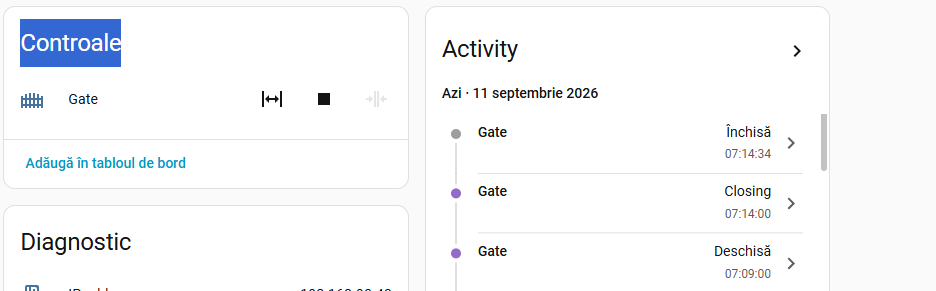


 Igen jelenleg a cloud -on keresztül megy, de dolgozom a local verzión is, de ehhez még kell idő. In english: Yes, currently it is working thru cliud, but I am working on local version to, but need more time to develop.