Since this isn’t really related to the Reolink integration itself, I’m posting it here in the hardware section.
I’m having an issue where my Reolink Doorbell Wi-Fi (firmware version v3.0.0.6460_2605211897) triggers a recording every time it switches between day and night modes (and vice versa) - something I obviously don’t want. Here is what my current settings look like.
Since I don’t need motion detection anyway - and it’s a likely culprit for these unwanted recordings - I’ve already turned the sensitivity down to 1 (unfortunately, it can’t be disabled completely). However, that didn’t help; the doorbell continues to record every morning and evening.
The recording mode is currently set to “Auto,” and IR is enabled for night mode.
The only other idea I have is to go into the Reolink app under Display —> Day and Night, switch the settings for “Color Day Mode” and “Black & White” from Auto to Manual, and then play around with the threshold values. But surely that can’t be the intended solution.
Have you also experienced this issue with recordings during the day/night switchover, and if so, what was or is your solution for it?
Yes, there are zones, and about 50% of the doorbell camera image actually lies outside the motion detection (MD) zone anyway and isn’t monitored; however, the use of zones has nothing to do with the fact that the doorbell starts recording when switching between day and night modes. True, the recording is likely triggered by motion detection - since every type of detection relies on pixel changes in the image - but a switch between day and night modes inevitably changes every pixel in the image.
I don’t know exactly where Reolink introduced this “bug”, but I never had any problems with day/night switching on my previous doorbells from Amcrest and Dahua. The same goes for the four Dahua cameras I currently use.
It doesn’t necessarily have to be down to MD and pixel changes, though. Perhaps the automatic activation and subsequent deactivation of the IR lights plays a role. I have no idea.
So no, using zones or setting up time windows where recording shouldn’t occur doesn’t help me solve this issue.
You wrote you don’t need motion detection.
Setting all pixels to non-detection zone should disable detection.
Obviously it’s not the most straightforward solution for “false” trigger from day/night switching.
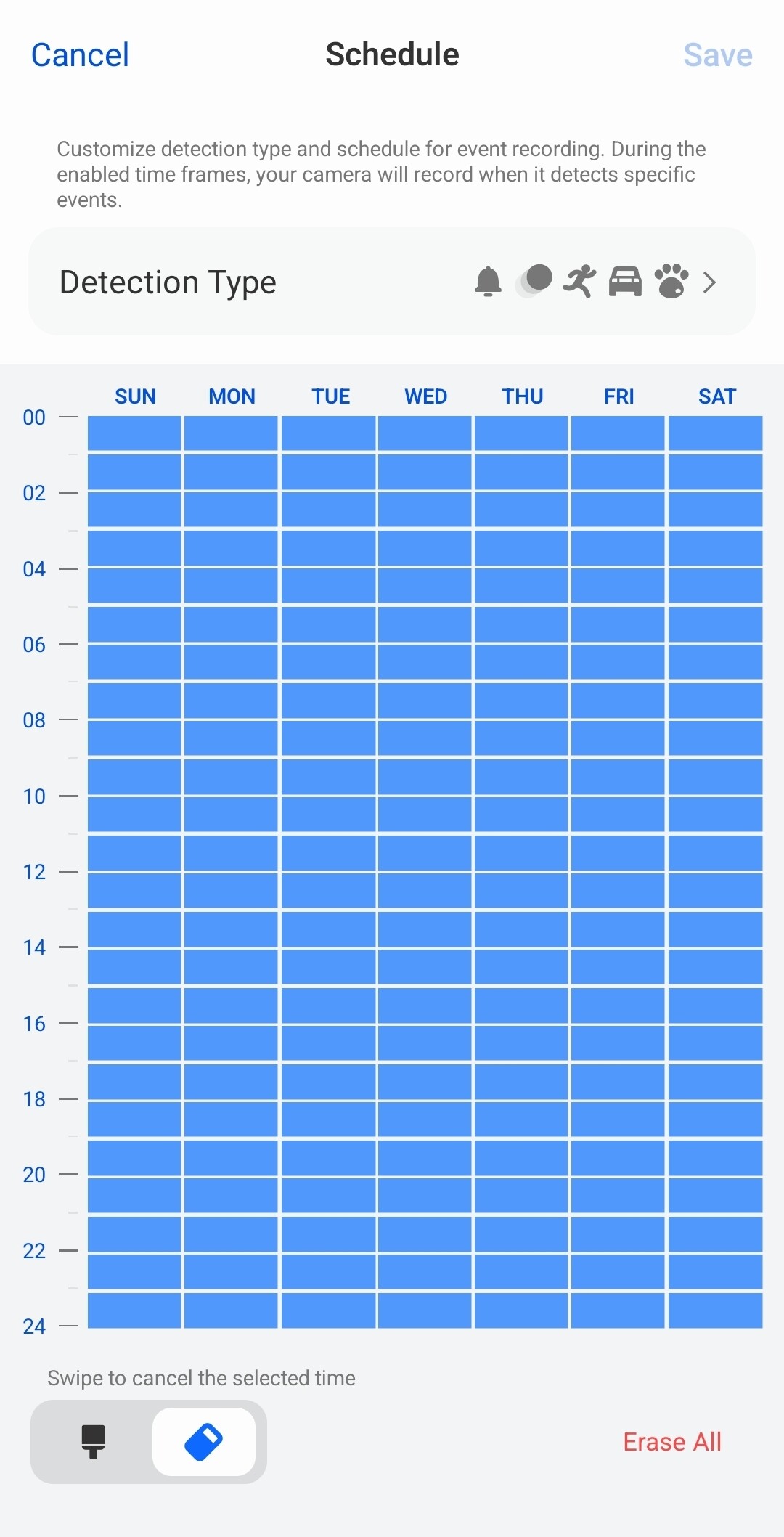
On our Reolinks, I disabled all non-interesting motion detections by going to the Reolink app and going to Camera Settings → Camera Recording → Motion Recording Schedule → Detection Type
Personally, I just unchecked “Any Motion” and this has been working flawlessly for months.
There’s a recording schedule that determines when recording does and doesn’t happen? So you can set it to only record during the day or during the night etc. That would seem like the obvious place to start if you haven’t already done so. Seems like the most likely cause of recording to start when day becomes night
Okay, my previous statement regarding motion detection (MD) wasn’t entirely accurate. The motion alerts for people, vehicles, and animals are still active - you can see the settings for these in my first screenshot above. I only reduced the general motion detection sensitivity setting to 1. However, even with the alerts for people (sensitivity = 25), vehicles (sensitivity = 10), and animals (sensitivity = 25) still active, the day/night mode switch shouldn’t be triggering a recording.
In other words, I don’t want to completely disable these detection features - for instance, by extending the non-detection zone to cover the entire image.
As for the recording schedule, it is currently set only for the hours between 10:00 PM and 7:00 AM, and I don’t want to change that either.
If I were to use those other methods, I could simply turn off camera recording in the alarm settings altogether, which would mean no recordings at all.
I was hoping there might be a way to stop the Reolink Doorbell from behaving this way; I never experienced this issue with the Dahua cameras I’ve used for the past decade or so. I used to have Foscam cameras a long time ago (> 10 years), and they had the same problem that the Reolink Doorbell apparently has now.
Okay, then I guess I won’t use the Reolink doorbell’s motion alerts at all in the future; instead, I’ll handle everything via my Dahua NVR using IVS and AI functions, as well as line detection - even though that means I’ll only have person and vehicle detection, but no animal detection. That is, after all, how I’ve been using my Dahua cameras for years.
 Here is what my current settings look like.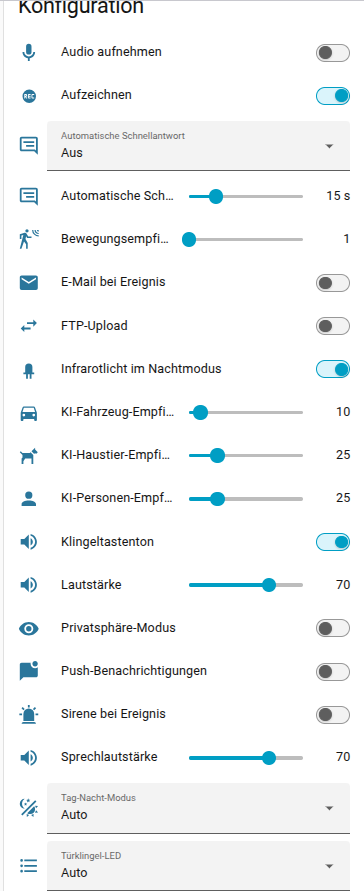
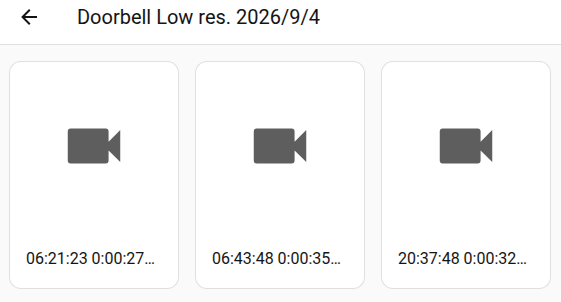
 The motion alerts for people, vehicles, and animals are still active - you can see the settings for these in my first screenshot above. I only reduced the general motion detection sensitivity setting to 1. However, even with the alerts for people (sensitivity = 25), vehicles (sensitivity = 10), and animals (sensitivity = 25) still active, the day/night mode switch shouldn’t be triggering a recording.