Problem flashing Waveshare ESP32-H2 Zero

Hey there,
I am unable to flash ESPhome to a couple of Waveshare ESP32-H2-Zero modules. I have done so in the past with the almost identical ESP32-H2-SuperMini, but withe the module from Waveshare I had no luck.

First I made a new device in ESPHome Device Builder which looks like that:
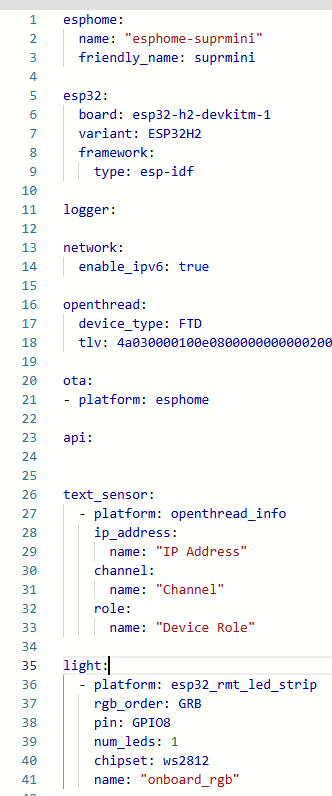

Then I save it and click “Install” → Manual Download → Factory Format (Modern)
It compiles for a while and finally lets me download a binary file called “esphome-zero.factory.bin”

So far so good, now I tried to flash that file via “ESPHome Web”. So I plug the module into my PC using an USB-C Cable. Windows keeps beeping every couple of seconds, until I longpress BOOT and while keeping BOOT pressed down, click on the RST Button on the module. Now I let the buttons go and windows doesn’t keep finding a new device.
In ESPHome Web, I now Click on “Connect”, choose the JTAG interface and now the module is connected. I now click on “Install”, choose the previously created *.bin file, click Install again and it fails:
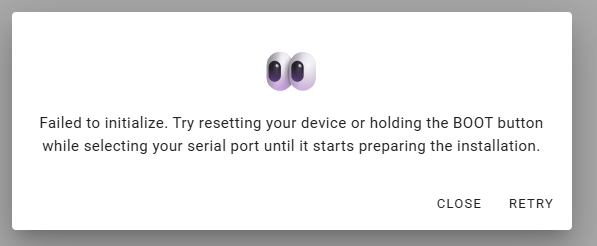
I tried multiple cables, multiple USB ports and several combinations of pressing and releasing the BOOT an RST buttons, and of course I have three of those modules and all behave in the same manner.

Because ESPHome Web doesn’t offer much output to work with, I then tried the official ESP Web Tool from ESP Tool
Over there I perform the same dance with the BOOT and RST buttons until I get it connected to my PC and after that I get this output:
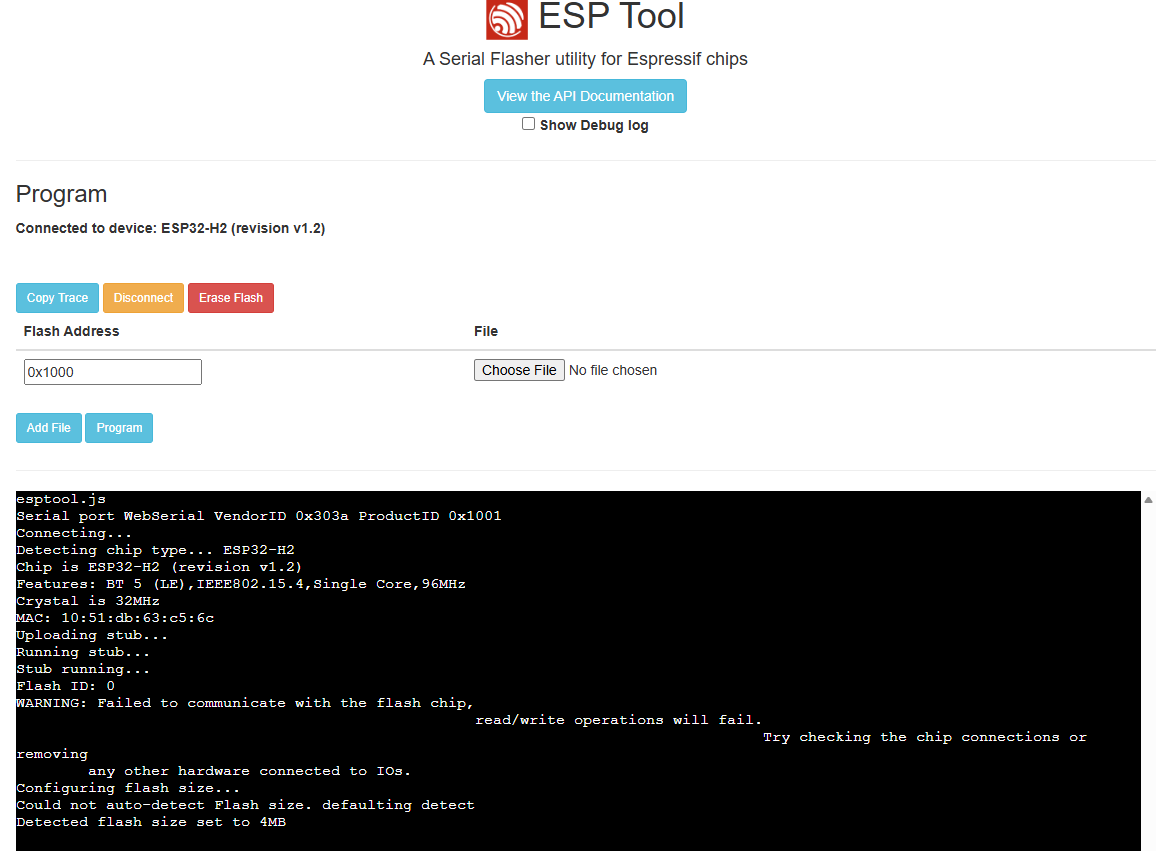

Even if it says failed to communicate with the flash chip, I can choose my *.bin file and flash it to the module:
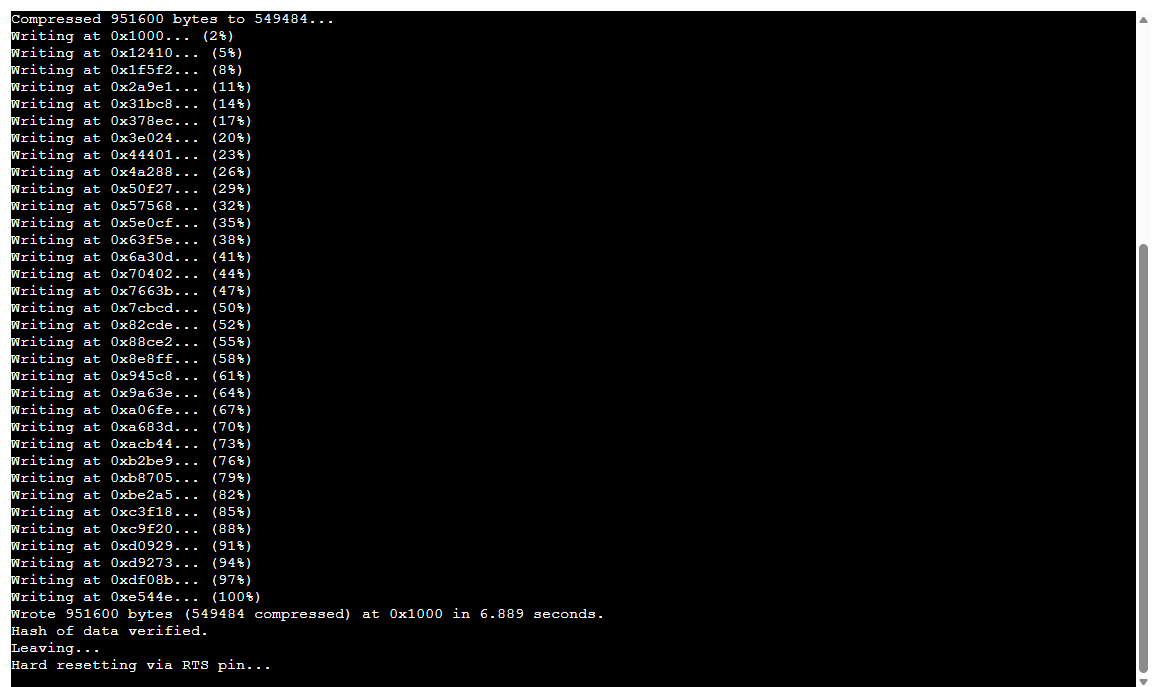
I suppose it cannot perform the reset via RST pin by itself, but when I now disconnect and reconnect the module, it keeps being found by windows and disconnects again and again, maybe some kind of boot loop…?

I really don’t know what to do. I just need something flashed on these things, so than i can afterwards update it from ESPHome directly.

As I said before, I have it running with the almost Identical ESP32-H2-SuperMini modules. But I cant get the ones from Waveshare flashed…
Tricky ones. I usually hold both buttons while plugging the USB in.

Tried that. As I said, I tried a lot of combinations and spend about two hours with taht so far.
And also I am pretty sure, I get it into download mode, because the Espressif Web Tool is able to flash something…

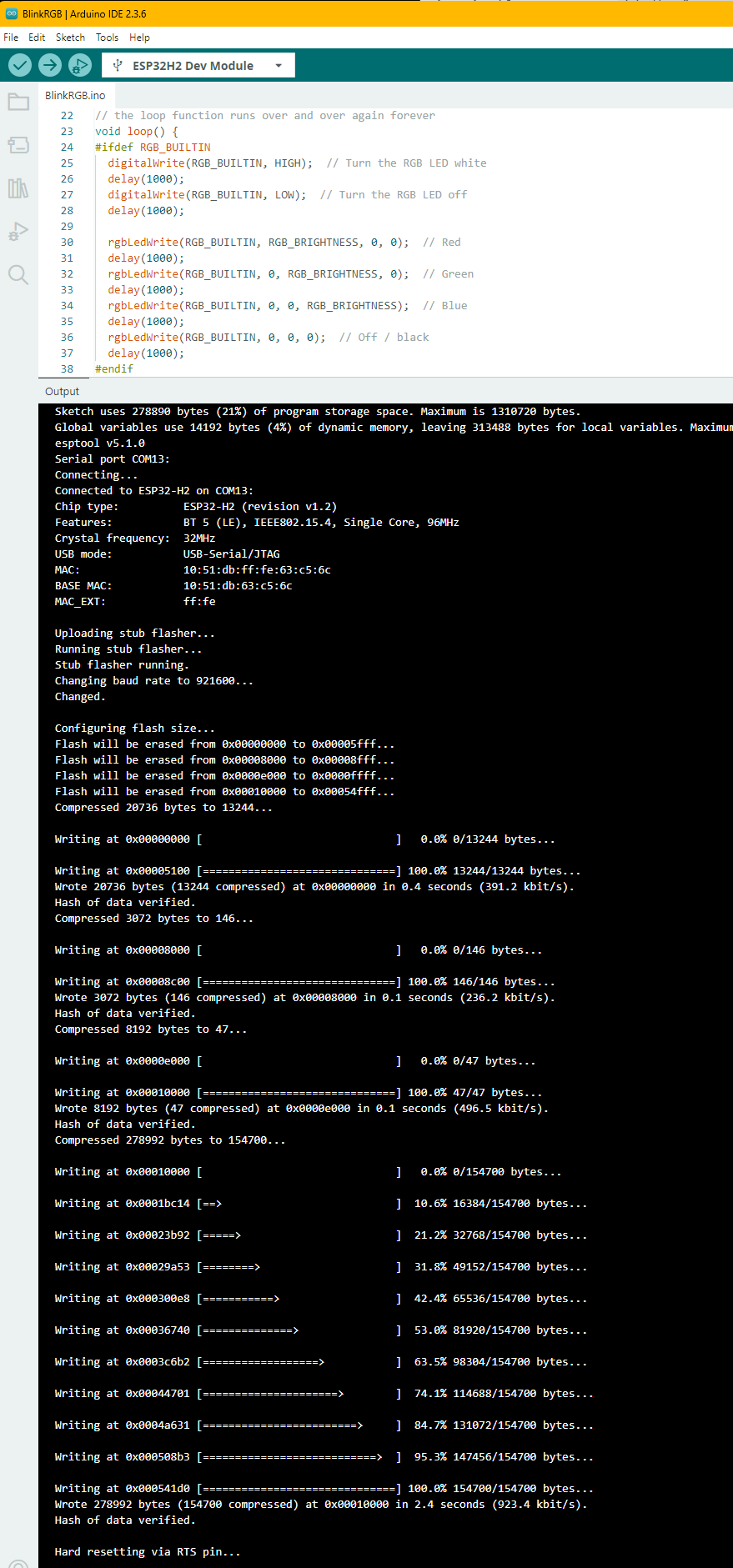
OK, I tried some more and now I am sure, that I can put the Zeros in Download mode, as i was able to flash the esp32 rgb blink sample via the Arduino IDE. Turns out out that i can put software on those modules:

This tells me, that the modules are OK and that somehow flashing these modules is possible. So this must be a problem with the ESPHome Web flasher, right? Is there a possibility to get some more output from ESPHome Web?

Or is there a way to flash the .bin from ESPHome using the Arduino IDE?

I am having the exact same problem.

I was able to compile and download the modern .bin image, but still could not flash the drive with the EspHome web interface. I held down the BOOT button while powering it up, but it won’t initialize for first use, nor will it allow me to flash that .bin file.

I then went to the ESP Connect tool and it sees the board perfectly and I can flash that .bin file manually. I did not know what options I should select for the flash, specifically the offset, but I selected 0x10000. The flash process went fine and I did not get any errors.

I believe there is a problem in the ESPHome interface as the flashing mechanism is working.

That said, this board does not have wifi and I don’t know how I can join it to matter/thread at the moment. The board is not doing anything right now, so I don’t know if the program is working or not…

This is the program I flashed.

esphome:
name: esp32-h2-zero

esp32:
board: esp32-h2-devkitm-1
variant: esp32h2
framework:
type: esp-idf

logger:
api:

ota:
platform: esphome

No Wi-Fi on this chip

network:
enable_ipv6: false

output:

  • platform: gpio
    pin: GPIO4
    id: led_output

light:

  • platform: binary
    name: “ESP32-H2 LED”
    output: led_output

Hey Shan,

I finally found a way to flash my H2-Zeros. I am sorry, that I haven’t posted the solution earlier.

Putting it into download mode works exactly as described before:
Connect it via USB to a PC host.
Hold BOOT-button, then click RST-button and then release BOOT-button.

Then I used ESPtool (on a Linux machine) to download the compiled ‘modern’ firmware image to the H2 with the following command:

esptool.py --chip esp32-h2 -p /dev/ttyACM0 write_flash 0x0 name_of_your_image.bin

My guess is that the other ways I tried before, didn’t use the correct starting address (0x0) so the order between bootloader and program image was messed up during flash. But I’m not an expert on that.
Anyway using this method I have already flashed about 20 H2s and they are all running perfectly. And now after initially flashing them with a modern firmware image, I am able to flash them all remotely from “ESPHome device builder” again and again whenever I change the source code.

I guess it would be possible to flash using the correct starting address (0x0) with ESPtool from a Windows host too (remember that on windows it would not be “/dev/ttyACM0” but rather “COMx”), but I haven’t tried that yet, because Python on Windows is a pain in the butt…
You could just use a Live Image of any Linux distro and give it a try without the hassle of setting up Python on windows.

Hope I could help you, it took me many hours to figure out this tiny command.

hey @ebi, I just discovered an easier way of doing it. I installed the command line ESPHome tool on my workstation and just issue the following command:

esphome run .\esp-h2-zero.yaml

The esp-h2-zero.yaml file is my code. This compiles the program on my local workstation (much faster than the HA server), then it offers me a list of COM ports, I select it, and it is flashed in about 5-10 seconds. I did not have to worry about any offsets, partitions, or anything.

I like working in VS Code and I now notice that they have an integration there too - to help me write/validate my yaml. I want everything protected by git, so I will be switching to the workflow of using VS Code to edit my files, and compiling/deploying using the esphome run command. Then I can commit my good code to git…

This works for me:

if you want to have debug output on the USB connection you should also add:

logger:
  hardware_uart: USB_SERIAL_JTAG