I followed this and the video guide at the bottom of that page.
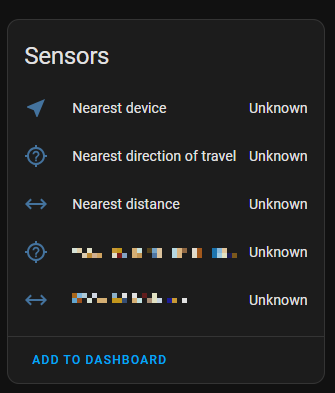
And still all “sensors” of the Proximitiy integration show “unknown” for several days.
Uninstall/reinstall does not help.
Restart of Home assistant does not help.
Restart of mobile phone and the HA in it does not help.
What else can i try?
Several things to note: if you selected persons then make sure the persons have gps trackers attached to them, the entities selected need to have lattitude and longitude. You can check that in developer tools.
2nd, As long as the person does not move, the proximity sensors may stay unavailable. Leave the house enough to see your zene change and check again.
@Edwin_D A cellphone is registered for tracking, not a person. In the cellphone the HA app is installed and works normally. GPS permission for the HA app is allowed for all time use.
Even if the phone does not move (i am at home) the location still should work. What do i miss?
Things like speed and direction of travel need multiple locations. Many integrations only do work when a new data is recorded. When at home, GPS location stays the same.
Make sure you turned on the gps device tracker sensor in the companion app settings.
Make 100% sure that the device tracker you put in is the one with gps coordinates by checking the status in device tools. Also routers can make non gps device trackers for phones so you cannot rely on the entity name alone.
Check to see if the exact device tracker you use is visible on the map.
Putting a person in, as the video suggested, can be smarter because a person allows to have multiple device trackers associated with them. Persons are also used for tracking how many people are in a certain zone, like home. Persons also have the phone tracker associated with them so you’re less likely to make a mistake. Having your proximity sensor track the same thing as the thing you use to track zones avoids them giving contradicting information.
Thanks @Edwin_D , that’s some direction.
I have enabled the geolocation service in companion app. Blame on me, i wanted to write down a guide how to do so for other people becuase that was really not trivial… But i cannot repeat the path, i forgot
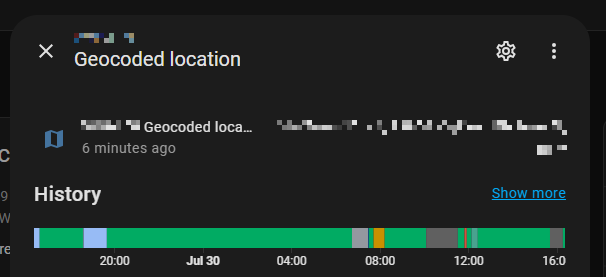
Now i can see in the device sensor the history of tracking:
Geocoded location is not the same as gps coordinates. Geocoded location is a human readable addresss from gps coordinates. The proximity integration has no use for that. Check the developer tools for the device tracker of person you used in proximity. If it does not have lattitude and longitude attributes, proximity sill not work.