You would be surprised to learn what percentage of humans cannot explain why the sky is blue… (can you?)
What I can explain is that you confusing “developing a software” & “developing things”. The devtools is for the latter. No need to be a software developer for using devtools.
And a huge amount of people believes in a flat Earth & “people never been on Moon”, why would I bother about idiots.
So you’re saying only actual developers should be allowed to use the dev tools on their browser?
Don’t be ridiculous! Imagine pressing F12 in Chrome & having to prove you’re an actual Chrome dev before you see anything.
Or may be this is about “don’t dare to call yourself a developer if you are merely creating automations”.
In fact, every person who creates a template sensor = Developer ))).
And Devtools helps him to do it. To develop. To create.
Reasons
1 Restart.
2 Debug ( If you need help in troubleshooting etc, or want to report a bug )
3 Reload
4 Easily find and check the State of all Entities, and it’s attributes
5 Actions, Do you have any i.e Automation and ever wonder which actions you can call, No ?
6 Templates ( ahh i forgot, you don’t need any Templates , or ?
7.Events (Read the doc-link, for an easy overview)
8 Statistics, i think that came in because People requested an easy way to adjust various sensors deviating/faulty States
9 Testing of Assist if you find this feature useful , also upon request from users
So in the end it’s the Name that borders You( As you mentioned your self, because you are not a developer, neither am i, and i also don’t like the name, It could be simplified as/to Tools
You joined 6 Feb this year, have 1 hours read time in the forum, However you are already Annoyed by 1 Url in your Menu !
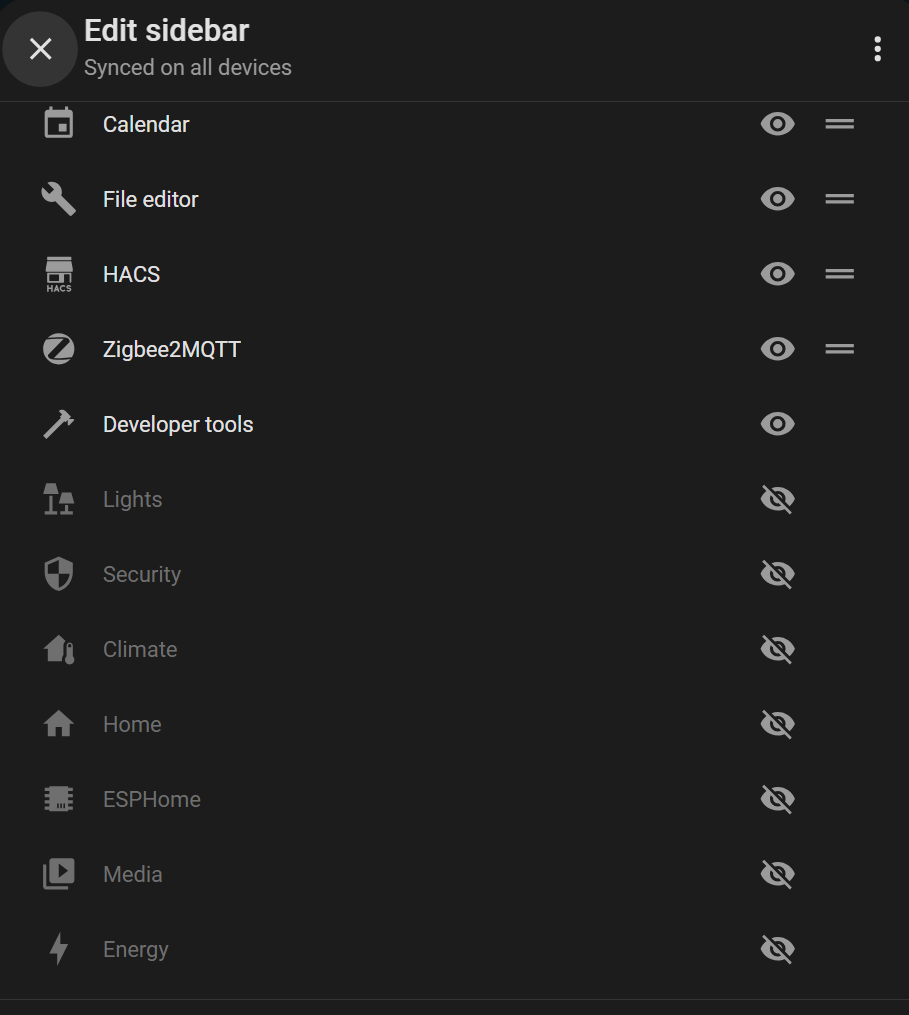
Except Overview, Lights, Security, Climate or Energy.
As I said above, Admin SHOULD have the ability to add, remove or rename ANY sidebar item. That we don’t, highlights the disregard that the devs have for us.
So here is another approach to combat the ever changing UI for those who build their system. Why not simply build you own Administrative Dashboard. I did this more than 3 years ago and my ‘muscle-memory’ workflow has become super easy. Yes, I did have to update a few links along the way, but the most recent changes didn’t even require a URL update. This page is restricted to only my login, so others don’t even see it. It is a lovelace dashboard that gets added to the sidebar, which is also completely defined per user using Custom Sidebar. Together I have complete control of what I see as well as what each user sees, AND I don’t have to hunt around when changes occur. See screenshot below. This may not be a permanent solution but it has worked well for several years and I don’t get stressed when things change.
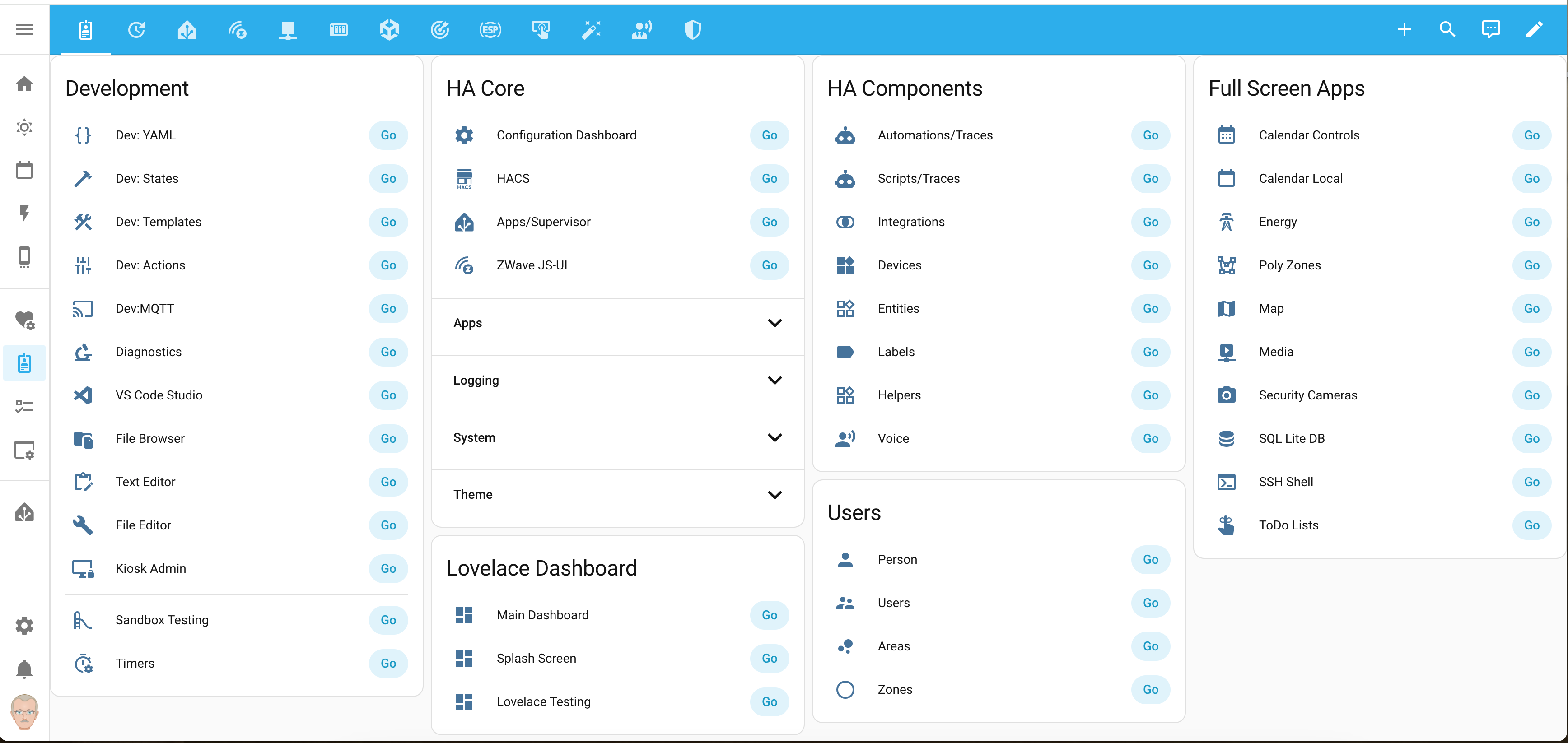
and the code for the leftmost column:
type: entities
entities:
  - type: button
    name: "Dev: YAML"
    icon: mdi:code-braces
    action_name: Go
    tap_action:
      action: navigate
      navigation_path: /developer-tools/yaml
      confirmation: false
  - type: button
    name: "Dev: States"
    icon: mdi:hammer
    action_name: Go
    tap_action:
      action: navigate
      navigation_path: /developer-tools/state
      confirmation: false
  - type: button
    name: "Dev: Templates"
    icon: mdi:hammer-wrench
    action_name: Go
    tap_action:
      action: navigate
      navigation_path: /developer-tools/template
      confirmation: false
  - type: button
    name: "Dev: Actions"
    icon: mdi:tune-vertical
    action_name: Go
    tap_action:
      action: navigate
      navigation_path: /developer-tools/service
      confirmation: false
  - type: button
    name: Dev:MQTT
    icon: mdi:cast
    action_name: Go
    tap_action:
      action: navigate
      navigation_path: /config/mqtt?config_entry=[copy_from_browser_url_bar]
      confirmation: false
  - type: button
    name: Diagnostics
    icon: mdi:microscope
    action_name: Go
    tap_action:
      action: navigate
      navigation_path: /lovelace-diagnostics/diagnostics
      confirmation: false
  - type: button
    name: VS Code Studio
    icon: mdi:microsoft-visual-studio-code
    action_name: Go
    tap_action:
      action: navigate
      navigation_path: /hassio/ingress/a0d7b954_vscode
      confirmation: false
  - type: button
    name: File Browser
    icon: mdi:folder-file
    action_name: Go
    tap_action:
      action: navigate
      navigation_path: /hassio/ingress/db21ed7f_filebrowser_quantum
      confirmation: false
  - type: button
    name: Text Editor
    icon: mdi:clipboard-edit-outline
    action_name: Go
    tap_action:
      action: navigate
      navigation_path: /dashboard-admin/admin-text-editor
      confirmation: false
  - type: button
    name: File Editor
    icon: mdi:wrench
    action_name: Go
    tap_action:
      action: navigate
      navigation_path: /hassio/ingress/core_configurator
      confirmation: false
  - type: button
    name: Kiosk Admin
    icon: mdi:monitor-lock
    action_name: Go
    tap_action:
      action: navigate
      navigation_path: /dashboard-admin/admin-kitchen-kiosk
      confirmation: false
  - type: divider
  - type: button
    name: Sandbox Testing
    icon: mdi:slide
    action_name: Go
    tap_action:
      action: navigate
      navigation_path: /sandbox-testing/playground
  - type: button
    name: Timers
    icon: mdi:timer-cog-outline
    action_name: Go
    tap_action:
      action: navigate
      navigation_path: /dashboard-admin/admin-timer
title: Development
show_header_toggle: false
They are Not Removed, just “hidden” Still in the the Menu Frontend code, use “inspect” and you’ll find them 
Edit: Well indeed the Path is gone when hidden, but not the Name etc. But No ( href=“/security” ) when Hidden
( Maybe we can consider this as some kind of Security ) 
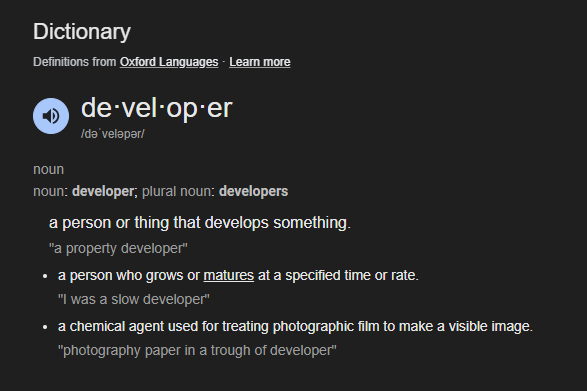
I don’t see a reference to a specific definition that developers are only software related.
line 1: “a person or thing that develops something.”
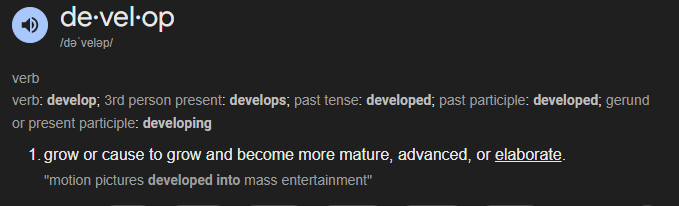
sounds like every person who works on their system creating anything (growing their system) is a developer of their system.
There’s this nifty little custom integration called “nws alerts” that you can find in HACS.
Also there’s a whole bunch of frontend custom plug-ins for your dashboard that you can find at my github repo.
You’re welcome.
But just because someone doesn’t develop code for the HA project itself doesn’t mean that their opinions don’t count. So you can jump down off your condescending high horse any time.
OK now I see why your definition of “developer” is so strictly limited. It’s professional protectionism. It makes you feel better about your profession if people who aren’t professional software engineers are excluded from be called developers.
Sorry dude. Anybody who creates, or expands, things are developers.
I seriously doubt you ever once created a piece of program or code out of thin air without relying on some other persons foundational work to provide you the tools to write that code.
So which non-derivative programming language did you create from scratch and then use in your professional life to program something that provided usefulness to anyone?
If not and you used others work as the basis of your programming then you are absolutely no different of a developer than a HA user using the tools provided by the HA team (whose work was based on the work of Linux creators, whose work was based on…etc) to develop their own HA installs whether it’s automations or dashboards or whatever.
yes you are.
If you’ve ever written anything to modify your HA system then you are a developer of your system. You aren’t a developer of the HA core code but that is only a different category of developer.
Rayleigh scattering. You can look that up if you don’t know it.
Any other questions? 

You don’t need so many items in the configuration.yaml just these:
panel_custom:
  - name: config/developer-tools
    sidebar_title: Developer Tools
    sidebar_icon: mdi:hammer
    module_url: config/developer-tools
    embed_iframe: true
    require_admin: true
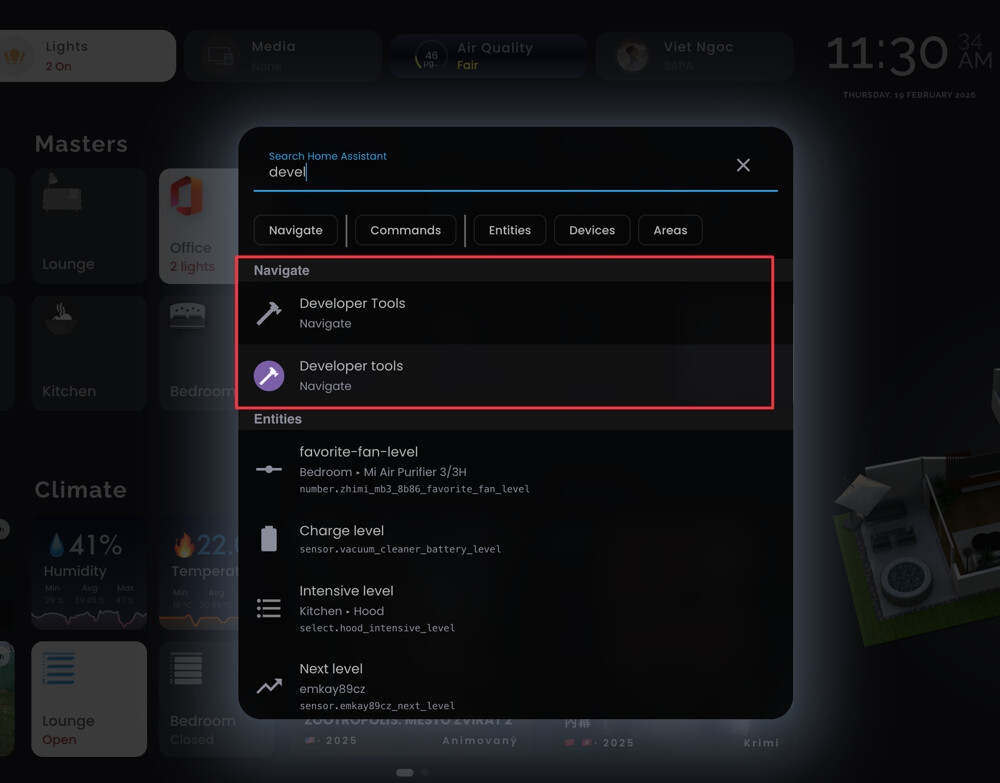
Isn’t there a way of “hiding” one of them in the Quick-Bar , Yet ? 
I don’t know, but all custom panels created for the add-on (yes, Addons) ingress, or as a shortcut for the /config page. So they are in the navigation tab twice… why not, very useful. 
hmmmm, yeah, seems like it’s not the “instance” they “drop-in” there ( For some reasons ) … atleast good they doesn’t “populate” all “references” to an Entity we have in our Dashboards 
For the love of all things good and holy - STOP MOVING STUFF!!!
Please and thank you.
This didn’t work for me.
What does work, is what is shown in the original post. (#1)
But going directly to ‘states’ seems so much more useful…
Thanks.

it can be done via UI now:
after creating you can reorder the sidebar using this:
Hi, I propose to add "shortcut" to pages not already listed in the edit sidebar dialog : Capability to add shortcuts to the sidebar by pcan08 · Pull Request #52810 · home-assistant/frontend · GitHub
It is larger than "developer tools" topic, but it is related and it allows to put it back as a "shortcut"
Time to update the url and name with Core: 2026.8.0
panel_custom:
  - name: config/tools
    sidebar_title: Tools
    sidebar_icon: mdi:hammer
    module_url: config/tools
    embed_iframe: true
    require_admin: true