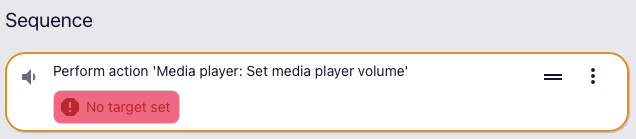
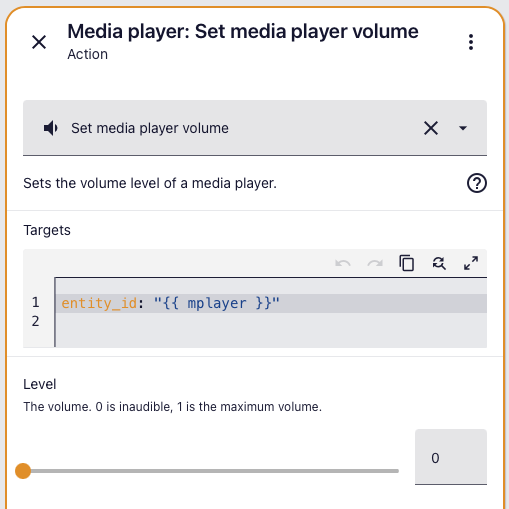
I am on 2026.4.1 and just noticed something in a script that may have been introduced in an earlier update. It seems to be a UI thing and the script runs fine as it always has.
mplayer is a variable I calculate, it works perfectly and as far as I recall, caused no red flags when I first created the script some months ago as this:-
so no errors showing there and as I said, it works fine. As does this later action:-
   - action: media_player.play_media
    target:
      entity_id: "{{ mplayer }}"
    data:
      media:
        media_content_id: "{{ station }}"
        media_content_type: radio
which produces no red flags:-
It just looks to me like the UI is slightly out of step with the ability to template the entity_id here, which works but the UI doesn’t seem to know this and I’m pretty sure there was no red flag when setting up this script, so something seems a bit mixed up.
The old syntax (and combinations of old and new) continue to be supported but the UI is designed to direct you to use the new syntax (i.e. “No target set”).
As for “new” syntax, it’s been the standard for several years now. Anyone creating a new script/automation, or modifying an old one, should adopt the “new” syntax.
Please consider marking my post above with the Solution tag. It will automatically place a check-mark next to the topic’s title which indicates to others that the topic has been solved. This helps other users find answers to similar questions.