I have two MYGGBETT devices connected to home assistant which is running as s docker container on my raspberry pi 5. To set up the MYGGBETT devices, I installed a homepod mini in my network to acts as a thread border router, and I also installed a matter server as a docker container
Everything is working as expected. My only problem is that I do frequent fresh installations of Home Assistant, and when I add the MYGGBETT devices to home assistant, during a fresh installation, they both have the same name. And I get a prompt to rename them. But I don’t know which is which since they both have the same name.
Is there a way to rename them before I add them to home assistant, so that I know which is which? Ideally I would set their names on the thread network or on the matter-server, and with each fresh home assistant installation, they would retain their names.
Why are you doing so many (“frequent”) fresh installations?
I’ve used HA for around 8 years now and I may have done a fresh install 3 or 4 times ever. And most of those were subsequent to reinstalling the OS of the docker host machine.
Especially since you are running HA in a docker container it’s way easy to keep your prior configuration if you need to reinstall the OS. So there’s little reason to wipe out your config and start from scratch.
Not clear, but sounds like you are not even doing a restore of your HA, you are starting from scratch and repeating the commissioning of a device that has already been commissioned.
So I’m kind of guessing here…When you use your phone to commission, the phone is the one doing the commissioning to its own internal Matter Fabric and then “sharing” to the HA Matter fabric. So my guess is that when you wipe your HA Matter Fabric and start from scratch, you’re again using your phone to commission a device that the phone already knows about and is probably the reason its prompting you to change the name. There is another problem with this, and that is the device remembers the Matter fabrics it is connected to, and devices can handle only so many Matter fabrics.
Ok, lets assume for a second that I am not using home assistant, and Im simply building a thread network with a bunch of matter devices in it. How do I configure their names?
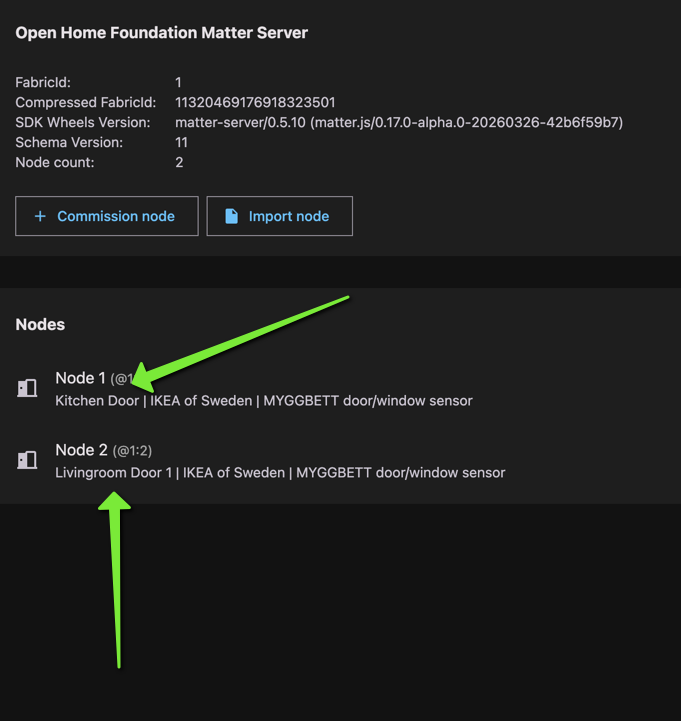
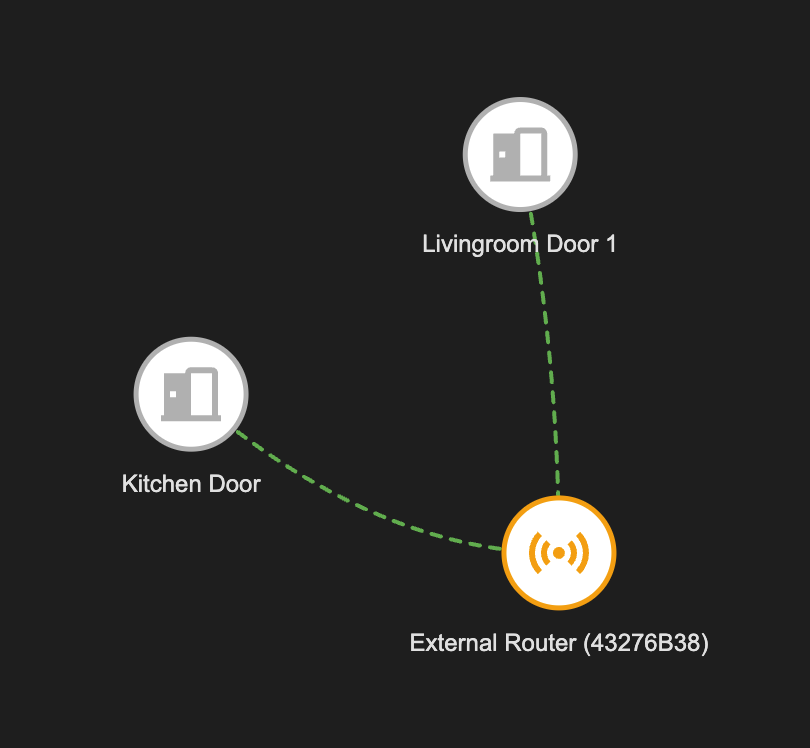
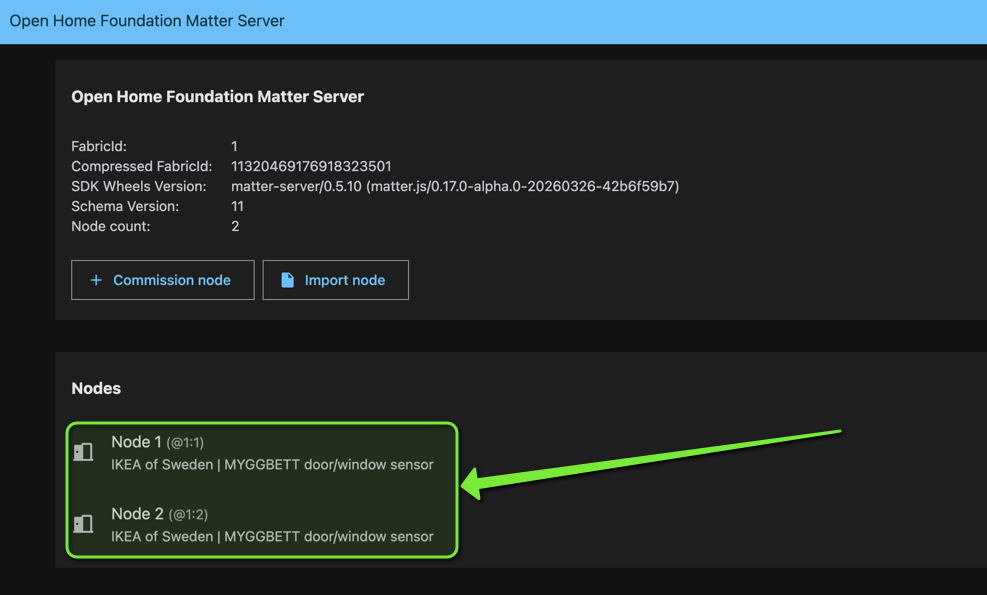
This is the issue shown here. Both door sensors have the exact same name, and there is no easy way to distinguish one from the other. I hope this explains it better.
I think removing the batteries on one of them is the quickest solution, then you know which one you are adding. That’s what I do when installing several similar zigbee devices.
I understand there’s a manual way of doing this on a one-by-one device basis, but consider there are networks with dozens of matter devices. I was looking for a more logical way, like configuring a name for each device.
The name that you see is the generic device name from the manufacturer. It cannot be changed. The matter web view is built on the Thread table data, which links the node numbers and the generic device names. It doesn’t see the HA device names.
No one said anything about Matter or Thread seeing the device names in Home Assistant. That’s irrelevant.
Also, there is no need to change the device’s manufacturer name.
What would be useful is if the matter server allowed me to assign a name to each device, so when I commission it in Home Assistant, it will show that name.
This way I will know which device I’m commissioning, it will have a name that makes sense, and I will know in which room to assign it.
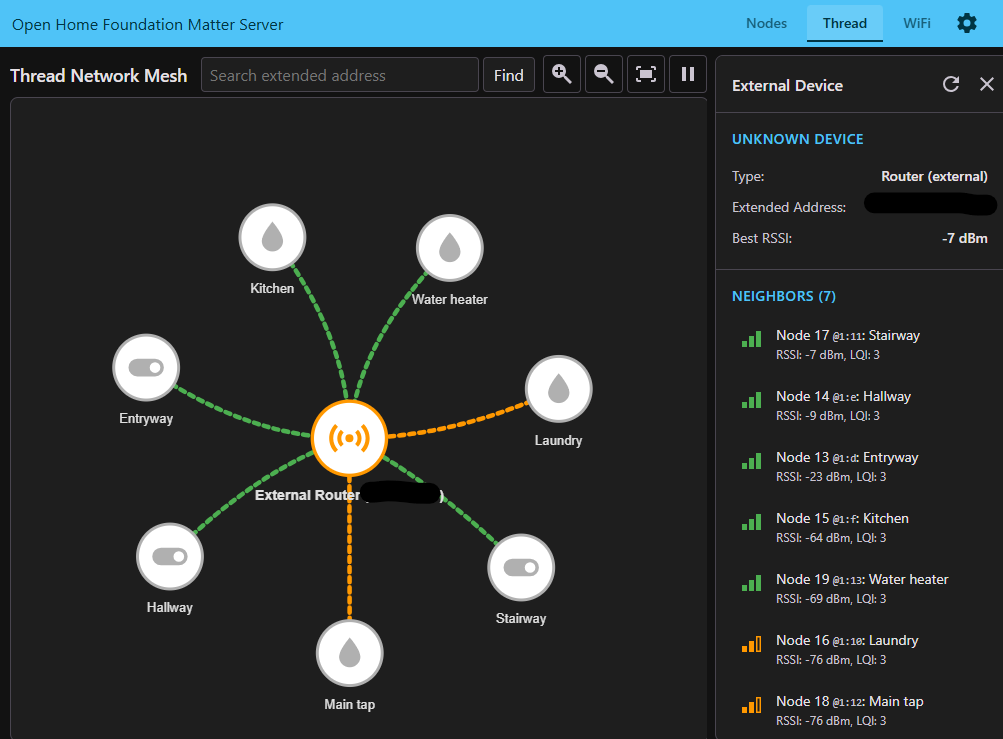
They will all look like this, just having different node numbers. I have 11 Siegenia window handles that all have identical names.
Buddy, you may want to have a look at the Matter standards first, understand them - and then shoot. The graph that you are looking at is independent of anything you do in HA. It solely relies on the Matter standards and what data is stored in the Thread tables.
Yes, thank you, thats what I said a few posts ago.
lets assume for a second that I am not using home assistant, and Im simply building a thread network with a bunch of matter devices in it
You are actually making my point. Even before we get to home assistant, we have a bunch of matter devices inside a thread network, and they all have the same name! Why do I have to explain this?? Can’t you see the issue?
Yes, well we’ve all build networks, and a defining characteristic is that we configure each device on our network with a different IP and name. This way, we can see a list of devices, and we know which is which.
Im sure the people who designed thread & matter knew what they were doing, so Im probably missing some information here.
Well, i do believe you can add them one by one (to avoid confusions)
Also you could take out the battery, simple as that
PS: i have a dozen aqara temp, they are all by default named Temperature
I have half a dozen ikea plugs(outlets) all name the same as well by default
Tapo Devices, here we go again , same same but different
I had this naming issue when I first added my devices. However there is a (deeply-nested) place in the Matter Server to set a custom Node name, which then shows the custom name everywhere, including the thread network mesh diagram and in HA.

 , same same but different