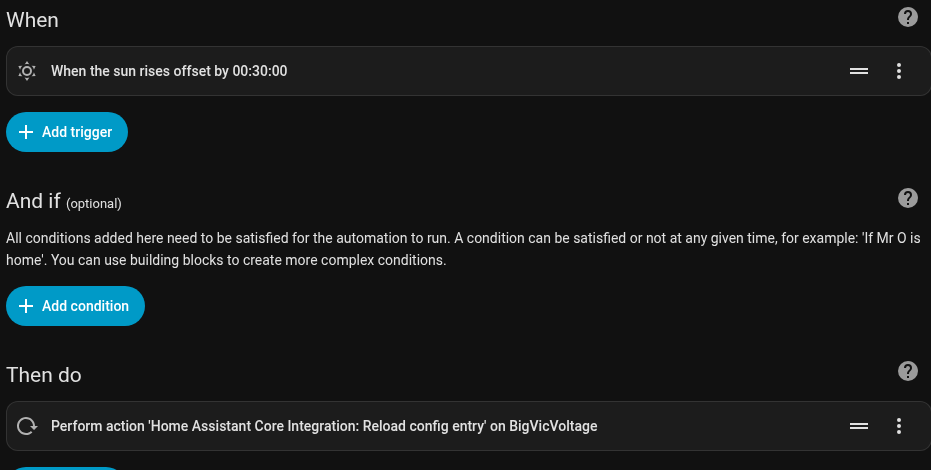
I’ve tried to find a simpler way to restart a service as needed. At present I have a service (device goes offline due to solar/battery output) and I need to restart the service in the mornings which involves going to Settings, Devices and services, scroll down to about the 57th item in the list (no joke), choose service, and reload so it picks back up and shows me data. So, is there a way around that that’s shorter than this post? A helper button, a on/off toggle, anything else?
you can reload an integration (not sure what you mean by service here) through an automation.
metadata: {}
data: {}
target:
  entity_id: media_player.bedroom_echo_dot
action: homeassistant.reload_config_entry
This snippet will reload the config entry (what you see in Devices & Services page) for a given entity.
full version
alias: "Reload alexa integration after restart "
description: ""
triggers:
  - event: start
    trigger: homeassistant
  - trigger: time_pattern
    minutes: /10
conditions:
  - condition: state
    entity_id: media_player.bedroom_echo_dot
    state: unavailable
    enabled: true
actions:
  - delay:
      hours: 0
      minutes: 5
      seconds: 0
      milliseconds: 0
  - condition: state
    entity_id: media_player.bedroom_echo_dot
    state: unavailable
  - metadata: {}
    data: {}
    target:
      entity_id: media_player.bedroom_echo_dot
    action: homeassistant.reload_config_entry
mode: single
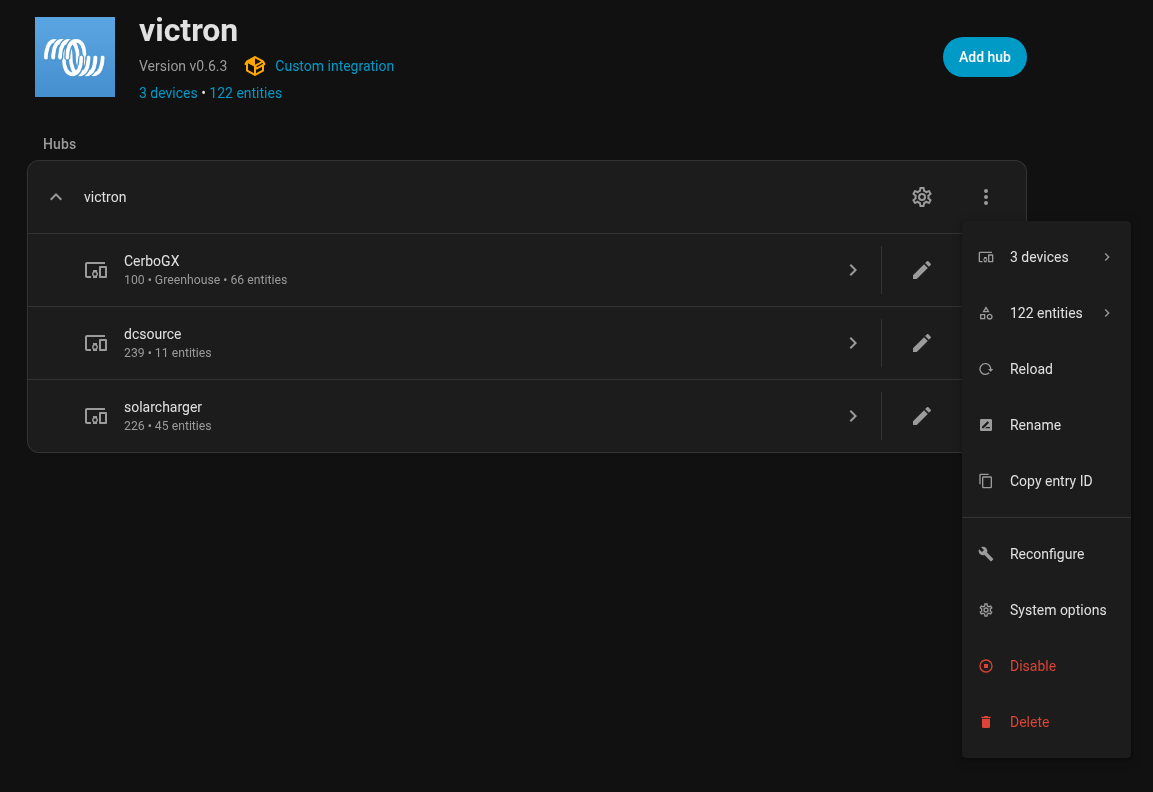
Is it the device or addon that needs reload?
The device should be reloaded using suggested automation.
Why does it need reload?
Would it be possible to correct that issue instead?
Just give it a try, it would be much faster
1 Like
See first post. I have to reload the entire service once there’s enough light on the panels to start charging. I’m in the PNW of the US and right now there’s so much rain I haven’t had any solar at 9:20AM. Yesterday I at least cracked 100w briefly but much of the day was under 30w. Any solar at all is enough to bring things online.
There aren’t standard entities because it is TCP Modbus. Literally have to restart the service for the CerboGX which the other devices are connected to.
In the image above the whole thing would be in yellow because it went offline. Not like the service is still running but the device isn’t available.
this is what I wanted to verify. as fuatakgun said, “just try it”
it will reload the device(with associated entities).
You can test it in dev tools if you dont want to make the automation
The CerboGX exposes 66 sensors. There is no “unavailable” in the options AND I don’t want it to attempt to restart right away. I need to create a button or schedule for it to try and restart otherwise it will just fail again with no data being received. There has to be solar or enough battery charge for it to stay online.
make a template button
add the service call to that. Since there are 61 entities. You can just have a button that does nothing and use the button state of “on” to trigger the automation. upon completion the automation can set button back to off.
automations do Not require a “from” state to trigger but if you trigger from the templated button you of course will have an from:off to:on trigger.
As a first step. go to HA >> setting > dev tools >> actions
test that the homeassistant.reload_config_entry will work for what you want.
After that. build the automation or create what you want to fit your needs.
right not just want to know if the service call does what you expect.
EDIT
HA >> settings >> devices and services >> helpers
you can go there and create the button that does nothing.