In 2025.12 release devs gave us all a Christmas present of a system-wide default dashboards with an ability to override it on user level.
While the intent is understandably good and is a welcomed change for simple installations, it came with annoying side-effect of lost ability to specify default dashboards on per device-level.
The proposed workaround to create separate user for each device sounds like nonsense, so I put some effort to figure out if anything can be done to get device-specific dashboard selection back.
Fortunately, looking at the code, I was able to identify pretty simple way to do this.
Limitation:
- Enabling this functionality effectively disables system-wide/user-overriden default dashboards: system starts behaving like it was in v2025.11 and earlier.
- Only user-created dashboards can currently be selected as device’s default dashboards.
Steps:
- Under /www folder create dasboard folder
- In /www/dashboard folder create device-default-dashboard.js file with following content:
const LitElement = Object.getPrototypeOf(customElements.get("ha-panel-lovelace"));
const html = LitElement.prototype.html;
const css = LitElement.prototype.css;

class DeviceDefaultPanel extends LitElement {
  static get properties() {
    return {
      hass: { type: Object },
      narrow: { type: Boolean },
      route: { type: Object },
      panel: { type: Object },
    };
  }

  firstUpdated(changedProps) {
    super.firstUpdated(changedProps);
    this._getDashboards();
  }

  async _getDashboards() {
    this._dashboards = await this.hass.callWS({
        type: "lovelace/dashboards/list"
    });
    this.requestUpdate();
  }

  async _dashboardChanged(ev) {
    const urlPath = ev.target.value;
    console.info("selected", urlPath);
    window.localStorage.setItem("defaultPanel", JSON.stringify(urlPath));

    await this.hass.connection.sendMessagePromise ({
        type: "frontend/set_user_data",
        key: "core",
        value: {
            ...this.hass.userData,
            default_panel: undefined,
        }
    });

    await this.hass.connection.sendMessagePromise({
        type: "frontend/set_system_data",
        key: "core",
        value: {
            ...this.hass.systemData,
            default_panel: undefined,
        }
    });
  }

  render() {
    var val = "";
    try {
      var val = JSON.parse(window.localStorage.getItem("defaultPanel"));
    } catch {}

    return html`
      <div>
        Select dashboard:
        <div>${this._dashboards
          ? html`
              <ha-select
                .label='Dashboard'
                .value=${val}
                @selected=${this._dashboardChanged}
                naturalMenuWidth
              >
                ${this._dashboards.length
                  ? html`
                      ${this._dashboards.map((dashboard) => {
                        return html`
                          <ha-list-item
                            .value=${dashboard.url_path}
                            graphic="icon"
                          >
                            <ha-icon
                              slot="graphic"
                              .icon=${dashboard.icon || "mdi:view-dashboard"}
                            ></ha-icon>
                            ${dashboard.title}
                          </ha-list-item>
                        `;
                      })}
                    `
                  : nothing}
              </ha-select>
            `
          : html`<div class="loading">
              <ha-spinner size="small"></ha-spinner>
            </div>`}<div>
        <pre><button onclick="history.back()">Back</button></pre>
      </div>
    `;
  }

  static get styles() {
    return css`
      :host {
        padding: 16px;
        display: block;
      }
    `;
  }
}
customElements.define("device-default-dashboard", DeviceDefaultPanel);
- if not added, add
panel_custom:section to configuration.yaml - Add following under
panel_custom:section:
  - name: device-default-dashboard
    sidebar_title: Set Device Dashboard
    sidebar_icon: mdi:devices
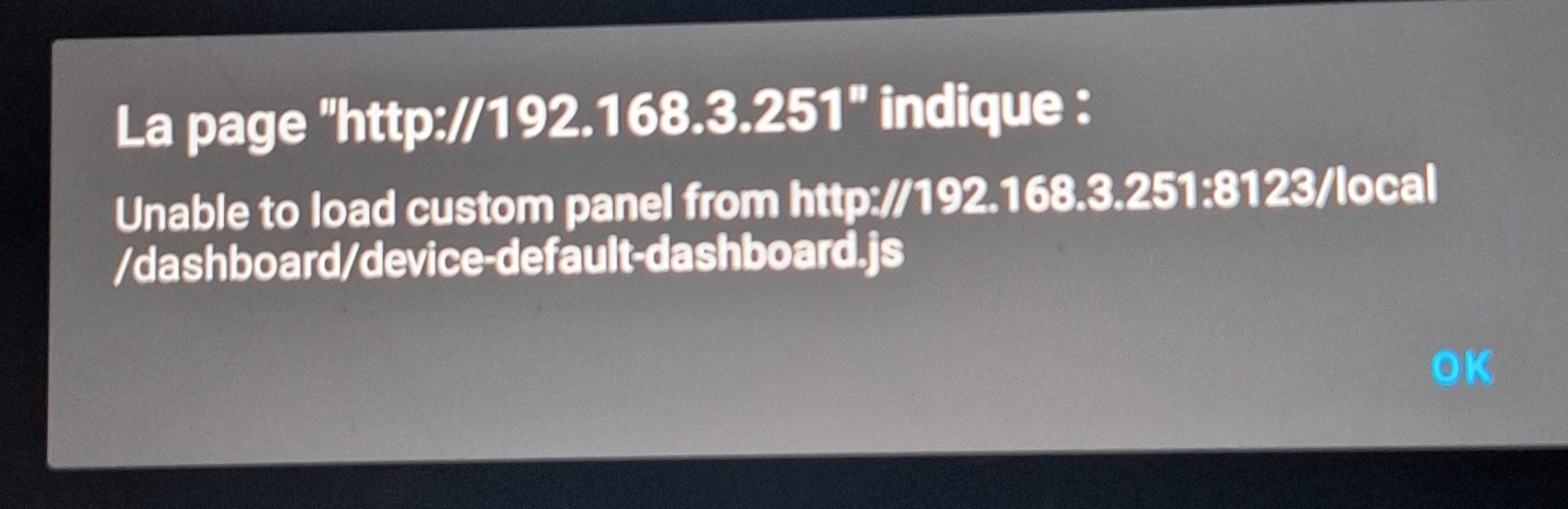
    module_url: /local/dashboard/device-default-dashboard.js
- Restart HA
Now you should see new entry on the left:

When selected, it will show drop-down with list of user-created dashboards:
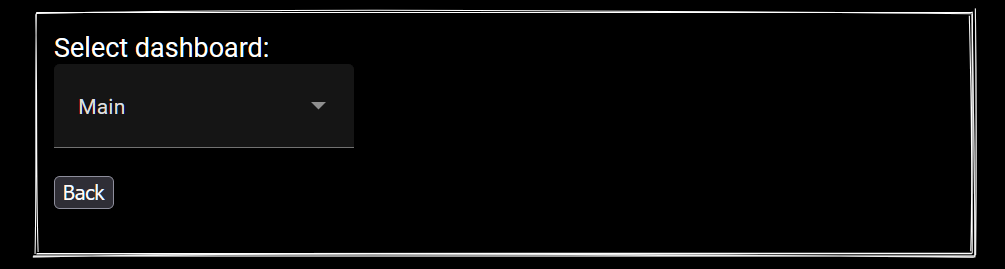
Selecting value from the list will:
- Disable system-wide/user-overriden default dashboards functionality
- Set selected dashboard as default dashboard for the current device.
Note: after you done with all devices, you can hide “Set Device Dashboard” entry via Profile>User Settings>Change the order and hide items from the sidebar.





 .
.