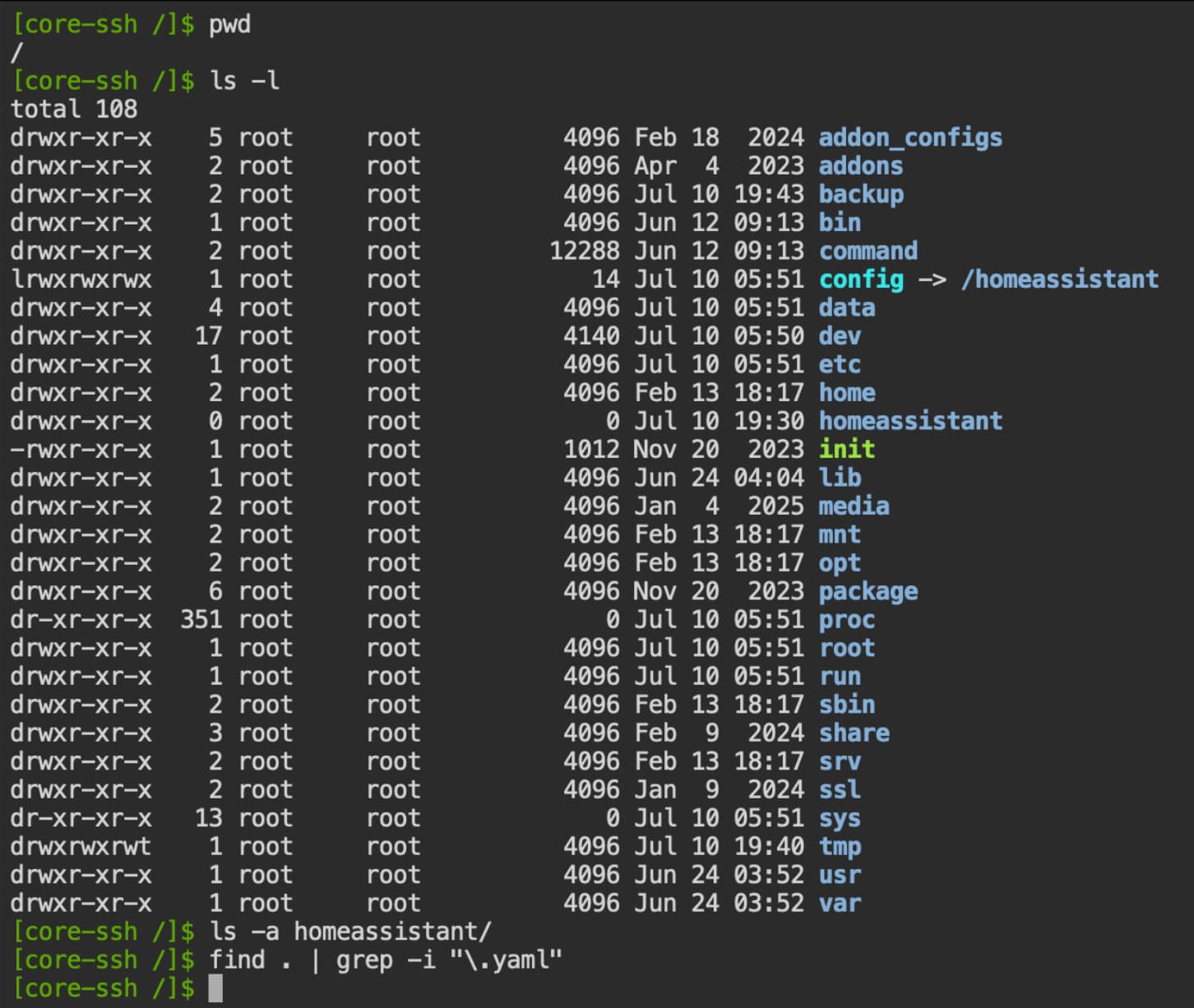
One thing I did not mention, I am running HA in a proxmox VM. I decided to reboot the VM and the config directory contents reappeared.
Might help someone.
Still have issue with Frigate and restoring the backup… oh well
'2025-07-11 04:39:19.716801713 2025/07/11 00:39:19 [error] 184#184: *24 connect() failed (111: Connection refused) while connecting to upstream, client: 172.30.32.1, server: , request: "GET /api/stats HTTP/1.1", subrequest: "/auth", upstream: "http://127.0.0.1:5001/auth", host: "ccab4aaf-frigate:5000"
Update for the frigate issue ( I am just going to leave this here. The last line in the stacktrace is stange as ulimit -n reports 1024 for me)
491963  Traceback (most recent call last):
2025-07-11 14:08:18.263496371    File "/usr/lib/python3.9/runpy.py", line 197, in _run_module_as_main
2025-07-11 14:08:18.263497628      return _run_code(code, main_globals, None,
2025-07-11 14:08:18.263498738    File "/usr/lib/python3.9/runpy.py", line 87, in _run_code
2025-07-11 14:08:18.263499738      exec(code, run_globals)
2025-07-11 14:08:18.263500794    File "/opt/frigate/frigate/__main__.py", line 64, in <module>
2025-07-11 14:08:18.263504757      main()
2025-07-11 14:08:18.263505838    File "/opt/frigate/frigate/__main__.py", line 60, in main
2025-07-11 14:08:18.263518946      FrigateApp(config).start()
2025-07-11 14:08:18.263520032    File "/opt/frigate/frigate/app.py", line 610, in start
2025-07-11 14:08:18.263521193      self.start_camera_capture_processes()
2025-07-11 14:08:18.263522291    File "/opt/frigate/frigate/app.py", line 449, in start_camera_capture_processes
2025-07-11 14:08:18.263541328      capture_process.start()
2025-07-11 14:08:18.263542472    File "/opt/frigate/frigate/util/process.py", line 30, in start
2025-07-11 14:08:18.263543570      super().start(*args, **kwargs)
2025-07-11 14:08:18.263544656    File "/usr/lib/python3.9/multiprocessing/process.py", line 121, in start
2025-07-11 14:08:18.263562459      self._popen = self._Popen(self)
2025-07-11 14:08:18.263563664    File "/usr/lib/python3.9/multiprocessing/context.py", line 224, in _Popen
2025-07-11 14:08:18.263564899      return _default_context.get_context().Process._Popen(process_obj)
2025-07-11 14:08:18.263566007    File "/usr/lib/python3.9/multiprocessing/context.py", line 277, in _Popen
2025-07-11 14:08:18.263566953      return Popen(process_obj)
2025-07-11 14:08:18.263568027    File "/usr/lib/python3.9/multiprocessing/popen_fork.py", line 19, in __init__
2025-07-11 14:08:18.263568961      self._launch(process_obj)
2025-07-11 14:08:18.263580851    File "/usr/lib/python3.9/multiprocessing/popen_fork.py", line 64, in _launch
2025-07-11 14:08:18.263581861      parent_r, child_w = os.pipe()


2025-07-11 14:08:18.263582815  OSError: [Errno 24] Too many open files