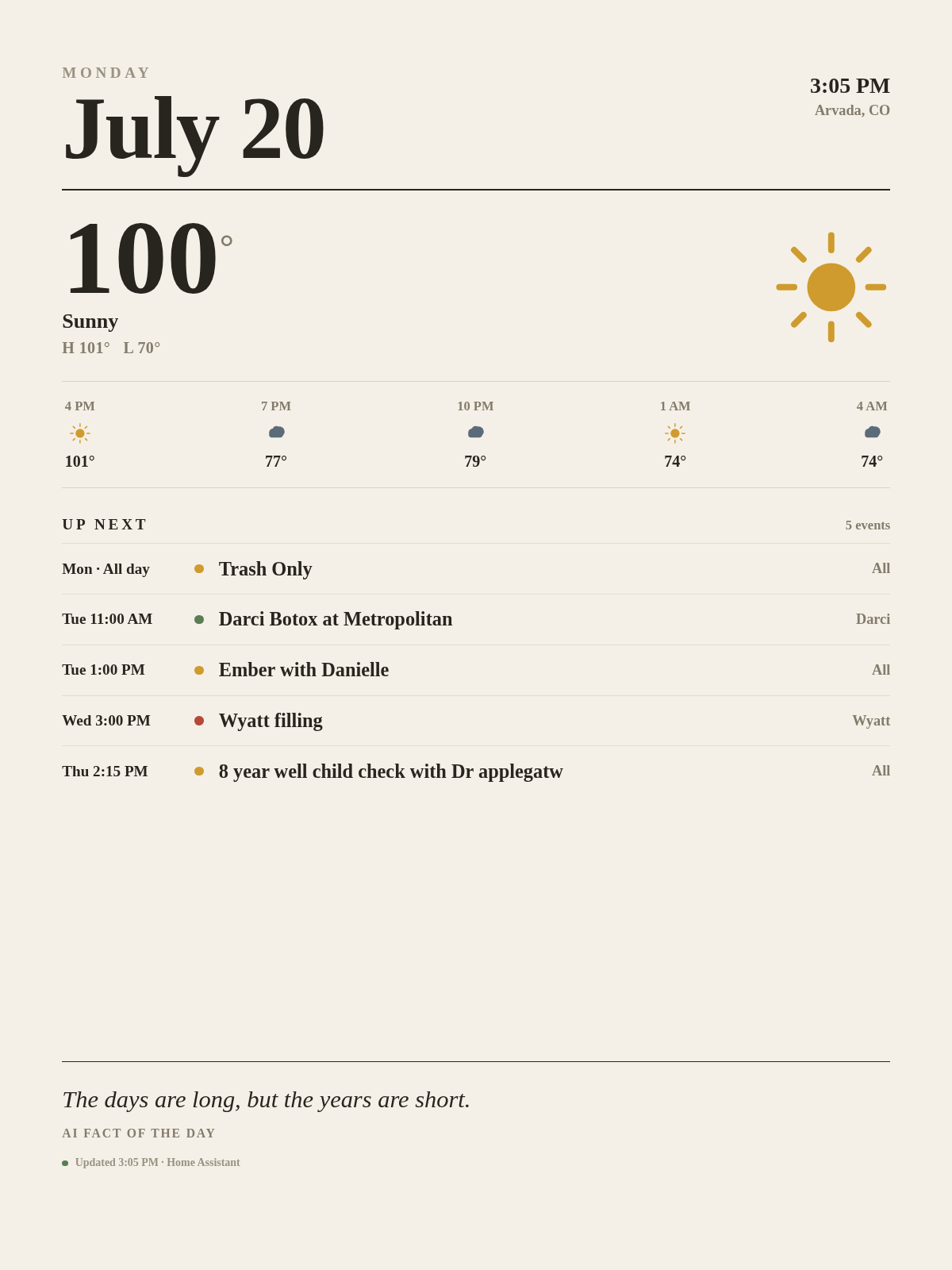
Finally got around to working on this and have this YAML. The display is loading the screenshot from Puppet and everything seems to be working. I plan on adjusting the frequency of screen refreshes and adding a URL with pictures for certain times of the day in the future.
# =============================================================================
# reTerminal E1004 — ESPHome Full Hardware Example
# All onboard peripherals enabled in the most basic way
# =============================================================================
#
# Converted from a reTerminal E1002 config. Key hardware differences vs E1002:
#   - Display: 13.3" full-color E Ink Spectra 6, 1200x1600 (portrait), vs
#     E1002's 7.3" 800x480. Same 6-color palette (BLACK/WHITE/RED/GREEN/
#     BLUE/YELLOW). Model string is "Seeed-reTerminal-E1004".
#   - Frame buffer for this panel is ~960KB, which does NOT fit in the
#     ESP32-S3's internal SRAM, so the `psram:` component is now REQUIRED
#     (it was not strictly needed for the smaller E1002 buffer).
#   - Onboard LED moved from GPIO6 -> GPIO48 (inverted, LOW = on).
#   - No onboard microphone on E1004 (E1002/E1003 have one "reserved";
#     E1004 does not). i2s_audio / microphone / mic power-enable removed.
#   - Buttons, buzzer, battery ADC/enable, SD card pins, I2C bus (SHT4x +
#     PCF8563 RTC) and the deep-sleep wake pin are all on the same GPIOs
#     as the E1002 per Seeed's reTerminal E-series documentation. Physical
#     silkscreen labels differ (E1004 has front nav/refresh buttons instead
#     of green/white buttons) — verify against your unit if behavior seems
#     swapped.
#   - Display content is now a remote pre-rendered image (see http_request /
#     image: online_image below) instead of a locally hand-drawn dashboard.
#     Onboard sensors (temp/humidity/battery/SD detect) are still exposed
#     to Home Assistant, just no longer drawn on screen.
#
# Hardware list:
#   1. 13.3" COLOR ePaper display (1200x1600, SPI)
#      Supported colors: BLACK, WHITE, RED, GREEN, BLUE, YELLOW
#   2. 3x buttons (GPIO3, GPIO4, GPIO5)
#   3. Buzzer (GPIO45, PWM)
#   4. Onboard LED (GPIO48)
#   5. Battery voltage (GPIO1 ADC + GPIO21 EN)
#   6. SHT4x temp & humidity sensor (I2C)
#   7. PCF8563 RTC (I2C addr 0x51, CR1220 backup)
#   8. MicroSD card slot (SPI + DET=15, EN=16)
#   9. Deep sleep with button wake-up
#
# NOTE: Requires ESPHome >= 2025.11.1 for epaper_spi platform
#
# Serial debug: UART0 via CH340K USB bridge
# =============================================================================
substitutions:
  device_name: reterminal-e1004
  friendly_name: "reTerminal_E1004"

esphome:
  name: ${device_name}
  friendly_name: ${friendly_name}
  on_boot:
    priority: 600
    then:
      # Turn on SD card power rail
      - output.turn_on: bsp_sd_enable
      # Turn on battery measurement circuit
      - output.turn_on: bsp_battery_enable
      # Wait for voltages to stabilize
      - delay: 200ms
      # Take first battery reading
      - component.update: battery_voltage
      - component.update: battery_level
      # Read RTC time on boot
      - pcf8563.read_time:

esp32:
  board: esp32-s3-devkitc-1
  framework:
    type: arduino

# Required: the 1200x1600 6-color frame buffer (~960KB) does not fit in
# internal SRAM and must live in PSRAM.
psram:
  mode: octal
  speed: 80MHz

# Enable serial logging
# The reTerminal E series has a CH340K USB-to-UART bridge on UART0.
# Default ESP32-S3 logger uses USB_CDC — won't produce output on the physical port.
logger:
  hardware_uart: UART0

# =============================================================================
# Fonts
# =============================================================================

font:
  - file: "gfonts://Inter@700"
    id: font_small
    size: 24
  - file: "gfonts://Inter@700"
    id: font_medium
    size: 40
  - file: "gfonts://Inter@700"
    id: font_large
    size: 60

# SPI — shared by ePaper display and SD card
spi:
  clk_pin: GPIO7
  mosi_pin: GPIO9
  # MISO is needed for SD card reading (ePaper is write-only)
  miso_pin: GPIO8

# I2C — shared by SHT4x sensor, PCF8563 RTC
i2c:
  scl: GPIO20
  sda: GPIO19

output:
  # [4] Onboard LED (active low)
  # NOTE: GPIO48 on E1004, was GPIO6 on E1002
  - platform: gpio
    pin: GPIO48
    id: bsp_led
    inverted: true

  # [8] SD card power enable
  - platform: gpio
    pin: GPIO16
    id: bsp_sd_enable

  # [5] Battery measurement enable
  - platform: gpio
    pin: GPIO21
    id: bsp_battery_enable

  # [3] Buzzer PWM output
  # 'ledc' is ESP32 hardware PWM
  - platform: ledc
    pin: GPIO45
    id: buzzer_pwm
    frequency: 1000Hz

sensor:
  # --- SHT4x temperature & humidity (I2C) ---
  - platform: sht4x
    temperature:
      name: "Temperature"
      id: temp_sensor
    humidity:
      name: "Relative Humidity"
      id: hum_sensor
    update_interval: 60s

  # --- Battery voltage (ADC on GPIO1) ---
  - platform: adc
    pin: GPIO1
    name: "Battery Voltage"
    id: battery_voltage
    update_interval: 60s
    attenuation: 12db
    filters:
      # Compensate for onboard voltage divider (1:2)
      - multiply: 2.0

  # --- Battery level (percentage) ---
  - platform: template
    name: "Battery Level"
    id: battery_level
    unit_of_measurement: "%"
    icon: "mdi:battery"
    device_class: battery
    state_class: measurement
    lambda: 'return id(battery_voltage).state;'
    update_interval: 60s
    filters:
      - calibrate_linear:
          - 4.15 -> 100.0
          - 3.96 -> 90.0
          - 3.91 -> 80.0
          - 3.85 -> 70.0
          - 3.80 -> 60.0
          - 3.75 -> 50.0
          - 3.68 -> 40.0
          - 3.58 -> 30.0
          - 3.49 -> 20.0
          - 3.41 -> 10.0
          - 3.30 -> 5.0
          - 3.27 -> 0.0
      - clamp:
          min_value: 0
          max_value: 100

binary_sensor:
  # Button 1 (GPIO3) — flash LED + short beep
  - platform: gpio
    pin:
      number: GPIO3
      mode: INPUT_PULLUP
      inverted: true
    id: button_1
    name: "Button 1"
    on_press:
      then:
        - logger.log: "Button 1 pressed - flash LED + beep"
        - light.turn_on: onboard_led
        - light.turn_on:
            id: buzzer
            brightness: 50%
        - delay: 200ms
        - light.turn_off: buzzer
        - light.turn_off: onboard_led

  # Button 2 (GPIO4) — deep sleep wake-up button

  # Button 3 (GPIO5) — toggle LED on/off
  - platform: gpio
    pin:
      number: GPIO5
      mode: INPUT_PULLUP
      inverted: true
    id: button_3
    name: "Button 3"
    on_press:
      then:
        - logger.log: "Button 3 pressed - toggle LED"
        - light.toggle: onboard_led

  # [8] SD card detect (LOW = card present)
  #
  # NOTE on SD card in ESPHome:
  # ESPHome cannot directly access the SD card file system (read/write files,
  # create directories, etc.) the way Arduino can. In ESPHome, the SD card is
  # used indirectly by specific components:
  #   - online_image: caches downloaded images to SD card
  #   - media_player: plays audio files stored on the card
  #   - Works with PSRAM for large buffer allocation
  # For direct file operations (e.g. recording WAV files), use the Arduino framework.
  - platform: gpio
    pin:
      number: GPIO15
      mode: INPUT_PULLUP
      inverted: true
    id: sd_card_detect
    name: "SD Card Detected"

light:
  - platform: binary
    name: "Onboard LED"
    output: bsp_led
    id: onboard_led

  # Buzzer wrapped as a "light": brightness = volume
  - platform: monochromatic
    output: buzzer_pwm
    name: "Buzzer"
    id: buzzer
    default_transition_length: 0s

time:
  # PCF8563 is at I2C address 0x51 with a CR1220 coin cell backup.
  # On boot we read the RTC; when HA syncs, we write back to the RTC.
  - platform: pcf8563
    id: rtc_time
    address: 0x51
    # No periodic re-reads needed; HA sync handles it
    update_interval: never

  - platform: homeassistant
    # When HA pushes a time sync, write it to the hardware RTC
    on_time_sync:
      then:
        - pcf8563.write_time:

# Home Assistant native API
api:
  encryption:
    key: !secret api_encryption_key

# OTA (Over-The-Air) firmware update
ota:
  - platform: esphome
    password: !secret ota_password

# Wi-Fi settings
wifi:
  ssid: "Goatboy's Network"
  password: "pott8759"
  ap:
    ssid: "reTerminal-E1004"
    password: "ChangeMe123"
  # online_image does NOT auto-download just because a url: is configured —
  # it needs an explicit trigger. Fire it once Wi-Fi is up (http_request
  # needs network anyway) so the image is fetched every wake cycle.
  on_connect:
    then:
      - component.update: dashboard_image

captive_portal:

# =============================================================================
# Remote dashboard image
# Fetches a pre-rendered PNG/JPEG/BMP from a local server and draws it full
# screen. Server URL already requests the exact panel resolution (1200x1600)
# and an e-ink-friendly color theme, so no local sensor drawing is needed.
# =============================================================================

http_request:
  timeout: 20s
  # Cold Wi-Fi connections can block the loop long enough to trip the
  # ESP-IDF task watchdog (observed: crash ~5s into the very first request
  # after connecting). This gives the HTTP request room to run without a
  # spurious reboot.
  watchdog_timeout: 25s

image:
  - platform: online_image
    id: dashboard_image
    url: "http://192.168.1.30:10000/eink-test/eink?viewport=1200x1600&theme=E-ink+Warm&zoom=.87&lang=en"
    format: PNG
    type: RGB565
    resize: "1200x1600"
    on_download_finished:
      - component.update: epaper_display
    on_error:
      - logger.log:
          tag: "dashboard_image"
          format: "Failed to download dashboard image"
          level: ERROR
      - globals.set:
          id: dashboard_download_failed
          value: "true"
      - component.update: epaper_display

globals:
  - id: dashboard_download_failed
    type: bool
    restore_value: no
    initial_value: "false"

# =============================================================================
# [1] ePaper display (13.3" COLOR, 1200x1600, portrait)
# Requires ESPHome >= 2025.11.1
# Full refresh takes ~20s (per Seeed spec) — keep deep_sleep run_duration
# comfortably above this.
# =============================================================================

display:
  - platform: epaper_spi
    id: epaper_display
    model: Seeed-reTerminal-E1004
    # Do NOT auto-render on a timer. The panel transfer takes 20-40s+, and if
    # it were still running when the image finishes downloading, the second
    # component.update() call collides with the first ("Display already in
    # state TRANSFER_DATA"), which was corrupting the driver and crashing the
    # task watchdog. Only ever redraw explicitly, once per wake cycle, after
    # the download succeeds or fails (see image: on_download_finished /
    # on_error above).
    update_interval: never
    lambda: |-
      const auto BLACK = Color(0, 0, 0, 0);

      if (id(dashboard_download_failed)) {
        it.printf(600, 800, id(font_medium), BLACK, TextAlign::CENTER,
                  "Dashboard download failed");
      } else if (id(dashboard_image).get_width() > 0) {
        it.image(0, 0, id(dashboard_image));
      } else {
        it.printf(600, 800, id(font_medium), BLACK, TextAlign::CENTER,
                  "Loading dashboard...");
      }

# =============================================================================
# [9] Deep sleep
# The device wakes for run_duration, updates sensors & display, then sleeps.
# Press the button on GPIO4 to wake manually at any time.
# Color ePaper full refresh takes ~20s — run_duration must exceed that.
# =============================================================================

deep_sleep:
  id: deep_sleep_1
  run_duration: 150s
  sleep_duration: 12h
  # ESP32-S3 only supports ext1 wakeup (ext0 not available)
  esp32_ext1_wakeup:
    pins:
      - number: GPIO4
        mode: INPUT_PULLUP
    mode: ANY_LOW

# secrets.yaml (create this file alongside your config):
# wifi_ssid: "Your WiFi SSID"
# wifi_password: "Your WiFi Password"
# ota_password: "choose-a-strong-password"
# api_encryption_key: "generate with: openssl rand -base64 32"