Hi all,
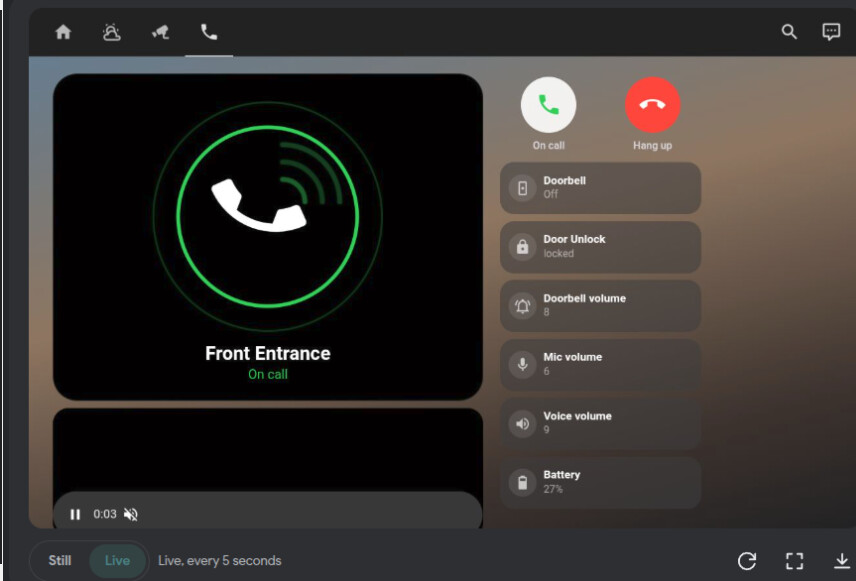
I got 2-way audio working for my audio-only Ring Intercom inside Home Assistant and wrapped it in a
wall-tablet dashboard, and I’d love other people to test it and help improve it.
What it does
- Animated phone window (standby / ringing / on call)
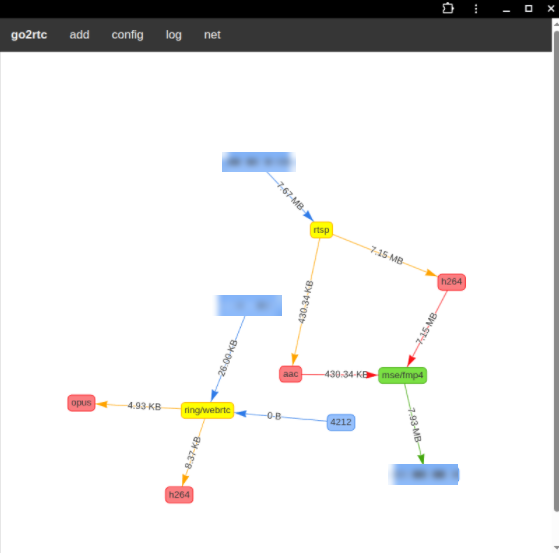
- Pick up and Hang up buttons with real 2-way audio, through go2rtc’s Ring source + the WebRTC Camera card
- Door unlock tile, doorbell / mic / voice volume tiles, battery tile
- Automation: when the intercom rings, the wall tablet wakes up and opens the Intercom screen,
then goes back to the home screen if nobody answers - Auto hang-up safety net so a forgotten call can’t drain the intercom battery
How it works in one line
The audio stream card only exists while a helper toggle (input_boolean.intercom_answered) is on,
so no call = no stream = the intercom stays asleep.
Repo (config, dashboard YAML, automations, troubleshooting):
Status: beta. It works on my setup (audio-only battery Ring Intercom, go2rtc add-on 1.9.14,
ring-mqtt for ring events, Echo Show 8 with Kiosk Satellite as the wall tablet), but that’s the only
setup I’ve tested.
What I’d really like help with
- Does it work on other Ring Intercom models?
- The tablet part of the automation is Kiosk Satellite specific - configs for Fully Kiosk, browser_mod,
the companion app etc. would be great - A more reliable way to detect a ring (my ding sensor sometimes misses one, e.g. with the handset off the hook)
- Turning the animated phone into a proper custom card
- Better push-to-talk behaviour
Gotchas I hit (all written up in the repo)
- Ring refresh tokens are effectively single use - don’t paste the token into go2rtc’s web page first
- Opening go2rtc’s
?src=stream page probes the stream and wakes the intercom (LED stays on) - Don’t use
background: trueon the card orpreloadthe stream - both keep the live session open
This uses go2rtc’s unofficial Ring source, so use it at your own risk and please keep your tokens private.
Feedback, issues and PRs welcome!