alias: Eingangstür öffnen – Klingeln nach Daniels Ankunft
description: >
  Öffnet die Eingangstür, wenn innerhalb von fünf Minuten nach Daniels Ankunft
  geklingelt wird.
triggers:
  - trigger: event.received
    target:
      entity_id: event.eingangstur_klingeln
    options:
      event_type:
        - ring
conditions:
  - condition: state
    entity_id: timer.timer_daniel_ankunft
    state: active
actions:
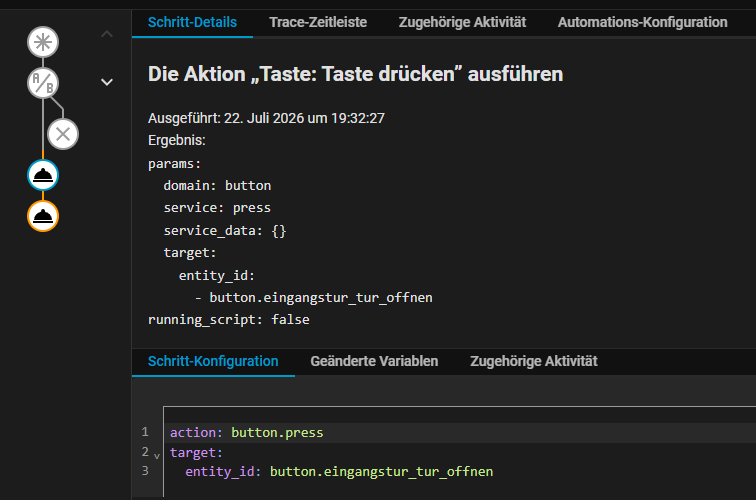
  - action: button.press
    target:
      entity_id: button.eingangstur_tur_offnen
  - action: timer.cancel
    target:
      entity_id: timer.timer_daniel_ankunft
mode: single
I’m assuming you have another automation that starts the timer when it detects presence, correct? And then, as part of safety, I assume, you don’t want to directly open the door when presence is detected, but in addition have the doorbell rang, right? If so, all you really need is to trigger on the doorbell button and have a condition to check if the device is home (and if you want to refine that, add a for to the condition with the amount of time you want them to be home, say 10 sec or whatever).
I do something similar, but I use the motion detector of my doorbell instead of the button, and I also check the time of day and whether the alarm is disarmed.
For inspiration:
  - alias: "Open The Gate When Arriving Home"
    initial_state: true
    trigger:
      - platform: state
        entity_id: binary_sensor.pieter_present
        to: "on"
        # prevent false positive due to flaky connectivity or after loadshedding and sensors being unavailable
        not_from: "unavailable"
    mode: single
    condition:
      - condition: and
        conditions:
          # prevent a glitch in case the cover was recently closed
          # since there is also an availability template for the cover defined, it will usually also prevent the gate from opening
          # when the location gets updated after the power returns (after loadshedding)
          - condition: state
            entity_id: cover.main_gate
            state: "closed"
            for:
              minutes: 2
          - condition: time
            after: "07:00:00"
            before: "23:00:00"
    action:
      # what if the presence sensor is slow to update, so we trigger motion before we're detected as home?
      # i don't think it's a good idea to have a motion trigger and then choose between the wait below and one for presence
      # rather use a recency check
      # keep in sync with the garage door template
      - wait_template: >-
          {% set last_motion_detected = (now() - states.binary_sensor.doorbell_motion_detected.last_updated).total_seconds() %}
          {{ is_state('binary_sensor.doorbell_motion_detected', 'on') or
             (is_state('binary_sensor.doorbell_motion_detected', 'off') and last_motion_detected <= 30) }}
        timeout: "00:01:00"
        continue_on_timeout: false
      - wait_template: "{{ is_state('alarm_control_panel.home', 'disarmed') }}"
        timeout: "00:01:00"
        continue_on_timeout: false
      # it was closed, but check that it still is, otherwise we might toggle it
      - condition: state
        entity_id: cover.main_gate
        state: "closed"
      - if:
          - condition: state
            entity_id: binary_sensor.pieter_driving
            state: "on"
        then:
          - service: cover.open_cover
            entity_id: cover.main_gate
        else:
          - service: script.turn_on
            entity_id: script.open_pedestrian_gap
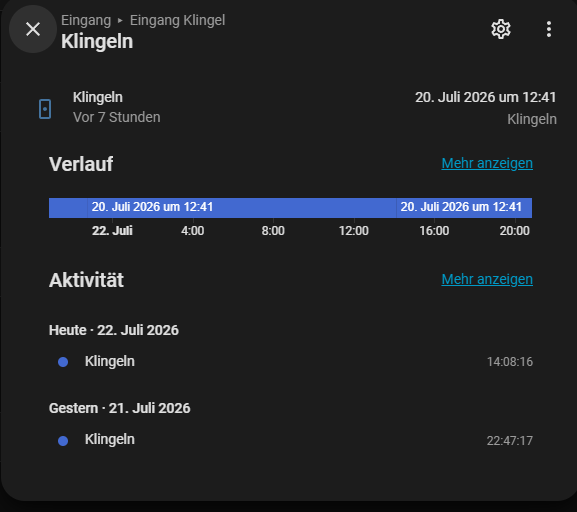
Could it be a localization issue where it might need to be in German, or perhaps Ring?
If not, you could try and use a state trigger on the doorbell event and trigger on Any (blank). I did that before the new event trigger was added, but I’m not sure how resilient it is.
after a few hours of testing, running outside, ringing, get inside again aso …
i got the thingy running but with full-auto on the door opener. it wont stop until i stoped script.
the problem is/was that my ringing isnt recognized some how…
so here my code and how it runs for me
big thx for all the ppl who helped me!
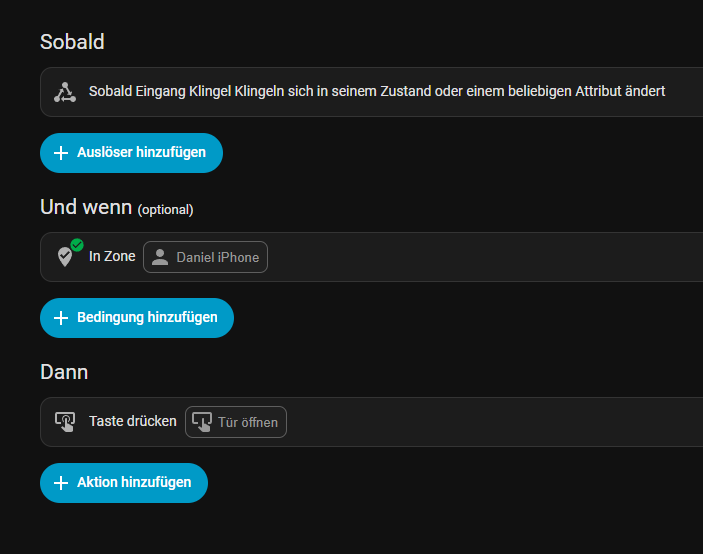
alias: Tür öffnen wenn ich nach Hause komme und klingel
description: v1.4
triggers:
  - trigger: state
    entity_id: event.eingangstur_klingeln
conditions:
  - condition: template
    value_template: "{{ trigger.to_state.attributes.event_type == 'ring' }}"
  - condition: zone
    entity_id: device_tracker.daniel_iphone
    zone: zone.home
actions:
  - target:
      entity_id: script.tur_offnen
    data: {}
    action: script.turn_on
  - delay: "00:00:03"
  - target:
      entity_id: script.tur_offnen
    action: script.turn_off
mode: single