Hi everyone,
I’ve created Ring View, a custom Home Assistant card that combines Ring’s separate last recording and Live view camera entities into one clean, responsive viewer.
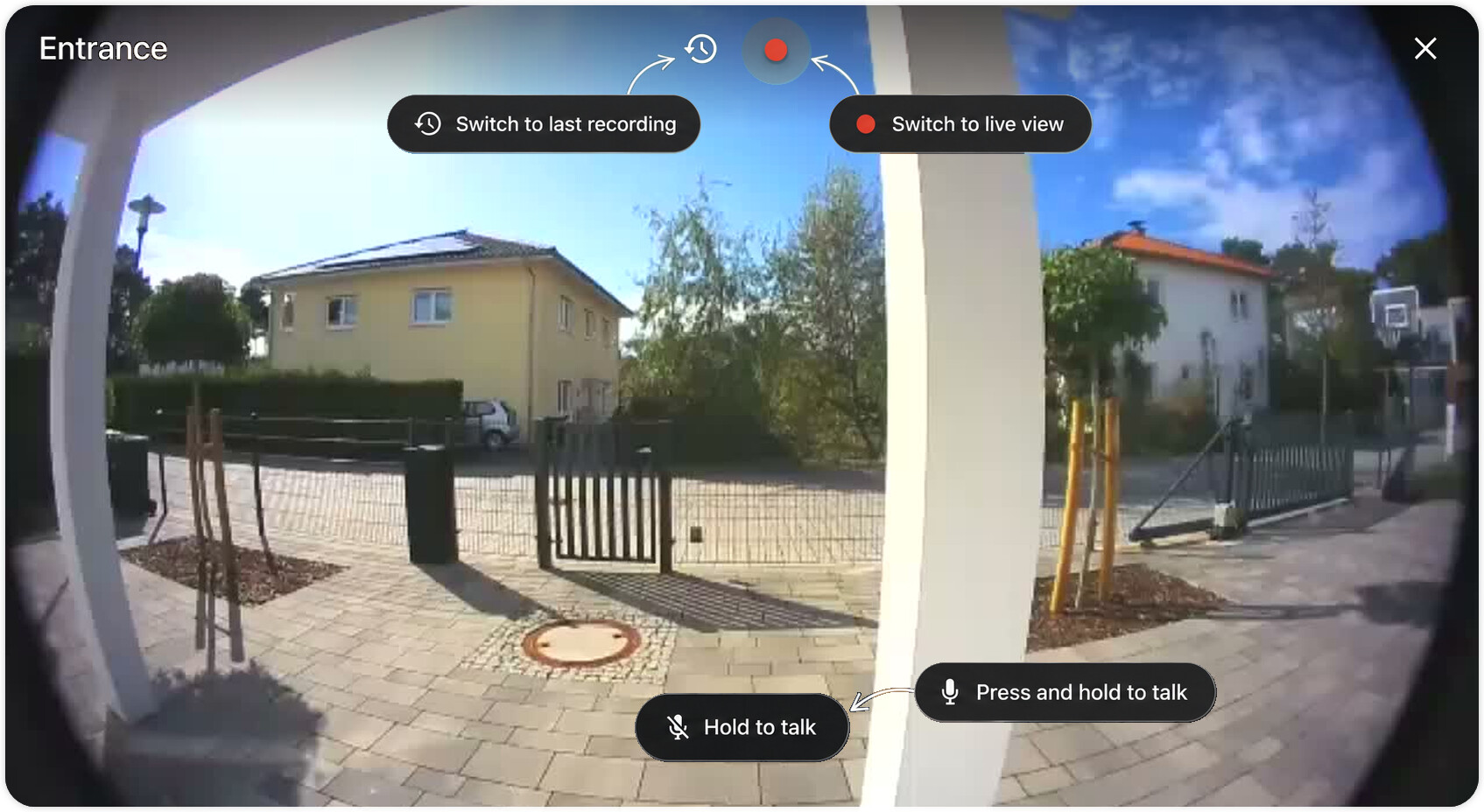
Main features
-
Switch between the latest recording and Live view in one tap
-
Listen to Live audio and use Hold to talk
-
Native recording playback, seeking, volume, and mute controls
-
Lightweight dashboard preview without starting a Live session
-
Optional Ring-MQTT snapshot support for a fresher dashboard image
-
Responsive layouts for phones, tablets, and desktops
-
Doorbell alerts that can open the camera directly in Live mode
-
Visual configuration editor with no YAML required
-
English and German translations
-
Home Assistant themes, keyboard navigation, and screen-reader support
-
No telemetry or analytics
Two-way audio works with compatible Ring cameras too. It isn’t limited to doorbells.
Doorbell notification blueprint
The repository also includes a notification blueprint:
-
Someone presses the doorbell
-
The Companion app immediately receives a notification
-
When Ring finishes processing the recording, the same notification is updated with a camera preview
The preview does not start another Live session.
Installation
Ring View is available as a custom HACS repository:
After installing it:
-
Refresh Home Assistant
-
Edit a dashboard
-
Select Add card → Ring View
-
Choose the Ring last-recording and Live-view camera entities
Minimal YAML:
type: custom:ring-view
recording_entity: camera.front_door_last_recording
live_entity: camera.front_door_live_view
Requirements
-
Home Assistant 2026.7 or newer
-
The official Home Assistant Ring integration
-
Ring last-recording and Live-view camera entities
-
A suitable Ring subscription for recording access
-
HTTPS and microphone permission for two-way audio
Ring View works with the standard built-in Ring integration. There is also an optional, temporary backend patch for a known Ring session-cleanup issue. It runs alongside the official integration and can be removed once the upstream fix reaches Home Assistant.
Repository, documentation, screenshots, and issue tracker:
The current stable release is v0.5.11.
Feedback is very welcome, especially experiences with different Ring camera models, browsers, tablets, and the iOS or Android Companion apps.