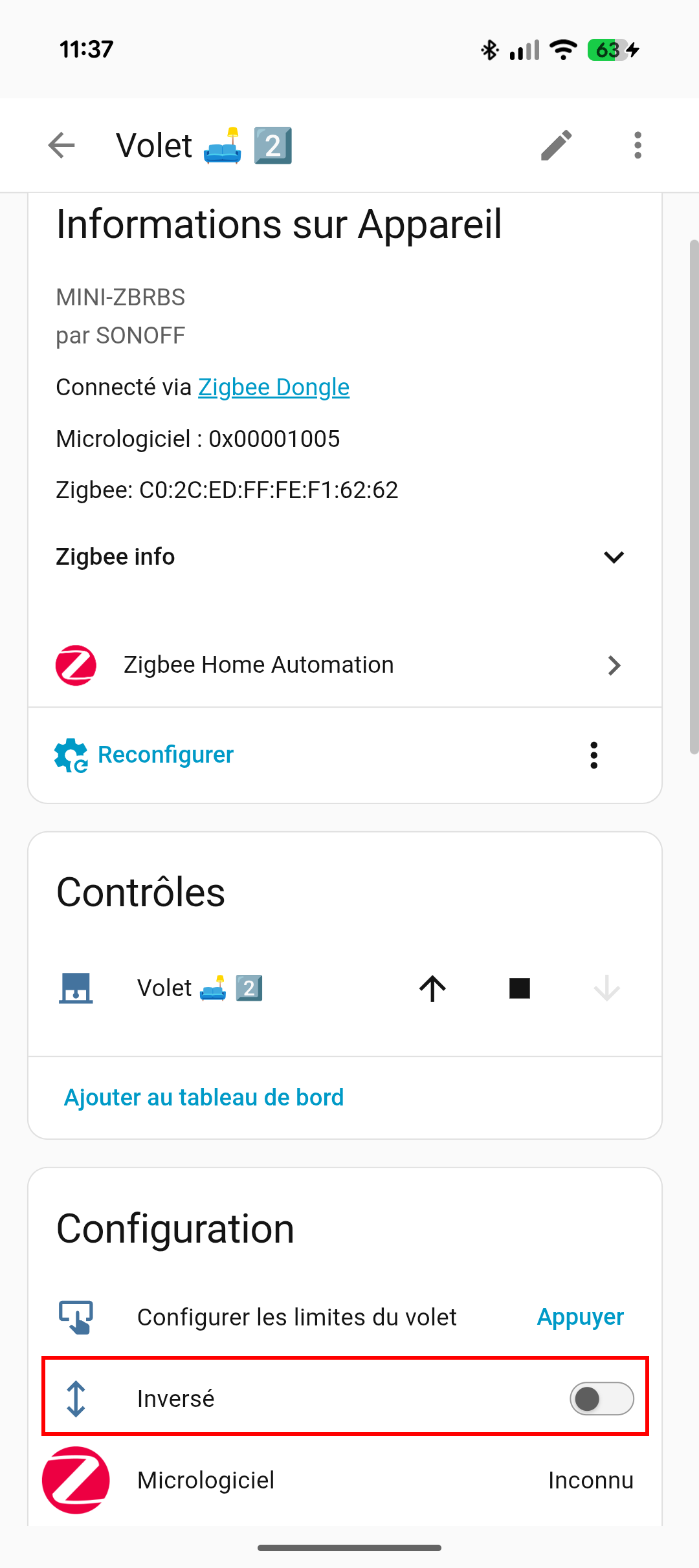
I have roller shutters connected via SONOFF MINI-ZBRBS modules.
On the configuration page for one of the modules, I accidentally clicked the ‘Reverse’ switch, which did indeed change the direction of the controls.
But since then, I’ve been unable to reverse the change. When I click ‘Reverse’ again, the switch returns to its original position after a second, with no further effect…
You could try using the “Reconfigure” option and see if that makes the toggle usable. Or, it might be possible to overwrite the related attribute using ZHA Toolkit, but that’s a pretty dense subject matter to dive into…
I don’t have any blinds to test, some bulbs will go into pairing mode when they are removed from a Zigbee network, however the behavior isn’t consistent so you would need to be ready to press the pairing button if it doesn’t go into pairing automatically.
TL;DR you might get lucky, but I would have a screwdriver handy in case your not.
I’ve tried to delete the device and re-add it. It is re-added with all its previous informations, including its custom name, and the problem I’m trying to solve.
So I’ve reached to the device, manualy factory reset it, but it is still re-added with all its previous infos, even when I restart HA before re-adding the device…
What am I missing ?
I am having exactly the same problem and everything is happening just how you described. Factory reset, readding, nothing wipes it out from ZHA. even Dev tools zha.remove and with IEEE…
Do we know why the “invert” actually works only once?
Is there a way to fully remove a device and the add it back the way how I just “opened” from the box as new? (I am getting all my previous data back if I re-add my device.
I am using ZHA on HA with SLZB-06. I have like 20 Sonoff devices, no issue so far, only this invert button screws everything up
Hi @stan3 ,
So a couple hours later after I spent already hours there, and did everything what I mentioned in my post + more. I Thought I give one more desperate try and after that I send the device back. So I went to the invert button and started to invert it… I was like in 20x click and then it worked…
My wall buttons were good wired, so up is up, down is down. Only HA up was down and vica versa.
I have no clue, if this is luck, if this is pure luck or something else. After every Invert I tested it if it is in the right direction (invert button greys out for a couple of sec after you used it).
My recommendation, take time, and hit the invert button as hard as you can ! I hope it helps to you as well