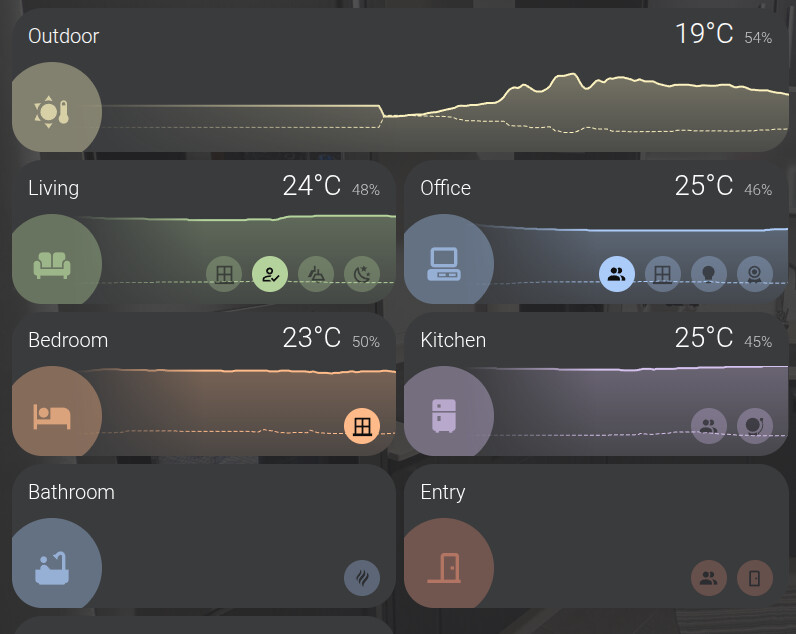
This is my first post in this community.
I have been using HA for more than 4 years and I miss some a minimalistic card to show area information. I was working a little bit in this project I want to share to you.
It is a set of cards to display the area temperature and humidity with charts and actionable icons that group the status of multiple entities, for example if any light is on.
It can also can define alarms to highlight the card with alarm
This card is nice. So far it looks like things are working except when I choose tap_action and set it to toggle, it does nothing. Am I missing something?
This looks beautiful, better than most room cards I saw so far. I like the easy way to group and display the sensors and the humidity/temperature graph being integrated.
I can’t seem to get the color working with the var(--green) example - it stays black. Where can I find the variables supported?
Could you please also make it adhere to grid_options? Currently, the card background scales correctly, but the card itself does not. I’d like to try and use it at a size of 1 row. Then it could potentially replace my current room entries: