I’ve been searching for a solution for almost two days, and I’m giving up.
Apparently, this add-on checks the password on a remote server. But for some possibly political reasons, some traffic is blocked, and API requests don’t reach this server.
This has been confirmed by some people on forums in our country.
Some ISPs allow these requests. Some people get around this with clever proxies or VPNs.
But I don’t have those skills or capabilities.
So, because of the mandatory password check, even though it’s ONLY used for a local connection once a month, I’m being restricted from using the only normal access to the server via Samba?
Guys, is this normal?
Can you tell me what else I can do to solve this problem?
I had a similar issue with the “Failed to validate addon configuration”
There was a bad update that got pushed a little bit ago that caused that error for me.
Make sure you have updated the addon to the latest version, then under configuration, make sure something is selected here (I selected default), then hit save and restart the addon.
Thanks for your advice and recommendations, but that’s not the case.
I tried reinstalling and resetting the settings. I only changed the password, as it won’t launch without it.
It’s very easy to confirm that Home Assistant, or rather one of its important components, is dependent on cloud services.
Disable internet access and try changing the password in the Samba or SSH addon. You won’t be able to do this or even launch the addon.
HIBP is a cute and nifty extra, a valuable protection against security risks, but it shouldn’t intrusively prevent your SAMBA implementation from starting if it cannot be accessed. From your description, it appears to be a program design fault - the error checking should warn, but allow to proceed.
Of course, AWS and Azure aren’t down again, are they? It’s DNS. It’s always DNS… Grins.
Regardless, passwords, good or bad shouldn’t block access to primary functionality.
This is an artificial roadblock.
Collect your facts, get the logs, do the debugging, and report in GitHub.
Wait, are you saying there’s a new check to HIBP, this time from the Samba add-on, not just the check from HA which has been around a while now (and has a workaround available)?
This would possibly point to the base HomeAssistant code HIBP being the underlying issue in your situation and returning this error, and SAMBA being the package that is affected, that you have observed.
If it affects multiple users as you would seem to indicate, a trace or debug and some more info would possibly assist in having the issue resolved, or at least isolated to a specific set of circumstances, such as DNS, ISP or country firewalling, or just something unique to your configuration like docker configuration.
There’s more to this than has been documented here so far.
Update: I checked the code in GitHub and it hasn’t been changed in over ten months. There are allowances for ‘throttling’ in the code. Maybe HIBP has been getting throttled by popularity or Microsoft Azure downtime issues, or the situation is local to your configuration.
Do you have NAT issues with IPv4 address overloading by your ISP? Vietnam comes to mind, where most of the country sits behind a tiny number of IPv4 addresses.
Is this the same issue which was introduced in 2021.3? I’d forgotten that impacted the Samba add-on. I was remembering it as only affecting the base HA, but digging deep in my notes I found we had almost the same discussion back then:
It took 241 posts but in the end a workaround was offered, which I immediately implemented and have had no problem since.
From the problem described, it was a timeout error, not a HIBP database hit, and it appears to have stopped SAMBA from working.
I’m curious if the SAMBA password chosen is present in the HIBP database? It is not relevant to this situation as the return code would not have been a timeout.
The discussion thread you quoted is interesting, the workaround/bypass simple, but the underlying issue still exists.
Maybe the HIBP check code should be incorporated during bootup, new installation, and password changes ONLY, rather than an hourly DDOS from all installations across the universe? I know Troy Hunt likes to brag how his Azure database copes with massive query volumes through CloudFlare filtering, and I sincerely hope the HomeAssistant is not a significant contributor.
If so, this is a design issue, not a bug, and not directly relevant to resolving this thread.
Guys, this is a really good forum. It’s clear you’re trying to help and figure things out.
Let me clarify a few points.
The problem, as I understand it, isn’t with the addon itself, but with the system core.
Not only the Samba password is checked online, but also the SSH. There might be something else, too.
I found the discussion link I was reading, and it also suggested a workaround: use the command
ha resolution check options --enabled=false addon_pwned
I was able to run SSH without a password, using the generated key, and I used this command. But it didn’t work.
Your connection probably works because when you installed the addon and set the password, you had a normal connection to the server, which allowed the addon to work properly.
I can’t connect to this server for reasons beyond my control. Again, changing the DNS didn’t help, and my router won’t let me set up a VPN.
But the main question is, how did we get to the point where our beloved Home Assistant project has become dependent on cloud checks and servers? Isn’t its ability to operate autonomously its main value?
I suspect that if you’re using networking (Samba, SSH, etc) with passwords, then it is deemed prudent to verify they haven’t been pwned is the gist of that long thread, and the refusal to budge by the developers is sound, and the bypass is workable.
Using SSH without a password is probably not prudent. Have you tried setting it up with a password to see if it makes a difference?
If I’m reading this correctly, the OP is saying that they’re using HA on a LAN which does not have WAN connectivity, or is blocking the HIBP web address (and others?)
So a ping or a tracert would time out, as designed.
I’m only here as a spectator, with the goal of finding out whether or not there’s something more I need to do beyond the old workaround to disable the HIPB check.
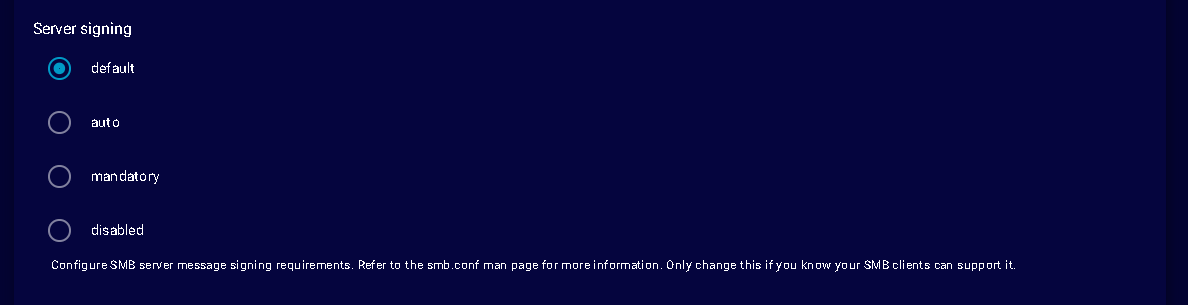
 thnx
thnx