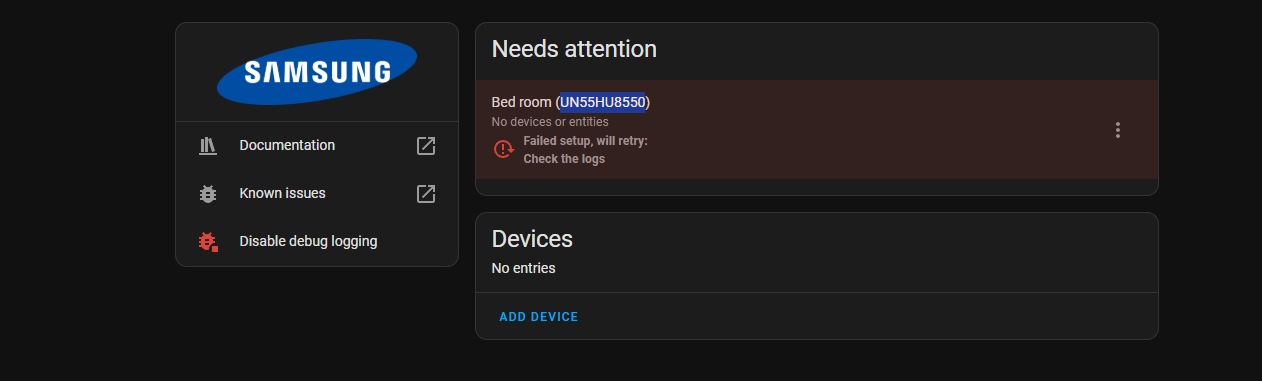
Logger: homeassistant.components.samsungtv
Source: helpers/update_coordinator.py:382
integration: Samsung Smart TV (documentation, issues)
First occurred: June 27, 2025 at 8:39:41 PM (265 occurrences)
Last logged: 2:26:16 AM

Unexpected error fetching samsungtv data
Traceback (most recent call last):
  File "/usr/src/homeassistant/homeassistant/helpers/update_coordinator.py", line 382, in _async_refresh
    self.data = await self._async_update_data()
                ^^^^^^^^^^^^^^^^^^^^^^^^^^^^^^^
  File "/usr/src/homeassistant/homeassistant/components/samsungtv/coordinator.py", line 53, in _async_update_data
    self.is_on = await self.bridge.async_is_on()
                 ^^^^^^^^^^^^^^^^^^^^^^^^^^^^^^^
  File "/usr/src/homeassistant/homeassistant/components/samsungtv/bridge.py", line 427, in async_is_on
    if remote := await self._async_get_remote():
                 ^^^^^^^^^^^^^^^^^^^^^^^^^^^^^^
  File "/usr/src/homeassistant/homeassistant/components/samsungtv/bridge.py", line 461, in _async_get_remote
    return await self._async_get_remote_under_lock()
           ^^^^^^^^^^^^^^^^^^^^^^^^^^^^^^^^^^^^^^^^^
  File "/usr/src/homeassistant/homeassistant/components/samsungtv/bridge.py", line 813, in _async_get_remote_under_lock
    assert self.port
           ^^^^^^^^^
AssertionError
I can’t make sense of what is going on. I’ve tried re-adding the integration and this error pops up each time. Stumped to what is going on. Any help would be appreciated!
That’s the only thing I can think of. The software on the TV didn’t update (it’s from 2013 (lol) and hasn’t had updates in years. The only thing is HA version changed over that time.
I just started getting that error in the last few days and I haven’t been tinkering in HA to any deep extent.
The weirdest thing i can’t figure out is how the integration allows me to turn off the TV but won’t allow me to turn it on. I was finally able to get at least it partially working.
It feels like if one works, why shouldn’t the opposite function work as well. I do have AnyCEC (I am not in front of my TV at the moment, so may have the nomenclature wrong), but I still can’t figure out the bug or the conflict that would prevent the TV turning on.
Menu >> system >> eco solution >> energy saving [OFF]
There is a cpu that controls advanced function in TV. Ethernet, advanced image processing and communications to the chip that controls power on\Off. all power save features turn that off to save power when tv is off. Well, that means you can’t remotely turn on tv over WiFi.
My model is old but I bet if you find that and turn it off “power on” over network may work
I think CEC is basically part of hdmi spec. Most TVs have it. You may need to enable it.
Thanks for the suggestion! I did check this on my TV and all those functions (under Eco) are turned off. (I previously even factory reset my TV settings to see if that would help, but alas, no). The only thing I have turned on in my settings is CEC now. I even ruled out anything with Google Home integration (tried turning my TV on and off via HA console - turning off works, but not turning on). Very strange!
I don’t use integration so can’t speak on it. You can try looking at log to verify command being sent if possible. What model # TV?
CEC Off/on works
EDIT
I think on never worked when I used integration as well. Unused CEC to turn on so it was never an issue. It was long time ago but I thinking remember that.